
Hardcover vs Paperback in the Writing Studio: Sizes, ISBNs and Page Counts
Hardcover and paperback are both PDF sizes. Pick the size that matches your KDP trim, and use the right ISBN field for each.
In the Writing Studio, hardcover and paperback are both PDFs. What changes is the page size you pick and the ISBN you use. Pick the same size here that you choose on KDP.
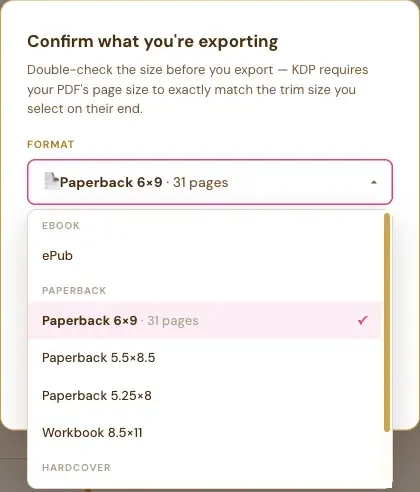
Which Hardcover and Paperback Sizes Can I Choose?
- Paperback: 6×9, 5.5×8.5 and 5.25×8.
- Workbook: 8.5×11.
- Hardcover: 5.5×8.5 and 6×9.
The same list appears in Page Preview and in the export window, sorted into Ebook, Paperback and Hardcover.
Is Hardcover a Different File Type?
No. Hardcover is a PDF size choice, not a separate file type. You pick Hardcover 6×9, for example, and you get a PDF at that page size.
Do Hardcover and Paperback Need Different ISBNs?
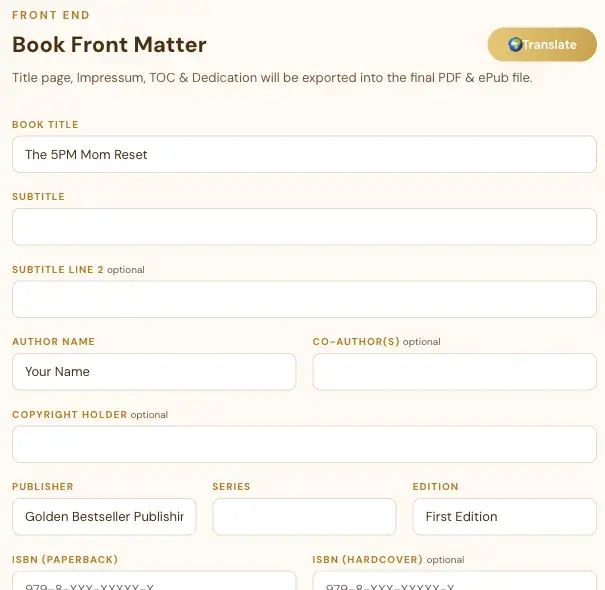
The Front End tab has two ISBN boxes: ISBN (Paperback) and ISBN (Hardcover). The hardcover one is marked optional. Fill in the one that matches the book you're making, or both. Your ISBN prints on your Impressum page.
How Do I See My Page Count Before I Export?
In the export window, open the Format list. Next to the size you've picked, it shows the exact page count of your real layout, for example "Paperback 6×9 · 31 pages". Pick a different size, and the page count changes with it.
Why Is the Page Count in Page Preview Different?
Page Preview counts the chapter pages. The export also counts the front pages, like your Title Page, Impressum, Table of Contents and Dedication. See How Page Preview and Full Screen Work.
What Comes Next?
Read How to Export an ePub or a PDF in the Right Size. Not sure where to start? The Course Coach inside the app guides you through every step, so you're never stuck on a button.
Related Articles
Last checked in the app: October 14, 2026.
Still Need Help?
Inside the app, the Course Coach answers your questions and guides you step by step. You can also write to us and we will get back to you.
Contact Support