
How to Publish on KDP: A Step-by-Step Guide for Beginners
How to publish on KDP with this step-by-step guide for beginners: what you need, account setup, your first ebook, print editions, series pages, and the AI rules.

Time To Go Live
Usually within 72 hours, often faster
Royalty Options
Ebooks: 35% or 70% (70% covers $2.99 – $12.99). Print: up to 60%
AI Disclosure
Only if AI generated your text, images, or translations

By Gundi Gabrielle
12 min read
Alrighty, your manuscript is finished, and that deserves a little happy dance. Now comes the part that makes many authors freeze: Amazon's publishing dashboard.
Here's how to publish on KDP, step by step, using Amazon's own tool, Kindle Direct Publishing (KDP). Learning how to publish on KDP is simple once you've seen it done. The tricky part is that a handful of choices, like your categories, keywords, and royalty option, quietly shape how many readers ever find your book.
This guide is part of my Amazon KDP publishing guide, which covers everything before and after the upload.
My first book, a pink little blogging guide, came out about a decade ago. This guide to how to publish on KDP walks you through those choices in the order you'll meet them, so you don't have to guess.
What do you need before you publish on KDP?
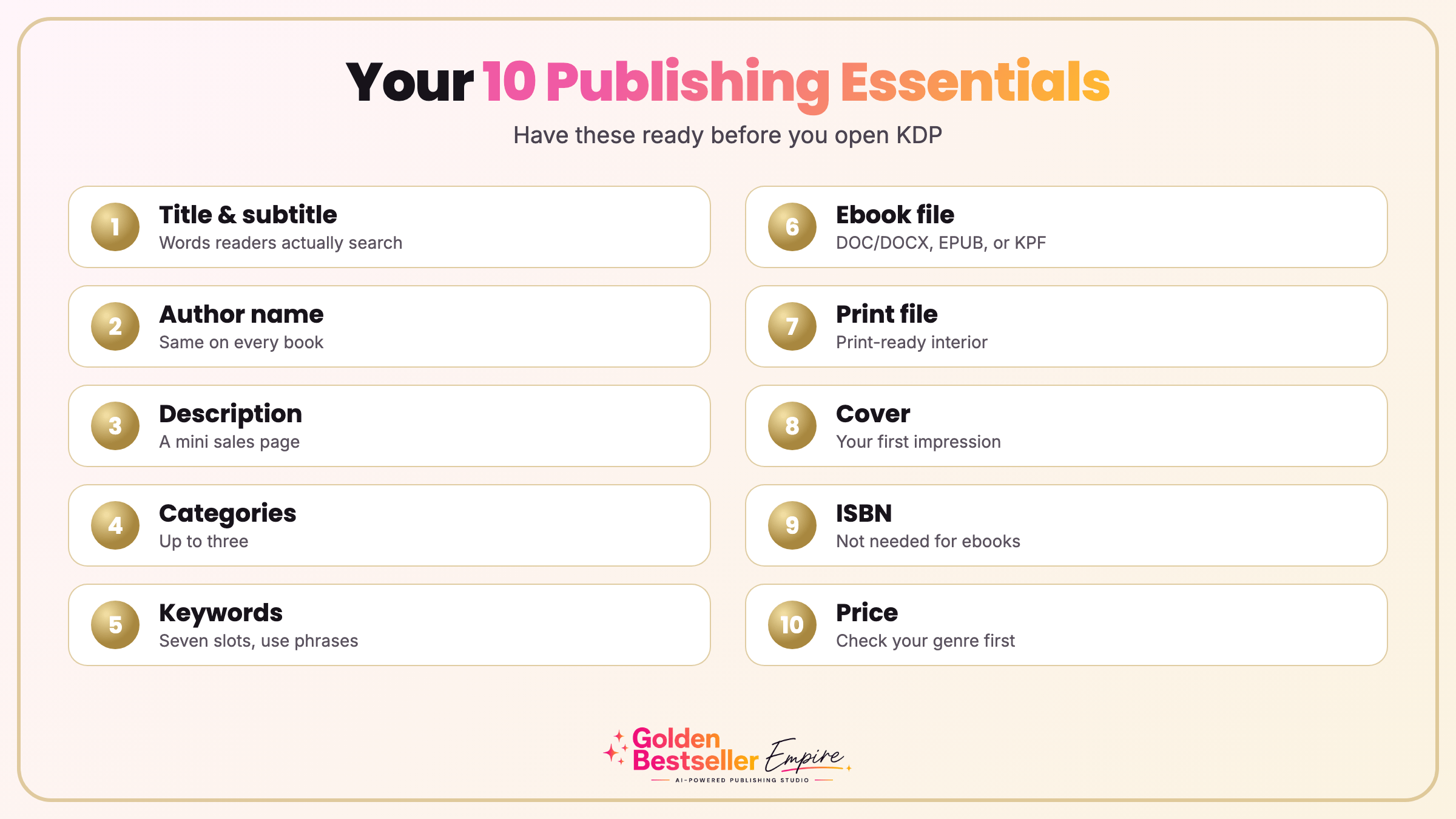
Short answer: Ten things: a title, an author name, a description, categories, keywords, an ebook file, a print file, a cover, a decision on an ISBN, and a price. Have them ready before you publish on KDP and the upload goes smoothly.
Think of this as your pre-flight checklist for how to publish a book on Amazon:
- Title and subtitle. Readers and Amazon's search both look at them, so choose words people actually type.
- Author name. Use the same name, real or pen name, on every book. It becomes tied to your Amazon author profile.
- Book description. Treat it like a tiny sales page, not a summary. Readers skim, so short paragraphs and clear line breaks help.
- Categories. You can choose up to three. Pick shelves where your book has a realistic chance to be seen.
- Keywords. KDP gives you seven slots. Use phrases real readers search for, not single words.
- Ebook file. For Kindle ebooks, KDP accepts DOC/DOCX, EPUB, and KPF files. KPF is Amazon's own Kindle Package Format.
- Print file. If you plan a paperback or hardcover, a print-ready PDF gives you the most control.
- Cover. It's the first impression. KDP has a built-in cover tool, but a professional cover usually stands out more.
- ISBN. Kindle ebooks don't need one. Print books do, and you have a choice: use Amazon's free ISBN from KDP, or buy your own, which makes you the listed publisher.
- Price. Look at what readers pay in your genre before you decide. You can change it later, but a plan helps.
👑 Still planning the book itself? Golden Bestseller Empire helps you outline and draft with an AI team. → See how it works
How do you set up your account to publish on KDP?
Short answer: To publish on KDP, go to kdp.amazon.com, sign in with your Amazon login or create one, then add your contact details, bank account, and tax information.
You can use your everyday Amazon login or a separate one just for publishing. KDP asks for your name, address, and phone number first.
Next comes payment: your bank account and routing number so Amazon can deposit your royalties. If you're outside the U.S., you'll enter the local equivalent.
Then the tax section. U.S. authors enter a Social Security number or EIN, and international authors enter their local tax details so Amazon doesn't withhold more than it should. Don't skip this one. Publishing gets blocked until the tax information is complete, so if you want to publish on KDP without delays, finish it on day one.
How do you start your first book when you publish on KDP?
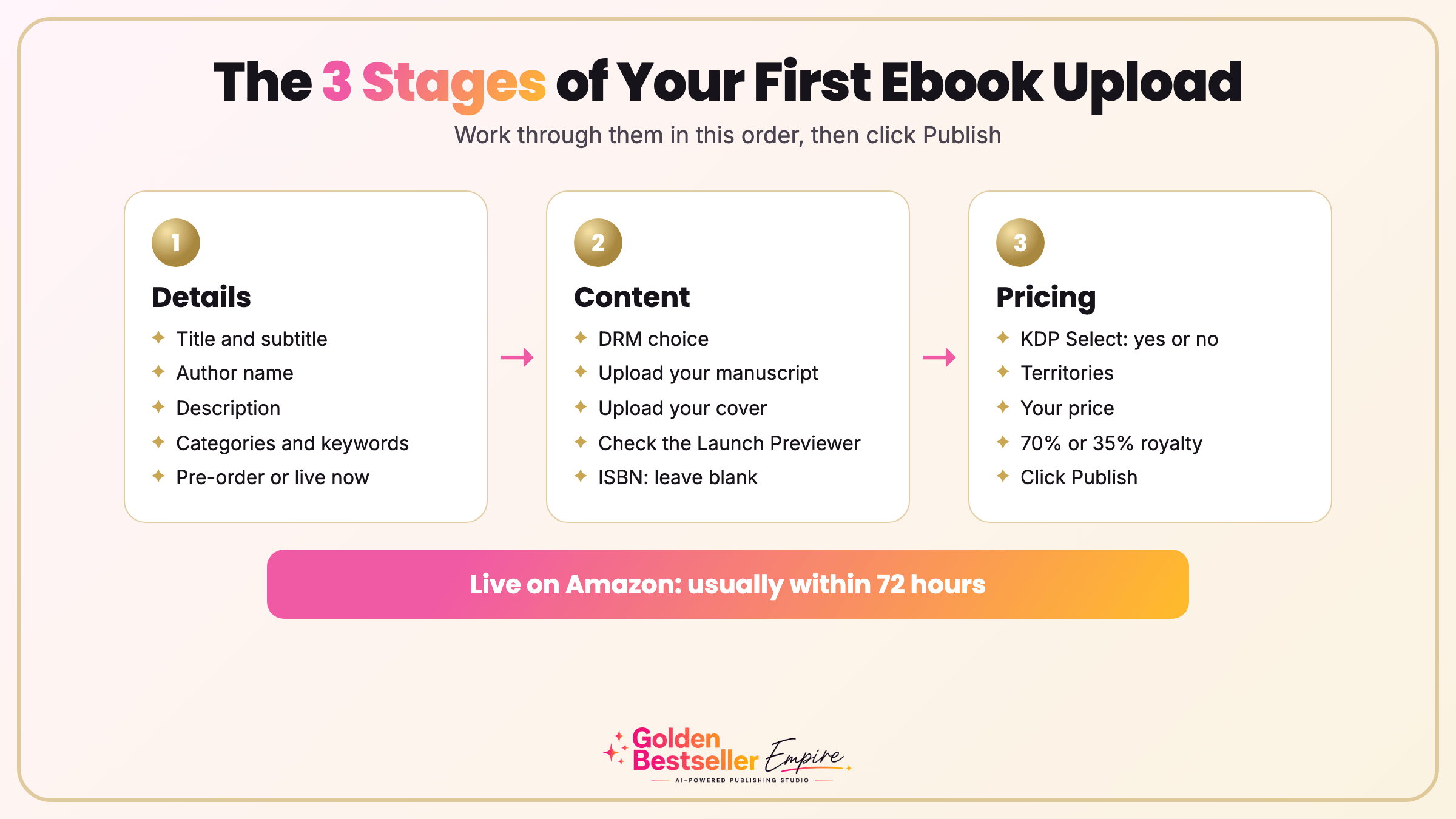
Short answer: Click Create on your Bookshelf, choose Kindle ebook, and work through three pages: Details, Content, and Pricing.
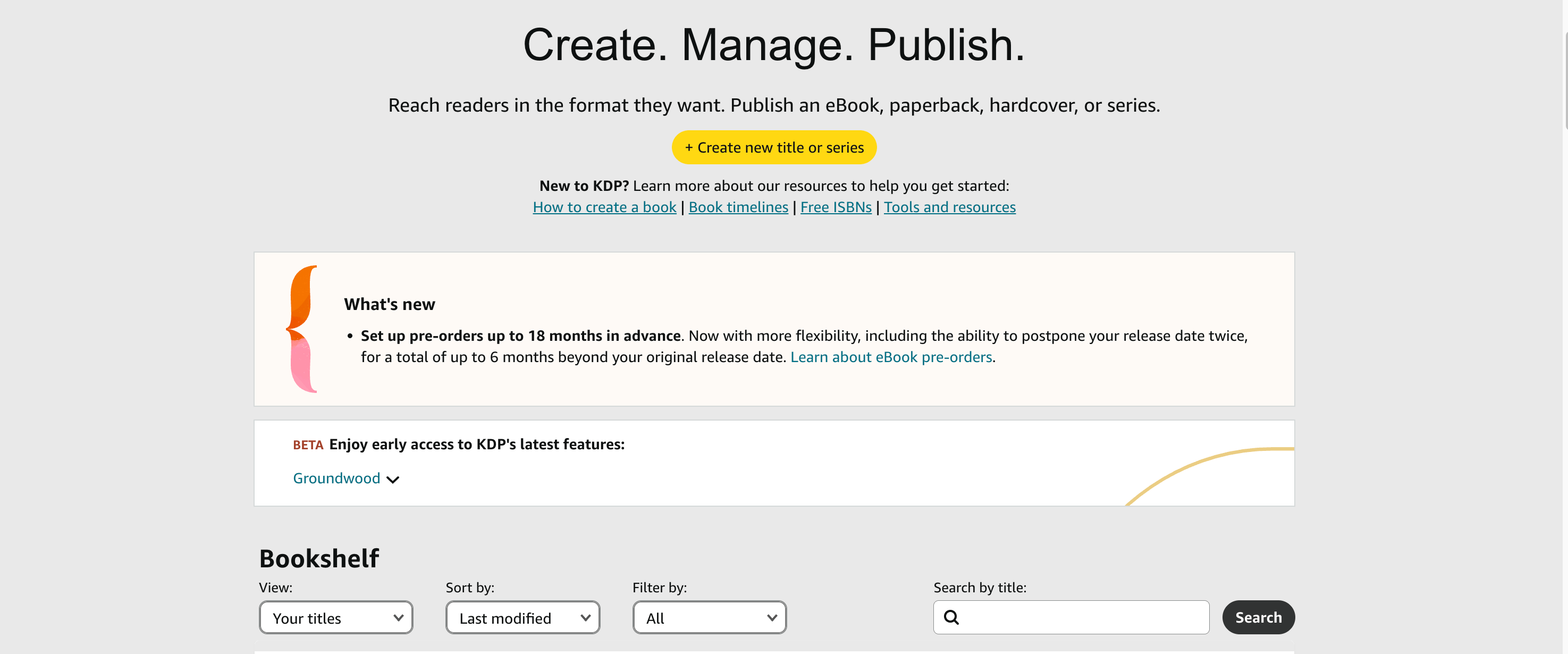
You can pick an ebook, a paperback, or a hardcover. Most authors start with the ebook because it's the quickest to finish, and the easiest way to publish on KDP for the first time is to start there and add print editions afterward.
Step 1: Kindle ebook details
Type everything exactly as readers should see it. Treat these fields as final, because some of them are hard to change once a book is live, especially in print.
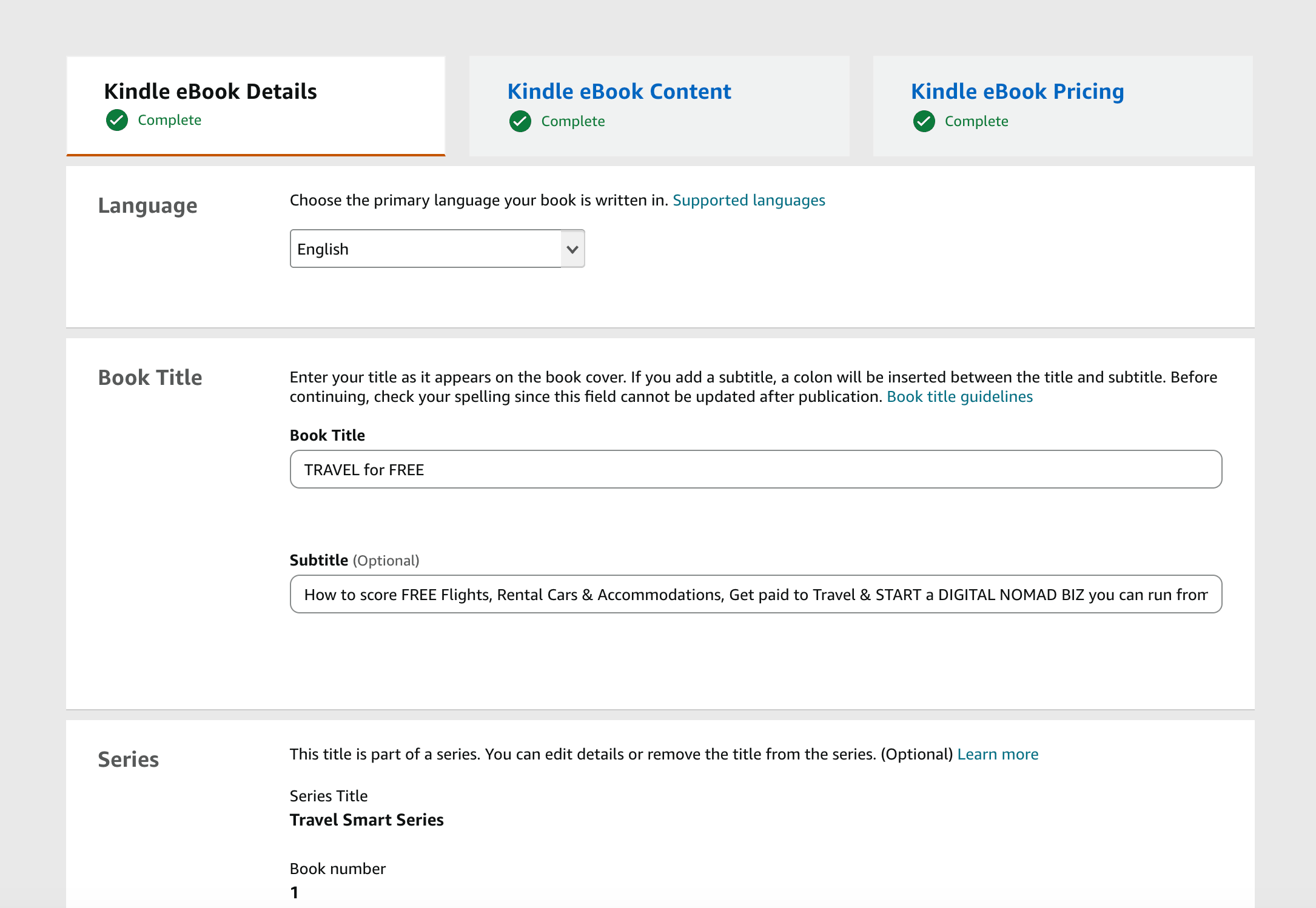
- Language: the language your book is written in.
- Title and subtitle: your exact final wording.
- Series: only if the book belongs to one.
- Edition number: leave it blank for a first publication. It's for new versions of a book you've already published.
- Author: your name or pen name, exactly as you want it on Amazon.
- Contributors: credit editors, illustrators, translators, or co-authors if relevant.
- Description: your pitch. KDP accepts basic HTML like line breaks, bold, italics, and lists, so you can make it easy to scan.
- Publishing rights: choose "I own the rights" if you wrote it. Choose public domain only if the work truly is.
- Categories and keywords: use the choices you researched earlier, not last-minute guesses.
- Age and grade range: mostly for children's books.
- Pre-order: decide whether the book goes live right away or on a future date. Kindle ebook pre-orders now reach up to 18 months out, and I explain the new rules in KDP 18-month pre-orders.
Click Save and Continue when you're done.
Step 2: Kindle ebook content
This page is where the file work happens.
- DRM (digital rights management): it limits copying and sharing. There are good arguments on both sides, and you can't change it for a version that's already live, so decide with intention.
- Manuscript: upload your DOC/DOCX, EPUB, or KPF file. Preview it before you upload, because a clean file saves you errors later.
- Cover: upload your own, or use KDP's built-in cover tool.
- Launch Previewer: open it and scroll the book as a reader would on different Kindle devices and apps. It's your last easy chance to catch formatting problems.
- ISBN: leave it blank for a Kindle ebook.
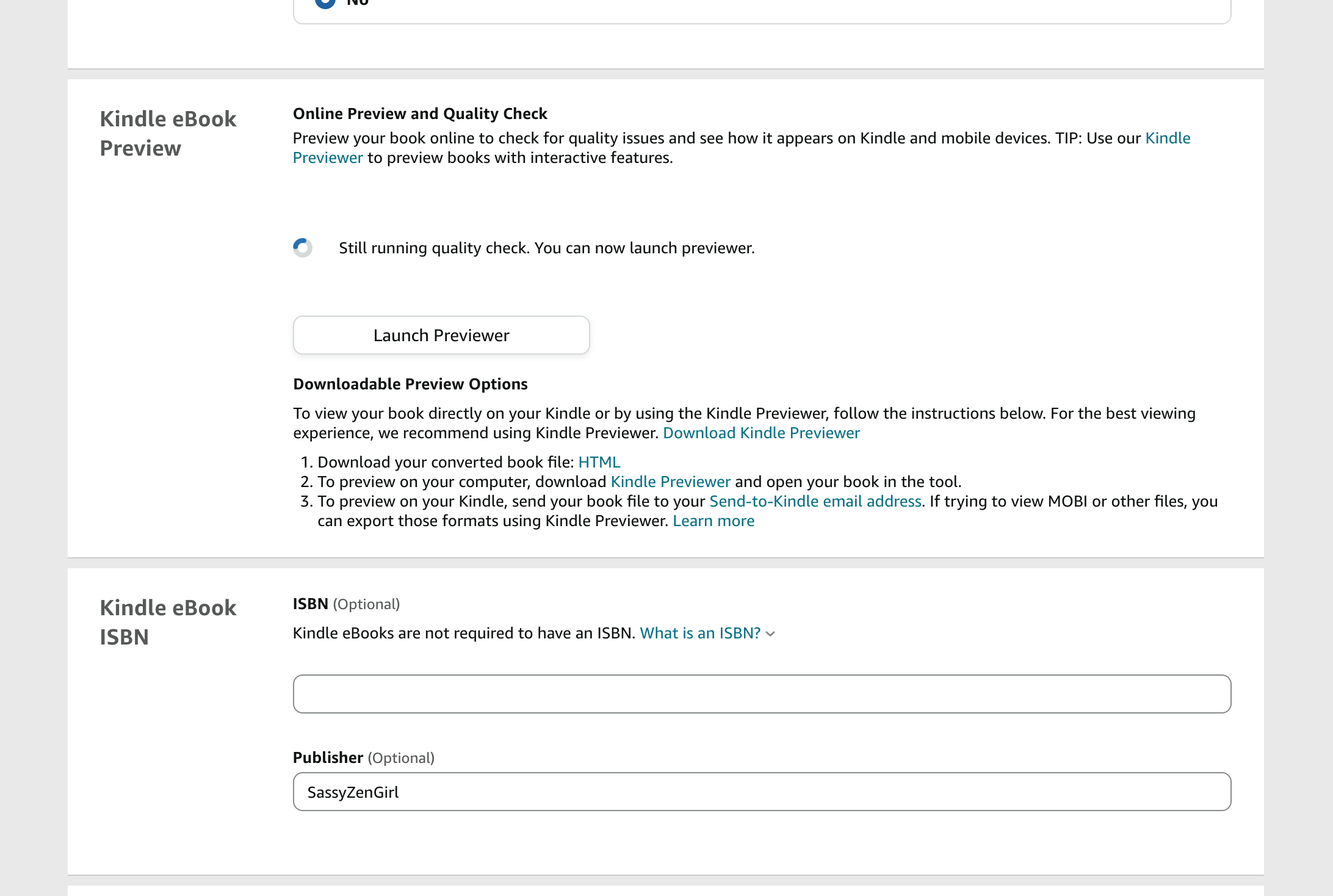
Save and Continue again.
Step 3: Kindle ebook pricing
Take your time here. This is the page where you publish on KDP and set up real royalties, so it affects what you earn.
- KDP Select: this 90-day program makes your ebook exclusive to Amazon, in return for Kindle Unlimited inclusion and promotion tools like Kindle Countdown Deals. While you're enrolled you can't sell the ebook anywhere else. KDP Select renews every 90 days unless you opt out.
- Territories: most authors choose worldwide rights. Limit it only if you have a specific reason.
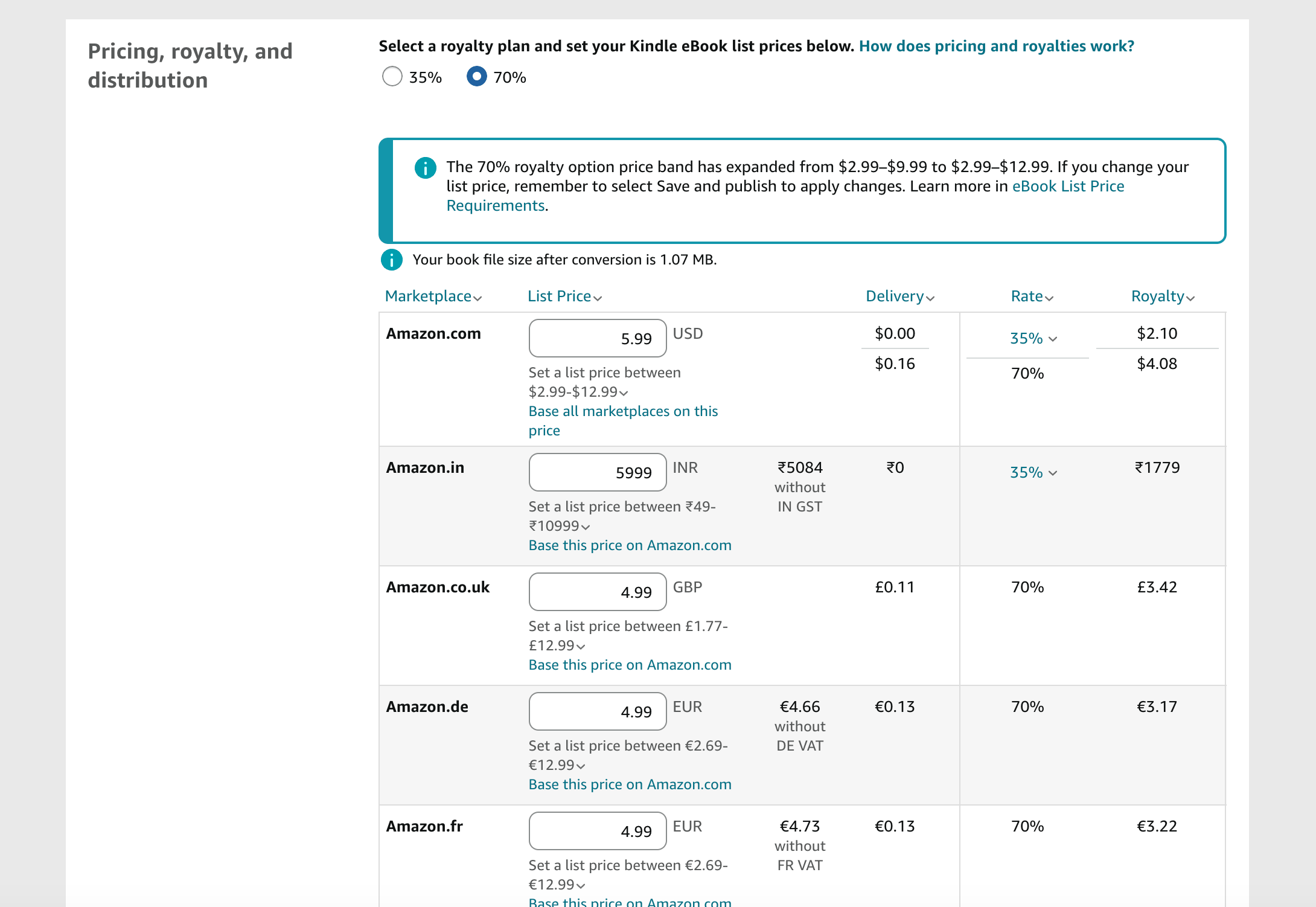
- Pricing and royalties: look at what similar books cost, and watch the royalty estimate KDP shows as you try different prices.
On royalties, here's the big update: the 70% option on Amazon.com now covers list prices from $2.99 to $12.99. It used to stop at $9.99, and many guides still say so. Outside the band, you generally earn 35%. If you have older books priced between $10 and $12.99, you'll need to switch them to 70% yourself. I walk through the math in KDP 70% royalty.
If KDP flags missing account information, fix it now. Then click Publish, or Submit for Pre-order if that was your choice.
What happens after you publish on KDP?
Short answer: Once you publish on KDP, it reviews the book, usually within 72 hours and often faster, then emails you when it's live.
Give it a few days to settle. Your book can take up to 72 hours to show up in search, the Read Sample feature can take several business days, and linked print and ebook editions can take a few days to appear together.
Once it's live, visit your own page like a stranger would. Check the description, the preview, and the cover. If anything looks off, fix it right away.
This is also the moment to read your description out loud. Does it sound like you? Does the first line make someone want to keep going? Small fixes here cost nothing and can change how many people click "Buy."
How do you add paperback and hardcover editions when you publish on KDP?
Short answer: To publish on KDP in print, start from your published ebook on the Bookshelf, add a paperback or hardcover edition, and upload print-ready files.
Most details carry over from your ebook, so you aren't starting from scratch. Here's how the three formats compare:
| Format | Royalty | What you upload | ISBN |
|---|---|---|---|
| Kindle ebook | 35% or 70% | DOC/DOCX, EPUB, or KPF file, plus a cover | Not needed |
| Paperback | Up to 60% | Print-ready interior plus a full-wrap cover | Needed (Amazon's free ISBN or your own) |
| Hardcover | Up to 60% | Print-ready interior plus a full-wrap cover | Needed (Amazon's free ISBN or your own) |
What changes from ebook to print is the files:
- Interior: a print-ready PDF made for print. You can't reuse your ebook file.
- Cover: a full wrap that covers the front, spine, and back, sized to your trim size and page count.
- Print settings: trim size (the finished dimensions), bleed (whether images or text run to the edge), and paper type. Most books use the standard options, and KDP explains each one.
Open the print previewer and look for page-break problems, margin issues, and odd spacing. Then order a physical proof copy before you publish on KDP in print. It's the best way to catch what a screen hides.
The rest feels familiar: pricing, territories, and publishing work much like the ebook. Linking the formats on one page is usually automatic, but it can take anywhere from 48 hours to a week.
How do you set up a series page?
Short answer: A series page groups your books together in order. It's optional, and it's most useful once you've decided to publish on KDP more than once.
You can create or manage a series any time from your KDP dashboard, and you don't need every book finished first.
- Series title: the name readers will see. Keep it consistent everywhere.
- Reading order: give each book its place so readers know where to start.
- Description: a short explanation of what the series is about. It doesn't need to be clever.
- Series image: optional. A variation of your cover design or a branded graphic works well.
Public domain books and low-content books aren't eligible.
Can you use AI when you publish on KDP?
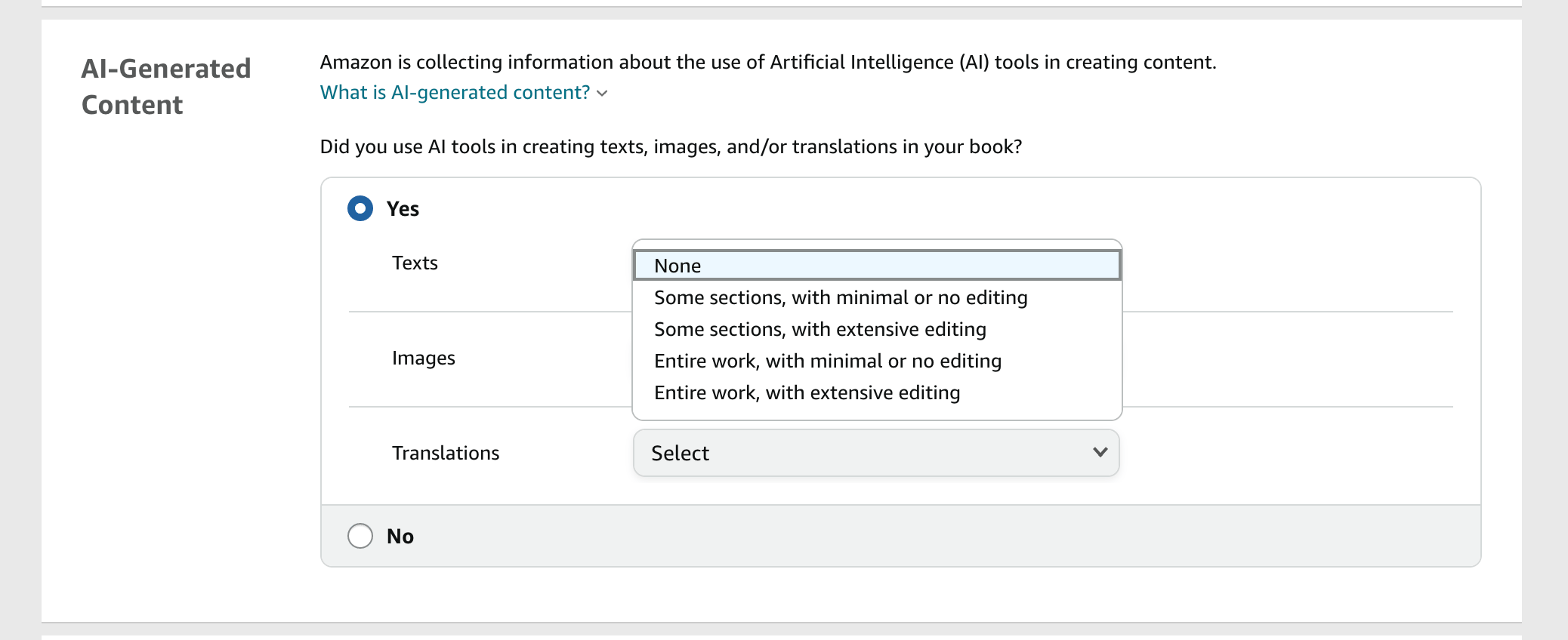
Short answer: Yes. When you publish on KDP, if AI generated your text, images, or translations, tell KDP. If AI only assisted you with editing or brainstorming, you don't have to.
Amazon's Content Guidelines define two categories. AI-generated content is created by an AI tool, even if you edit it heavily afterward. AI-assisted content is yours: you wrote it and used AI to refine, error-check, or brainstorm. Either way, you're responsible for following all content guidelines, including intellectual property rights. I cover the rule in depth in Can You Publish AI Books on Amazon KDP?.
KDP asks you directly while you set up the book, so you'll see the question below. It covers texts, images, and translations, and the answers range from none to the entire work.
That's the heart of AI book publishing done right: AI supports your thinking, and your ideas, stories, and voice stay yours. It's what I built Golden Bestseller Empire around.
👑 Not sure where AI ends and you begin? Golden Bestseller Empire keeps you in the driver's seat. → Meet your AI Publishing Team
And just now, I did exactly that for my new AI Beginner Guide Book series on Amazon, under the BlissfulKittens banner. I've never been able to have a well-written and researched book finished so fast. Full research, formatting, editing, cover, and my whole Amazon storefront, even Amazon Ads ready in minutes as well as translations into various languages. I was blown away myself, and I've been doing this for 10 years.
AI is AMAZING. I just don't like having it write my books.
Now you're ready to publish on KDP
That's the whole process of how to publish on KDP: gather your ten essentials, set up your account, walk through Details, Content, and Pricing, then add print and a series page when you're ready. KDP changes often, so I keep the latest Amazon KDP updates in one place.
Want the bigger picture, from research and planning to launch and beyond? Read my Amazon KDP publishing guide. You'll publish on KDP with more confidence once you know the full picture. And if you're new to the platform itself, start with what is Amazon KDP.
Publishing is only step one, and it's the one most authors fear the most. Now you know it's a checklist, not a mystery. Next comes getting readers to find the book, which is its own conversation. If you'd like a team to help you plan, write, and launch with AI book publishing, Golden Bestseller Empire is there whenever you're ready.
Now go publish on KDP with a book you're proud of. Press that Publish button. The world needs your words.
Frequently Asked Questions
How do I publish a book on Amazon for the first time?
Create a Kindle Direct Publishing (KDP) account at kdp.amazon.com and add your tax and payment details. Then start a new title, enter your book details, upload your manuscript and cover, set your price, and click Publish. Most authors begin with the Kindle ebook and add paperback or hardcover editions afterward.
How long does it take to publish a book on Amazon?
After you click Publish, Amazon usually reviews your book within 72 hours, often faster, and emails you when it's live. Your book can take up to 72 hours to appear in search, and linked print and ebook editions can take a few days to show together.
Do I need an ISBN to publish a book on Amazon?
Not for a Kindle ebook. Paperbacks and hardcovers do need one, and you have a choice: use Amazon's free ISBN from KDP, or buy your own. Using your own ISBN makes you the listed publisher, which matters to some authors.
Can I use AI to write a book I publish on Amazon?
Yes, with one rule. If AI generated the text, images, or translations, you must tell KDP when you publish. If you wrote the book and used AI only to edit, refine, error-check, or brainstorm, you don't need to disclose it. You're responsible for following all KDP content guidelines.
What royalty will I earn when I publish a book on Amazon?
Kindle ebooks earn 35% or 70% depending on the option and price. The 70% option on Amazon.com now covers list prices from $2.99 to $12.99. Print books earn up to 60%, minus the printing cost.
Sources & Citations
- KDP Help: Content Guidelines (AI-generated vs. AI-assisted content)
- KDP Help: eBook List Price Requirements (70% royalty price band)
- KDP Help: How to enroll in KDP Select
- Kindle Direct Publishing (Amazon)
- Kindlepreneur: How to Publish a Book on Amazon: A Step-by-Step Guide
- Living changelog: Amazon KDP & Related Marketplace Changes
This page is maintained independently and is not affiliated with Amazon. Always double-check the latest numbers inside your own KDP account before making pricing decisions.
Found this useful? Get more of this site in your Google.
One tap adds us as a preferred source — Google then shows you our posts more often in Search, Top Stories, and AI Overviews.
Created By

Top 100 Business Author · Carnegie Hall Conductor · Founder of Golden Bestseller Empire
Hey, I'm Gundi, and for over a decade, I've helped thousands of everyday people turn what they know into a bestselling book.
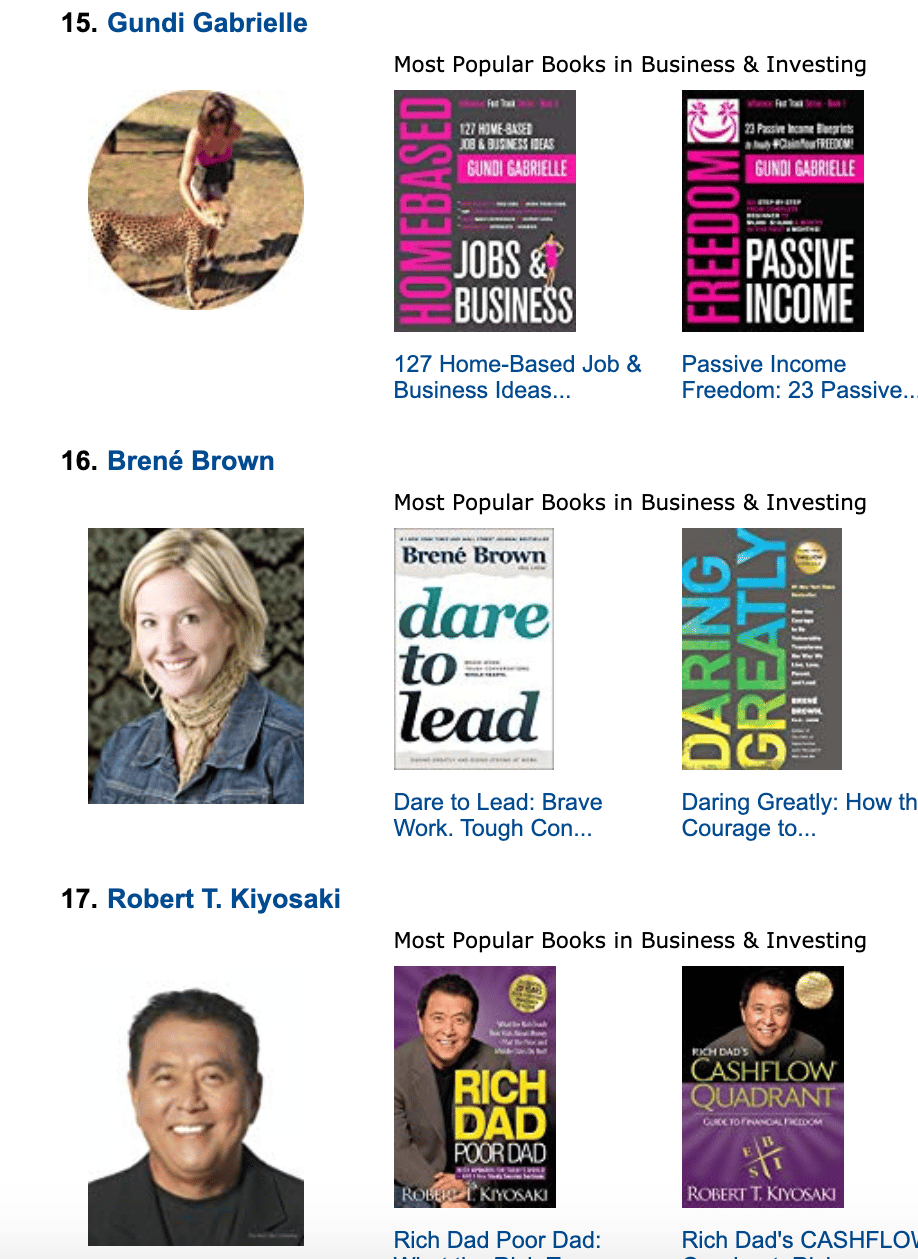
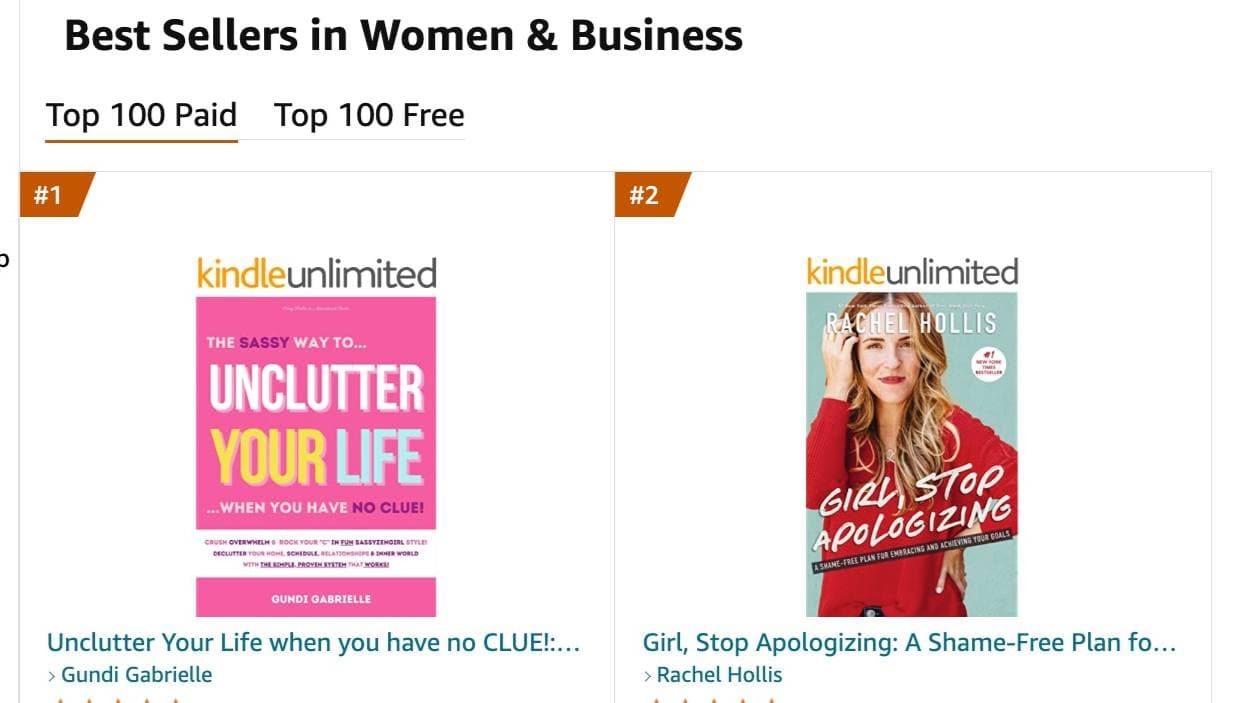
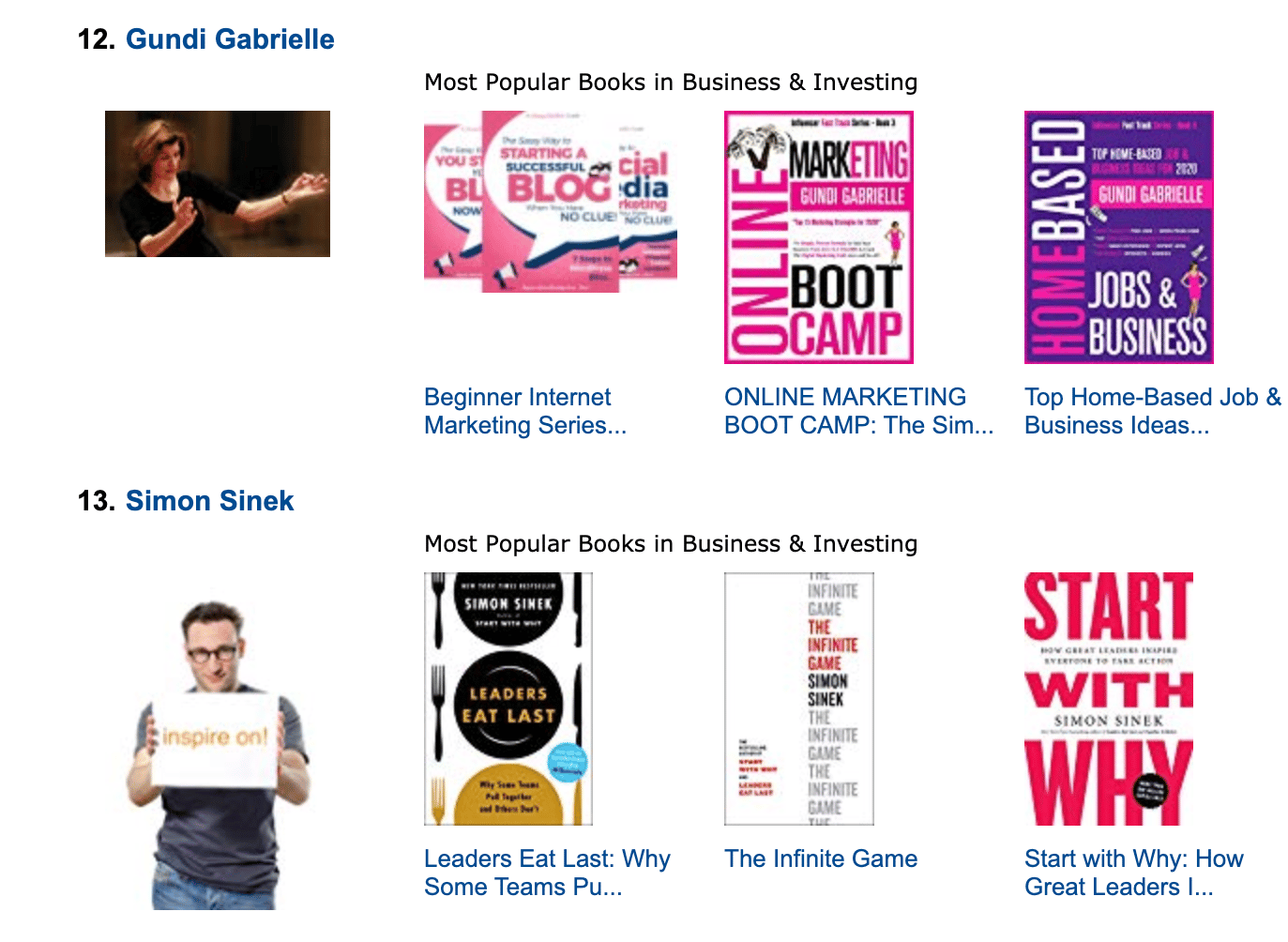
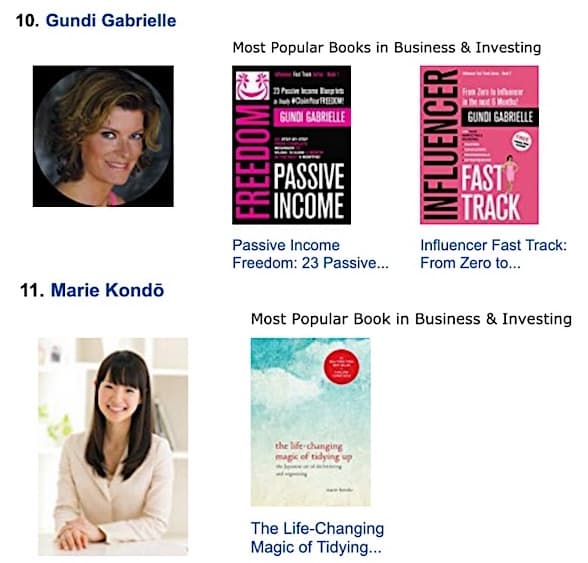
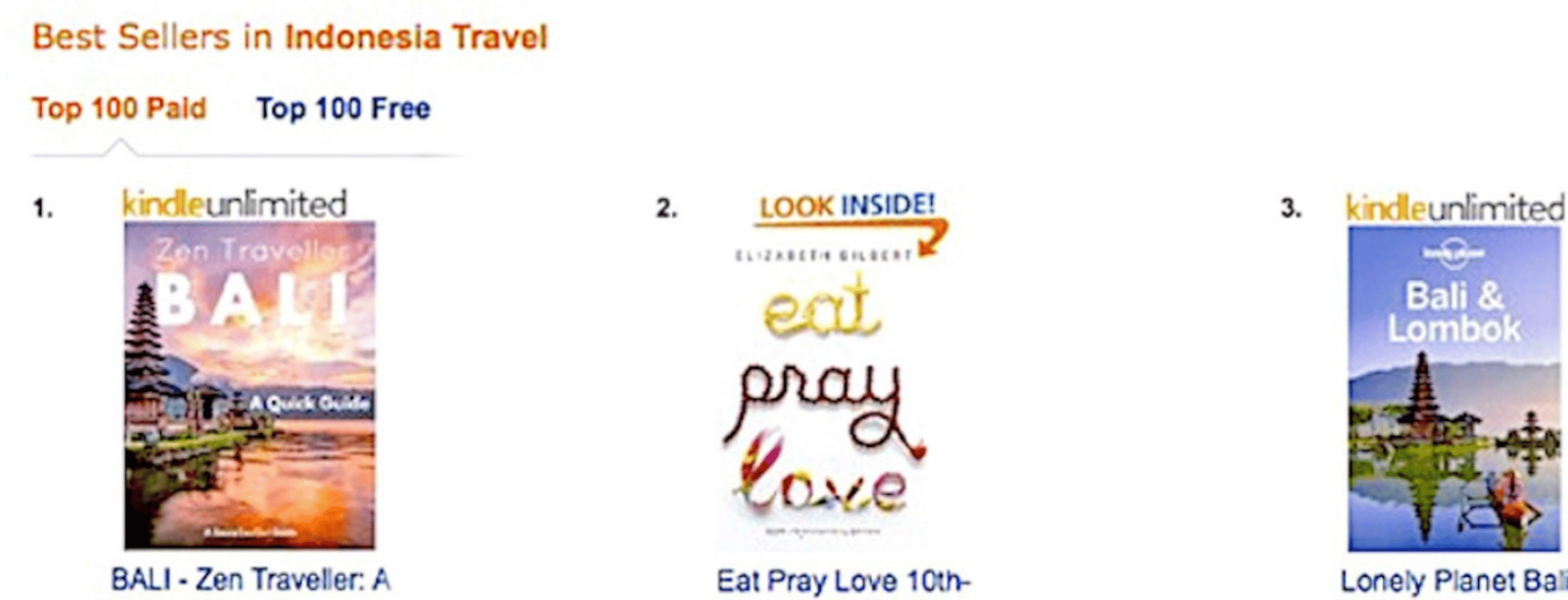
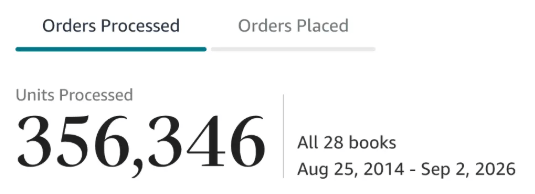
Along the way, I sold over 350,000 books, and was listed in Amazon's Top 100 Business Author Charts, ahead of authors like Simon Sinek, Brené Brown, Tim Ferriss, Robert Kiyosaki, or Brian Tracy.
No traditional publisher. No massive budget. Just understanding Amazon's algorithm and researching what readers actually want.
In my earlier years, I was a classical conductor & organist, touring the world, incl. Carnegie Hall & a performance for the Pope on St. Peter's Square.
These days, I love traveling as a Digital Nomad and orchestrating busy AI Agents 😎. Out of that came Golden Bestseller Empire — a complete AI-Powered Book Publishing Studio now helping authors around the world.
Can't wait to see you inside & help you publish your dream:
Featured In:
More from the Golden Bestseller Blog
Amazon KDP Publishing Guide
What Is Amazon KDP? Kindle Direct Publishing Explained for Authors
What is Amazon KDP? Kindle Direct Publishing explained in plain English: what you can publish, how authors get paid, KDP Select, ISBNs, and the AI rules.
Amazon KDP Publishing Guide
Amazon KDP Publishing Guide: The Complete Walkthrough for Authors
The complete Amazon KDP publishing guide in 8 steps: find your topic, plan, build, write, grow your fanbase, prep your storefront, launch, and expand.
AI Book Publishing
AI in Book Publishing: What Authors Need to Know Before They Publish
AI in book publishing is legal, allowed on Amazon KDP, and works best when AI assists and you write. Here is what the rules say and how Amazon's new algorithm fits in.
Want a faster way to plan and price your next book?
Golden Bestseller Empire's AI publishing tools help with exactly this kind of decision.