
How to Add a Link in the Writing Studio
Click the Link button, then type or paste the web address and add display text if you like. The https:// part is added for you.
Click the Link button in the Visual Editor toolbar, type or paste the web address, and give it display text if you want. You do not need to type https://, because it is added for you.
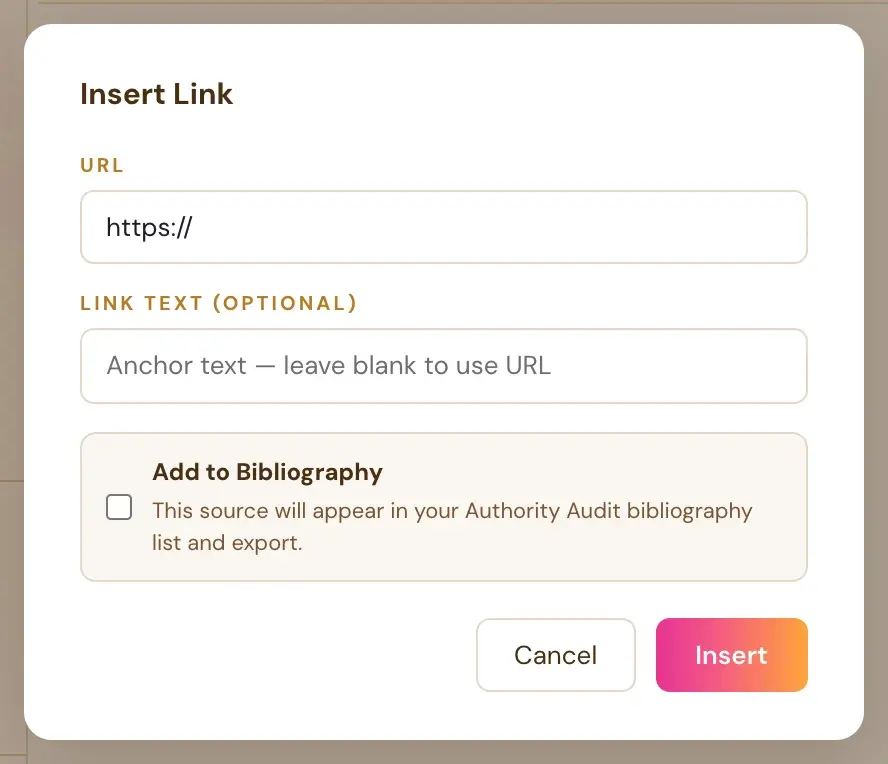
How do I add a link?
- Click where you want the link, or select the words that should become the link.
- Click the Link button in the toolbar.
- Type or paste the web address.
- Give it display text if you want.
- Confirm to insert it.
Links show up gold and underlined in the editor, so they are easy to spot at a glance.
Do I need to type https://?
No. "https://" is added automatically if you do not type it yourself, so you never have to remember it.
How do links look in the printed book?
In the printed book, a link's text prints as plain text, with no underline or color. A QR code is what readers scan. The ebook (EPUB) keeps the real clickable link. If you want print readers to reach a page, add a QR code.
See How do I add a QR code?. When you add a QR code, you can type the address with or without https://, because it is added automatically.
Why are links not clickable in my exported PDF?
This is intentional, and it is not a bug. Amazon's KDP print system rejects interior files containing any interactive or clickable element, so links are automatically converted to plain, non-clickable text in the print PDF. The same links stay clickable in the ePub export and inside the Writing Studio editor. Only the print PDF path removes them. See Do links work in the print PDF?.
What about links in a book I imported?
Real hyperlinks in the original Word or ePub file are preserved in the imported chapters. They work normally in the ePub export and in the Writing Studio editor. They are removed only from the print PDF version.
Can a picture be a link?
Yes. Click the picture in your text. A small bar appears under it with the size buttons, Left, Center and Right, the space above and below, and Link.
Can the Authority Audit add links for me?
Yes. Selected citations from the Authority Audit can be added to the bibliography and linked to matching text in your manuscript. See How does the Authority Audit and bibliography work?.
See also
Amazon's content rules: KDP content guidelines.
Not sure where to start? The Course Coach inside the app guides you through each step, so you are never stuck on a button.
Related Articles
Last checked in the app: October 14, 2026.
Still Need Help?
Inside the app, the Course Coach answers your questions and guides you step by step. You can also write to us and we will get back to you.
Contact Support