
Amazon KDP Publishing Guide: The Complete Walkthrough for Authors
The complete Amazon KDP publishing guide in 8 steps: find your topic, plan, build, write, grow your fanbase, prep your storefront, launch, and expand.
From Plan To Publish
6 to 12 weeks
Royalty Options
Ebooks: 35% or 70% (70% covers $2.99 – $12.99). Print: up to 60%
AI Disclosure
Only if AI generated your text, images, or translations

By Gundi Gabrielle
15 min read
Alrighty, this is the big one. Most guides start at the KDP upload screen, but a book that sells is decided long before that: in your topic, your plan, your title, your cover, and the readers you gather around the launch.
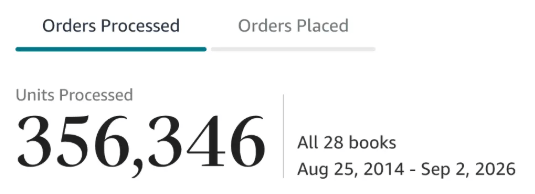
This Amazon KDP publishing guide walks you through the whole Amazon KDP publishing process in the eight steps I teach: Find, Plan, Build, Write, Grow, Prep, Launch, and Expand. I've been publishing for 10 years, selling over 350,000 books. I keep every KDP rule in here tied to Amazon's own Help pages, so you can check it yourself.
Think of this Amazon KDP publishing guide as the hub. When a step deserves its own deep dive, I'll point you to it. If you only want the button-by-button upload, jump to how to publish on KDP. If you're brand new to the platform itself, start with what is Amazon KDP.
What does the Amazon KDP publishing process look like from start to finish?
Short answer: Amazon KDP publishing takes eight steps: Find your topic, Plan your blueprint, Build your book's architecture, Write, Grow your fanbase, Prep your storefront, Launch, and Expand. Each step sets up the next one.
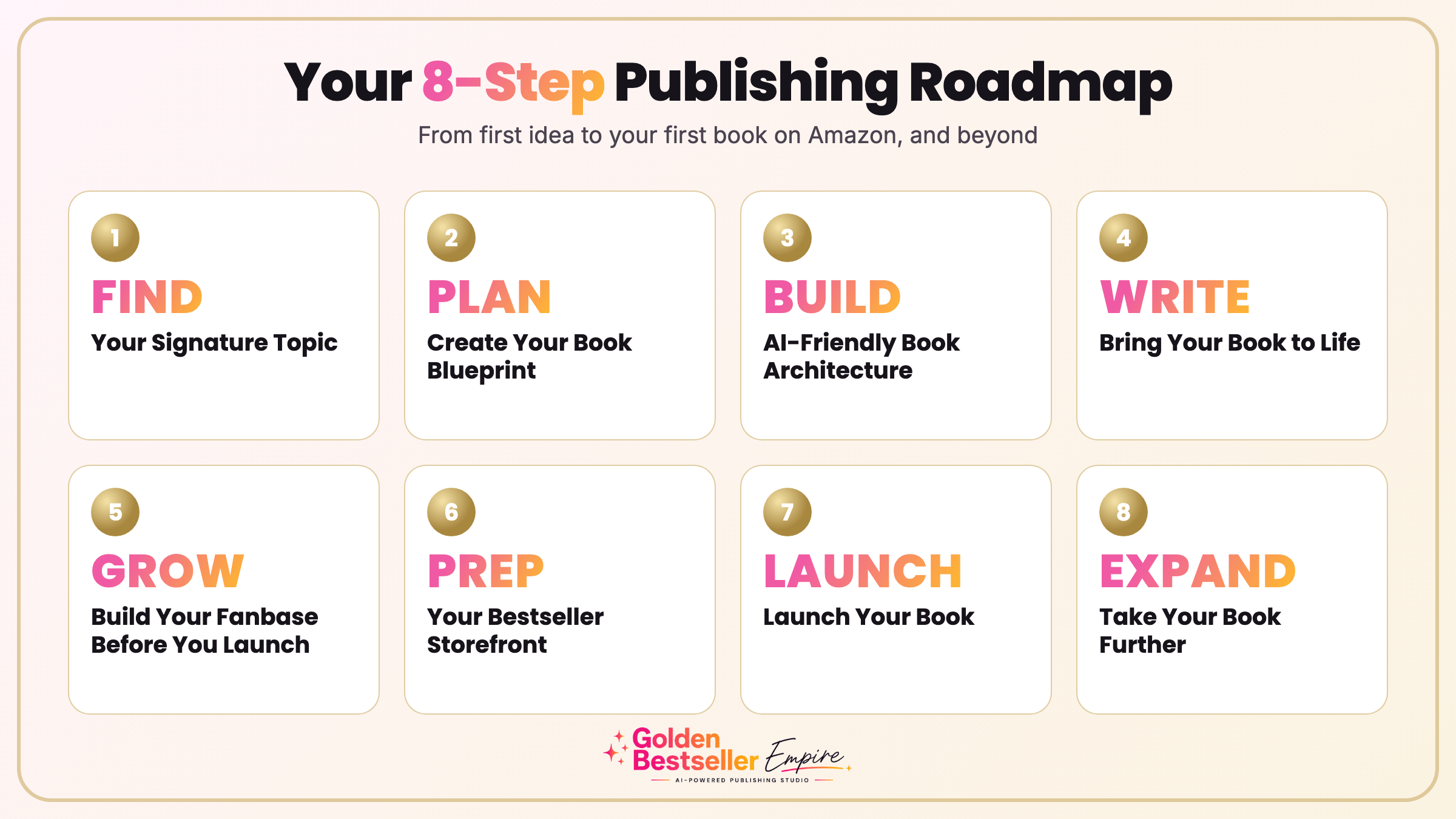
Here's how the steps line up:
| Step | What you do | When |
|---|---|---|
| 1. Find | Choose your signature topic and know your reader | Before you write |
| 2. Plan | Create your book blueprint | Before you write |
| 3. Build | Shape the architecture of your book | Before you write |
| 4. Write | Draft, edit, and proofread | While you write |
| 5. Grow | Build your fanbase and launch team | While you write |
| 6. Prep | Set up your storefront: title, cover, description, price | As the draft finishes |
| 7. Launch | Publish on KDP and run your launch | 1 to 3 days before launch, then 30 days |
| 8. Expand | Add translations, audiobooks, ads, and a series | After launch |
The rest of this Amazon KDP publishing guide takes each step in order.
Step 1: How do you find your topic and your reader before Amazon KDP publishing?
Short answer: Before you write a word, find out who you're writing for and what they already search for. Good Amazon KDP publishing starts here, because research is cheaper than rewriting.
Start with your reader. Who needs this book, what problem are they trying to solve, and how do they describe that problem in their own words? For nonfiction, this one question shapes your title, your outline, and your description.
Then check what people actually type into Amazon's search bar. Those words are called keywords. Also look at the categories, which are the shelves on Amazon where your book will be listed, like Business or Self-Help. You want topics people are searching for, in shelves that aren't packed with huge-name authors, so a new book has a real chance of being seen. You'll refine this later, but a first look now stops you from writing a book nobody is looking for.
To speed this up, I built a Research Team right into the Golden Bestseller Empire app. Step 1 gives you five generators:
- Hidden Gem Hunter uncovers the opportunities hiding in your niche.
- Alexa Analyst shows you what readers are looking for, and what's missing.
- Trends Spotter helps you spot emerging topics in your field.
- Monetization Mapper shows where your topic meets real demand.
- Validation Pro gives your topic one final check before you plan your book.
Each one comes with step-by-step tutorials and guides, so you always know what to do next.
👑 Not sure which idea deserves a whole book? Golden Bestseller Empire helps you find and shape your signature topic. → See how it works
Step 2: How do you plan your book blueprint for Amazon KDP publishing?
Short answer: Build a clear blueprint first: the promise of the book, the chapters that deliver it, and what the reader can do when they finish. Every successful Amazon KDP publishing plan has one.
A good plan makes the writing faster and the finished book clearer. Write down the one problem your book solves, then map the chapters that walk the reader from that problem to the result.
In the app, Step 2 is Create Your Book Blueprint, and the Book Planner walks you through it one question at a time.
Step 3: How do you build an Amazon-friendly book architecture?
Short answer: Turn your blueprint into a clear structure, so that both your readers and Amazon can tell right away what your book is about and who it's for. It's the quiet secret of strong KDP publishing.
Think of the architecture as the frame of a house. You decide the order of your chapters, what each one covers, and how one flows into the next. You also pick one clear topic and one clear promise, then use the same words for them in your title, subtitle, description, categories, and keywords. When everything on your Amazon page says the same thing, readers understand your book faster, and so do Amazon's search and recommendation systems.
This is exactly what Step 3 of the app is for. Your Planning Team of generators does the heavy lifting:
- AI Alchemist transforms your blueprint into AI-readable book intelligence.
- Positioning Pro crafts a powerful Big Promise and a winning position for your book.
- Outline Architect turns your ideas into a clear, strategic book roadmap.
- Chapter Architect goes deeper, with rich, ready-to-write chapter details.
Step 4: How do you write, edit, and proofread your book before you publish on Amazon KDP?
Short answer: Draft in focused sessions, then edit and proofread before you let anyone else see it. AI can assist, but the ideas and the voice stay yours.
Used well, AI helps you spot gaps in a chapter, tighten a rambling paragraph, and catch typos. That's AI-assisted work. I recently finished my new AI Beginner Guide Book series under the BlissfulKittens banner this way, and I've never had well-researched books come together so fast.
Editing and proofreading are not optional in KDP publishing. Amazon's Content Quality guide lists what KDP checks for: typos, formatting errors, missing or wrong content, blurry images, broken links, and tables that get cut off. Too many issues can get a book removed from sale, so read your manuscript out loud once, because your ears catch what your eyes skip.
Formatting your book. Once the writing is done, format the book cleanly. For ebooks, KDP accepts DOCX, EPUB, or KPF files (KPF is Amazon's own Kindle format). If you also want a print edition, you'll need a print-ready interior and a full-wrap cover. Don't forget your front and back matter: a copyright page, an "Also by" page, and a link to your sign-up bonus.
Here's how the three formats compare:
| Format | Royalty | What you upload | ISBN |
|---|---|---|---|
| Kindle ebook | 35% or 70% | DOCX, EPUB, or KPF file, plus a cover | Not needed |
| Paperback | Up to 60% | Print-ready interior plus a full-wrap cover | Needed (Amazon's free ISBN or your own) |
| Hardcover | Up to 60% | Print-ready interior plus a full-wrap cover | Needed (Amazon's free ISBN or your own) |
Step 4 of the app, Bring Your Book to Life, keeps all of this in one place:
- A full writing, editing, and formatting studio.
- Writing Coach gives you ideas and guidance as you write.
- Editor polishes and refines your pages.
- Dictation, so you can talk your book instead of typing it.
👑 Would you rather talk than type? Golden Bestseller Empire lets you dictate your book and polish it in one place. → See the writing app
Step 5: How do you build your fanbase and launch team for Amazon KDP publishing?
Short answer: Start finding your readers while you write, because Amazon KDP publishing works best when readers are waiting. Gather beta readers and advance readers (ARC readers) early, so honest reviews arrive close to launch day.
You don't build a launch team the week before you publish on Amazon KDP. Start while you're still writing:
- Beta readers read your draft and tell you what's confusing. Many become your ARC readers.
- ARC readers get an advance copy and agree to leave an honest review when the book goes live. A slightly rough manuscript is fine to send.
- Fellow authors in your genre can become cross-promotion partners, where you share each other's launches with your lists.
- Your email list is the single most important marketing tool you can own, because it belongs to you, not to a platform. A small bonus, like a checklist or a short extra chapter (often called a reader magnet), gives people a reason to sign up.
Reach out to your team again one week before launch and the day before, because people get busy and forget. The goal isn't fake praise. It's real readers who finish the book and say what they think.
Step 5 of the app is built around this idea: the Rapid Fanbase Builder, viral book memes, and outreach tools help you connect with potential readers, advance readers, and influential people in your niche.
Step 6: How do you prep your Amazon storefront before you publish on KDP?
Short answer: Prep means everything a reader sees on your Amazon page once you publish on KDP. Work through these six steps, in this order.
- Choose your title and subtitle. Use words readers actually search for. Check your spelling, because KDP notes the book title field can't be updated after publication.
- Write your description. Treat it like a mini sales page, not a summary. Readers skim, so open with a hook and use short paragraphs. KDP's description field accepts basic HTML, so you can add line breaks, bold, italics, and lists.
- Write your author bio. This is your A+ Content, the part of your Amazon page that tells readers who you are. Your author name, real or pen name, is tied to your Amazon author profile, so choose it once and keep it consistent.
- Fill in your backend keywords. KDP gives you seven slots for these hidden search words. Think in short phrases a real buyer would type, and use what you learned in Step 1, not guesses.
- Choose your cover. Invest here, because the cover is your most important marketing asset and the first thing a reader sees on your Amazon page.
- Set your price and royalty. Ebooks earn 35% or 70%. The 70% option on Amazon.com now covers list prices from $2.99 to $12.99, up from $9.99, and many guides still print the old number. Amazon doesn't move older books onto 70% automatically, so switch them yourself. I break down the math in KDP 70% royalty.
In the app, this whole step runs on 1-click generators. Your AI Storefront Team gives you everything on your Amazon page, all grounded in your book's strategy:
- Title Strategist helps you find high-converting titles and subtitles.
- Description Expert is a 1-click generator for a persuasive, AI-friendly description.
- A+ Content Designer is a 1-click generator for your author bio and A+ Content.
- Author Brand Builder builds your author presence on Amazon.
- Backend Optimizer fills your seven backend keyword slots with powerful search terms.
👑 Want your whole storefront in one click? Golden Bestseller Empire has 1-click generators for your title, description, and search terms. → Meet your AI Storefront Team
Step 7: How do you launch your book with Amazon KDP publishing?
Short answer: Set up your KDP account, publish on Amazon KDP a day or two early, then promote steadily for 30 days. Amazon rewards consistent sales over a single-day spike.
First, the account. Finish your KDP account, including your bank details and your tax information. KDP requires validated tax information before you can publish new books, so don't leave it for last.
Categories belong here, at launch. KDP lets you choose up to three, so pick shelves where your book fits and has a realistic chance of being seen.
Then publishing on KDP is three stages: you enter your details, you upload your manuscript and cover and check the previewer, and you set your price and royalty option. KDP will also ask whether you used AI tools to create texts, images, or translations.
Should you choose KDP Select or go wide?
KDP Select is a 90-day program for Kindle ebooks. While you're enrolled, your ebook can only be distributed through KDP and public libraries, and enrollment renews every 90 days unless you opt out. In return, enrolled ebooks are included in Kindle Unlimited and become eligible for promotion tools like Kindle Countdown Deals.
In my experience, and from what I've seen with many successful indie authors, it pays to stay exclusive to Amazon. It's by far the biggest bookstore in the world, with millions of readers. Roughly 80% of ebook sales happen on Amazon, and about 60% of paperback sales, and the ebook is where you actually have to choose, because Select asks for exclusivity. Most authors who stay exclusive end up earning a lot more in royalties, since Amazon seems to favor books that are exclusive to the platform. That's why I've only ever sold on Amazon KDP.
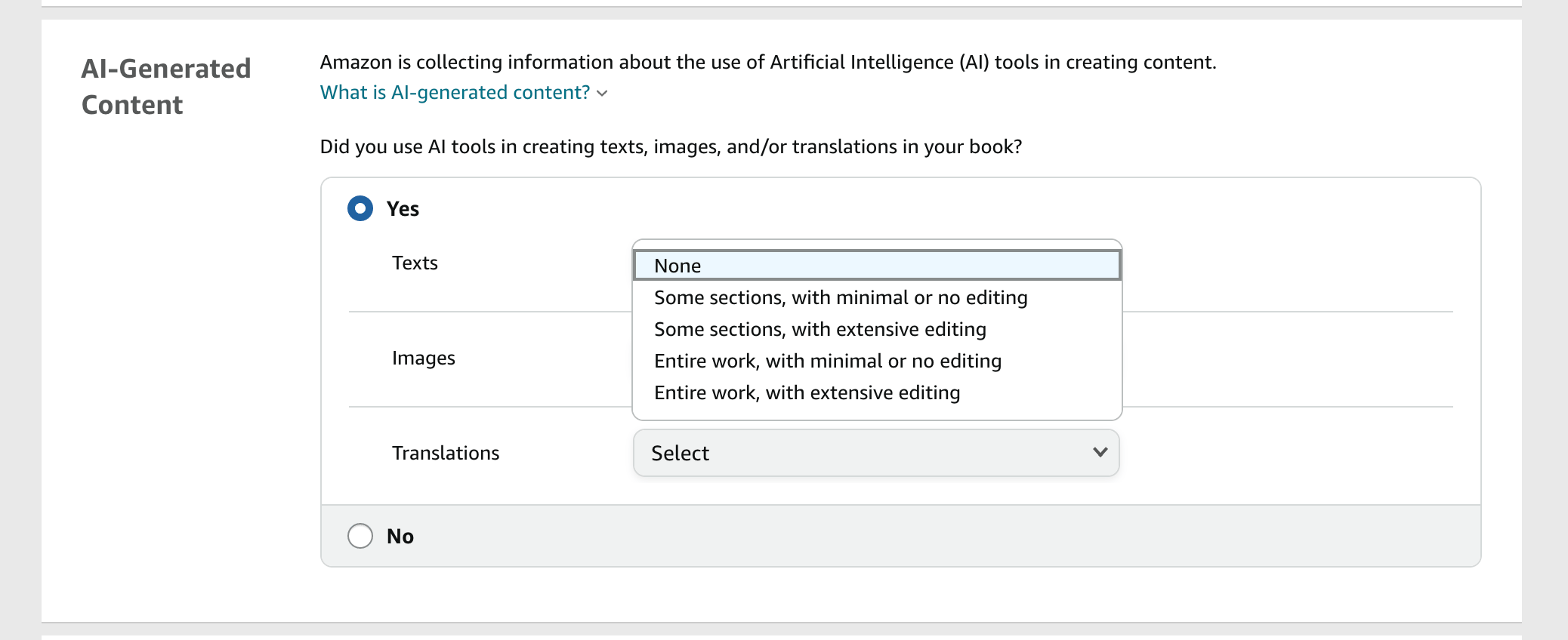
The rule in short: if AI generated your text, images, or translations, tell KDP. If you wrote the book and used AI only to edit, refine, or brainstorm, you don't have to. Amazon's Content Guidelines explain both categories, and you're responsible for following all of them, including intellectual property rights. The full screen-by-screen walkthrough is in how to publish on KDP, and I break the AI rule down further in Can You Publish AI Books on Amazon KDP?.
👑 Want your launch steps lined up with the book? Golden Bestseller Empire builds your launch plan next to your manuscript. → Meet your AI Publishing Team
Here's the launch schedule I'd follow:
- One month before: Line up promotion sites, announce your launch to your email list a few times, and build a simple landing page with your cover, title, and description.
- One week before: Remind your launch team, and finalize your description.
- One day before: Remind your team again, confirm your cross-promotion dates, and upload your book. Publish one to three days before your launch date, because Amazon's review can take more than 24 hours.
- Launch day: Discount your price for the launch (a lot of authors use $0.99, or $2.99 for larger books), email your launch team, thank reviewers as reviews arrive, and announce to your list. Resist the urge to refresh your sales page all day.
- Days 3 to 9: Check your categories, post your announcement on social media, and start your scheduled promotions every few days.
- Days 11 to 30: Keep your promotions going, then raise your price back to normal when they finish.
If you'd like readers to preorder, Kindle ebook pre-orders can now be set up to 18 months in advance. The new rules, and the catch, are in KDP 18-month pre-orders, and if you publish wide, Smashwords now takes preorders too. If you plan to launch several books close together, keep KDP's title limits in mind. For a first book, a focused launch without a pre-order is often simpler.
Step 7 of the app walks you through a proven, easy launch sequence, adjusted to the new AI age, with step-by-step guides for launch day and beyond. Category Scout finds the most fitting categories for your book, and your number one category.
Step 8: How do you expand and take your book further after Amazon KDP publishing?
Short answer: After you publish on Amazon, keep the momentum going with reviews, your email list, your next book, and new ways to reach readers.
Give your book up to 72 hours to appear after you publish on Amazon, then read your page like a stranger would and fix anything that looks off. After that, the best marketing is usually more books. Add a link to your new book at the back of your earlier ones, ask your email list for honest reviews, and group your books into a series page. You don't need every book finished first, and you can add or remove books later.
Then widen your reach: translations, an audiobook (ACX is moving to a new royalty model by the end of the year), and Amazon Ads. Amazon pays monthly, about 60 days after the end of the month in which a sale was reported, once you reach the minimum payment threshold. And because KDP changes constantly, I keep every change I can verify in one running list: the latest Amazon KDP updates.
In the app, Step 8 is Take Your Book Further, and your Expansion Team takes care of each of these with just a few clicks:
- Audiobook Studio turns your book into a professional audiobook.
- Global Reach Guide takes your book worldwide.
- Translation Expert helps with translations and localization.
- Amazon Ads Expert runs ads that find the right readers.
- A book series to keep readers moving from one book to the next.
👑 Ready to reach more readers? Golden Bestseller Empire has 1-click generators for Amazon Ads and translations. → Meet your Expansion Team
Your next step with this Amazon KDP publishing guide
You now have the whole Amazon KDP publishing picture, from your first topic to your first 30 days and beyond. Pick the step you're on, do the next small thing, and let the rest follow.
If you'd like a team to help you through all eight steps of Amazon KDP publishing, take a look at AI book publishing with Golden Bestseller Empire. No pressure. Just know it's there.
Now go publish on Amazon KDP. Publish that book. The world needs your words.
Frequently Asked Questions
What is the Amazon KDP publishing process?
The Amazon KDP publishing process runs from preparing your manuscript, cover, and book details to setting up your KDP account, entering your title information, uploading your files, choosing your price and royalty option, and clicking Publish. Amazon says your book appears on its stores within 72 hours.
How much does Amazon KDP pay authors?
Kindle ebooks earn 35% or 70% depending on the option and price, and the 70% option now covers $2.99 to $12.99 on Amazon.com. Paperbacks and hardcovers earn up to 60%, minus printing costs. KDP pays monthly, about 60 days after the month a sale is reported.
Is KDP Select worth it in an Amazon KDP publishing plan?
It depends on where your readers are. KDP Select makes your Kindle ebook exclusive to Amazon for 90 days at a time, in return for Kindle Unlimited inclusion and promotion tools like Kindle Countdown Deals. If you want your ebook in other stores, you skip it.
Can I use AI in my Amazon KDP publishing process?
Yes. If AI generated your text, images, or translations, you must tell KDP when you publish. If you wrote the book and used AI only to edit, refine, error-check, or brainstorm, you don't need to disclose it. You are responsible for following all KDP content guidelines.
Do I need an ISBN to publish on Amazon KDP?
Not for a Kindle ebook. Paperbacks and hardcovers need one, and you can use Amazon's free ISBN from KDP or your own. The free KDP ISBN can only be used on KDP, and your imprint will show as Independently published.
Sources & Citations
- Amazon Kindle Direct Publishing
- KDP Help: eBook List Price Requirements (70% royalty price band)
- KDP Help: How to enroll in KDP Select
- KDP Help: What is an ISBN and Imprint?
- KDP Help: Content Guidelines (AI-generated vs. AI-assisted content)
- KDP Help: Guide to Kindle Content Quality
- KDP Help: Paperback Submission Guidelines
- KDP Help: When will I get paid?
- Living changelog: Amazon KDP & Related Marketplace Changes
This page is maintained independently and is not affiliated with Amazon. Always double-check the latest numbers inside your own KDP account before making pricing decisions.
Found this useful? Get more of this site in your Google.
One tap adds us as a preferred source — Google then shows you our posts more often in Search, Top Stories, and AI Overviews.
Created By

Top 100 Business Author · Carnegie Hall Conductor · Founder of Golden Bestseller Empire
Hey, I'm Gundi, and for over a decade, I've helped thousands of everyday people turn what they know into a bestselling book.
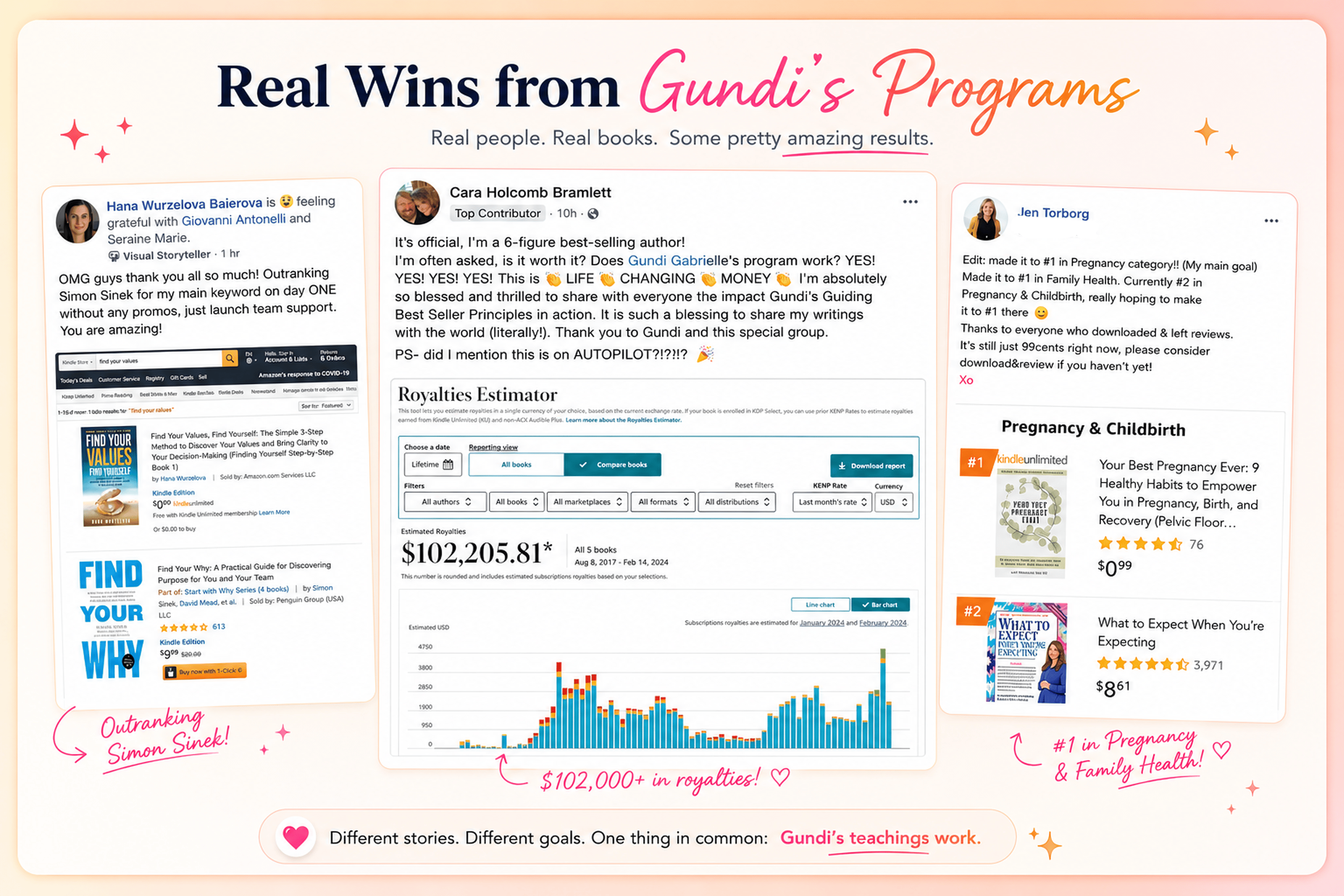
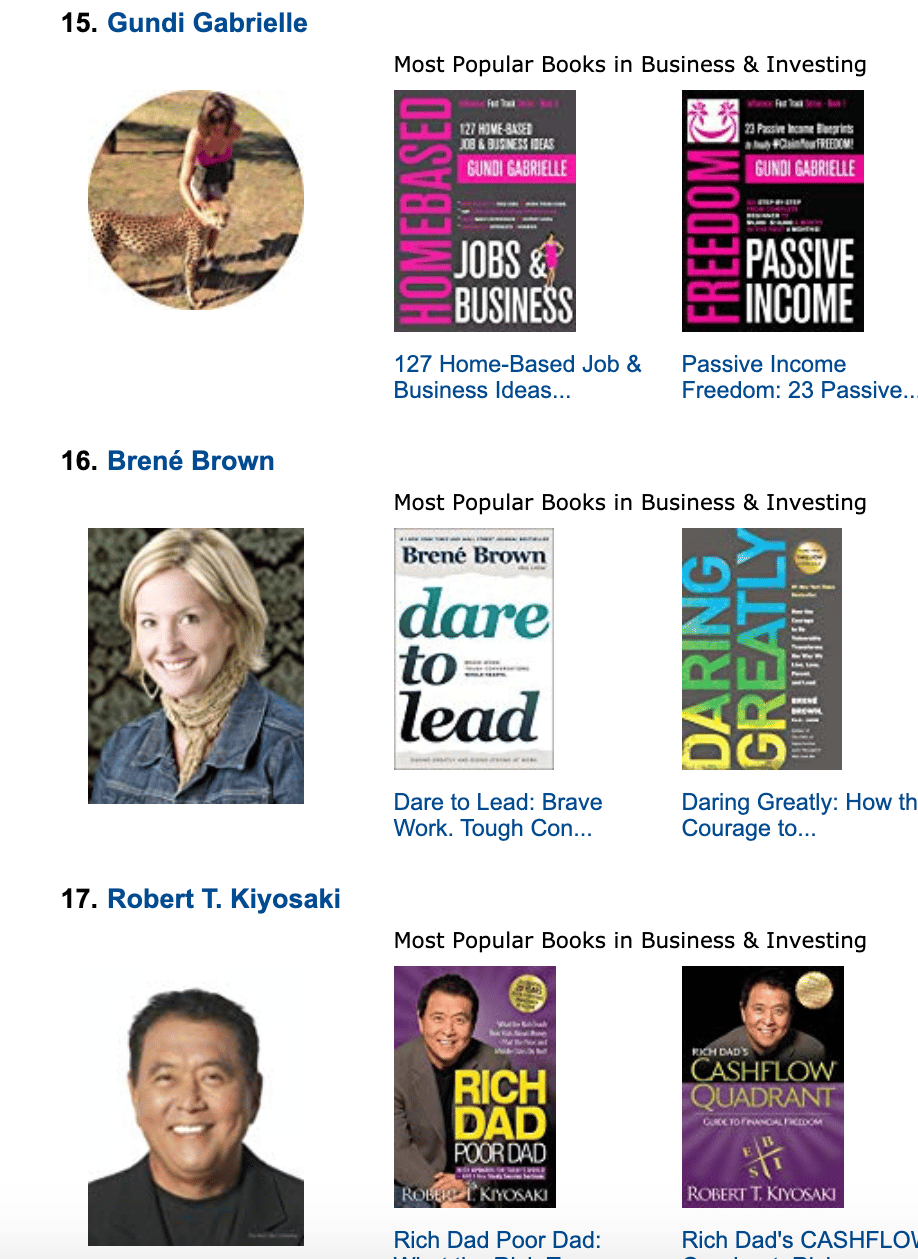
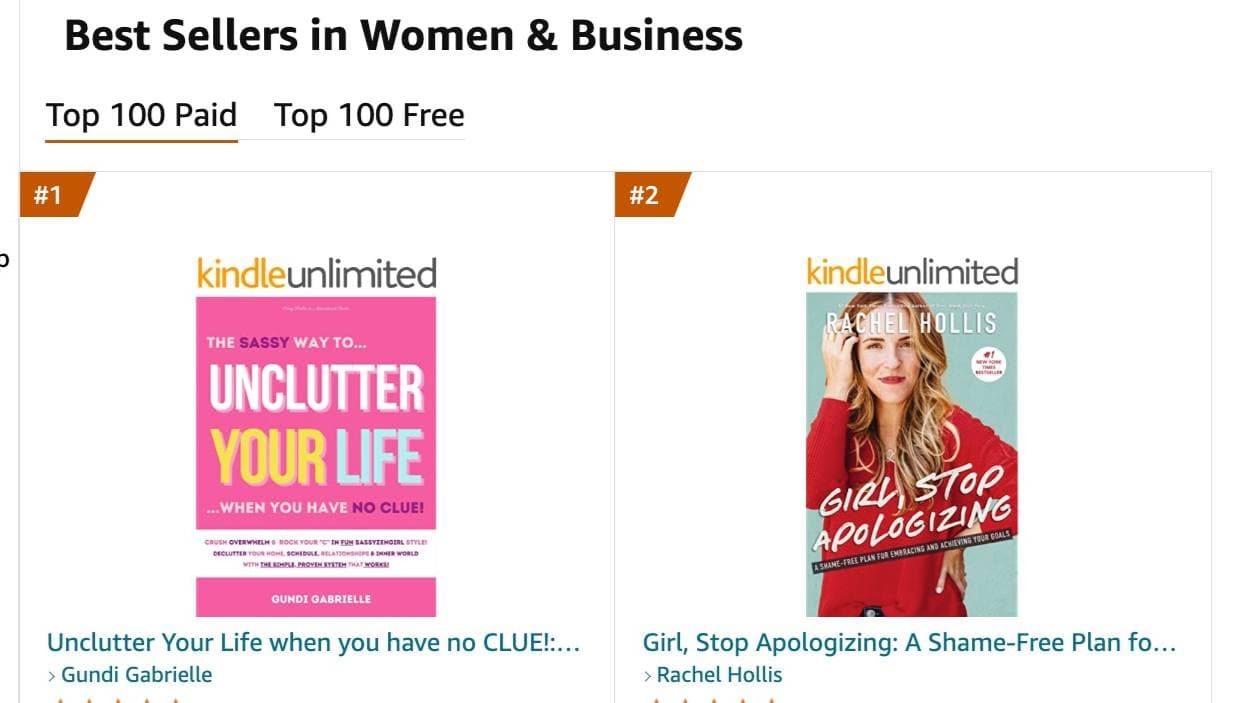
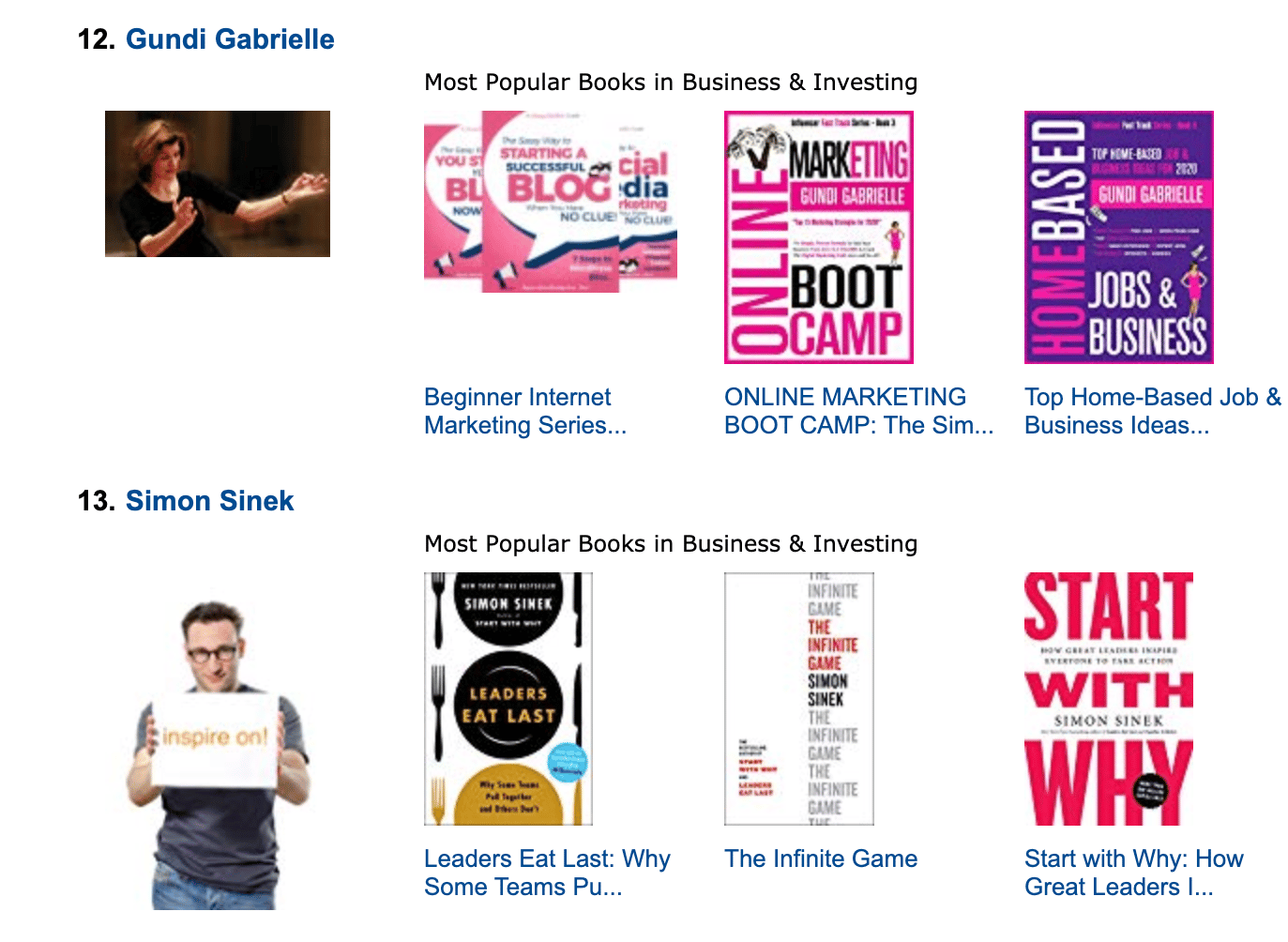
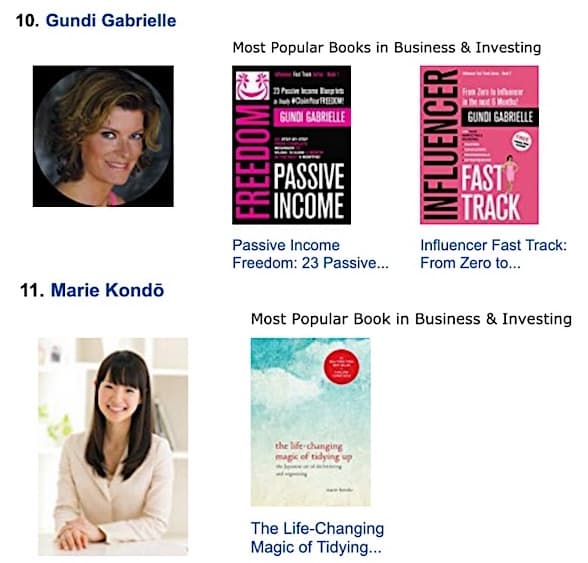
Along the way, I sold over 350,000 books, and was listed in Amazon's Top 100 Business Author Charts, ahead of authors like Simon Sinek, Brené Brown, Tim Ferriss, Robert Kiyosaki, or Brian Tracy.
No traditional publisher. No massive budget. Just understanding Amazon's algorithm and researching what readers actually want.
In my earlier years, I was a classical conductor & organist, touring the world, incl. Carnegie Hall & a performance for the Pope on St. Peter's Square.
These days, I love traveling as a Digital Nomad and orchestrating busy AI Agents 😎. Out of that came Golden Bestseller Empire — a complete AI-Powered Book Publishing Studio now helping authors around the world.
Can't wait to see you inside & help you publish your dream:
Featured In:
More from the Golden Bestseller Blog
Amazon KDP Publishing Guide
What Is Amazon KDP? Kindle Direct Publishing Explained for Authors
What is Amazon KDP? Kindle Direct Publishing explained in plain English: what you can publish, how authors get paid, KDP Select, ISBNs, and the AI rules.
Amazon KDP Publishing Guide
How to Publish on KDP: A Step-by-Step Guide for Beginners
How to publish on KDP with this step-by-step guide for beginners: what you need, account setup, your first ebook, print editions, series pages, and the AI rules.
AI Book Publishing
AI in Book Publishing: What Authors Need to Know Before They Publish
AI in book publishing is legal, allowed on Amazon KDP, and works best when AI assists and you write. Here is what the rules say and how Amazon's new algorithm fits in.
Want a faster way to plan and price your next book?
Golden Bestseller Empire's AI publishing tools help with exactly this kind of decision.