
Amazon Ads Removed Estimated KENP Royalties: What Qualified Borrows Mean for Kindle Unlimited Authors
Amazon Ads no longer shows estimated KENP royalties. It now reports Kindle Unlimited qualified borrows and estimated KU royalties. Here's what changed and how to read your ads now.
What's Gone
Estimated KENP royalties in Amazon Ads Reporting
What's New
Kindle Unlimited qualified borrows and estimated KU royalties
Easy to Miss
ACoS doesn't count page reads, so KU ads can look worse than they are

By Gundi Gabrielle
18 min read
Alrighty, let's talk about a sneaky little change in your Amazon Ads account... because if your ebook is in Kindle Unlimited, it changes how you tell whether your ads are really making you money.
Here's the news in one sentence: Amazon Ads removed estimated KENP royalties and replaced them with two new numbers, Kindle Unlimited qualified borrows and Estimated Kindle Unlimited royalties.
Quick heads-up on names: Kindle Unlimited is now called Kindle+ (formerly Kindle Unlimited) on KDP, but Amazon Ads still says "Kindle Unlimited" and "KU", so you'll see both names here.
Don't worry, nothing is broken, and your page reads still get paid exactly like before :) I checked every point against Amazon's own help pages and against my own Amazon Ads account, so you'll see real screenshots as we go.
Ready? Let's rock it!
What happened to estimated KENP royalties in Amazon Ads?
They're gone from Amazon Ads reporting. Amazon updated its help page on KENP metrics on November 11, 2026, and it now says, in Amazon's own words: "Estimated KENP royalties metrics are no longer available in Reporting."
Before, Amazon Ads took the pages people read after your ad and turned them into a dollar guess. Now it counts borrows instead. Here's the before and after:
| Before | Now | |
|---|---|---|
| Pages read from your ads | KENP read | KENP read (still there!) |
| Borrows from your ads | Not shown | Kindle Unlimited qualified borrows |
| The money guess | Estimated KENP royalties (pages read, valued at the KENP rate) | Estimated Kindle Unlimited royalties (for qualified borrows) |
| Campaign types | Started with Sponsored Products | Sponsored Products, Sponsored Brands, Display, Streaming TV, DVA+ and full-funnel campaigns |
Amazon says these numbers are "available only for KDP authors", and only for Kindle ebooks in Kindle Unlimited. So if your books aren't in Kindle Unlimited, you can relax and grab a coffee. This one isn't about you :)
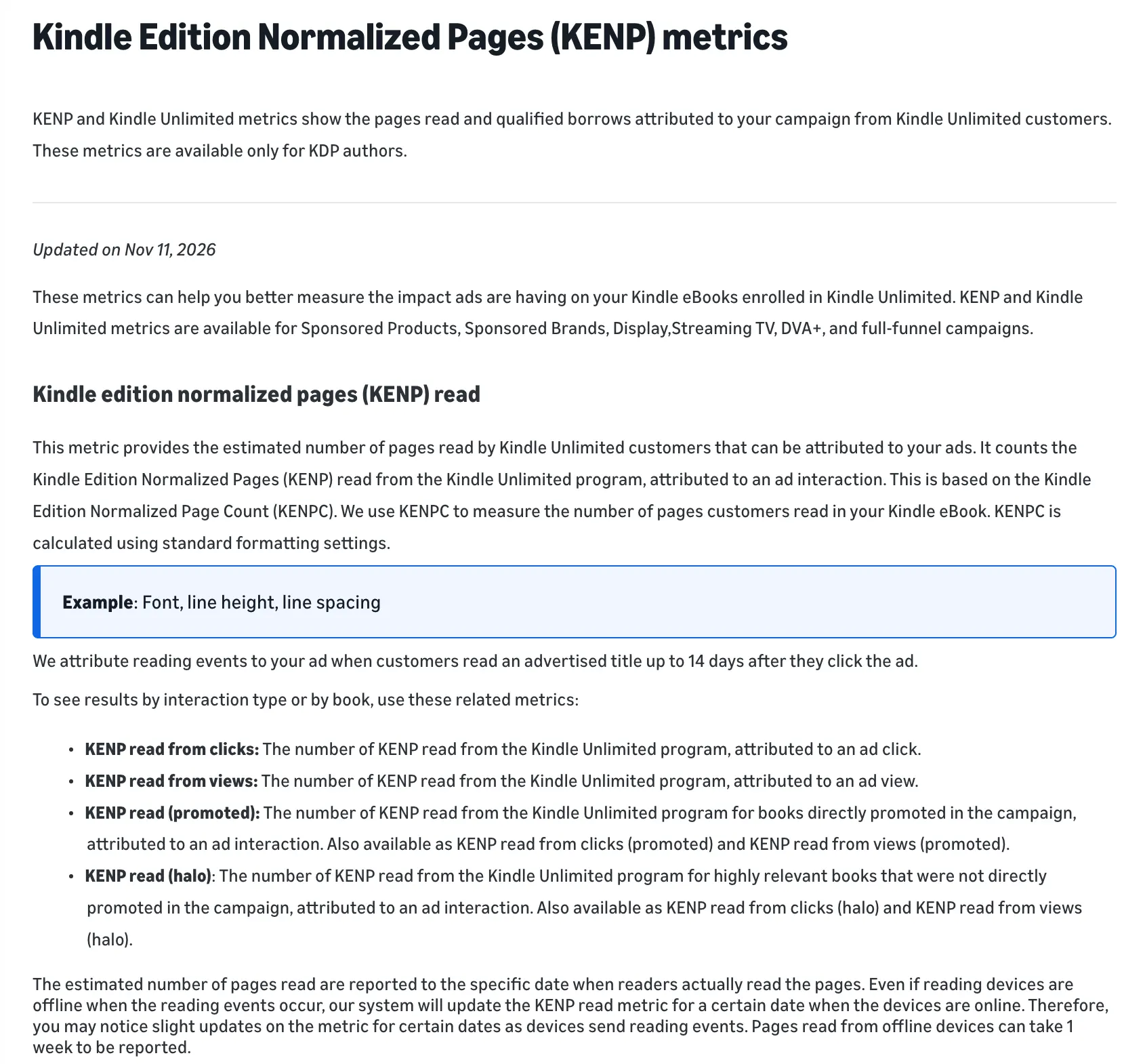
Amazon doesn't say why it made the change. It also doesn't say whether you can still download your old estimated KENP royalties.
What does this look like in a real Amazon Ads account?
The old column is still there, but it's empty. I checked my own account on November 13, 2026, and it just shows a little dash.
Here's what I did. In my campaign list, I clicked Columns, then Customize columns. "KENP read" and "Estimated KENP royalties" were both still in the list. No "qualified borrows" column there yet.
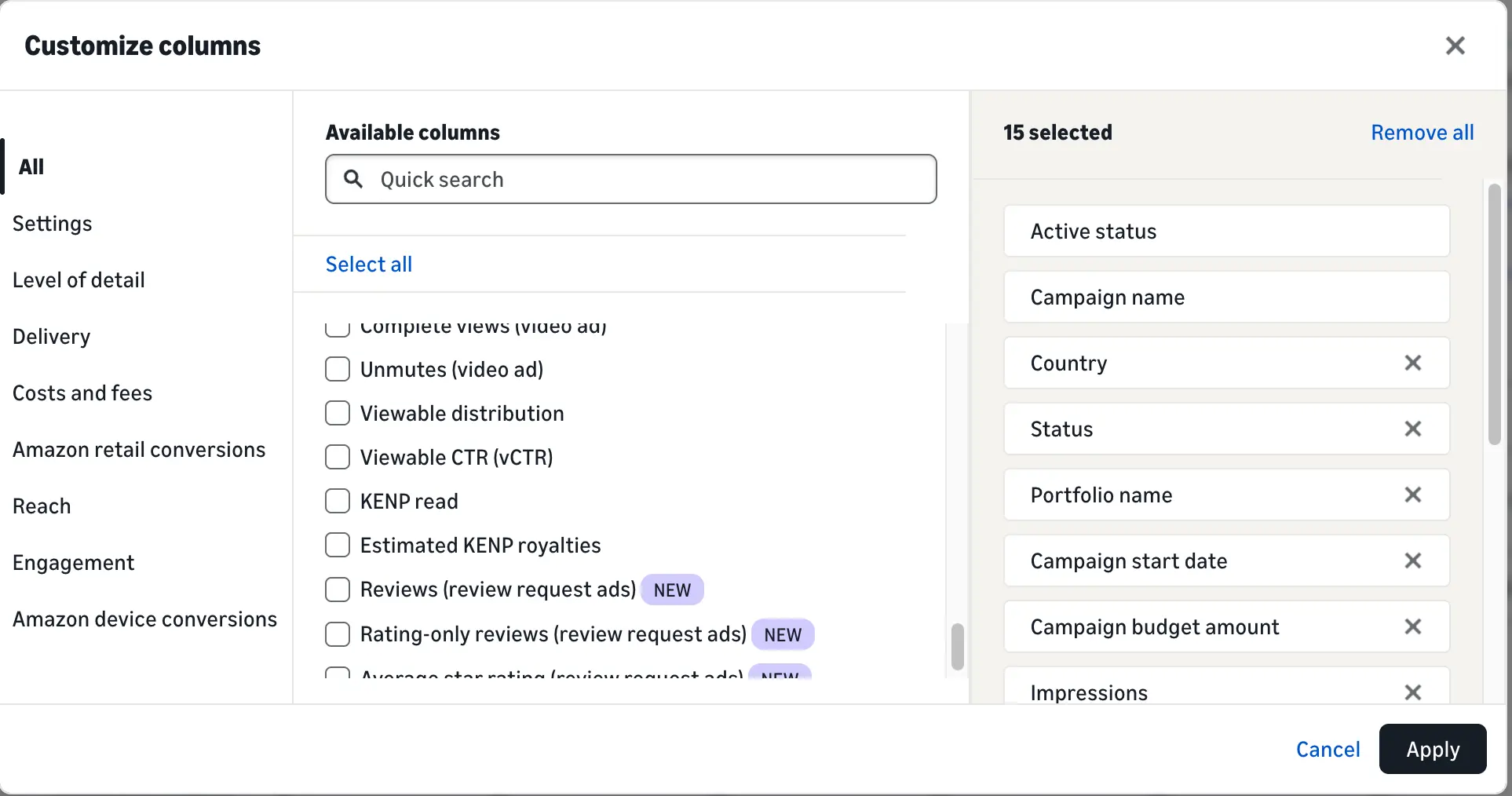
So I added both columns to see what happens. Here's my active campaign for November 1 to 13 (numbers blurred, sorry, curious friends :)):
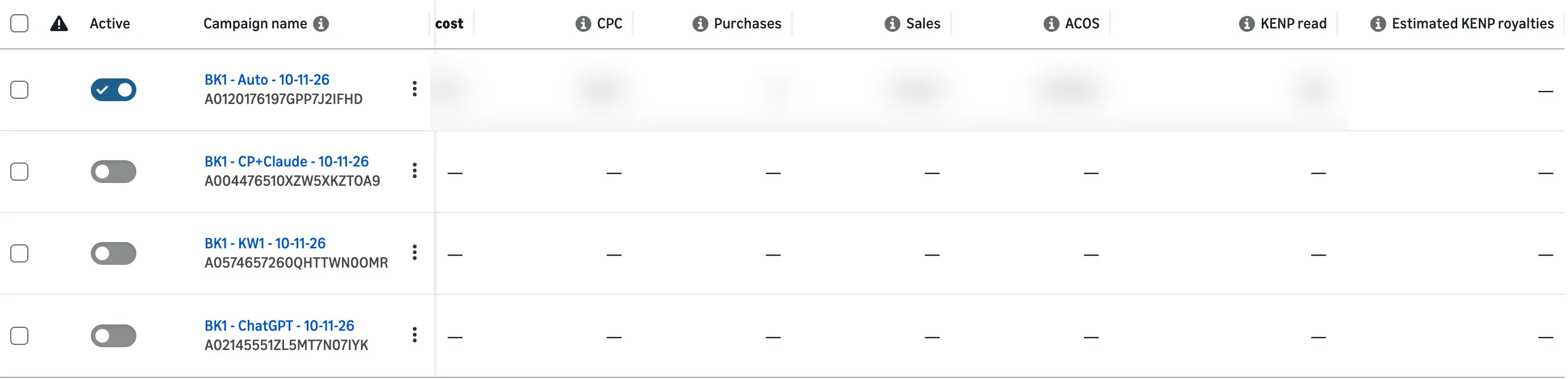
KENP read still shows my pages read. Estimated KENP royalties shows... a dash. So even if you still see the old column, don't expect a number in it.
Your account may look a little different depending on your marketplace, and Amazon may still be rolling this out.
👑 A click only pays if your Amazon book page converts. Golden Bestseller Empire's one-click generators build your entire book listing page. That's your title and subtitle, description, A+ Content and backend keywords, all optimized for Amazon's new COSMO. → Start optimizing yours
Where do I find qualified borrows in Amazon Ads?
In the new Reporting page, not in your campaign list. That one had me searching for a minute too! In my account, the campaign list didn't offer the new columns yet, but Reporting did.
Here's how I built the report. It takes about two minutes:
- In Amazon Ads, go to Reporting (under Measurement & reporting).
- Under Create a report using a template, choose Campaign.
- Under Filters, add your advertiser account.
- In Customize columns, type "Kindle" in the search box.
- Tick KENP read, Kindle Unlimited qualified borrows and Estimated Kindle Unlimited royalties.
- Pick your date range and click Submit. Your report shows up in the list once it has run.
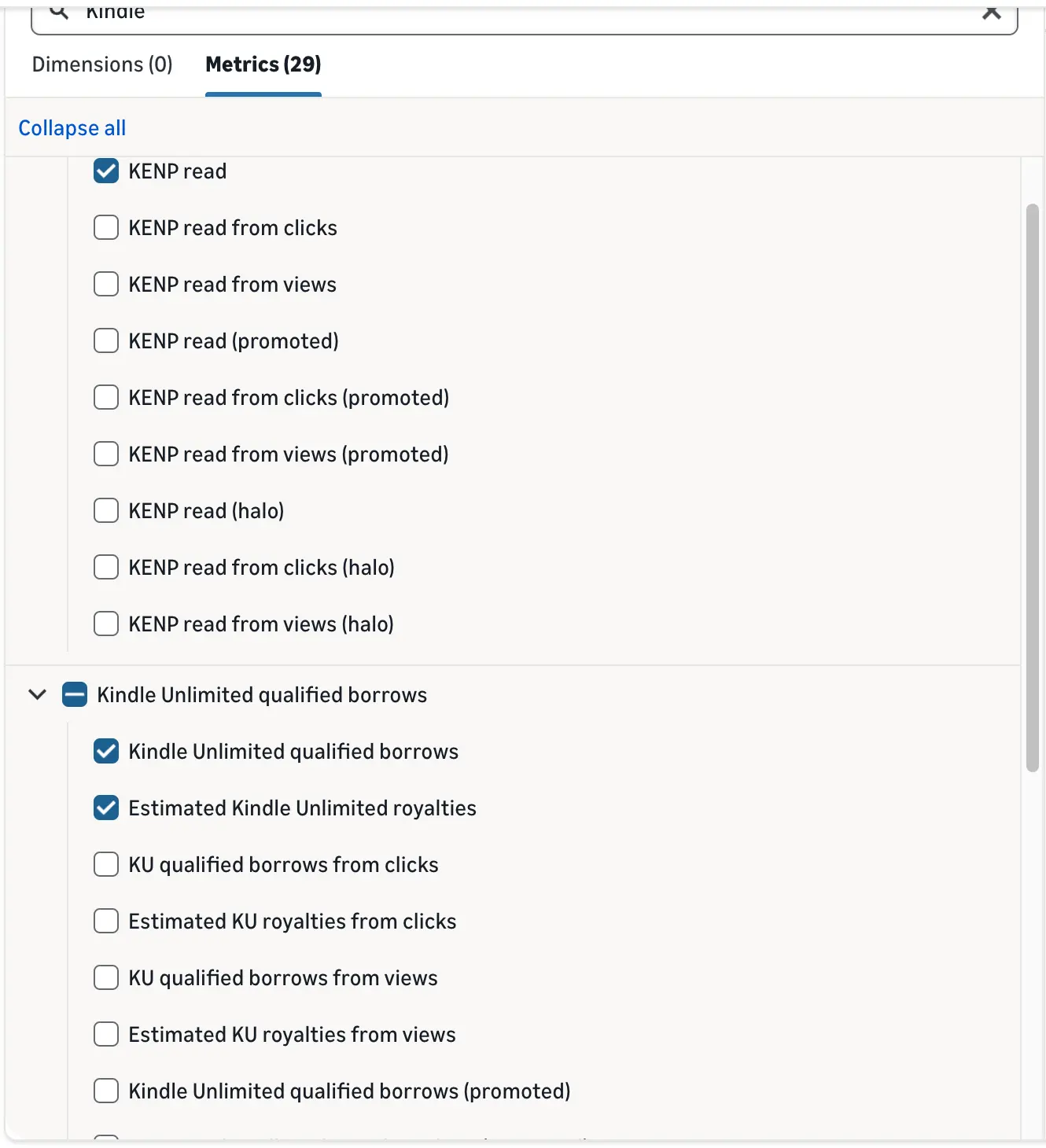
When I typed "Kindle", 29 Kindle metrics popped up! Don't panic, you only need the three above. The rest are the same numbers split up by clicks, views, promoted and halo (more on those below).
In the downloaded report, the columns are named KENP read, Kindle Unlimited qualified borrows and Estimated Kindle Unlimited royalties. The split versions use the short form, like KU qualified borrows from clicks and Estimated KU royalties from views.
Is the old Sponsored ads reports page going away?
Yes, and this one has a real deadline: December 31, 2026. When I opened the old Sponsored ads reports page, Amazon greeted me with this banner:

Amazon's help page "Migrate your scheduled reports to unified reporting" (updated November 12, 2026) gives the dates:
| Date | What happens |
|---|---|
| November 16, 2026 | 45-day warning |
| December 17, 2026 | You can't create or edit reports on the old page anymore. Existing reports become read-only. |
| December 31, 2026 | The old report pages shut down. Saved reports, schedules and historical data still there are permanently deleted. |
Amazon also says some old report fields don't have a match in the new Reporting, so not everything comes along for the ride.
So if you have old reports you love, download them before December 31. Then rebuild them in Reporting, or click Start migration in the banner and let Amazon move them for you.
What is a Kindle Unlimited qualified borrow?
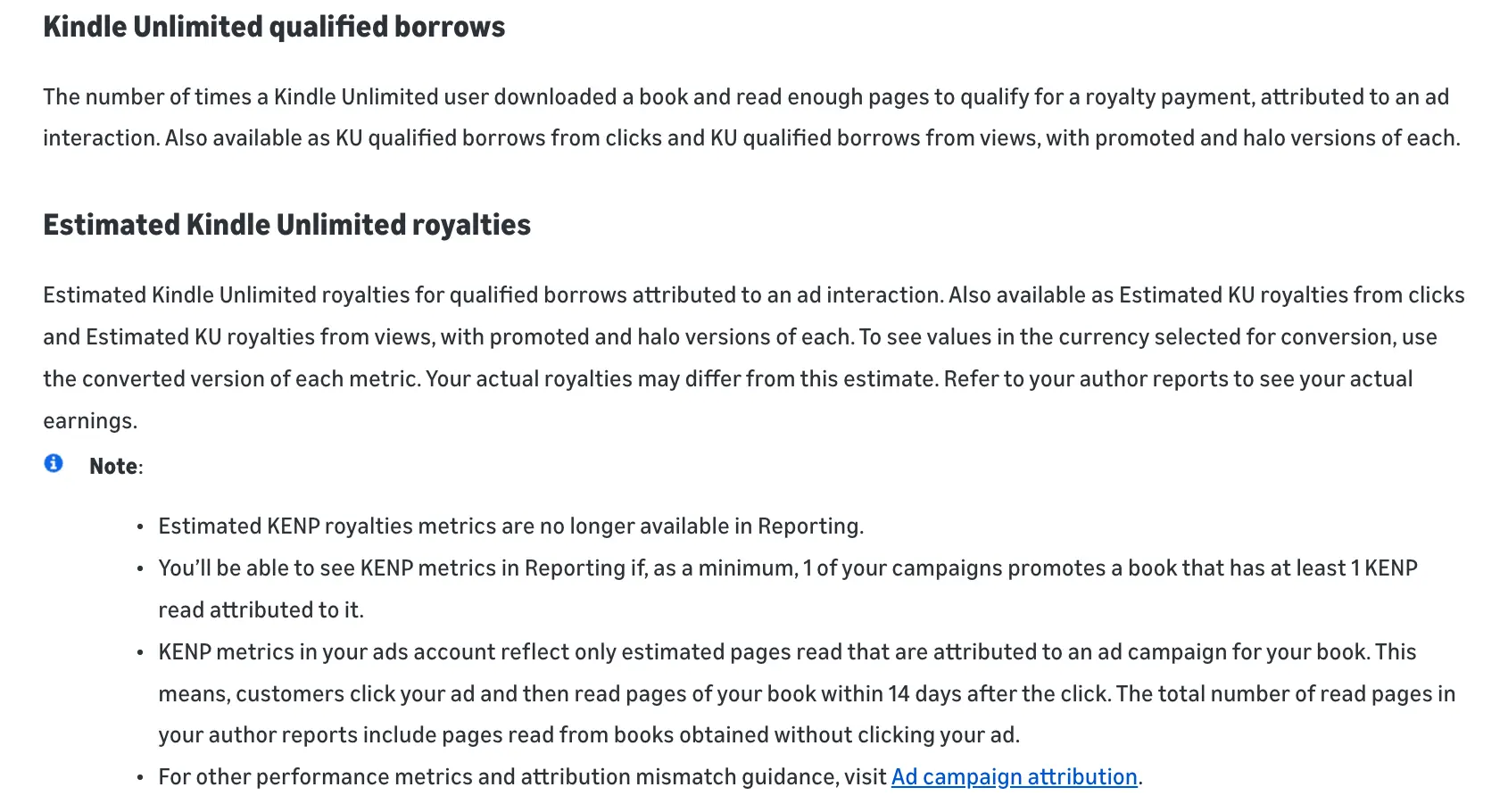
It's a borrow that counts: a Kindle Unlimited reader downloaded your book after your ad and read enough of it to qualify for a royalty payment.
Here's Amazon's own definition: "the number of times a Kindle Unlimited user downloaded a book and read enough pages to qualify for a royalty payment, attributed to an ad interaction."
How many pages is "enough"? Amazon doesn't say. (I'd love to know too!)
Now here's the part to remember: KDP doesn't pay you per borrow. You still get paid per page. KDP's help page "Royalties in Kindle+" says you're paid "for the first time a subscriber reads or listens to a given page in your book", from the KDP Select Global Fund. So a qualified borrow is simply something Amazon Ads counts. It doesn't change how you get paid.
You can split qualified borrows by clicks and views, and by promoted and halo books (I'll explain halo in a sec).
What is "Estimated Kindle Unlimited royalties"?
It's Amazon Ads' new money guess, based on qualified borrows instead of pages. Amazon describes it as "Estimated Kindle Unlimited royalties for qualified borrows attributed to an ad interaction."
And Amazon adds its own warning: "Your actual royalties may differ from this estimate. Refer to your author reports to see your actual earnings."
So think of it like a weather forecast, not your paycheck :) Your real Kindle Unlimited money is in your KDP reports.
It comes split the same ways (clicks, views, promoted, halo), plus a "converted" version that shows the number in the currency you've picked.
Is KENP read still in Amazon Ads?
Yes! KENP read is still there, and it's now your best friend in the ads dashboard.
Amazon defines it as "the estimated number of pages read by Kindle Unlimited customers that can be attributed to your ads." KENP stands for Kindle Edition Normalized Pages. It's simply Amazon's way of counting pages, so every ebook is measured the same way, whatever the font size.
You can break KENP read down like this:
- KENP read from clicks: pages read after someone clicked your ad.
- KENP read from views: pages read after someone saw your ad.
- KENP read (promoted): pages read of the book you advertised.
- KENP read (halo): pages read of "highly relevant books that were not directly promoted in the campaign", like the next book in your series.
If you write a series, keep an eye on halo. Your ad for book one may be quietly earning page reads on book two. Love that!
👑 Page reads pay when readers keep reading. Golden Bestseller Empire's Book Planner walks you through it, one question at a time. You'll know who your book is for, what problem it solves and what goes into every chapter, before you write a word. → Test the Book Planner
Why do my Amazon Ads numbers and my KDP reports not match?
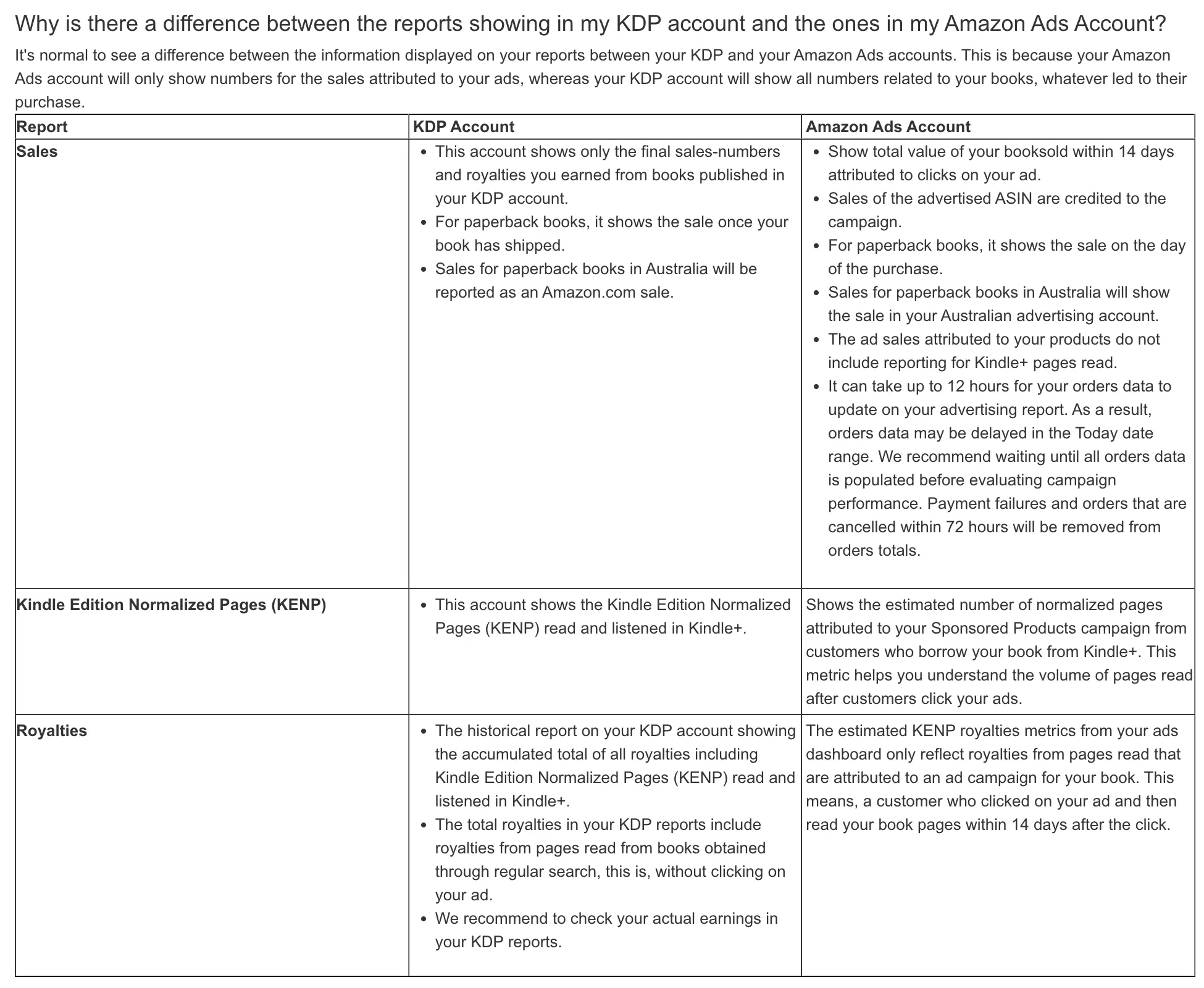
Because they count different things. Your ads account only counts what it can tie to an ad. Your KDP account counts everything.
KDP says it plainly on its "Advertising for KDP books" help page: your Amazon Ads account "will only show numbers for the sales attributed to your ads, whereas your KDP account will show all numbers related to your books."
Here's what causes most of the gap:
- The 14-day window. Pages count toward your ad when a reader reads "up to 14 days after they click the ad." Pages read on day 15 don't count for the ad.
- Offline reading. Amazon says "pages read from offline devices can take 1 week to be reported", so the last few days can still go up.
- The day pages are read. Pages show up on the day they're actually read, not the day of the click.
- Readers who found you on their own. Your KDP reports include pages from readers who never clicked an ad.
KDP even lays it out side by side:
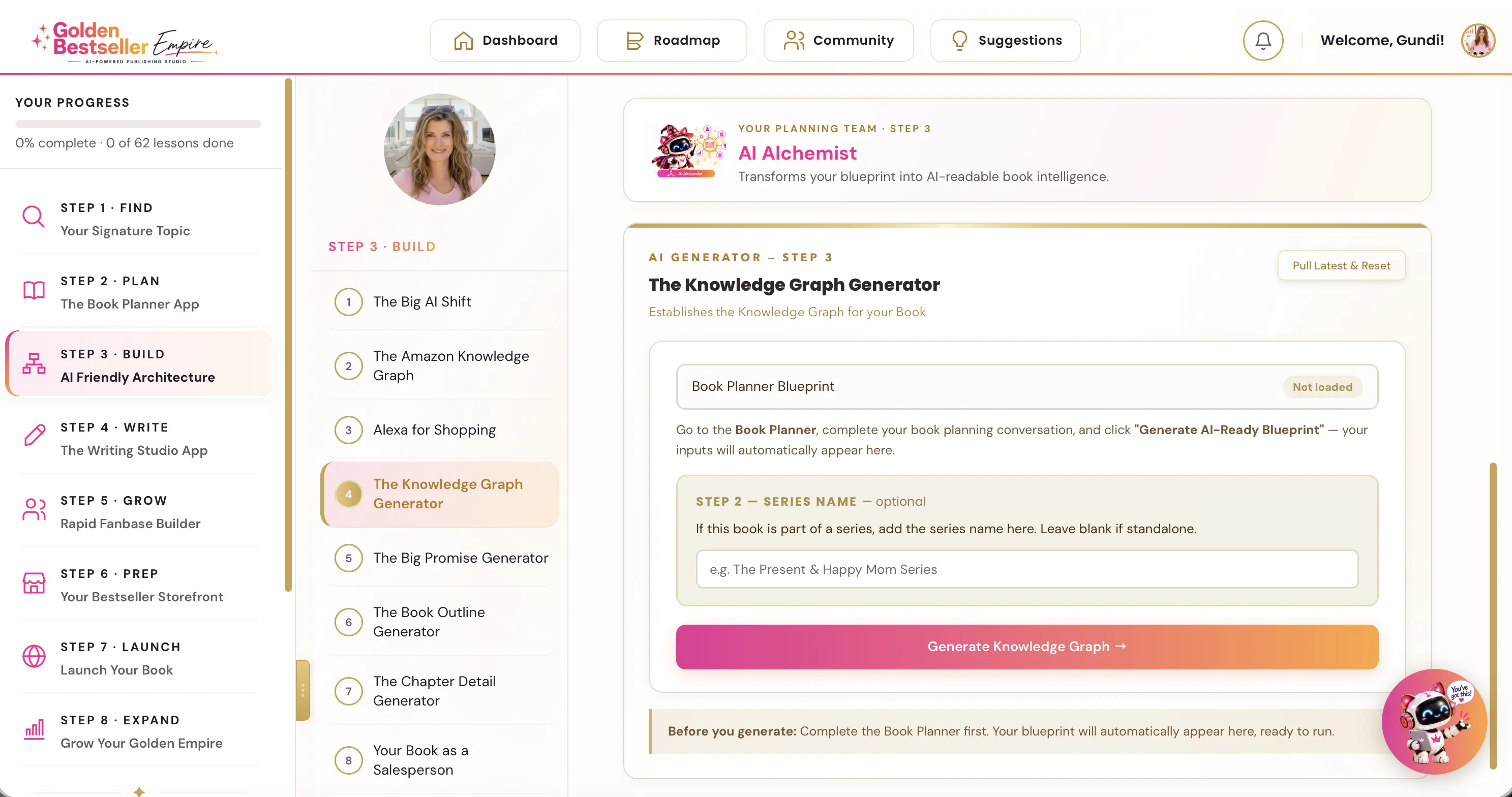
👑 Want your ads to reach the readers your book is really for? Golden Bestseller Empire is the only app that builds a Knowledge Graph for your book with one click, optimized for Amazon's new COSMO, straight from your Book Planner Blueprint. Then it uses that map to create your outline, chapter details, title, description, A+ Content, backend keywords and even your Amazon ads, 1-click optimization to Amazon's new AI while most authors are still guessing. → See how it works
Why does my ACoS look worse than it really is?
Because ACoS ignores page reads. KDP's help page says it right there: "the ad sales attributed to your products do not include reporting for Kindle+ pages read."
Quick refresher: ACoS (advertising cost of sales) is your ad spend divided by your ad sales. So if lots of your readers borrow instead of buy, your ACoS can look like a disaster... when your campaign is actually making money.
Let me show you with a made-up example. The per-page rate comes from Written Word Media's independent tracker, which lists about half a cent per page ($0.005365) for September 2026 in the US.
| Example campaign (made up, just to show the math) | Amount |
|---|---|
| Ad spend | $50.00 |
| Ebook sales from the ad: 10 copies at $4.99 | $49.90 |
| ACoS (spend divided by sales) | about 100% |
| Your royalty on those sales at 70% (before delivery fees) | about $34.93 |
| KENP read from the ad: 6,000 pages at $0.005365 | about $32.19 |
| What the ad earned you in total | about $67.12 |
On ACoS alone, this campaign looks like it's barely breaking even. Count the page reads, and it actually earned about $17 more than it cost. Big difference!
Your numbers will be different, of course. Your delivery fee, price, marketplace and the monthly rate all change the result.
In my own account, the page reads only added a little on top of my ad sales. That's normal. Page reads only rescue a campaign when lots of your readers borrow.
And this is exactly why I teach Kindle Unlimited authors to watch TACoS, not ACoS. Let's do that next.
How do I work out my real Kindle Unlimited ad profit now? Use TACoS
Use TACoS (total advertising cost of sales). Experienced Kindle Unlimited authors have used it for years, because it counts your sales and your page reads.
And here's the good news: Amazon removing the estimate column doesn't change TACoS one bit, because it comes from your KDP reports. Amazon Ads doesn't show it, so you work it out yourself once a week. Three quick steps:
- Take your total ad spend from your Amazon Ads dashboard.
- Take your total royalties from your KDP reports (Reports, then Royalties). This includes your Kindle Unlimited page reads.
- Divide your ad spend by your total royalties.
TACoS = total ad spend ÷ total KDP royalties (sales + page reads)
Here are the targets I use in my course:
| TACoS (Kindle Unlimited books) | What it means |
|---|---|
| Under 10% | Excellent |
| 10% to 20% | Healthy |
| 20% to 35% | Normal during launch |
| Above 40% | Time to review your bids and your book page |
Not in Kindle Unlimited? Then good old ACoS still works. Compare it with your breakeven ACoS: 70% for a Kindle price of $2.99 or more, 35% below $2.99.
Which campaign brings in the page reads?
TACoS tells you whether your ads pay off overall. Want to know which campaign is bringing in the page reads? That's where KENP read from your ads comes in. It takes a few minutes a month:
- In your Amazon Ads account, add KENP read (and Kindle Unlimited qualified borrows) to your campaign view or report.
- Write down your KENP read from the ads for the month.
- Wait for the KDP Select Global Fund announcement. KDP says it announces the prior month's fund "near the 15th of the following month", and monthly KENP numbers are finalized near the 15th too.
- Multiply your KENP read by that month's per-page rate.
- Add the royalties from your ad sales (the royalty, not the sales price).
- Compare that total with your ad spend.
- Check the result against your KENP report and Prior Months' Royalties report in KDP. Those show what you were actually paid.
One more thing: KENP metrics only show up in Reporting if at least one of your campaigns promotes a book with at least one KENP read from your ads. So if you don't see them, that's probably why.
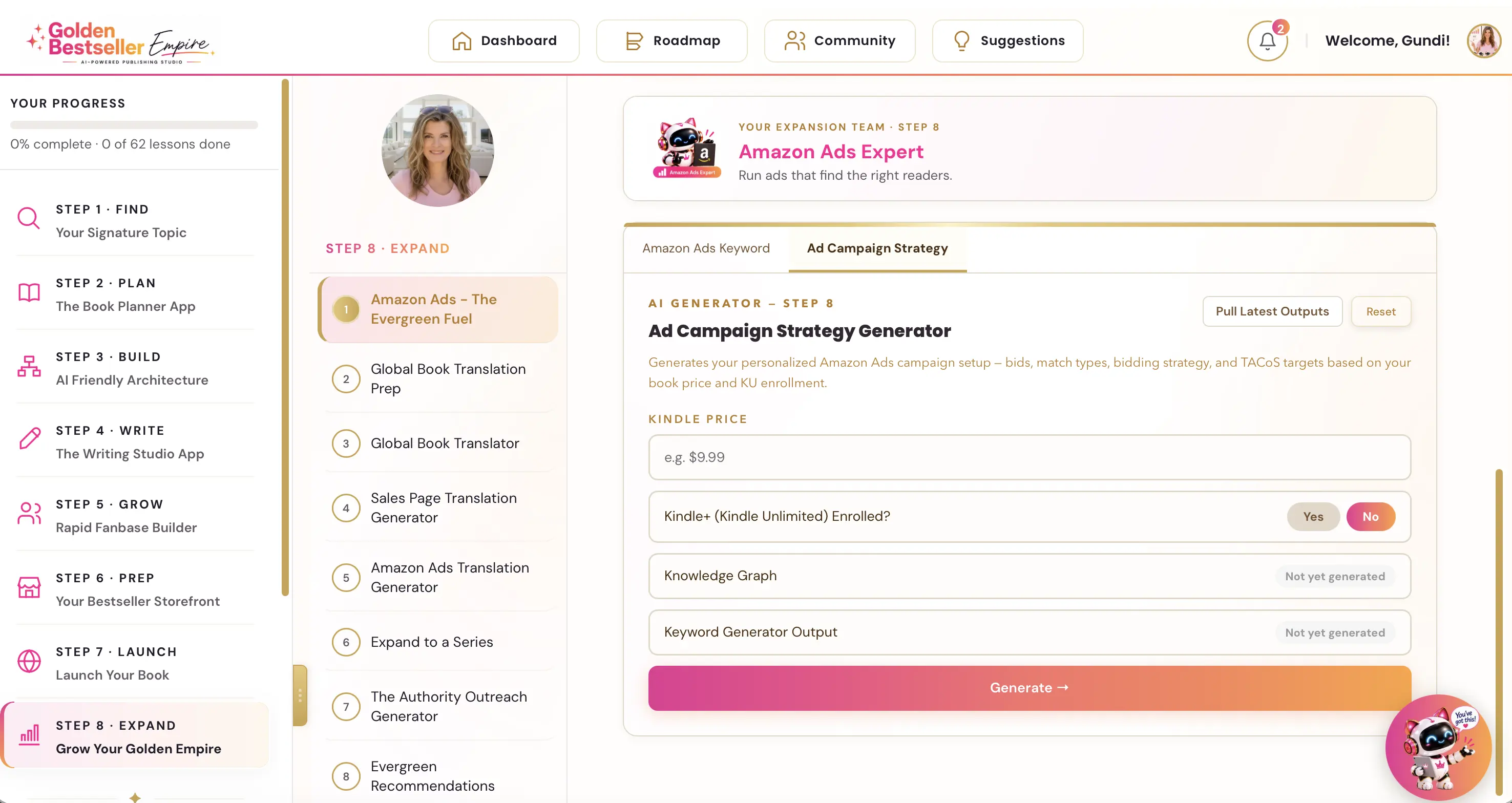
👑 Not sure what your breakeven is? Golden Bestseller Empire's Ad Campaign Strategy Generator works it out from your Kindle price and Kindle Unlimited choice. → See the Ad Campaign Strategy Generator
How does Kindle Unlimited actually pay authors?
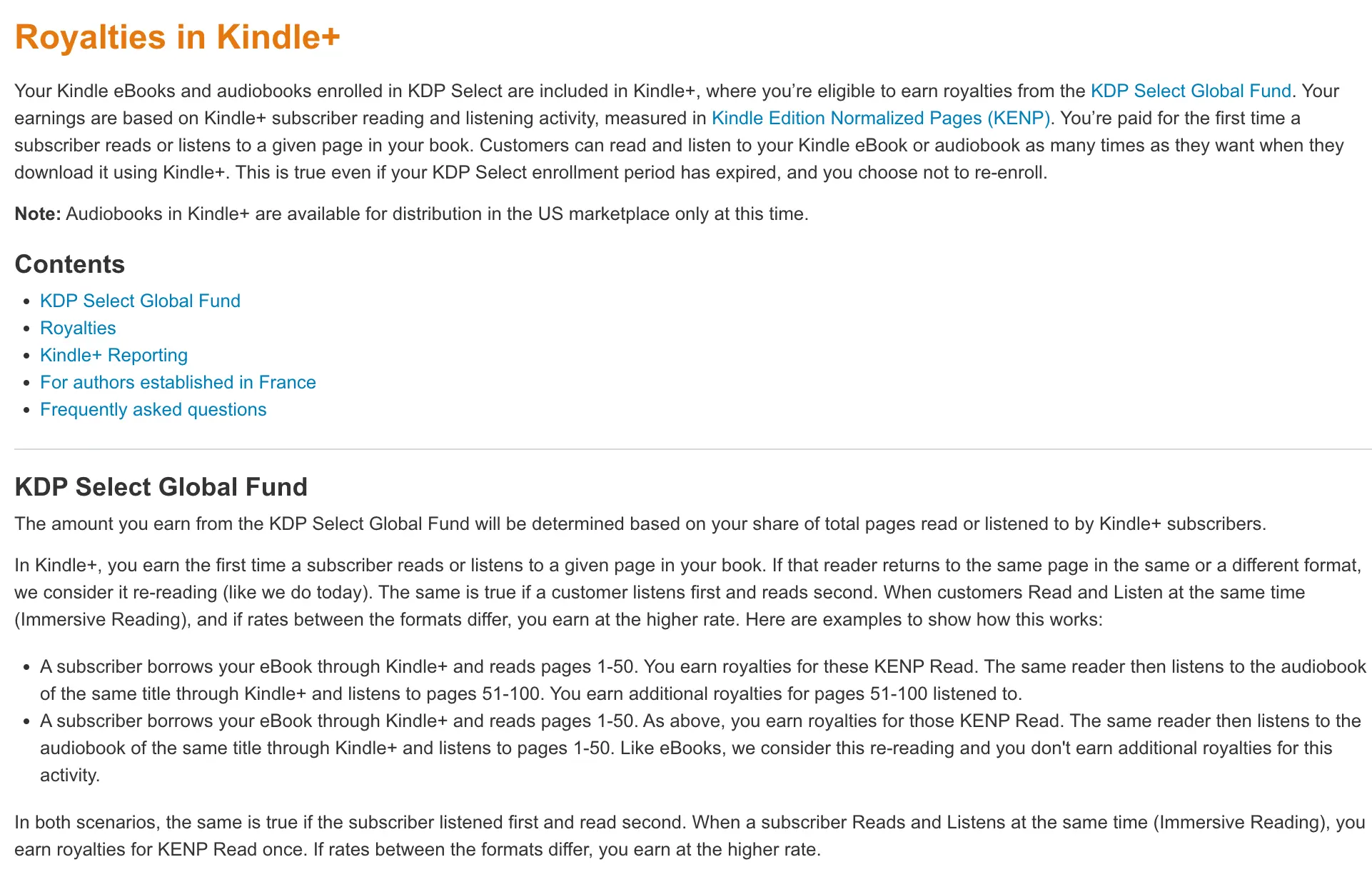
By the page, from a big monthly pot of money called the KDP Select Global Fund. Here's how KDP's help pages explain it:
- You earn from the KDP Select Global Fund, based on your share of all the pages subscribers read or listen to.
- You're paid the first time a subscriber reads or listens to a page. Re-reading the same page doesn't pay again.
- You can earn for up to 3,000 KENP per title per customer.
- The KENP rate is "the total fund amount for a given marketplace divided by the total KENP read in that marketplace for that month."
For scale: KDP's own KDP Select page lists total KDP Select author earnings of $69.3 million for September 2026. Written Word Media's tracker lists the September fund itself at $65.9 million. That's a LOT of page reads!
I explain the monthly fund in more detail in my KDP per-page rate update, and what to check when it's announced in the KDP Select fund checklist.
Is it Kindle Unlimited or Kindle+ now?
Both, and they're the same thing. KDP renamed Kindle Unlimited to Kindle+ on October 22, 2026, and audiobooks can now be part of it in the US.
Amazon Ads still calls these metrics "Kindle Unlimited" and "KU" after the Kindle+ rename, while KDP's pages say "Kindle+". So when you search in your ads account, look for "Kindle Unlimited" or "KU".
One open question: KDP now counts audiobook listening in Kindle+ as pages listened, and shows pages read and pages listened separately in your KENP report. The Amazon Ads page only talks about pages read, so it doesn't say yet whether listening counts in your ads numbers. I'm watching this one!
What should I do this week?
Here's your little to-do list. None of it takes long, promise!
- Open your Amazon Ads account, go to Columns, then Customize columns, and see which Kindle Unlimited columns you can pick now.
- Build a Campaign report in Reporting with KENP read, qualified borrows and estimated Kindle Unlimited royalties.
- Download any old Sponsored ads reports you want to keep before December 31.
- Turn on the halo versions if you have more than one book.
- Start a simple monthly log: ad spend, ad sales, royalty on those sales, KENP read, and the month's per-page rate.
- Work out your TACoS each week, and stop judging Kindle Unlimited campaigns on ACoS alone.
- Compare with your KDP reports around the 15th of each month, once the fund is out.
👑 Want ad keywords that fit your book? Golden Bestseller Empire's Ad Campaign Strategy Generator plans your campaigns. Then the Amazon Ads Keyword Generator builds your keyword lists with one click. → See how it works
What to watch
A few things I'm keeping an eye on for you:
- KDP's "Advertising for KDP books" help page still mentions the estimated KENP royalties metric. I expect KDP to update that page to match.
- Amazon hasn't said how many pages make a borrow "qualified." If it does, I'll add it here.
- Will Amazon Ads start using the Kindle+ name? And will audiobook listening show up in ads reporting?
- Will the qualified borrows columns show up in the campaign list too? In my account on November 13, they were in Reporting but not yet in the campaign list.
- My Amazon Ads account also showed a new notice that day: "You can now advertise Audible titles in Sponsored Products and Sponsored Brands campaigns." Audiobooks and ads are clearly moving closer together!
I keep every change I can verify in one place: the latest Amazon KDP updates. If you're new to ads, start with my step-by-step tutorial on how to run Amazon ads for your book.
A note from someone who's been in the trenches
I've run Amazon ads on my own books for years, and here's what I've learned: the ads dashboard was built to judge ads, not to tell you what your book earned.
When I started, I turned off campaigns because the ACoS looked awful. Later I saw that some of them were bringing in page reads that never showed up in that number. That was money I almost switched off.
So when Amazon quietly removes a column like estimated KENP royalties, I don't panic, and I don't guess either. I work out my TACoS, I check KENP read in the ads account, and I check my KDP reports around the 15th. Those numbers tell me the truth.
If you only do one thing after reading this: work out your TACoS this week, before you judge a single Kindle Unlimited campaign on ACoS.
Related reading
- KDP per-page rate and the monthly fund: how page reads turn into money.
- What to check when the KDP Select fund is announced: your monthly checklist.
- Amazon KDP algorithm explained: how Amazon's new AI algorithm finds and recommends books.
Frequently Asked Questions
Why can't I see estimated KENP royalties in Amazon Ads anymore?
Amazon Ads removed them. Its Support Center page on KENP metrics, updated November 11, 2026, says estimated KENP royalties metrics are no longer available in Reporting. It now shows Kindle Unlimited qualified borrows and Estimated Kindle Unlimited royalties instead, and KENP read is still available.
Why does Estimated KENP royalties show a dash (—) in Amazon Ads?
Because Amazon Ads stopped reporting it. Amazon's KENP metrics help page (updated November 11, 2026) says estimated KENP royalties metrics are no longer available in Reporting. You can still pick the column in your campaign list, but it shows a dash. Use Kindle Unlimited qualified borrows and Estimated Kindle Unlimited royalties in Reporting instead.
What is a Kindle Unlimited qualified borrow in Amazon Ads?
Amazon Ads defines it as the number of times a Kindle Unlimited user downloaded a book and read enough pages to qualify for a royalty payment, attributed to an ad interaction. Amazon does not publish how many pages that takes.
Does KDP pay Kindle Unlimited royalties per borrow?
No. KDP pays by the page from the KDP Select Global Fund. You are paid the first time a Kindle+ subscriber reads or listens to a page, up to 3,000 KENP per title per customer. Qualified borrows are an Amazon Ads count, not KDP's payment method.
Does ACoS include Kindle Unlimited page reads?
No. KDP's help page says the ad sales attributed to your products do not include Kindle+ pages read. So for books in Kindle Unlimited, ACoS can make a campaign look worse than it is. Watch TACoS instead, which counts your page reads too.
Should I use ACoS or TACoS for Kindle Unlimited books?
TACoS. Divide your total ad spend from Amazon Ads by your total royalties from your KDP reports, which include your page reads. Under 10% is excellent, 10% to 20% is healthy, 20% to 35% is normal during a launch, and above 40% means it's time to review your bids and your book page. For books not in Kindle Unlimited, use ACoS and compare it with your breakeven ACoS.
How long after an ad click do page reads count?
Amazon Ads credits reading to your ad when the customer reads the advertised book up to 14 days after clicking the ad. Pages read on offline devices can take up to a week to show.
Where do I find Kindle Unlimited qualified borrows in Amazon Ads?
In the Reporting page. Create a report with the Campaign template, search the columns for Kindle, and tick KENP read, Kindle Unlimited qualified borrows and Estimated Kindle Unlimited royalties. The old Sponsored ads reports page stops creating new reports on December 17, 2026 and is removed on December 31, 2026, when data still there is permanently deleted.
Why don't my Amazon Ads and KDP numbers match?
Amazon Ads only shows results attributed to your ads. Your KDP reports show all reading and sales, including readers who found your book without clicking an ad. Your actual earnings are in your KDP reports.
Sources & Citations
- Amazon Ads Support Center: Kindle Edition Normalized Pages (KENP) metrics
- Amazon Ads Support Center: Migrate your scheduled reports to unified reporting
- KDP Help: Advertising for KDP books
- KDP Help: Royalties in Kindle+
- KDP Help: KENP (Kindle Edition Normalized Pages)
- KDP Community: Now available, Estimated KENP Royalties (2020 launch of the old metric)
- KDP Community: Kindle Unlimited is now Kindle+, KDP audiobooks now included
- KDP Select page (total author earnings)
- Written Word Media: KDP Global Fund payouts (independent tracker)
- Living changelog: Amazon KDP & Related Marketplace Changes
This page is maintained independently and is not affiliated with Amazon. Always double-check the latest numbers inside your own KDP account before making pricing decisions.
Found this useful? Get more of this site in your Google.
One tap adds us as a preferred source — Google then shows you our posts more often in Search, Top Stories, and AI Overviews.
Created By

Top 100 Business Author · Carnegie Hall Conductor · Founder of Golden Bestseller Empire
Hey, I'm Gundi, and for over a decade, I've helped thousands of everyday people turn what they know into a bestselling book.
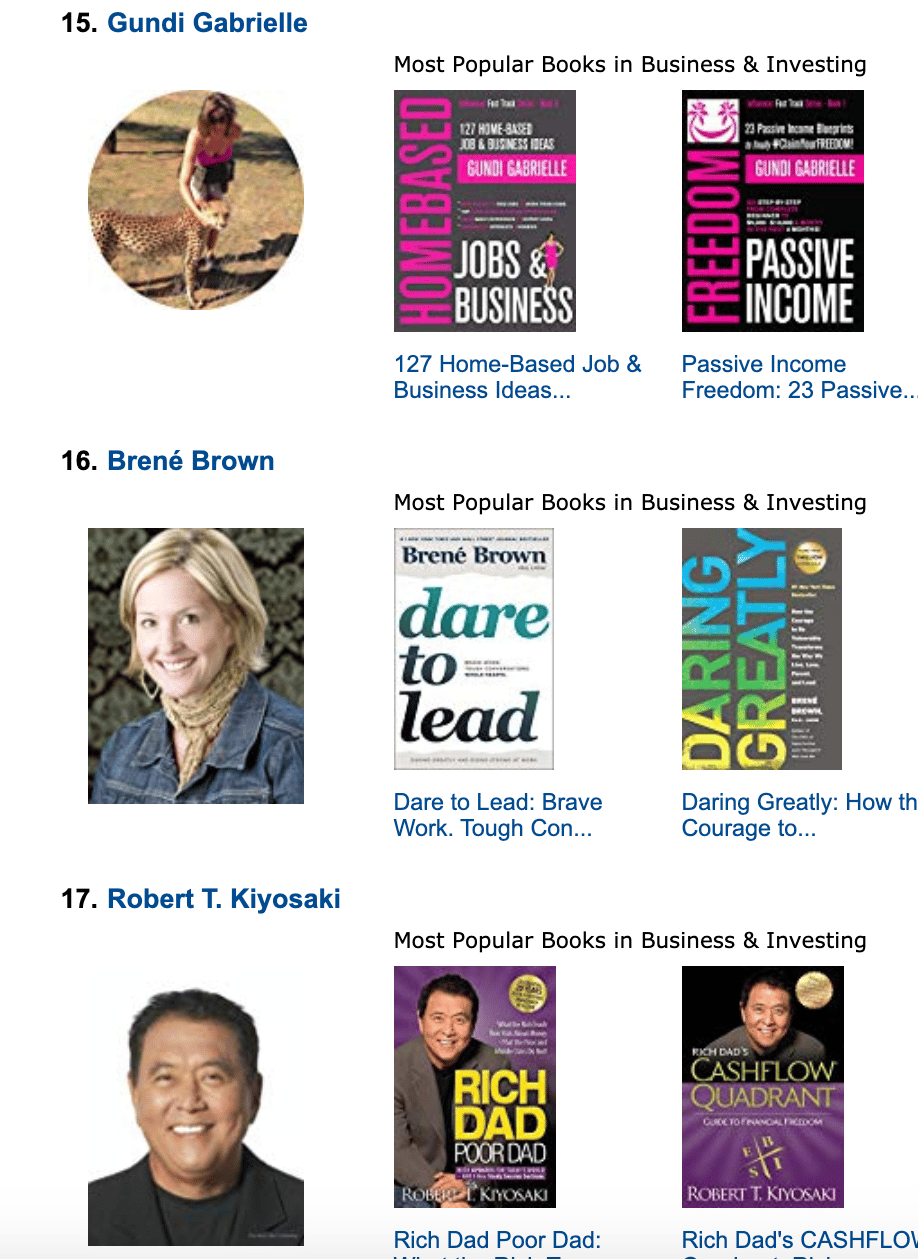
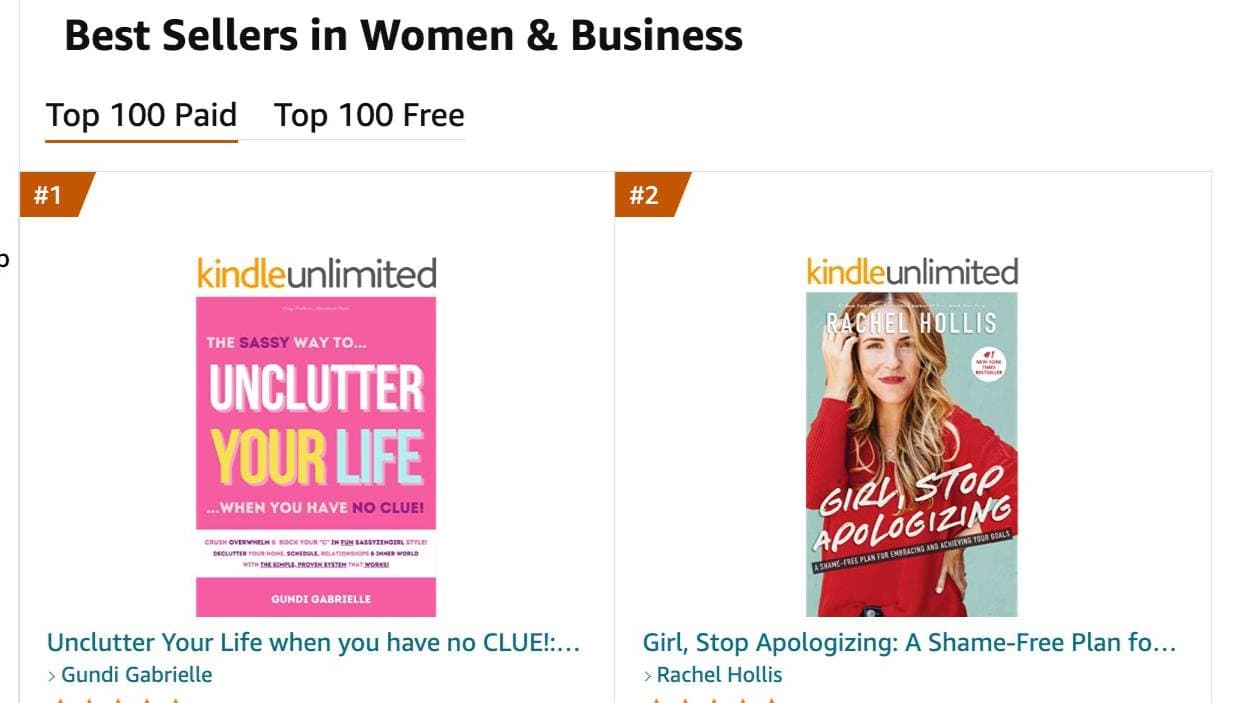
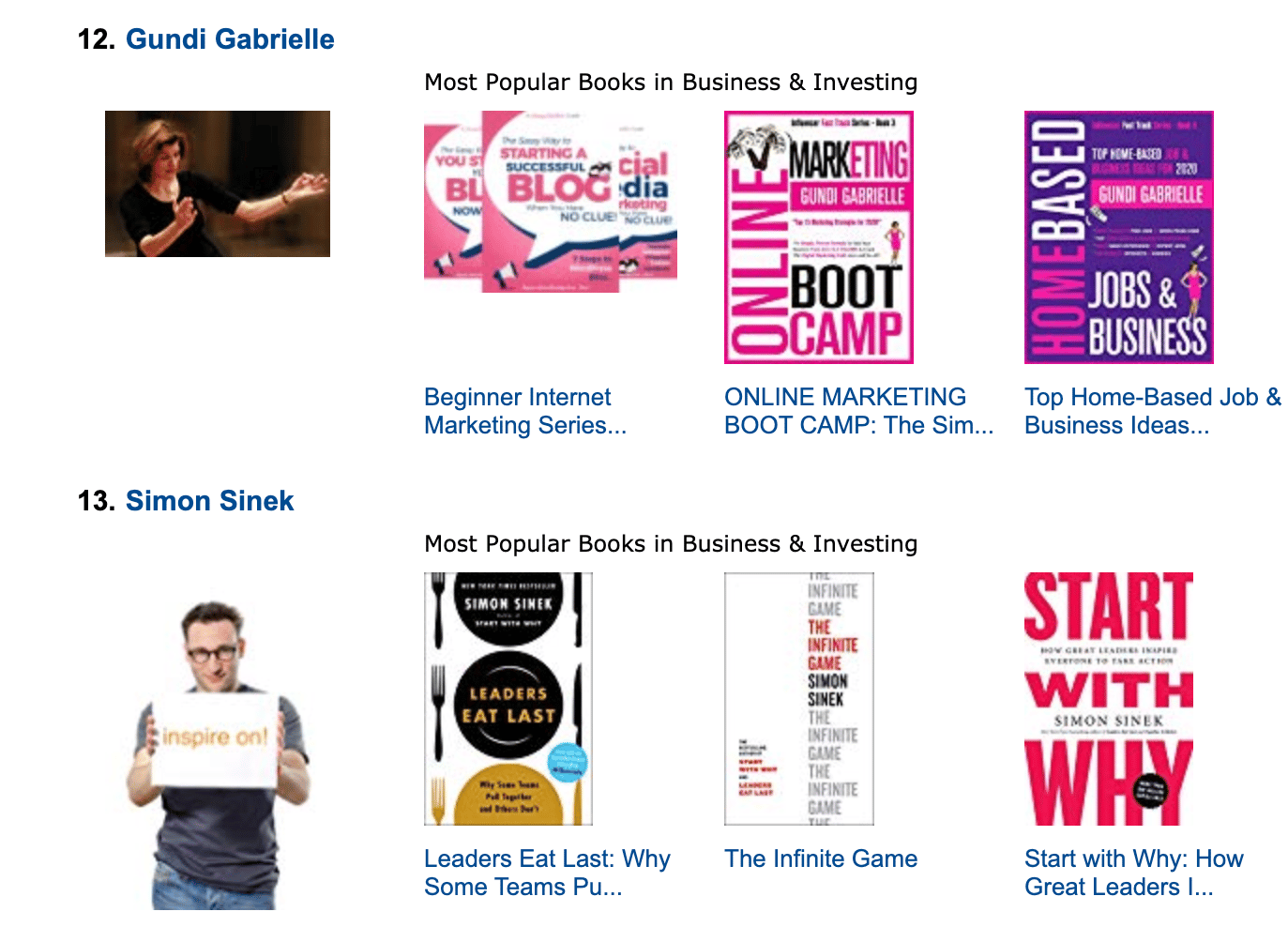
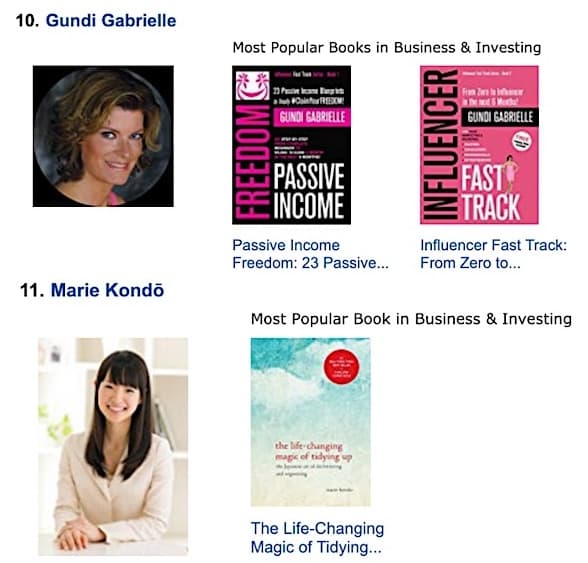
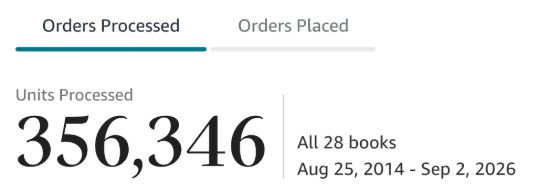
Along the way, I sold over 350,000 books, and was listed in Amazon's Top 100 Business Author Charts, ahead of authors like Simon Sinek, Brené Brown, Tim Ferriss, Robert Kiyosaki, or Brian Tracy.
No traditional publisher. No massive budget. Just understanding Amazon's algorithm and researching what readers actually want.
In my earlier years, I was a classical conductor & organist, touring the world, incl. Carnegie Hall & a performance for the Pope on St. Peter's Square.
These days, I love traveling as a Digital Nomad and orchestrating busy AI Agents 😎. Out of that came Golden Bestseller Empire — a complete AI-Powered Book Publishing Studio now helping authors around the world.
Can't wait to see you inside & help you publish your dream:
Featured In:
More from the Golden Bestseller Blog
Amazon Algorithm
Amazon Listing Optimization for Authors: 10 Ways FBA Sellers Optimize for Amazon's New AI — That Authors Still Ignore
Amazon sellers are rewriting their listings for COSMO and Alexa for Shopping. Here are the 10 listing strategies FBA sellers use, and exactly how KDP authors can copy each one.
Amazon KDP Updates
KDP Select Global Fund: How Kindle+ Pays Authors Now That Audiobooks Share the Fund
The KDP Select Global Fund now pays for Kindle+ pages read AND pages listened. Here's the latest payout, what audiobooks mean for your page reads, and where to find your Kindle+ royalties.
Amazon KDP Updates
Anthropic Settlement Payments: When Authors Get Paid and How Much Per Book
The first Anthropic settlement payments to authors are due the week of November 23. Here's how much each book gets, who qualifies, how the money is split and what to do now.
Want a faster way to plan and price your next book?
Golden Bestseller Empire's AI publishing tools help with exactly this kind of decision.