
How to Change or Remove Your AI Key
Use the small change link in the Writing Coach panel, then connect a new key in just a few seconds. The app guides you through every step.
To change your key, click the small "⚙ change" link at the bottom of the Writing Coach panel. Connecting a new key is just as easy as the first time. It is super easy, it takes only a few seconds, the app guides you step by step, and using your own key is free or costs very little.
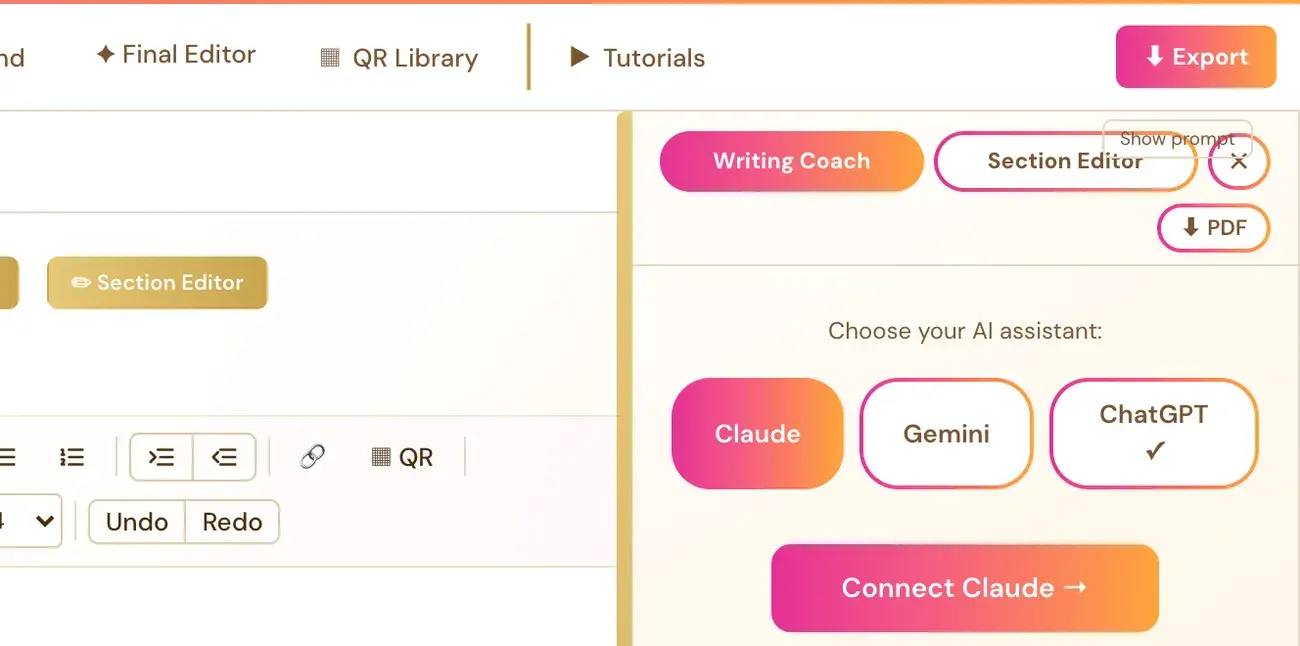
How do I change a key from the Writing Coach?
- Open the Writing Coach panel.
- Click the small ⚙ change link at the bottom.
- Connect your new key the same way as the first time: choose Claude, Gemini or ChatGPT, and follow the instructions in the setup panel to get a key from Anthropic, Google or OpenAI.
- Paste the new key into the box and click Save & Connect ✓.
The key is saved with your account and used through the app's server to call the AI you selected.
Where else can I connect a key?
- Writing Coach, Section Editor and Final Editor: Click Writing Coach ▼, then Connect Claude →, Connect Gemini → or Connect ChatGPT →.
- Course generators (Gemini): The Connect your Gemini Key prompt, or Connected Services in your profile menu.
- Category Scout (Step 7 · LAUNCH): The Connect your Scraper Key pop-up. This is a free key from ScraperAPI and a completely different key from your AI keys.
- Audiobooks (ElevenLabs): The Connect ElevenLabs panel in the Audiobooks tab. ElevenLabs is the one key that has its own cost.
How do I switch between Claude, Gemini and ChatGPT?
If you have connected more than one, the Writing Coach, the Section Editor and the Final Editor each have a Claude / Gemini / ChatGPT toggle. You can switch per tool at any time. You only ever need ONE connected key to use all three tools. Whichever you connect first is used in all three.
When should I change my key?
- You created a new key and want to use it instead.
- You want to move from one AI company to another.
- A message says your key is invalid or does not have the right permissions. Follow the wording of that exact message.
If a message says your key works but there are no credits, you do not need a new key. See What do I do if my AI says I am out of credits?
A busy or at-capacity message is a different problem. It does not mean your key is wrong, so do not replace a valid key because of it.
Never type or paste a key into the Course Coach chat or an email. Replace it only inside the Save & Connect box.
Not sure where to start? The Course Coach inside the app helps you every step of the way.
Related Articles
Last checked in the app: October 14, 2026.
Still Need Help?
Inside the app, the Course Coach answers your questions and guides you step by step. You can also write to us and we will get back to you.
Contact Support