
ChatGPT Subscription Versus an API Key
A ChatGPT Plus or Pro subscription is separate from an OpenAI API key, so it cannot be used directly. Creating a key takes only a few seconds.
Not directly. A ChatGPT Plus or Pro subscription is separate from OpenAI's API, so a subscription on its own cannot be used in the app. To use ChatGPT in the Writing Coach, Section Editor and Final Editor, you connect an OpenAI API key. It is super easy, it takes only a few seconds, the app guides you through it step by step, and using your own key is free or costs very little.
What is the difference?
- A ChatGPT subscription (Plus or Pro) is a different product from OpenAI's API. It does not include an API key.
- An OpenAI API key lets an app like Golden Bestseller Empire talk to the AI for you, using your own OpenAI account. OpenAI bills API use separately and pay-as-you-go. You get the key at platform.openai.com/api-keys, with billing set up there.
How do I connect ChatGPT?
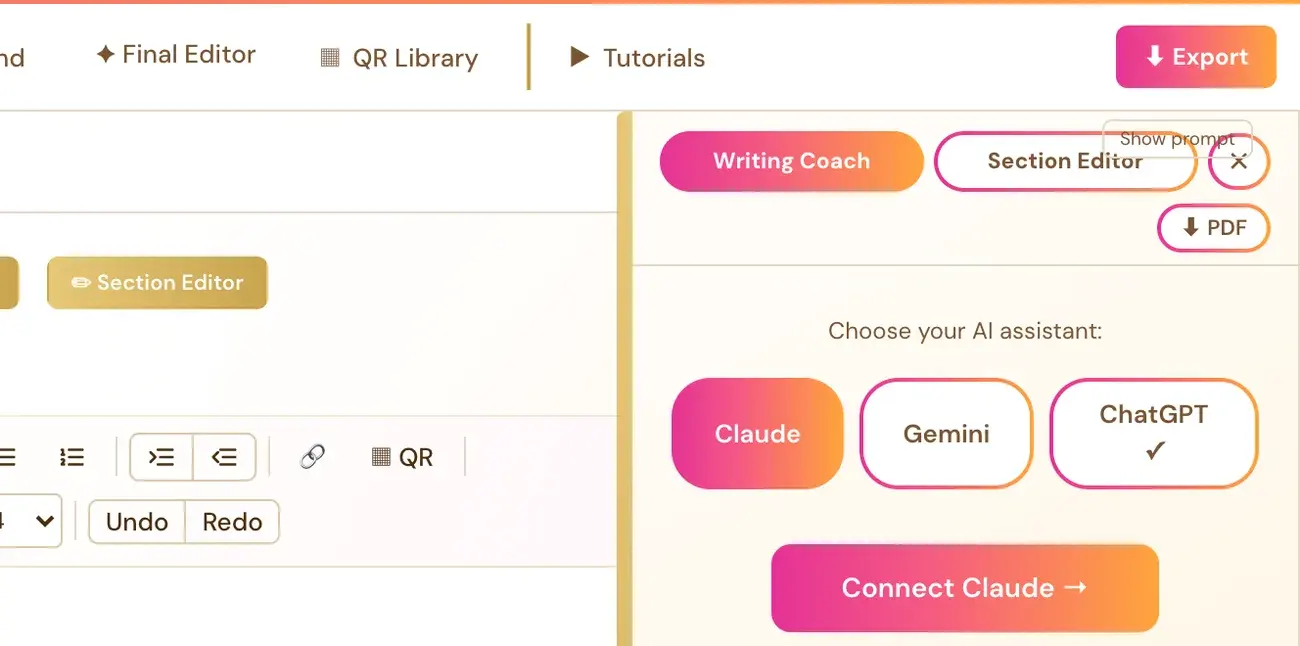
- In the Writing Studio, click Writing Coach ▼, then Connect ChatGPT →. This opens a setup panel. Follow the instructions there to get an API key from OpenAI.
- Get the key at platform.openai.com/api-keys, with billing set up there.
- Paste the key into the box in the app and click Save & Connect ✓.
The model used is GPT-6.1 Sol. The key is saved with your account, so this is a one-time setup.
What is "Sign in with ChatGPT"?
OpenAI has a "Sign in with ChatGPT" program that lets some apps use a person's subscription. For now, the way to use ChatGPT in Golden Bestseller Empire is with your own API key.
Can I use Claude or Gemini instead?
Yes. You only need ONE connected key for the Writing Coach, Section Editor and Final Editor, and it can be Claude or Gemini instead. Gemini has a free tier, and you get its key at aistudio.google.com. See What does my AI key cost?
Never paste your OpenAI key into the Course Coach chat or an email. Paste it only into the Save & Connect box.
Not sure where to start? The Course Coach inside the app helps you every step of the way.
Related Articles
Last checked in the app: October 14, 2026.
Still Need Help?
Inside the app, the Course Coach answers your questions and guides you step by step. You can also write to us and we will get back to you.
Contact Support