
How to Make an ePub for Kindle in the Writing Studio
Export your book as an ePub from the Writing Studio. Pictures are made smaller just for the ePub, so your Kindle file stays small.
To make a Kindle ebook file, choose ePub when you export. The Writing Studio builds it from the same manuscript as your print PDF.
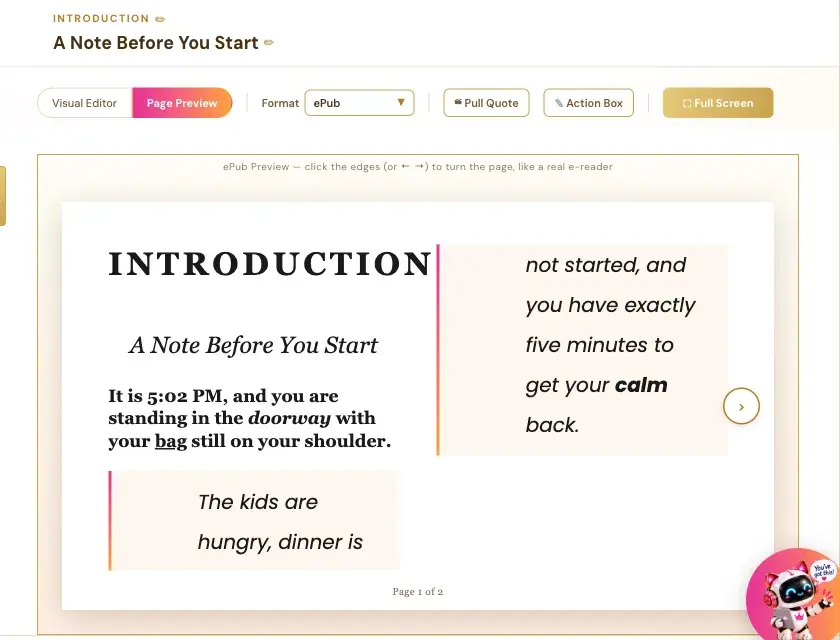
How Do I Preview My ePub?
- Open a section and click Page Preview.
- Leave Format on ePub, the default for a new book.
The preview says: "ePub Preview — click the edges (or ← →) to turn the page, like a real e-reader."
How Do I Export My ePub?
- Click ⬇ Export in the top-right corner.
- Open the Format list and choose ePub.
- Check the File name box.
- Click 📱 Export ePub.
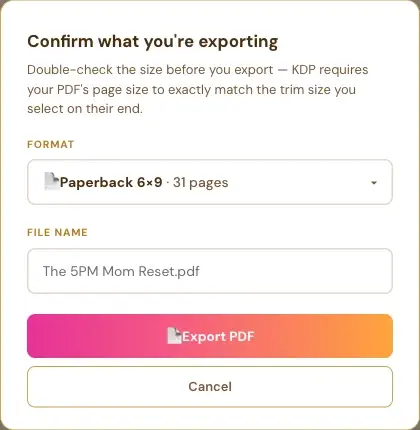
In Chrome and Edge, a Save window opens so you choose where the file goes.
How Is an ePub Different From My Print PDF?
An ePub is reflowable, so its layout adapts to the reader and doesn't copy the fixed PDF positions. The PDF table of contents has page numbers, and the ePub table of contents entries are navigation links. Both include your dedication and cover designer credit.
Why Are My Pictures Smaller in the ePub?
When you export an ePub, the app makes smaller copies of your pictures just for that file, so your Kindle file stays small. That's because Amazon KDP doesn't allow 99-cent pricing for a file over 3 MB. Your saved book and your PDF keep the full-quality pictures. See How the Writing Studio Prepares Your Pictures.
Do My Links Work in the ePub?
Yes. Your ebook keeps the real clickable links. In the print PDF, a link's text prints as plain text, so add a QR code for print readers.
What Comes Next?
See How to Upload Your Book to KDP. Not sure where to start? The Course Coach inside the app guides you through every step, so you're never stuck on a button.
Related Articles
Last checked in the app: October 14, 2026.
Still Need Help?
Inside the app, the Course Coach answers your questions and guides you step by step. You can also write to us and we will get back to you.
Contact Support