
Connected Services: Where to Change or Disconnect Your Storage and Keys
Open your profile, then Connected Services, to see what you've connected, change your Drive folder or disconnect a service.
Connected Services is one card in your profile that shows everything you've connected with your own account or key, all in one place.
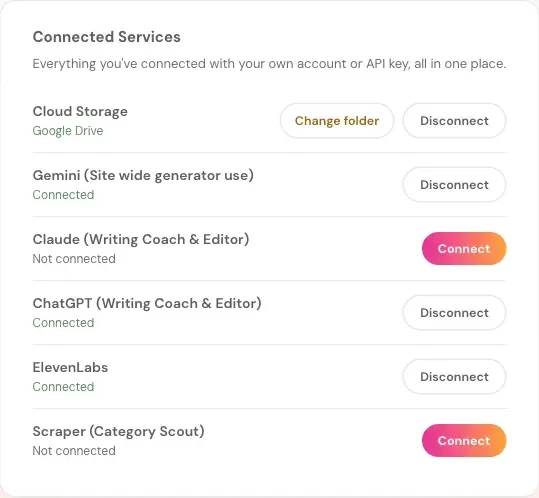
What Is in Connected Services?
The card lists:
- Cloud Storage: shows what you connected, like Google Drive. It has Change folder and Disconnect.
- Gemini (Site wide generator use).
- Claude (Writing Coach & Editor).
- ChatGPT (Writing Coach & Editor).
- ElevenLabs: for the Audiobook Creator.
- Scraper (Category Scout).
Each one shows Connected or Not connected. A service that isn't connected has a Connect button.
How Do I Open Connected Services?
Click your profile picture at the top right, then choose Connected Services.
How Do I Change My Google Drive Folder?
Click Change folder next to Cloud Storage. It only redirects future backups. Anything already saved stays where it is.
How Do I Connect or Disconnect a Service?
Click Connect to add it, or Disconnect to remove it. Connecting an API key is super easy. It takes a few seconds, and the app guides you step by step.
What Comes Next?
See How to Connect Cloud Storage. Not sure where to start? The Course Coach inside the app guides you through every step, so you're never stuck on a button.
Related Articles
Last checked in the app: October 14, 2026.
Still Need Help?
Inside the app, the Course Coach answers your questions and guides you step by step. You can also write to us and we will get back to you.
Contact Support