
How to Paste Your Outline Into the Writing Studio
Click Paste outline, paste the full output from your Chapter Detail Generator, and click Import Outline.
Prefer to copy and paste? Click Paste outline, paste the full output from your Chapter Detail Generator into the box, and click Import Outline.
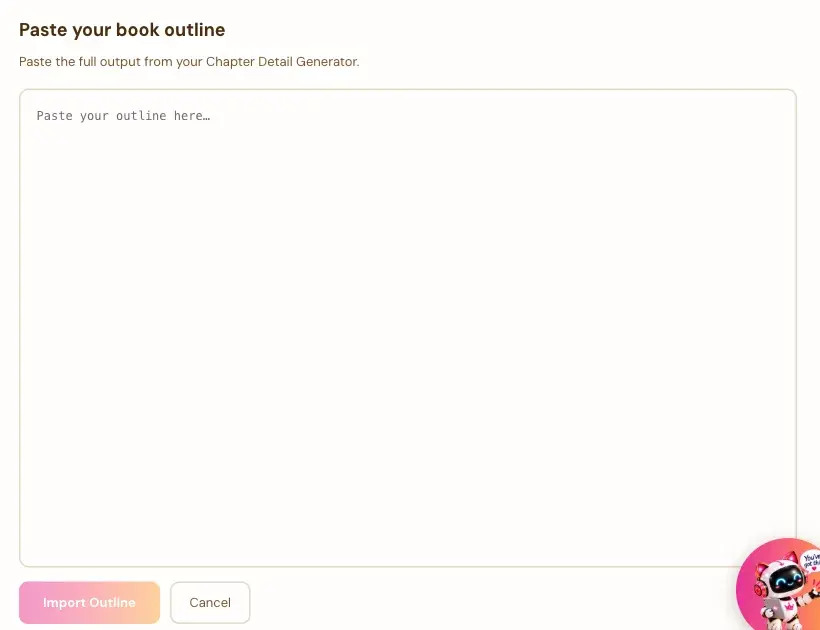
How Do I Paste My Outline?
- In a blank book, click Paste outline.
- Paste your outline into the box. It says: "Paste the full output from your Chapter Detail Generator."
- Click Import Outline. Or click Cancel to go back.
What Should I Paste?
The whole result from your Chapter Detail Generator, with its CHAPTER headings. Copy it from the generator with the Copy button.
What If It Can't Find My Chapters?
You'll see a message: "Could not find any chapters. Paste the full output from your Chapter Detail Generator. It should include CHAPTER headings." Go back to the generator, copy the whole result again, and paste it in.
Is It Different From Pull Latest Outline?
Same result, a different route. Pull brings it in for you. Paste lets you bring in a result you copied. See How to Pull Your Outline Into the Writing Studio.
What Comes Next?
Start writing with How to Write Your First Section. Not sure where to start? The Course Coach inside the app guides you through every step, so you're never stuck on a button.
Related Articles
Last checked in the app: October 14, 2026.
Still Need Help?
Inside the app, the Course Coach answers your questions and guides you step by step. You can also write to us and we will get back to you.
Contact Support