
Audible, ACX and Your Audiobook Files Explained
Audible and ACX currently require a human narrator. Your files are still ACX formatted and can be used on your website, Apple Books and Spotify.
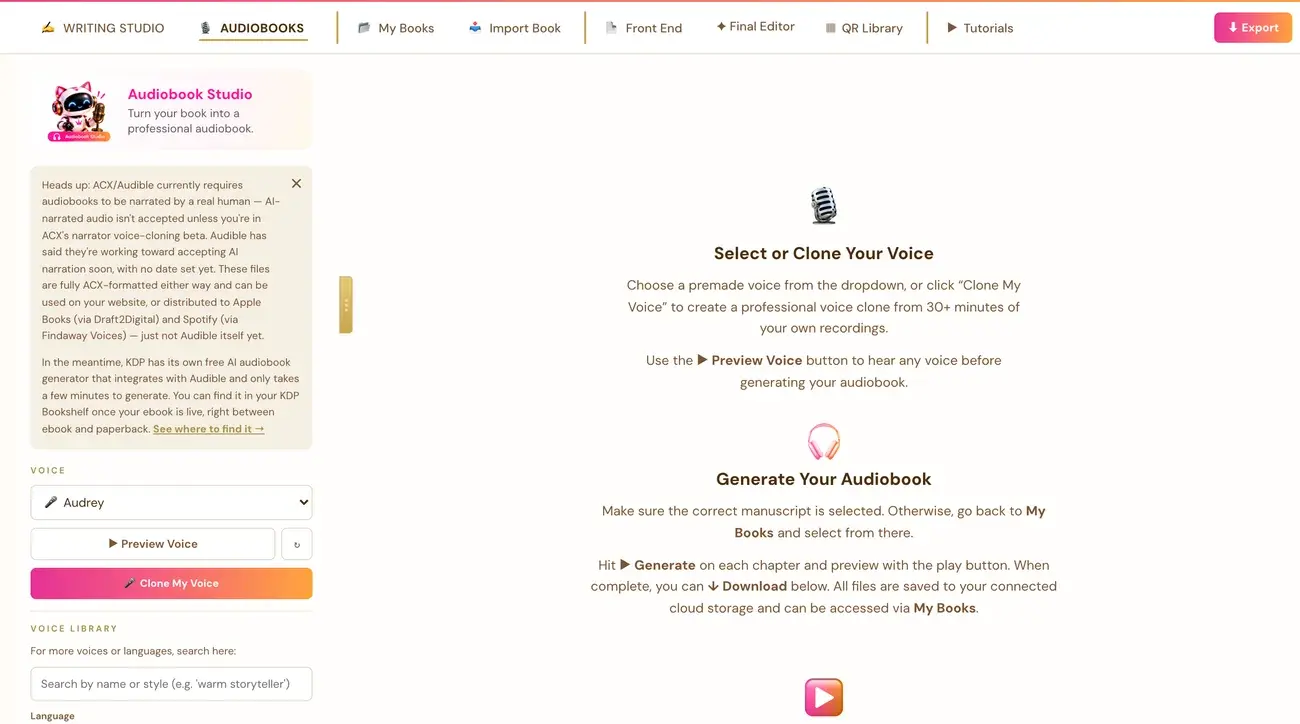
Not directly. Audible and ACX currently require audiobooks to be narrated by a real human. AI narration like the Audiobook Creator makes is not accepted there, unless you are personally enrolled in ACX's invite-only narrator voice-cloning beta. Your files are still useful in other places.
Why can I not upload to ACX?
ACX is Audible's own submission platform, and it currently requires human narration. AI narrated audio, like what the Audiobook Creator generates, is not accepted on Audible unless you are personally enrolled in ACX's own invite-only narrator voice-cloning beta. This is a real, current platform policy. It is not a limitation of this app, and it is not something the app can work around.
Audible has said publicly that it is working toward accepting AI narration more broadly. This is the current state of the policy, not a permanent rule.
What can I do with the files?
The files are fully ACX formatted, so you can use them in other places:
- Your own website.
- Apple Books, through Draft2Digital, which has a real Apple Books audiobook program.
- Spotify, through Findaway Voices, which distributes to Spotify.
What is KDP's own audiobook option?
For getting an AI narrated audiobook onto Audible specifically, KDP has its own free AI audiobook generator, separate from the Audiobook Creator, that integrates directly with Audible. It appears in your KDP Bookshelf once your ebook is live, positioned between the ebook row and the paperback row. A dismissible notice at the top of the Audiobooks tab shows a screenshot of exactly where to find it.
For Amazon's rules on AI content, see Can you publish AI books on Amazon KDP?.
What is in the ACX Ready download?
The ACX / Audible Export section at the bottom of the Audiobooks tab produces a complete, correctly formatted bundle. Click Download All, ACX Ready, MP3 to get:
- Each chapter as its own file.
- A separate Opening Credits file and a separate Closing Credits file. ACX requires credits as their own files, never merged into a chapter.
- A Retail Sample: the first 5 minutes of the real narrated book itself, starting from Chapter 1. It is never the credits, which follows ACX's own rule.
The MP3 files are 192kbps and formatted exactly to ACX's technical spec.
What is the small download arrow beside each row?
Each individual chapter, credits and sample row also has its own small download arrow. It downloads a WAV file instead. WAV is easier to casually play back or edit. It is not meant for the actual ACX upload. For ACX, use Download All, ACX Ready, MP3.
Where do the files live?
Every audio file is saved into your own connected Google Drive, Dropbox or OneDrive, inside a Golden Bestseller Empire folder, then a folder for that book, then an Audio folder. If you regenerate a clip you already made, the new version replaces the old one in your storage.
Not sure where to start? The Course Coach inside the app guides you through each step, so you are never stuck on a button.
Related Articles
Last checked in the app: October 14, 2026.
Still Need Help?
Inside the app, the Course Coach answers your questions and guides you step by step. You can also write to us and we will get back to you.
Contact Support