
How to Use the Authority Outreach Generator
The generator lists 15 to 20 trusted organizations that serve your reader and writes one short outreach email asking to be added to their recommended reading.
The Authority Outreach Generator (Step 8 · EXPAND, Lesson 7) finds 15 to 20 real, high-authority organizations whose audience matches your target reader, then writes one ready-to-use outreach email template for asking them to add your book to their public recommended resources or recommended reading page.
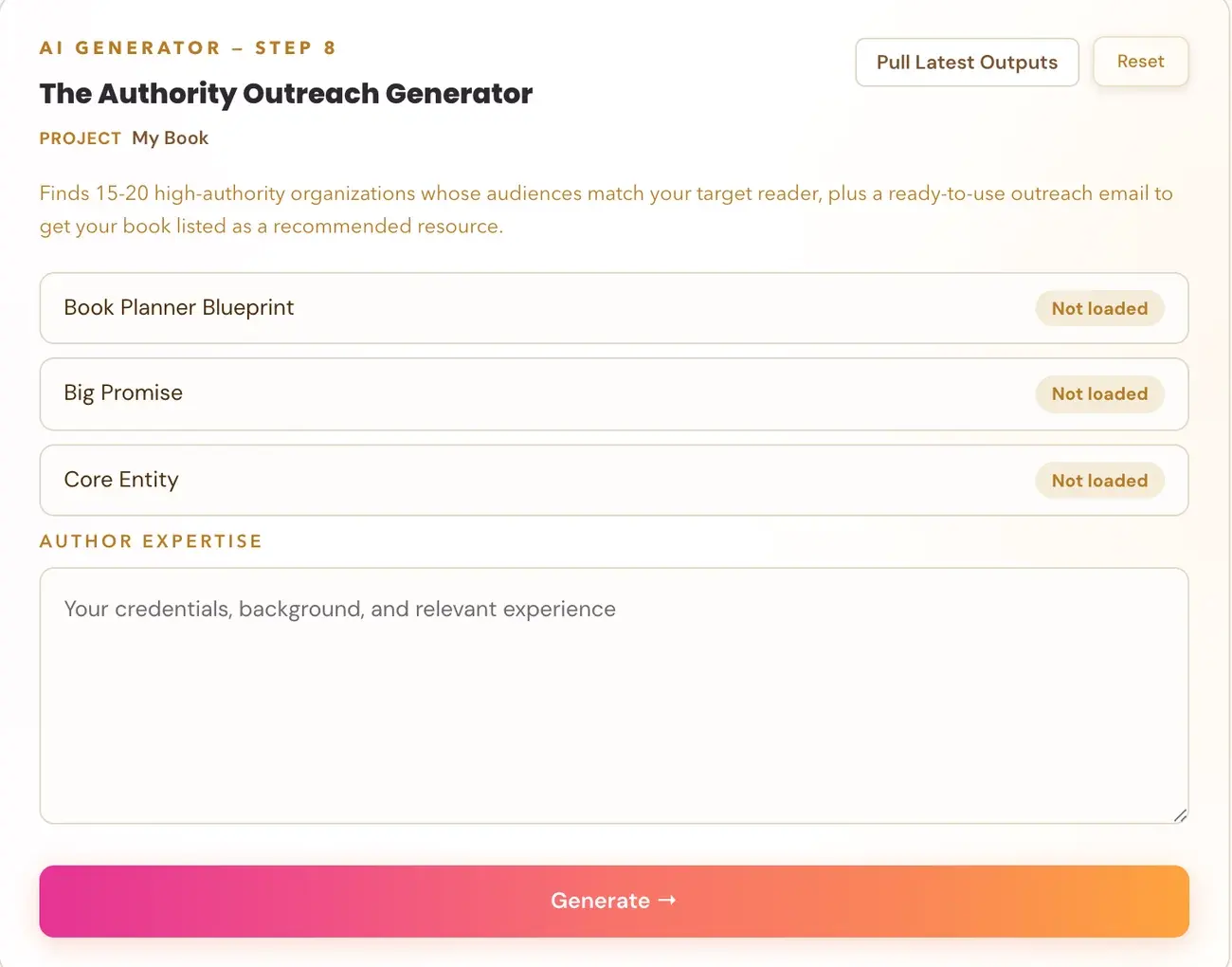
What is it for?
It is a free third-party credibility and traffic play, not a paid placement. The goal is getting listed on a page an organization already publishes for its own members or audience.
What kinds of organizations does it find?
Only high-authority ones:
- NGOs (non-governmental organizations).
- Professional associations.
- Government bodies.
- Academic institutions.
- Established advocacy groups.
It never suggests blogs, forums or commercial sites.
What do I need to fill in?
Three fields fill in by themselves from earlier generators: Core Entity, One Big Promise and ICP. They come from the Knowledge Graph Generator and the Big Promise Generator, so run both first.
The one field you type is Author Expertise. Write your real credentials and background, since this needs to sound credible in the outreach email.
Click Generate. The tool uses your Gemini key. Connecting a key is super easy, takes only a few seconds, and the app guides you through it step by step. Using your own key is free or minimal in cost. See How do I connect my AI key?.
What counts as a qualifying resource page?
Only a page that actually lists outside, third-party books, courses or reading material for the organization's members. Examples are:
- A "Recommended Books" page.
- A "Recommended Reading" page.
- A "Member Resources" page that includes outside materials.
- A curated reading list.
A generic "Resources" page that only links to the organization's own internal materials, a Downloads or Templates page, a blog, or a partners or sponsors page does not qualify.
Why do some rows say Not found for the resource page?
That is correct, not broken. If a real qualifying resource page does not exist for an organization, or the generator is not confident about the exact link, "Not found" is the correct, honest answer instead of a URL.
Are the links checked?
Yes. After generation, the app re-verifies every Resource Page link with a real HTTP check. If a link turns out to be broken, the app automatically tries to find the correct link by looking at that organization's main site. A small number of link corrections happening quietly after generation is expected. It is a quality safeguard, not a bug.
What does the email look like?
You get one template, under 150 words, in a professional peer-to-peer tone. It is never a sales pitch. It opens with a specific reference to that organization's actual work, never a generic opener. It then makes a low-friction ask: would they consider adding your book to their existing recommended reading or resources page.
The email has placeholders such as [CONTACT NAME], [ORGANIZATION NAME], [BOOK TITLE] and [AUTHOR NAME]. You fill these in yourself before you send it.
Not sure where to start? The Course Coach inside the app guides you through each step, so you are never stuck on a button.
Related Articles
Last checked in the app: October 14, 2026.
Still Need Help?
Inside the app, the Course Coach answers your questions and guides you step by step. You can also write to us and we will get back to you.
Contact Support