
How to Set Your Launch Price
Launch pricing is the first stage of Step 7. Watch the Launch Pricing Strategy lesson and choose your launch pricing before you upload to KDP.
Launch pricing is the first stage of the Bestseller Launch Sequence in Step 7 · LAUNCH. Watch the Launch Pricing Strategy lesson and set your launch pricing.
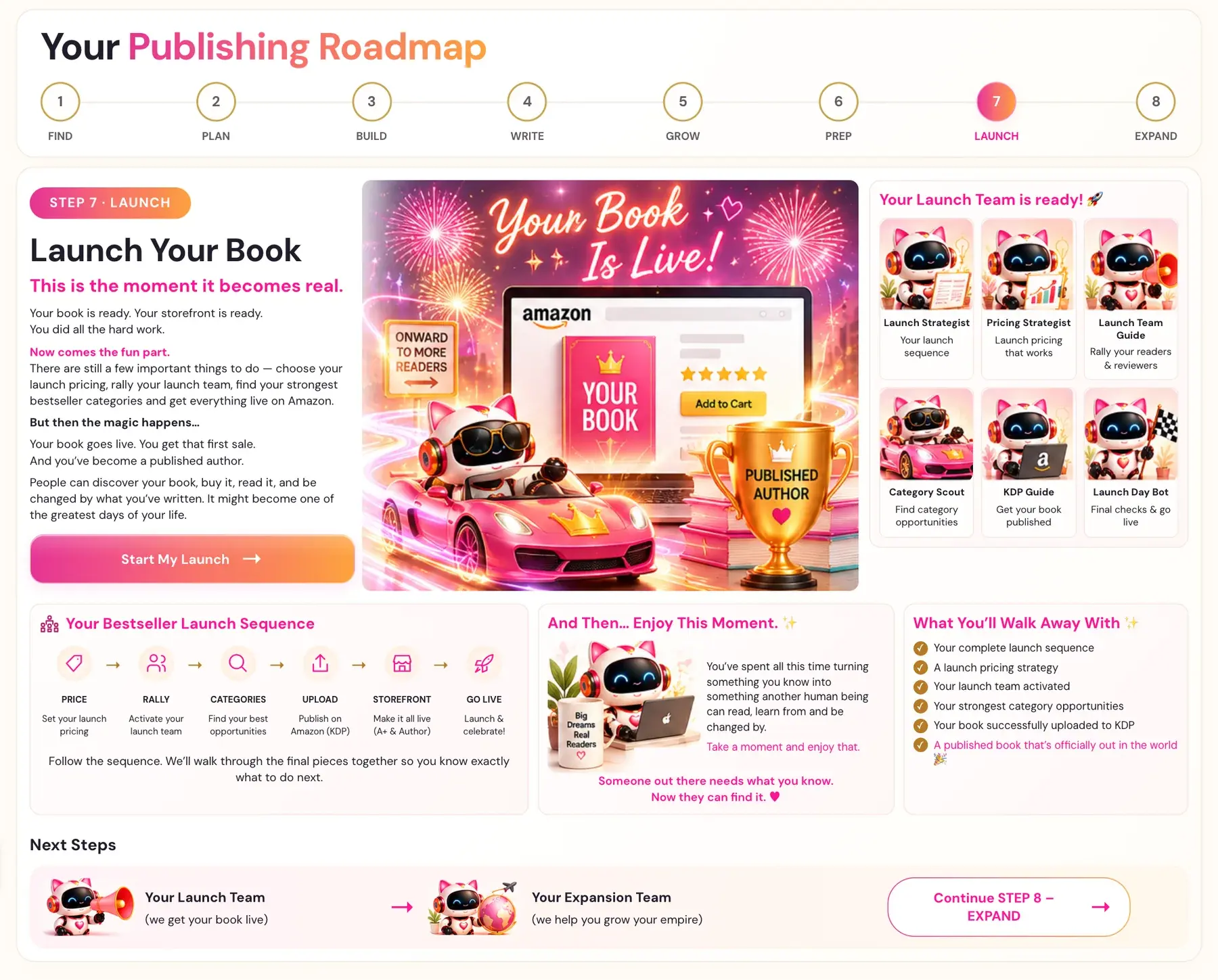
Where is the pricing lesson?
- Click STEP 7 · LAUNCH in the left sidebar.
- Open the lesson Launch Pricing Strategy.
- Watch the video. You can write notes in the box called "Your notes for this lesson", then click MARK COMPLETE →.
On the roadmap, this lesson belongs to your Pricing Strategist, whose job is "launch pricing that works."
Why is price the first stage?
The Bestseller Launch Sequence is: PRICE (set your launch pricing), RALLY (activate your launch team), CATEGORIES (find your best opportunities), UPLOAD (publish on Amazon/KDP), STOREFRONT (make it all live: A+ & Author) and GO LIVE (launch & celebrate!). Pricing comes first. Follow the sequence. We'll walk through the final pieces together so you know exactly what to do next.
One thing you walk away with from Step 7 is "a launch pricing strategy."
Is there a file size rule that affects a low price?
Yes. Amazon KDP does not allow 99-cent pricing for a file over 3 MB. When you export an EPUB from the Writing Studio, the app makes smaller copies of your pictures just for that EPUB file, so the Kindle file stays small. The saved book and the PDF keep the full-quality pictures. If you worry about picture quality, your book and PDF are not affected. See How do I export an EPUB or PDF and what sizes are there?.
Does my price show up anywhere else in the course?
In Step 8 · EXPAND, the Campaign Strategy Generator asks for your Kindle price and whether you are enrolled in Kindle Unlimited. See How does the Campaign Strategy Generator work?.
What comes next?
After pricing comes RALLY: "Activate your launch team." See How do I build a launch team?.
For Amazon's side of publishing, see How to Publish on KDP and Start Publishing With KDP.
You can ask the Course Coach inside the app any time you have a question about a button or a field.
Related Articles
Last checked in the app: October 14, 2026.
Still Need Help?
Inside the app, the Course Coach answers your questions and guides you step by step. You can also write to us and we will get back to you.
Contact Support