
How to Build a Launch Team
Your launch team is the group of advance readers and reviewers you rally before launch. Start in Step 5, then use the Prepping your Launch Team lesson.
Your launch team is the group of readers and reviewers you rally before your book goes live. You start gathering advance readers in Step 5 · GROW and activate them in Step 7 · LAUNCH with the Prepping your Launch Team lesson.
Where does the launch team start?
It starts early. One thing you walk away with from Step 5 · GROW is "a growing list of potential advance readers." Step 5 also has a lesson called Your Launch Team. See What is Step 5 (Grow)?.
Where do I rally my team?
- Click STEP 7 · LAUNCH in the left sidebar.
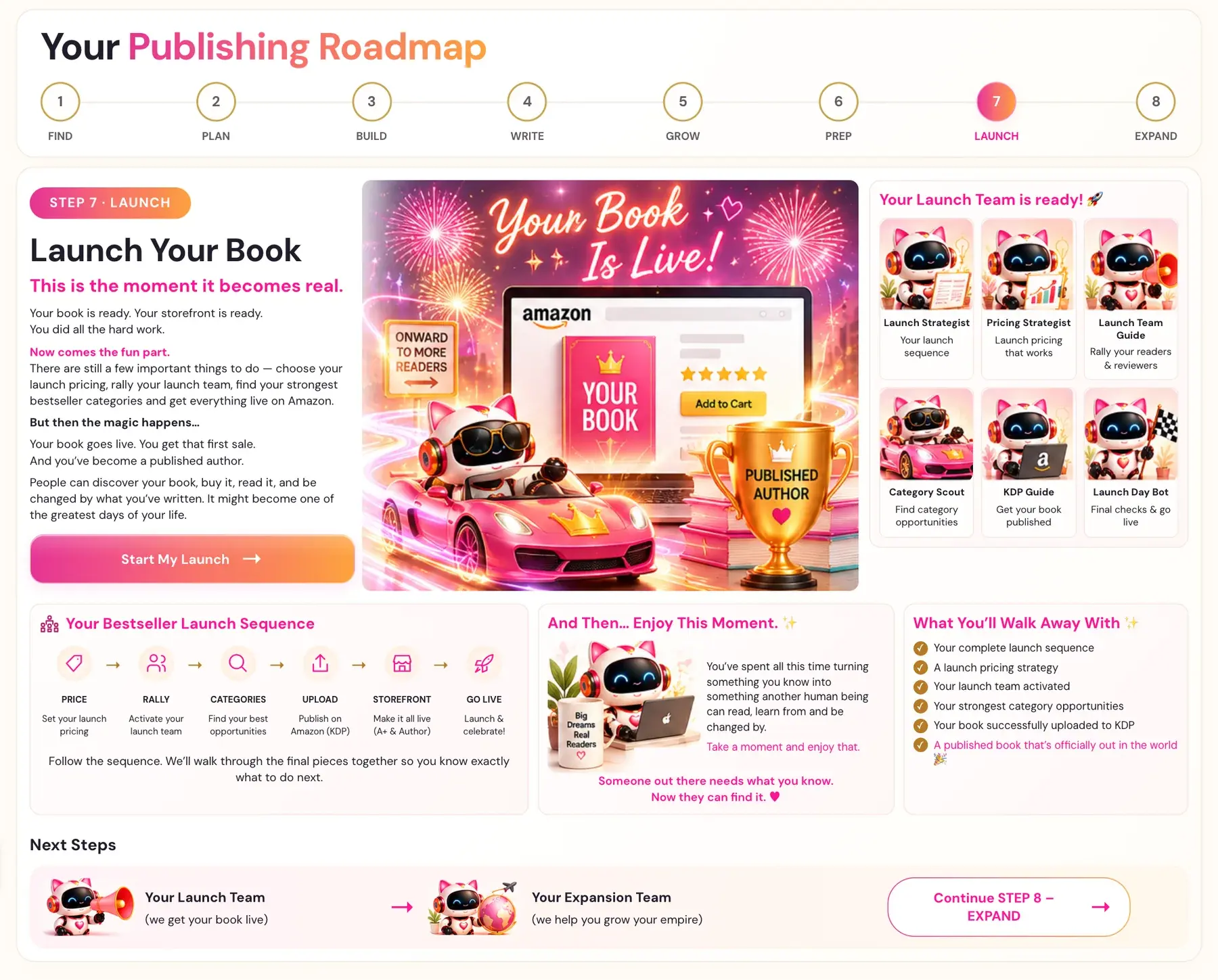
- Open the lesson Prepping your Launch Team. On the roadmap this belongs to your Launch Team Guide: "Rally your readers & reviewers."
- Watch the video, write your notes in the box "Your notes for this lesson", and click MARK COMPLETE →.
RALLY is the second stage of the Bestseller Launch Sequence, right after PRICE: "Activate your launch team." One thing you walk away with from Step 7 is "your launch team activated."
Who can be on my launch team?
Your advance readers from Step 5 are the starting point. The Course Coach also says that relevant newsletter writers and their audiences may be promotional partners at launch. If you saved newsletter names from your Step 1 reports, this is the time to use that list. When you are ready to promote in Step 7, these writers are the first people to contact for shoutouts and features. See How do I find my influencers?.
How should I ask for reviews?
The Course Coach gives clear guidance:
- Never ask for 5-star reviews. Amazon flags coordinated review campaigns.
- Never give reviewers the exact words to copy. It feels inauthentic, and Amazon can detect patterns.
- Give prompts and themes, not scripts.
The Coach suggests themes a reviewer can speak to in their own words: who the book helped (a specific person or situation), their favorite point or chapter, and a transformation they went through.
The Coach also notes that only verified purchase reviews count for Amazon sales rank. ARC copies sent via Amazon's own system create verified purchases. PDFs sent directly do not.
Amazon has its own rules for publishing. See Amazon KDP Publishing Guidelines.
What else can an early reader do?
The Coach also describes this idea, called ARC highlight seeding: ask your advance readers to highlight specific pre-selected passages in their Kindle app before launch week. Choose your most quotable, transformation-focused sentences. These highlights count toward Popular Highlights.
Which files can the Writing Studio export?
The Writing Studio exports an ePub, plus a PDF in several sizes. See How do I export an EPUB or PDF and what sizes are there?.
What is next after the launch team?
The next stage is CATEGORIES: "Find your best opportunities." See How do I find my best categories?.
You can ask the Course Coach inside the app any time you have a question about a button or a field.
Related Articles
Last checked in the app: October 14, 2026.
Still Need Help?
Inside the app, the Course Coach answers your questions and guides you step by step. You can also write to us and we will get back to you.
Contact Support