
What Step 7 Is and What You Do There
Step 7 Launch guides you through launch pricing, your launch team, category choices, the KDP upload and going live, in six clear stages.
Step 7 · LAUNCH is where your book goes live. The roadmap title is "Launch Your Book", with the line "This is the moment it becomes real."
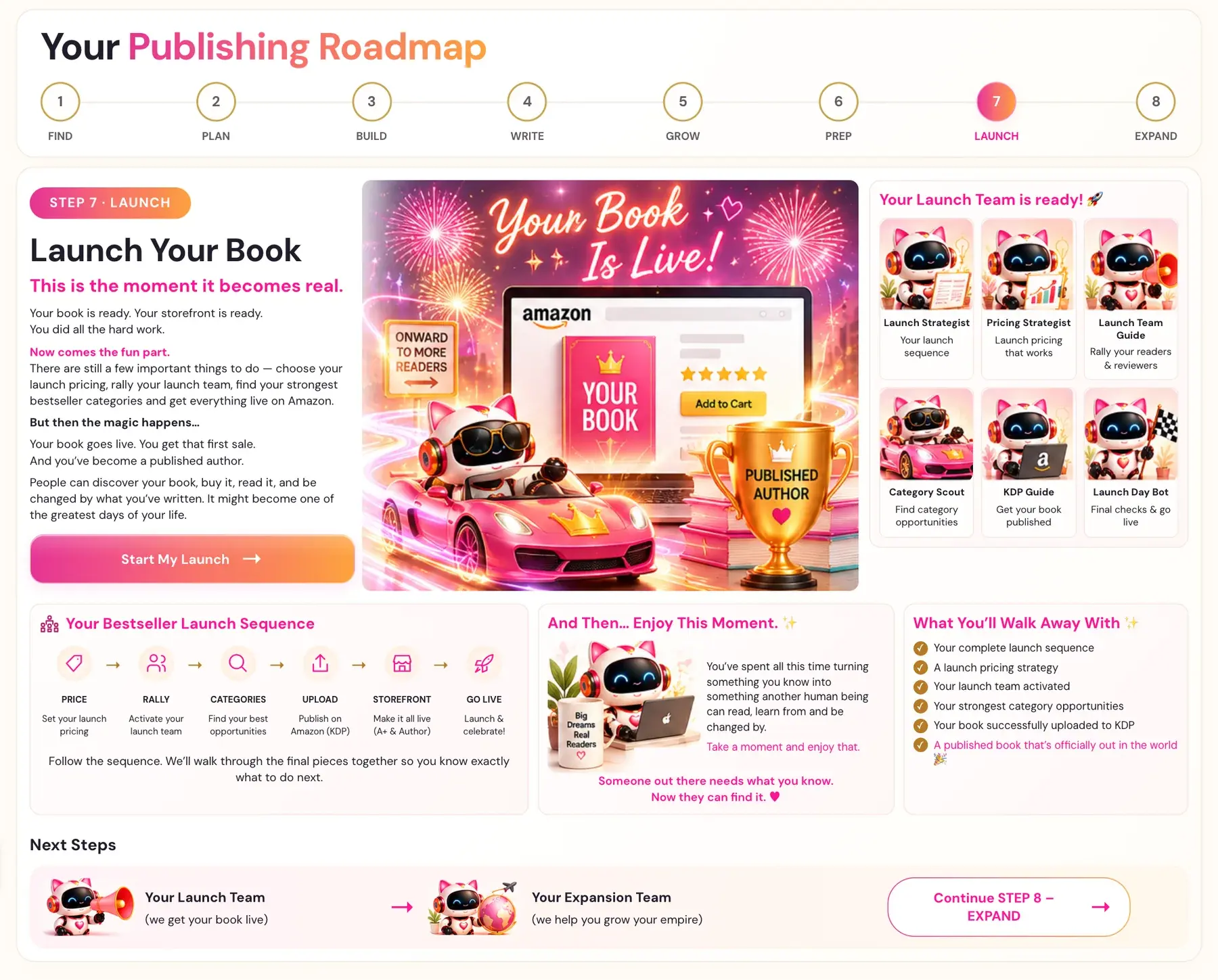
Your book is ready. Your storefront is ready. You did all the hard work. Now comes the fun part. There are still a few important things to do — choose your launch pricing, rally your launch team, find your strongest bestseller categories and get everything live on Amazon.
Then, in the roadmap's words: "Your book goes live. You get that first sale. And you've become a published author. People can discover your book, buy it, read it, and be changed by what you've written. It might become one of the greatest days of your life."
How do I open Step 7?
- Click STEP 7 · LAUNCH in the left sidebar.
- The first time, you see the roadmap page. Click Start My Launch →.
- The Step 7 lessons open.
Once you have started a step, its sidebar tab goes straight to the lessons. The Roadmap menu at the top always shows the roadmap pages.
What is the Bestseller Launch Sequence?
The roadmap lays out six stages, in this order:
- PRICE: set your launch pricing. See How do I set my launch price?.
- RALLY: activate your launch team. See How do I build a launch team?.
- CATEGORIES: find your best opportunities. See How do I find my best categories?.
- UPLOAD: publish on Amazon (KDP). See How do I upload my book to KDP?.
- STOREFRONT: make it all live (A+ & Author).
- GO LIVE: launch & celebrate! See What is my go-live checklist?.
The roadmap adds: "Follow the sequence. We'll walk through the final pieces together so you know exactly what to do next."
What lessons are in Step 7?
The Step 7 lessons are:
- The Bestseller Launch Sequence
- Launch Pricing Strategy
- Prepping your Launch Team
- The Category Scout Generator
- KDP Upload Walk-Through
- A+ Content Walk-Through
- Author Central Walk-Through
The roadmap lists your Launch Team:
- Launch Strategist: your launch sequence
- Pricing Strategist: launch pricing that works
- Launch Team Guide: rally your readers & reviewers
- Category Scout: find category opportunities
- KDP Guide: get your book published
- Launch Day Bot: final checks & go live
What do I walk away with?
- Your complete launch sequence
- A launch pricing strategy
- Your launch team activated
- Your strongest category opportunities
- Your book successfully uploaded to KDP
- A published book that's officially out in the world
And then?
You've spent all this time turning something you know into something another human being can read, learn from and be changed by. Take a moment and enjoy that. Someone out there needs what you know. Now they can find it.
After launch, the Launch Team hands off to the Expansion Team in Step 8 · EXPAND. See the roadmap for what comes next.
Where does Step 6 fit?
Step 6 · PREP comes before Step 7 on the roadmap, so your storefront is ready before you launch. See What is Step 6 (Prep)?.
Not sure where to start? The Course Coach inside the app guides you through each step, so you are never stuck on a button.
Related Articles
Last checked in the app: October 14, 2026.
Still Need Help?
Inside the app, the Course Coach answers your questions and guides you step by step. You can also write to us and we will get back to you.
Contact Support