
How to Use the Amazon Ads Translation Generator
The generator adapts your English Amazon Ads Keyword report into natural search phrases for another Amazon store, including negative and brand keywords.
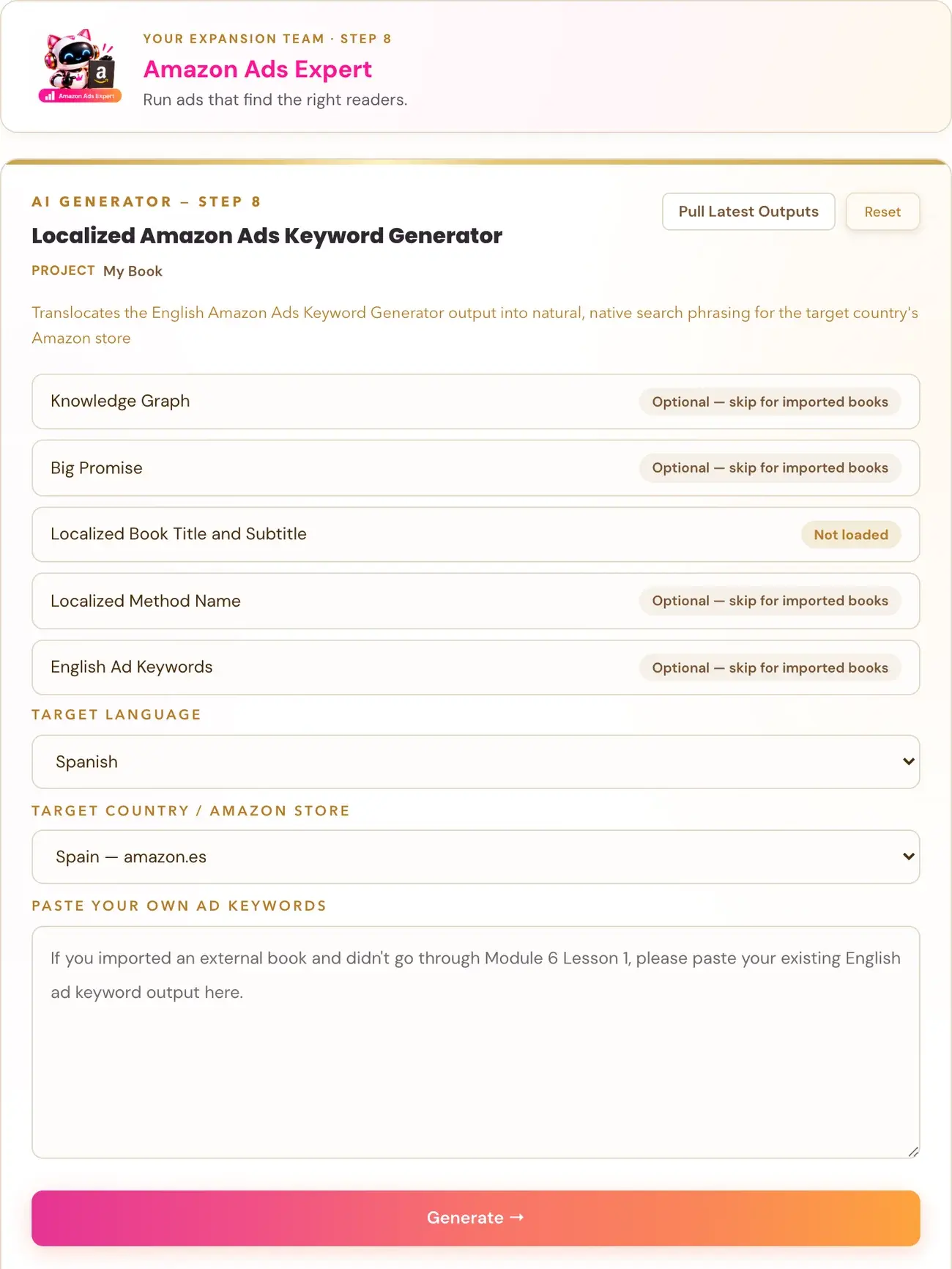
The Amazon Ads Translation Generator takes the report from your Amazon Ads Keyword Generator and rewrites it the way readers in another country actually search on their Amazon store. It is Lesson 5 of Step 8 · EXPAND.
What does it make?
It gives you the same four keyword groups as the English report, in natural native search phrasing for the Amazon store you choose:
- Audience keywords.
- Functional keywords.
- Context keywords.
- Interest keywords.
It also gives you Standard and Book-Specific negative keywords, plus Brand Protection keywords built from your Localized Book Title.
It ends with a short Bidding Note. The note says that international stores have far less ad competition than the US store, so bids should start lower and be adjusted based on real performance.
Why does it not just translate my keywords?
Every localization generator in the course does the same thing. It does not translate word for word. It "translocates": it rewrites the content the way a real native speaker in that country would actually say it, using natural phrasing, idioms and the search language a local reader actually types and speaks. A literal translation of an English sentence almost always sounds foreign and unnatural. If your result is not a direct translation, that is intentional and correct.
What does it leave out, and why?
- Author Name Keywords. A comparable author from the English report is store-specific.
- The ASIN Targeting List. A competitor ASIN from the English report is store-specific, so it is not carried over to a different country's Amazon store.
Both are dropped on purpose.
Why does it not give exact bid amounts?
By design. There is no reliable data on ad competition or currency conversion per country, so the generator gives general direction only: start lower than a US campaign, test, and adjust. It never states a specific dollar or currency figure.
Does it use the Campaign Strategy Generator?
No. This generator only uses the output of the Amazon Ads Keyword Generator. The Campaign Strategy Generator is not part of it, because its content is bid dollar amounts and Amazon Ads Manager navigation steps, not language content worth translocating.
What do I need before I run it?
- Run the Amazon Ads Keyword Generator first. This generator translocates that output instead of generating from scratch. It does not depend on the Title Localizer, the Global Book Translator or the Sales Page tabs.
- Choose the Target Language and Target Country / Amazon Store. The country list only shows the real Amazon marketplaces that serve the language you picked. For example, Spanish shows only Spain (amazon.es) and Mexico (amazon.com.mx).
- Enter the Localized Book Title and subtitle. See the Title Localizer.
- The Localized Knowledge Graph and Localized Big Promise fields are optional. Leaving them blank is fully supported and is not an error.
If a field says "Not yet generated", it almost always means the Localization Generator has not been run for that language and country, or you need to click Pull Latest Outputs to refresh the field.
I imported my book. What if I never used the English generator?
There is a Paste Your Own field where you can paste your existing English ad keywords. If you paste something there, it takes priority over the auto-filled field. If neither is filled in, the generator still works from your Localized Book Title and Subtitle alone.
Click Generate when you are ready. The tool uses your Gemini key. Connecting a key is super easy, takes only a few seconds, and the app guides you through it step by step. Using your own key is free or minimal in cost. See How do I connect my AI key?.
Not sure where to start? The Course Coach inside the app guides you through each step, so you are never stuck on a button.
Related Articles
Last checked in the app: October 14, 2026.
Still Need Help?
Inside the app, the Course Coach answers your questions and guides you step by step. You can also write to us and we will get back to you.
Contact Support