
How to Use the Amazon Ads Keyword Generator
The generator builds Amazon ad keyword lists from your Knowledge Graph and Big Promise: four keyword groups plus author, ASIN, negative and brand terms.
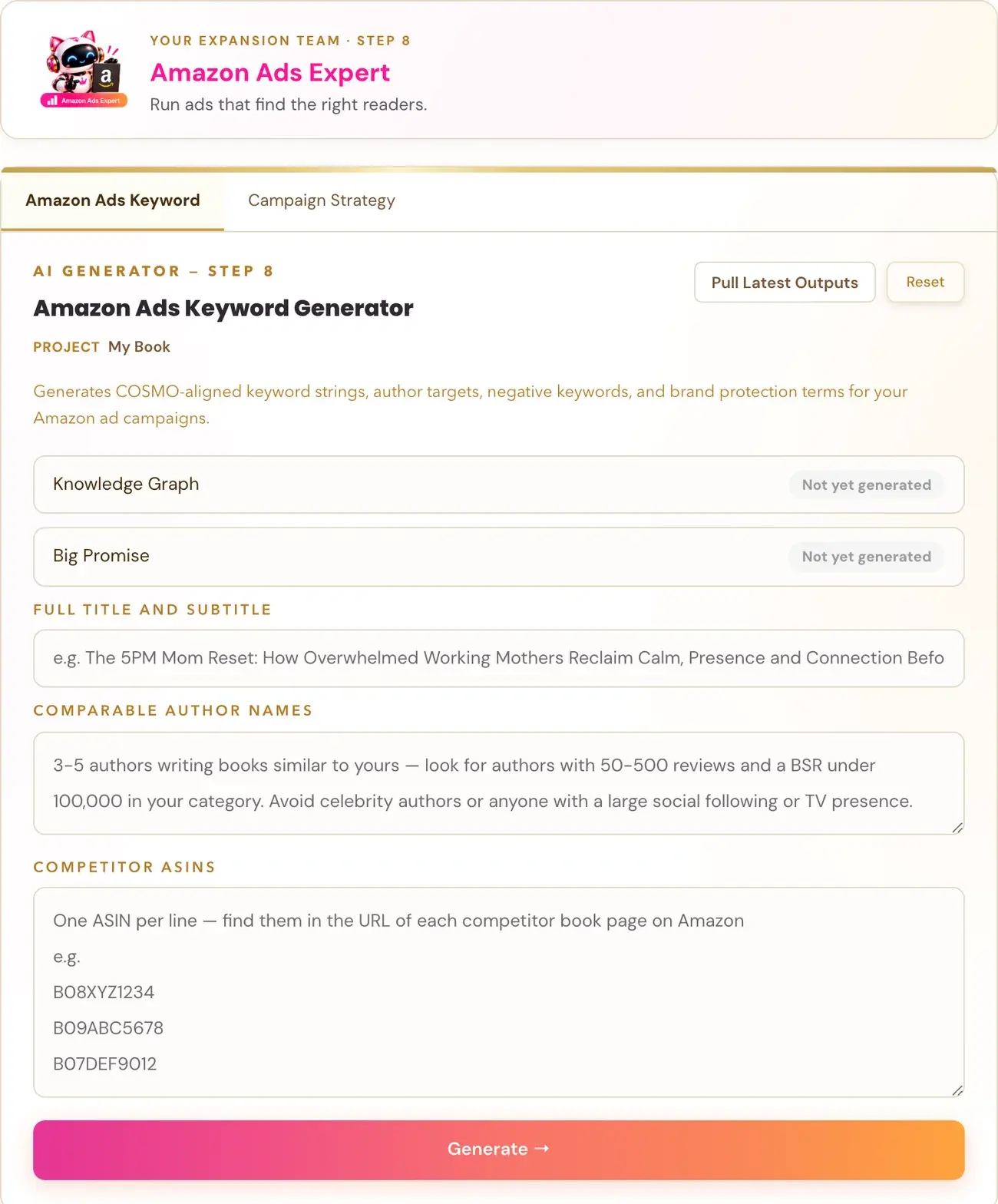
The Amazon Ads Keyword Generator (Step 8 · EXPAND) makes keyword strings for your manual Amazon ad campaigns, based on your book's Knowledge Graph and Big Promise. Run those two generators first.
What does it make?
It gives you keyword strings for manual ad campaigns, sorted into four groups:
- Audience keywords. Who the book is for. The Core Node identity term repeats in most of these strings.
- Functional keywords. What the book does. These are written with no "you" and no commands, and each string has a minimum of four words.
- Context keywords. When, where and why. This includes gift search phrases for Mother's Day, birthday and Christmas.
- Interest keywords. Adjacent topics, comparable authors, and paper products like journals and planners.
It also gives you:
- Comparable author name keywords.
- An ASIN targeting list.
- Standard negative keywords plus negative keywords made for your book.
- Brand protection keywords.
What do I need to run first?
Two fields fill in by themselves and cannot be typed by hand:
- Knowledge Graph, from the Knowledge Graph Generator.
- Big Promise, from the Big Promise Generator.
Both generators must be run first. If a field is empty, go and run that generator, then click Pull Latest Outputs.
What do I fill in myself?
- Full Title and Subtitle.
- Comparable Author Names. Optional.
- Competitor ASINs. Optional.
Then click Generate. The tool uses your Gemini key. Connecting a key is super easy, takes only a few seconds, and the app guides you through it step by step. Using your own key is free or minimal in cost. See How do I connect my AI key?.
Why are there fewer, tighter keywords than I expected?
Every keyword must map to your book's exact territory. Amazon will not show an ad for a keyword that does not line up with what the book is about. Ten highly relevant strings beat fifty loosely connected ones. Volume without relevance is wasted spend.
What do I do with the results?
The keyword groups go into your Amazon ad campaigns. In the course, Audience keywords go in Campaign 1, Functional keywords go in Campaign 2, and comparable author names go in Campaign 3. The ASIN list is used for ASIN targeting, and the negative keywords are added to every campaign. The Campaign Strategy Generator gives you the starting bids and match types. The whole picture is in the tutorial How to Run Amazon Ads for Your Book.
How do I use the keywords in another country?
Use the Amazon Ads Translation Generator. It turns this report into keywords for another Amazon store.
Not sure where to start? The Course Coach inside the app guides you through each step, so you are never stuck on a button.
Related Articles
Last checked in the app: October 14, 2026.
Still Need Help?
Inside the app, the Course Coach answers your questions and guides you step by step. You can also write to us and we will get back to you.
Contact Support