
How to Use the Writing Coach: Connect Claude, Gemini or ChatGPT and Ask for Help
Connect your own Claude, Gemini or ChatGPT key, teach the coach your writing voice, and ask for feedback or a draft section.
The Writing Coach sits beside your section and helps while you write. It runs on your own Claude, Gemini or ChatGPT key, and connecting takes just a few seconds.
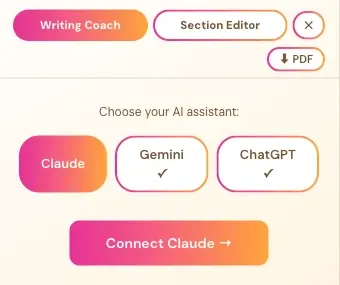
Step 1: Connect Claude
Connecting Claude takes a few seconds. You create your own key on Anthropic's website, paste it into the Writing Studio, and you're done. The app guides you through every click.
How Do I Open the Claude Connect Screen?
- In the Writing Studio, click Writing Coach.
- Under Choose your AI assistant, click Claude.
- Click Connect Claude →.
A checkmark ✓ under a name means that assistant is already connected.
What Do I Do in the Connect to Your Claude Window?
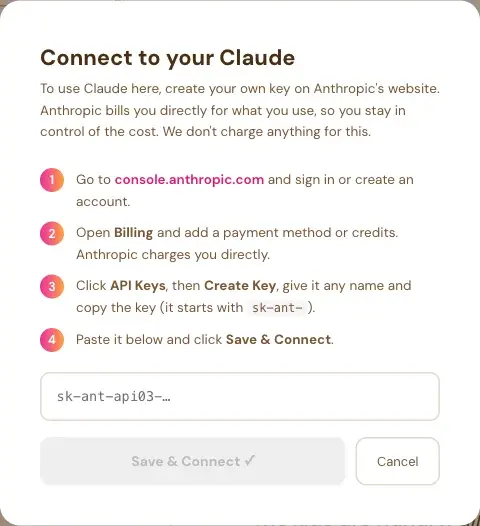
The window says: "To use Claude here, create your own key on Anthropic's website. Anthropic bills you directly for what you use, so you stay in control of the cost. We don't charge anything for this." Then it gives four steps:
- Go to console.anthropic.com and sign in or create an account.
- Open Billing and add a payment method or credits. Anthropic charges you directly.
- Click API Keys, then Create Key, give it any name and copy the key. It starts with `sk-ant-`.
- Paste it into the box and click Save & Connect.
The Save & Connect button stays grey until you paste a key. Cancel closes the window.
Will Claude Also Work in the Section Editor and Final Editor?
Yes. Whichever assistant you pick also becomes the default for the Section Editor and the Final Editor, and each of them has the same Claude, Gemini and ChatGPT switch.
Never paste your key into the Course Coach chat or into an email. Only paste it into the Save & Connect box inside the app.
Step 2: Or Connect Gemini
Gemini is the quickest one to connect. You sign in with Google, click Create API Key, and paste it into the Writing Studio. It takes a few seconds, and the app guides you.
What Does Gemini Cost?
The Gemini window says it connects you to Gemini's free tier, with no credit card required. It also says the free tier lets you run every generator in Golden Bestseller Empire, including full manuscript translations. If you use it heavily, you may sometimes need to wait for Gemini's daily free-tier reset, like with any free AI tool.
A few generators need small token payments, and the cost is extremely low. The app gives an example: 60 to 80 cents for a midsize book, including a fully formatted, exportable PDF and ePub. It is not a monthly subscription. It's pay-as-you-go, and separate from your regular Gemini or ChatGPT.
How Do I Connect Gemini?
- In the Writing Studio, click Writing Coach, then choose Gemini.
- Click Connect Gemini →.
- Go to aistudio.google.com/app/apikey and sign in with Google.
- Click Create API Key and copy the long string.
- Paste it into the box and click Save & Connect.
What If I Reach My Free Limit?
A window says You've reached your Free Limit. It usually resets within 24 hours. If you don't want to wait, connect your Gemini API key and add a payment method in the Google tab under Set up Billing, and keep going right away.
Where Else Does Gemini Come Up?
Many Golden Bestseller Empire generators and the Authority Audit run on your Gemini key. Where a Connect your Gemini Key prompt shows, it's the same few-seconds setup. You can also manage it under Connected Services in your profile.
Step 3: Or Connect ChatGPT
Connecting ChatGPT takes a few seconds. You create your own key on OpenAI's website and paste it into the Writing Studio. The app guides you through it.
How Do I Connect ChatGPT?
- In the Writing Studio, click Writing Coach, then choose ChatGPT.
- Click Connect ChatGPT →.
- Go to platform.openai.com and sign in or create an account.
- Open Billing and add a payment method or credits. OpenAI charges you directly.
- Click API Keys, then Create new secret key, give it any name and copy the key. It starts with `sk-`.
- Paste it into the box and click Save & Connect.
The window says: "OpenAI bills you directly for what you use, so you stay in control of the cost. We don't charge anything for this."
Does My ChatGPT Plus or Pro Subscription Work Here?
No. The window says: "A ChatGPT Plus or Pro subscription is separate and does not work here." ChatGPT works here through your own API key. See ChatGPT Subscription Versus an API Key.
Will ChatGPT Also Work in the Section Editor and Final Editor?
Yes. Whichever assistant you pick also becomes the default for the Section Editor and the Final Editor.
Step 4: Ask the Writing Coach for Help
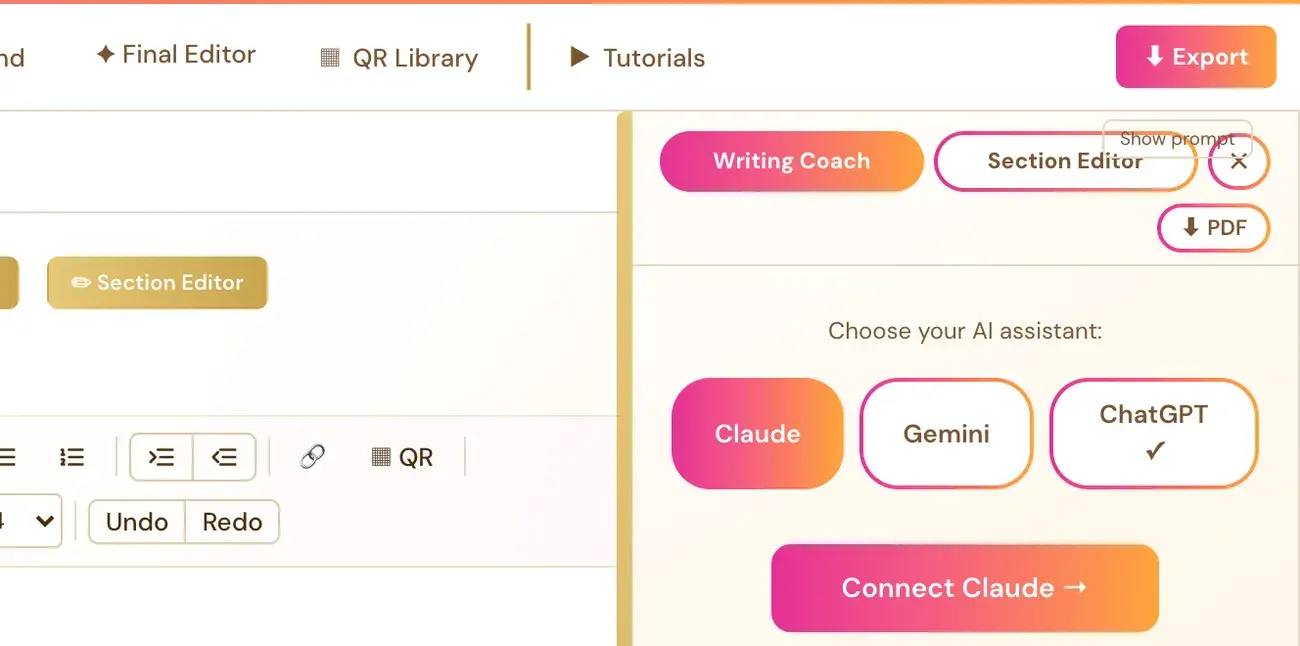
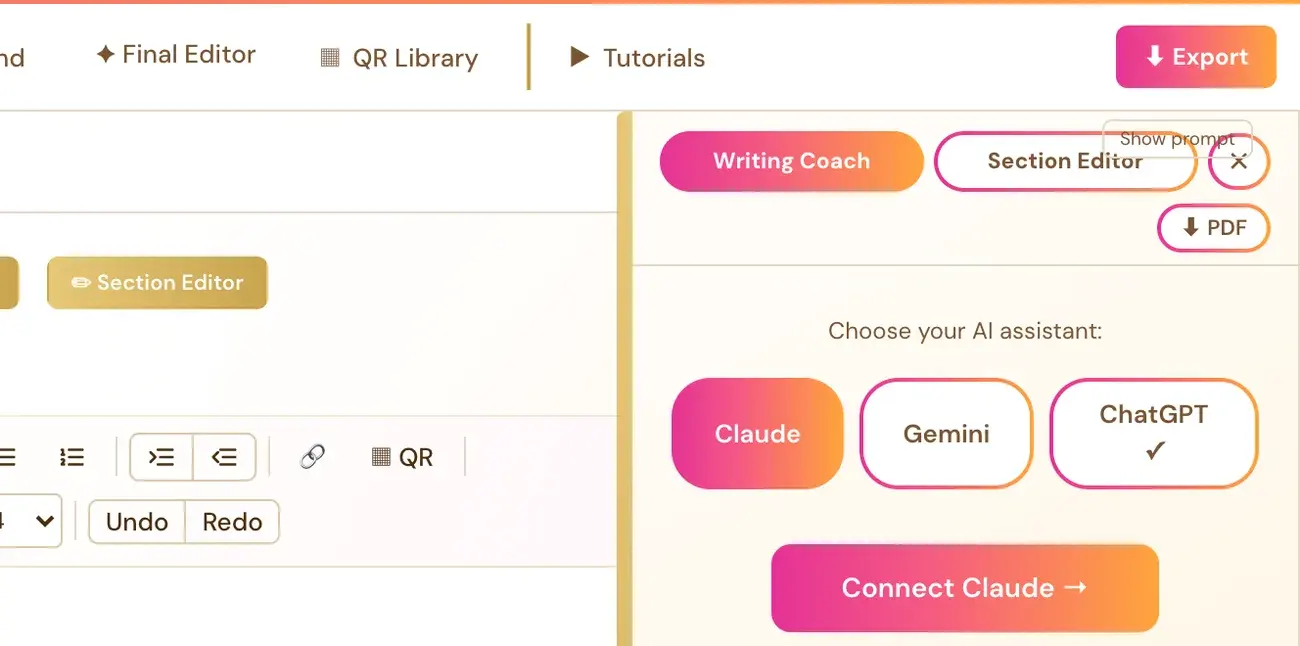
The Writing Coach is your AI helper inside the Writing Studio. It coaches by default, with questions, feedback and ideas. Ask it to write or draft a section, or part of one, and it does that for you, in your voice. Click Writing Coach next to the Visual Editor and Page Preview tabs to open it.
What Does the Writing Coach Do?
By default, it coaches: questions, feedback and ideas. Once you've connected a key, the coach sees your current section and its Writer's Prompt, so it can give specific feedback.
Ask it to write or draft a section, or part of one, and it does that, in your voice, from your book details and your draft so far. Then it invites you to adjust it. Your Roadmap says your Writing Team helps you "coach, edit and polish as you go."
How Do I Connect My API Key?
The Writing Coach needs your own Claude, Gemini or ChatGPT (OpenAI) API key. You set it up once. Connecting is super easy. It takes a few seconds, and the app guides you step by step.
- Click Writing Coach ▼ to open the panel.
- Click Connect Claude →, Connect Gemini → or Connect ChatGPT →.
- Follow the instructions in the setup panel.
Using your own key is free or costs very little, and Gemini has a free tier. Your connected key is saved with your account and used through the app's server to call the provider you picked. Never paste a secret key into the coach chat. The same setup also covers the Section Editor and the Final Editor. Connect once, and all three work.
Where to get each key:
- Claude: console.anthropic.com
- Gemini: aistudio.google.com
- ChatGPT (OpenAI): platform.openai.com/api-keys
When a key is connected, the Writing Coach button shows a small colored dot (●).
Can I Speak to the Writing Coach?
Yes. The Writing Coach has a voice input button (a microphone icon), so you can speak your questions instead of typing them.
How Do I Switch Between Claude, Gemini and ChatGPT?
Whichever provider you pick here also becomes the default for the Section Editor and the Final Editor. Each of them has the same Claude, Gemini and ChatGPT switch, so you can switch for each tool if you've connected more than one key.
How Do I Change My Key Later?
Click the small ⚙ change link at the bottom of the Writing Coach panel.
Can I Make the Coach Sound Like Me?
Yes. Under the Writing Coach panel, you'll find a 🎙 My writing voice link. See How My Writing Voice Works.
Can I Use My ChatGPT Subscription?
Not directly. A ChatGPT Plus or Pro subscription is separate from OpenAI's API. To use ChatGPT here, create an API key at platform.openai.com/api-keys, set up billing there, and connect it with Connect ChatGPT →. See ChatGPT Subscription or API Key?.
What Does an Out-of-Credits Message Mean?
If your key works but the account has no credits, the coach panel says so and links to that provider's billing page. For Gemini, the message says its free limit resets within 24 hours, or you can add billing at aistudio.google.com. That's about the provider's account. It's not something broken in the app. See What Do I Do If I Run Out of Credits?.
Do I Need to Tell Amazon If I Used AI?
KDP asks authors to say when text was AI-generated at publishing. Read Can You Publish AI Books on Amazon KDP?, AI-Assisted vs AI-Generated Books on KDP and the KDP Content Guidelines.
Step 5: Teach the Coach Your Writing Voice
My Writing Voice lets you save a sample of your own writing. The Writing Coach reads it with every message, so anything it drafts sounds like you.
What Does My Writing Voice Do?
The Writing Coach can draft a section, or part of one, when you ask. With a saved voice, anything it drafts sounds like you. The sample is only used for how you sound. It's never copied into your book.
How Do I Save My Voice?
- Click Writing Coach to open the panel. The Writing Coach needs a connected key first. See How to Use the Writing Coach.
- Under the Writing Coach panel, click the 🎙 My writing voice link.
- Paste a sample of your own writing, or upload a Word (.docx) or text (.txt) file.
- Click Save my voice.
A ✓ shows next to the link once a voice is saved. The sample is saved with your account, not just in your browser.
What Makes a Good Sample?
500 to 2,000 words is best. Emails, posts or earlier chapters all work well.
How Do I Remove My Voice?
Open 🎙 My writing voice again and click Remove my saved voice. That clears it.
Does My Writing Voice Use Up My AI Credits?
A longer sample uses a little more of your own API credits, because the Writing Coach reads the sample with every message. Connecting your own key is super easy. It takes a few seconds, and the app guides you step by step. Using your own key is free or costs very little, and Gemini has a free tier.
What Comes Next?
Polish your writing with the AI Editor tutorial. Not sure where to start? The Course Coach inside the app guides you through every step, so you're never stuck on a button.
Related Tutorials
Last checked in the app: October 14, 2026.
Still Need Help?
Inside the app, the Course Coach answers your questions and guides you step by step. You can also write to us and we will get back to you.
Contact Support