How to Self-Publish a Book: Step-by-Step Beginner's Guide (2027)
To self-publish a book, you write it, format it and upload it yourself to a platform like Amazon KDP, which is free and puts your book on sale in about 72 hours. This beginner's guide walks first-time nonfiction authors through all 8 steps, from finding your topic to launching your book toward a Bestseller.
Steps
8, from topic to launch
Cost to Publish on KDP
Free
Built For
First-time nonfiction authors

By Gundi Gabrielle
38 min read
Alrighty, let's talk about the day your book stops being "someday" and becomes real :)
This guide is for you if you have knowledge, a method or a story worth sharing, and you want to turn it into a nonfiction book without waiting for a publisher to say yes. You'll get every step, in order: first how to do it yourself for free, and then the easy way, with the AI tools I built for exactly this.
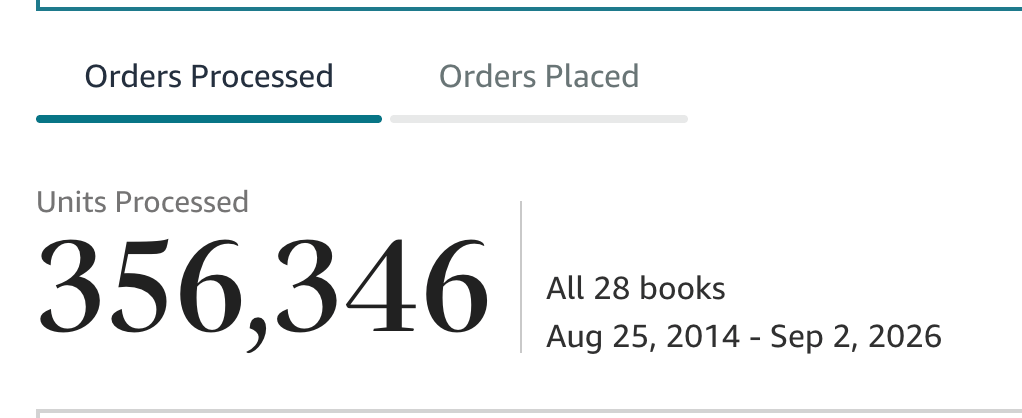
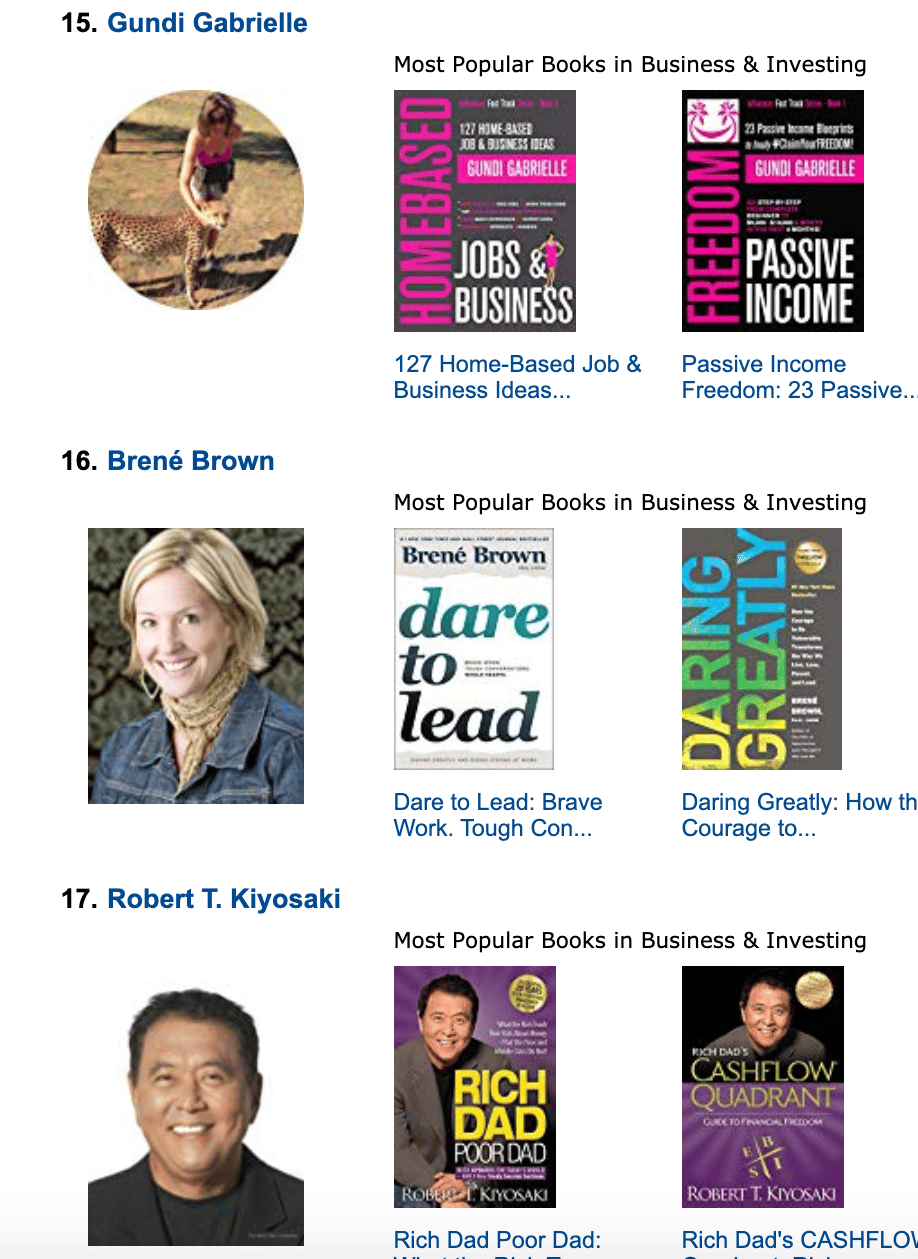
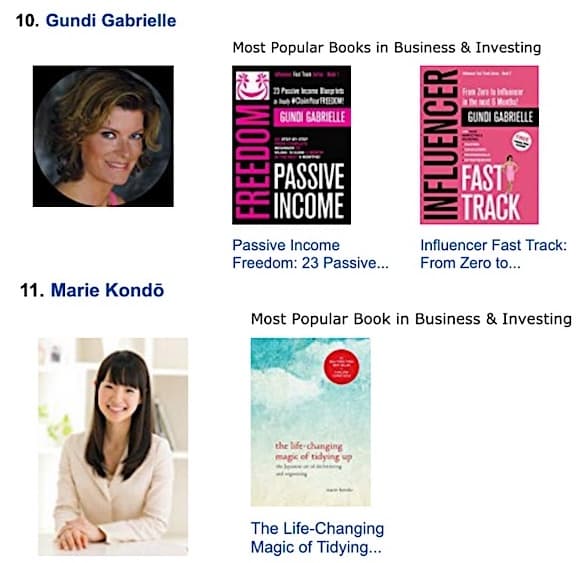
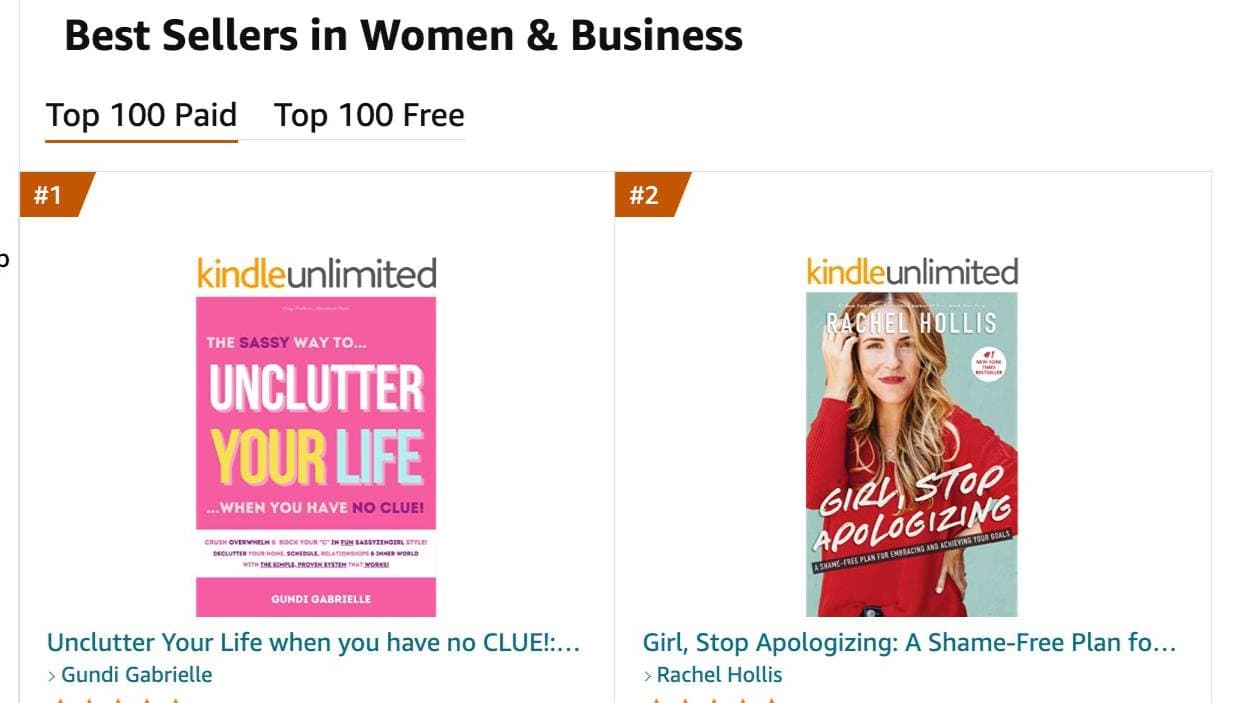
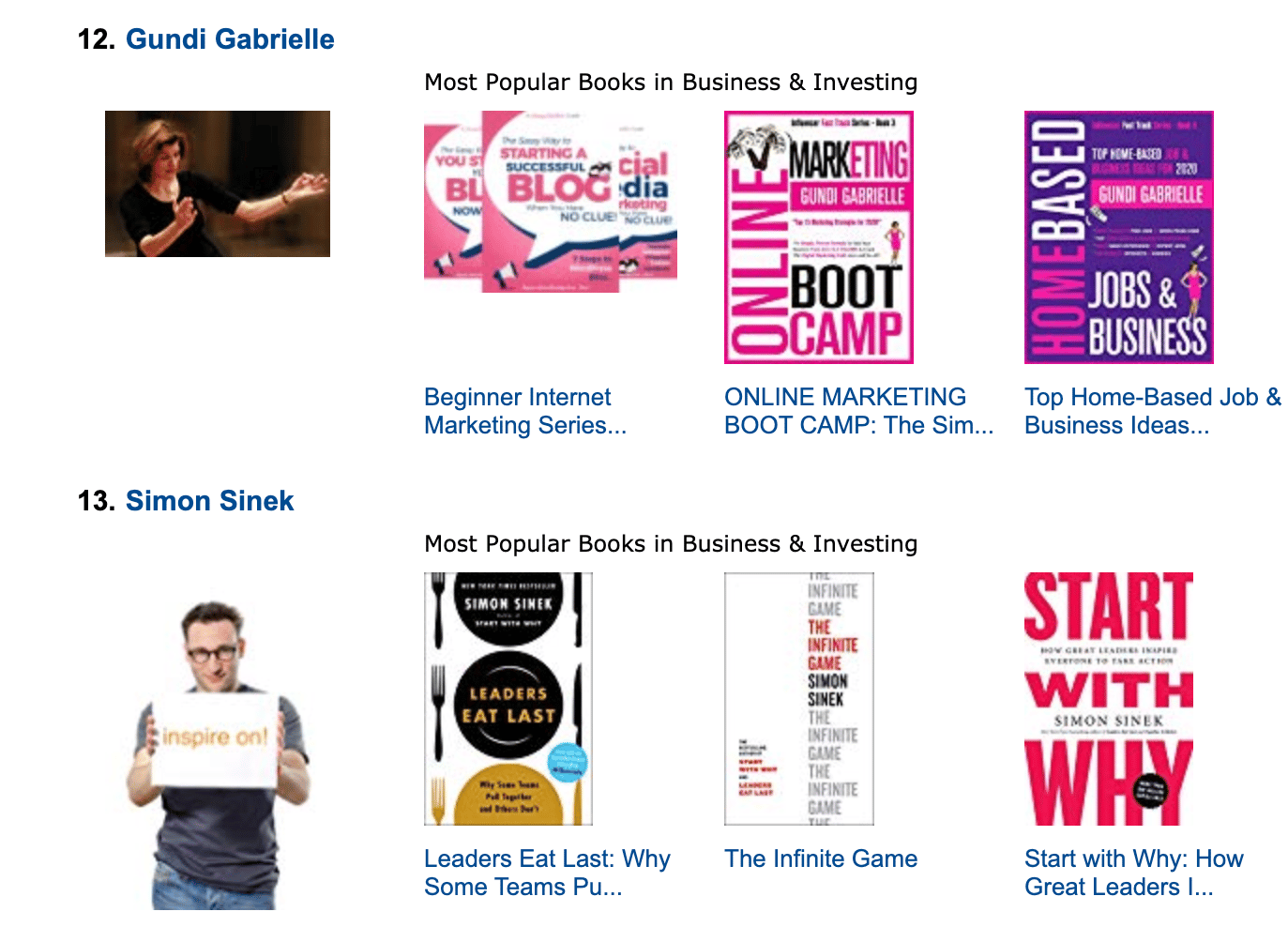
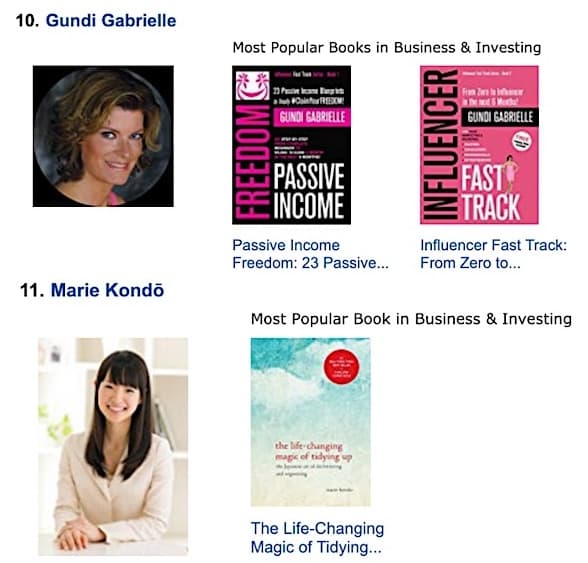
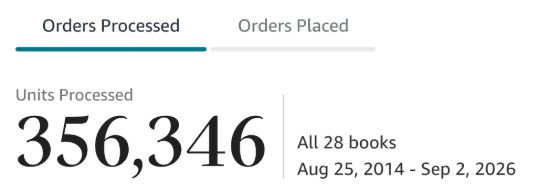
Quick hello, so you know who's talking: I've been self-publishing for over 10 years and sold more than 350,000 books, without a traditional publisher or a big marketing budget. Along the way I made it into Amazon's Top 100 Business Author charts, ahead of authors like Simon Sinek, Brené Brown and Tim Ferriss. Everything in here is what I actually do, and what I've taught thousands of authors through my books and courses.
Ready? Let's rock it!
What does it mean to self-publish a book?
Self-publishing a book means you publish it yourself, instead of selling the rights to a publisher. You decide what's in it, what it looks like, what it costs and when it comes out. And you keep the rights and most of the royalties.
You do the work a publisher would do (or you hire help for parts of it), and a platform like Amazon KDP prints, sells and delivers your book to readers.
Twenty years ago, that meant a garage full of boxes. Today, Amazon prints each paperback only when someone orders it. That's called print on demand, and it's why you can publish a book with zero money up front.
How do you publish a book: self-publishing or a traditional publisher?
There are two ways to publish a book: find an agent and a traditional publisher, or self-publish it yourself. For most first-time nonfiction authors, self-publishing is faster, gives you more control and pays you a much bigger share of each sale.
Here's how the two compare:
| Self-publishing | Traditional publishing | |
|---|---|---|
| Who says yes? | You do | An agent, then a publisher |
| Time to publish | Weeks to a few months | Often one to two years |
| Your royalty | Up to 70% on eBooks | Often around 10% or less |
| Who owns the rights? | You | Usually the publisher, for years |
| Price, cover, title | You decide | The publisher decides |
| Upfront money | None needed | You may get an advance |
| Audience needed? | No | Usually a big following already |
| Marketing | You do it | Mostly you, these days too |
Those last two lines surprise people. For nonfiction, publishers usually expect you to bring your own audience, often 10,000 followers or more, so they can sell the book to them. And even then, most authors are expected to market their own book. So many authors ask: if I'm bringing the readers and doing the marketing anyway, why give away the rights and most of the royalty?
Honestly, there's only one really good reason to go traditional: you're already famous, and a publisher offers you a six- or seven-figure advance. For everyone else, whether you're an expert, coach, consultant or simply someone with knowledge to share, self-publishing is the smarter start.
Why do most self-published authors publish on Amazon KDP?
Because Amazon is where most readers buy books, and Amazon KDP (Kindle Direct Publishing) lets you publish there for free. You upload your book, and Amazon sells it in their stores worldwide, prints the paperbacks and sends you royalties every month.
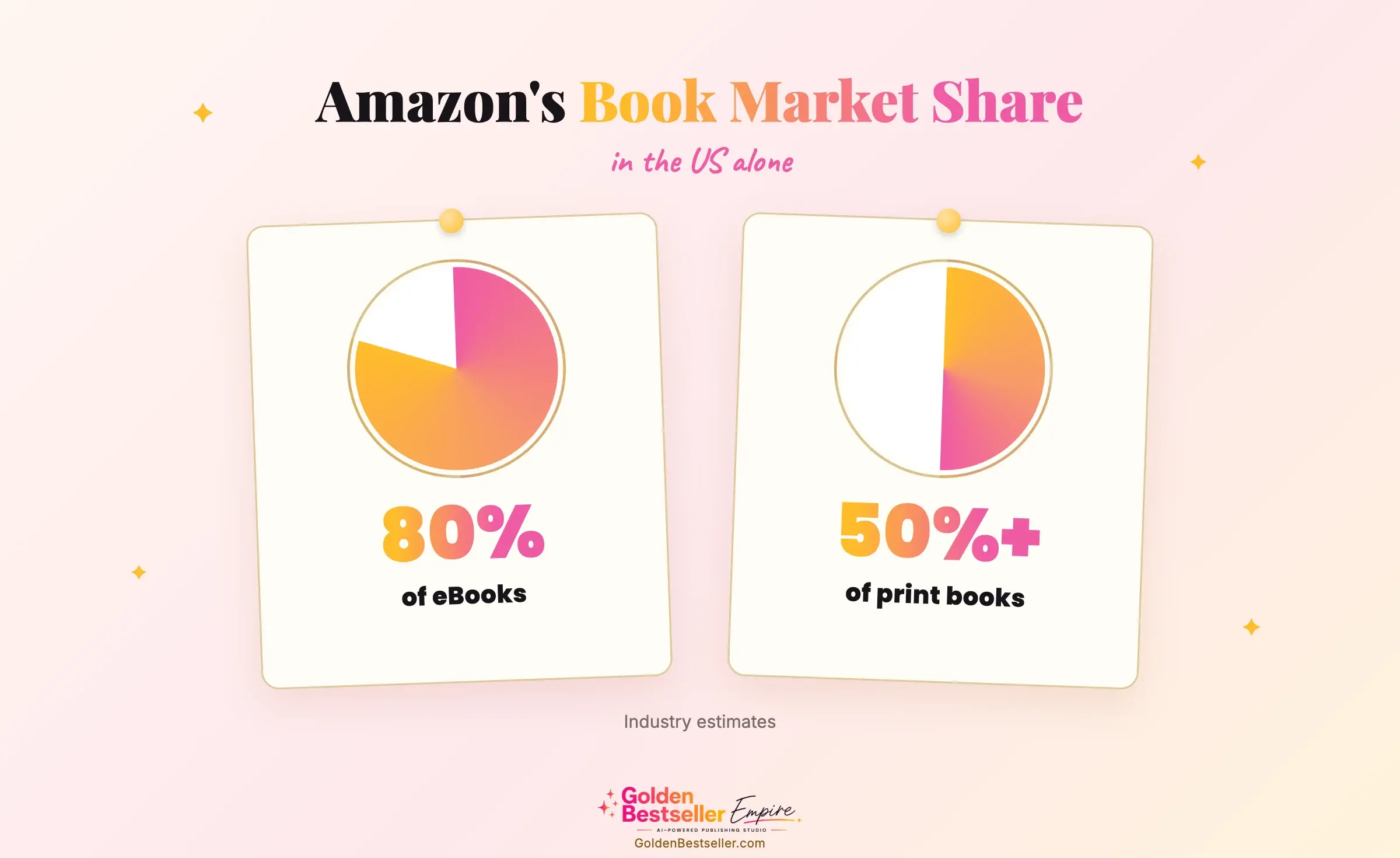
Amazon doesn't publish their numbers, but industry estimates put them at more than half of all print book sales in the US and around 80% of eBook sales. Most of your future readers are already shopping there. Skipping Amazon would mean skipping most of them.
The quick facts:
- Free to publish. No sign-up fee, no publishing fee.
- Four formats: Kindle eBook, paperback, hardcover and audiobook. Amazon is even testing Virtual Voice, which turns your Kindle eBook into an AI-narrated audiobook right inside KDP (for now an invitation-only beta, US only).
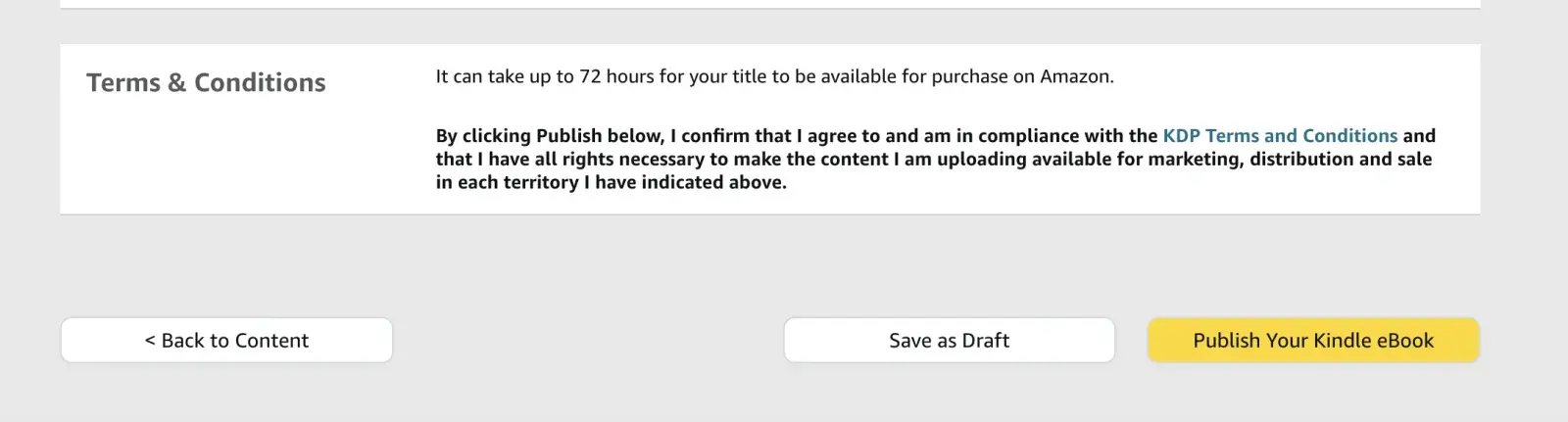
- Fast. Your book shows up on Amazon in about 72 hours.
- Royalties: 70% on eBooks priced from $2.99 to $12.99 (the 70% band just got bigger), and up to 60% on paperbacks, minus the printing cost.
- Paid monthly, about 60 days after the end of the month of the sale.
I've only ever published on KDP, and I've never regretted it. New to the platform itself? Start with What Is Amazon KDP?, and if you're still on the fence, here's my honest answer to Is Amazon KDP Worth It?
Where else can you self-publish a book?
Besides Amazon, you can self-publish your book on Apple Books, Kobo, Barnes & Noble Press and Google Play Books, and you don't have to upload it to each one separately. Distributors like Draft2Digital (which now also owns Smashwords), PublishDrive and StreetLib send your eBook to all of these stores, plus libraries, from one upload. In return they keep a share of each sale or charge a fee.
Many authors choose the opposite and stay exclusive to Amazon instead. The reason is KDP Select: if your eBook is sold only on Amazon, it goes into Kindle+ (formerly Kindle Unlimited), you get paid for every page subscribers read, and you get extra promotion tools. Exclusivity only applies to your eBook. Your paperback can still be sold anywhere. I explain the trade-off in What Is KDP Select?
What about bookstores? Honestly, you don't need them. Bookstores are a different world: they order through wholesalers and distributors, expect big discounts, and send back every copy that doesn't sell. Without a publisher's sales team, a self-published book rarely makes it onto those shelves. And even when it does, a few copies on a shelf don't sell themselves, because almost nobody walks into a store looking for a book by an author they've never heard of. For most self-published authors, bookstores would only ever be a small slice of sales. That world is really built for famous authors with big publishers. Your readers are searching online, and that's where your book gets found.
The friendly exception: local bookstores often love to carry books by local authors, so just ask! Here's exactly how, plus what bookstores expect: How to Get Your Self-Published Book Into Bookstores.
Can you publish a book for free?
Yes. You can publish a book for free on Amazon KDP: signing up, publishing, the ISBN for print and the print copies themselves cost you nothing up front. Amazon simply takes their share and the printing cost when a book sells.
What most authors still choose to pay for is quality: a good cover and a second pair of eyes on the text. Here's the honest list:
| Free, on your own | Usually costs money | |
|---|---|---|
| KDP account and publishing | ✅ | |
| ISBN for paperback and hardcover (KDP gives you one) | ✅ | |
| Printing (only when a book sells) | ✅ | |
| Formatting | Kindle Create is free | Formatting software or a formatter |
| Book cover | ChatGPT, if you know what makes a cover sell | A cover designer |
| Editing and proofreading | Beta readers, read-aloud | A professional editor |
| Launch promotions | Your own network | Paid promo newsletters |
And there's a third option for the parts that usually cost money, more on that in a moment...
How do you self-publish a book in 8 steps?
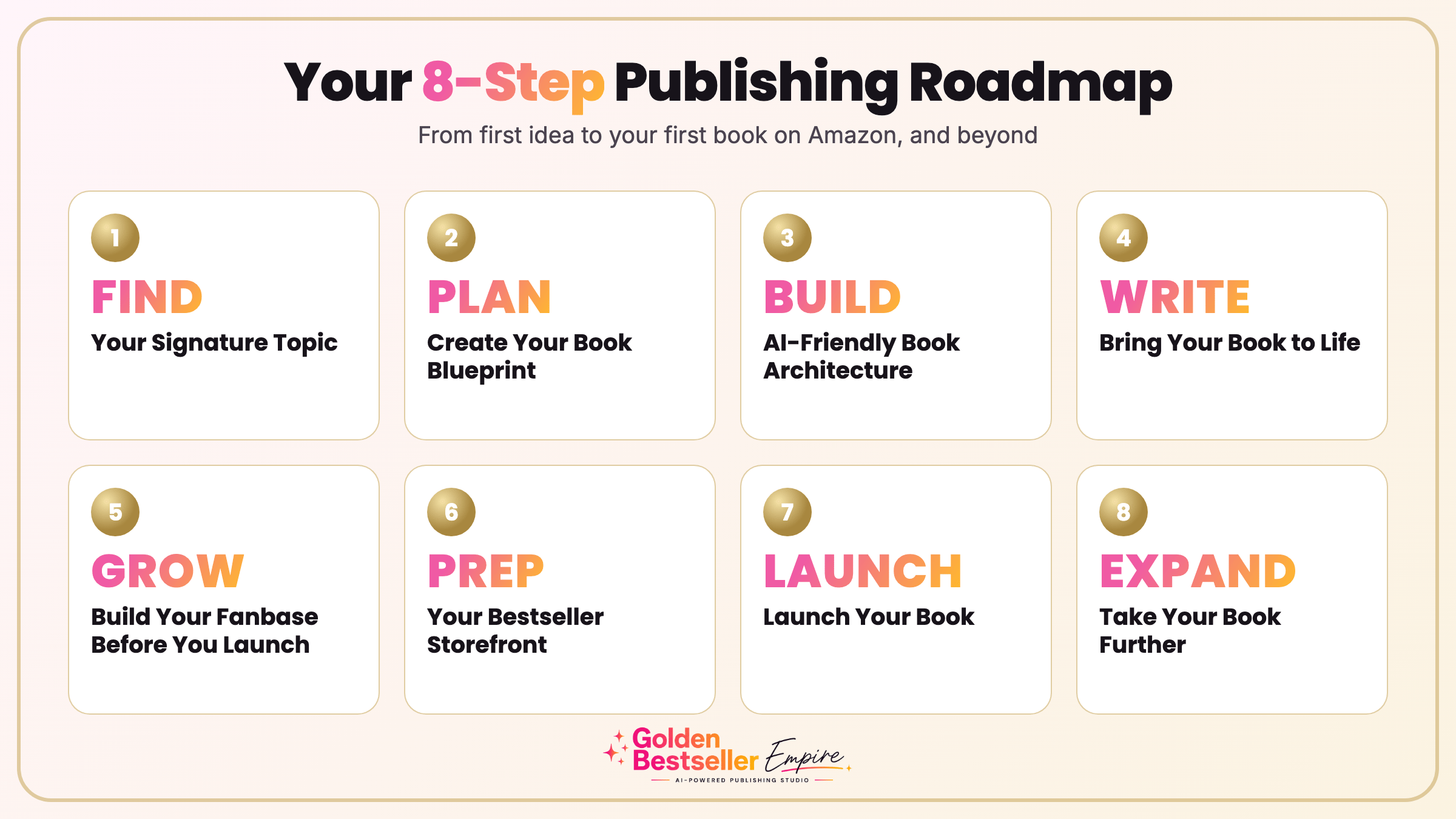
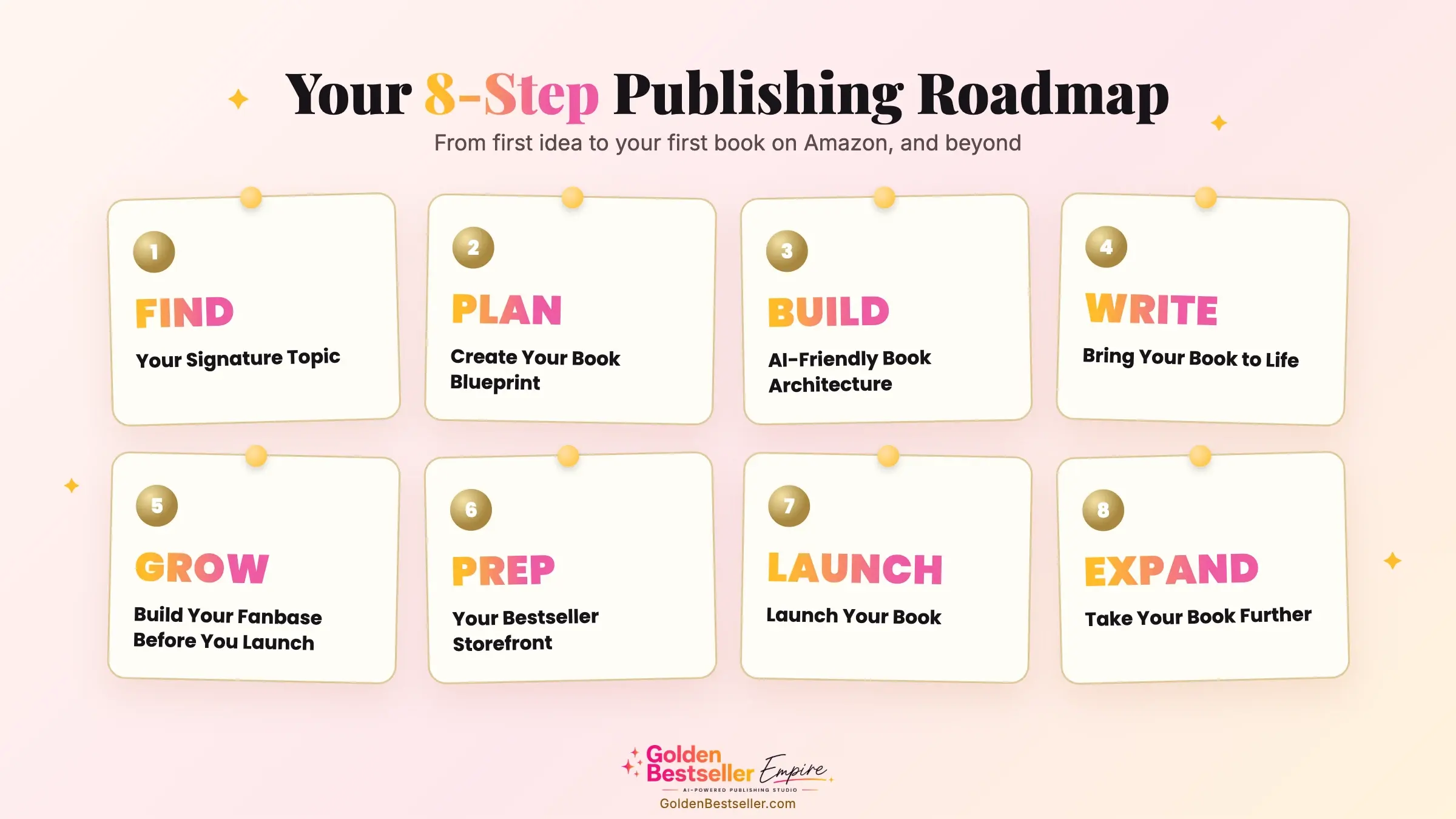
You self-publish a book in 8 steps: Find your topic, Plan your book, Build your outline, Write it, Grow your readers, Prep your Amazon page, Launch it and Expand it. The first three happen before you write a single word, and that's exactly why most books don't sell: authors skip them.
How long does it take? That depends on your book and your time. Here's a realistic plan for a short, focused nonfiction book, if you can give it 2 to 3 hours a day:
| Timeline | What you do |
|---|---|
| Week 1 | Steps 1–3: find your topic, plan your book, build your outline |
| Weeks 2–3 | Step 4: write your first draft. Step 5: start gathering readers |
| Week 4 | Edit, then Step 6: title, cover and your Amazon page |
| Week 5 | Step 7: publish on KDP and launch |
| After launch | Step 8: ads, audiobook, translations, your next book |
Busier life? Stretch it to 60 or 90 days. But set a date when you will publish. Even if you have to move it. You'll be amazed at how much focus that brings, compared to "someday", which never comes.
There is a simple cure for procrastination: it's called a deadline.
GoldenBestseller.com
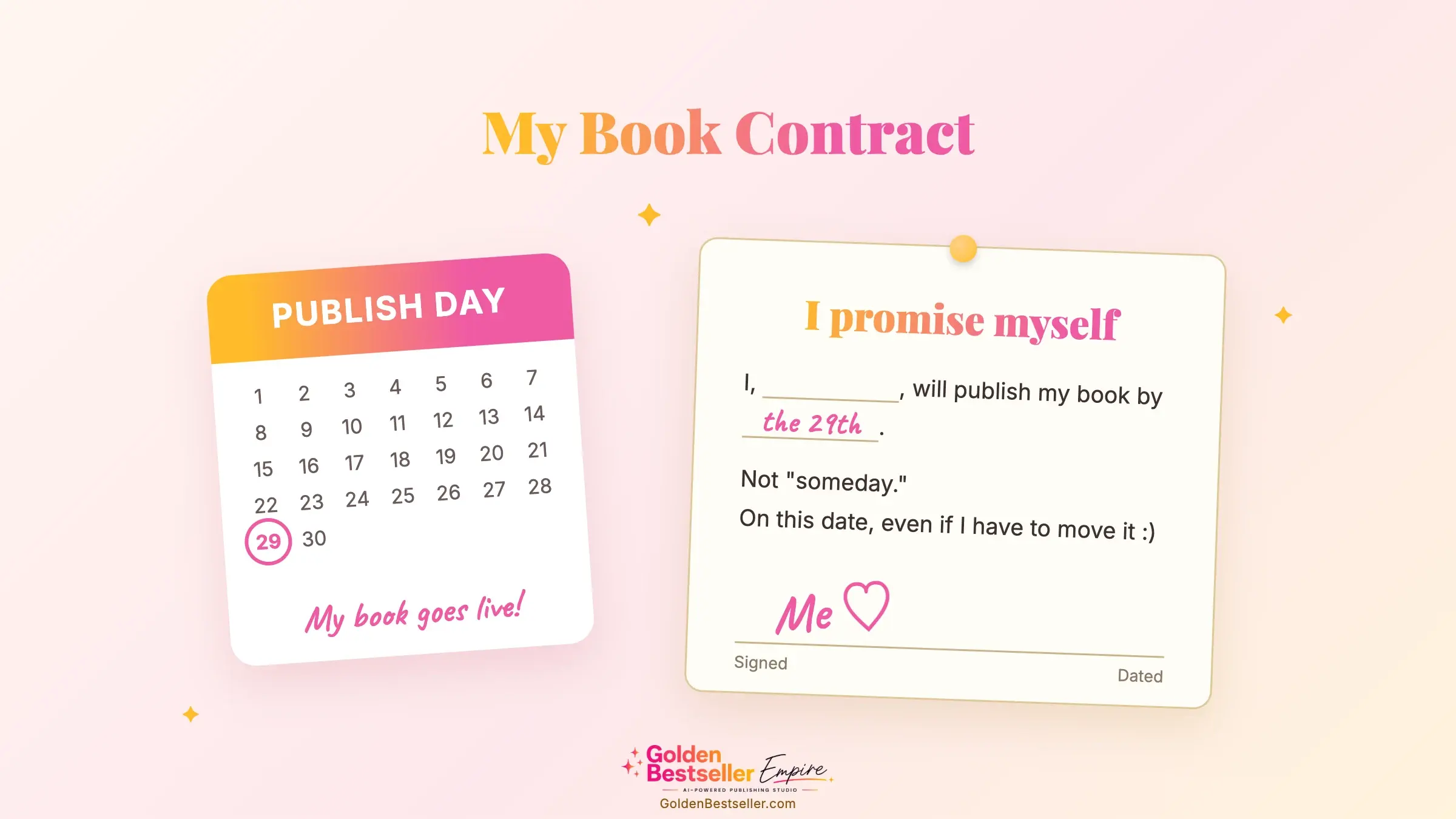
And here's a fun little trick to make it stick: put the date in your calendar, write yourself a little contract and sign it. Then hang it on your wall, where you'll see it every day. You'll get this done in no time :)
Now let's get into it! For every step, I'll show you 2 options:
- Do It Yourself: the free way. Often more time-consuming, and not always the best quality, but certainly possible if you just want to give it a try.
- The Easy Way: the fast way, with the help of AI. Not... AI writing your book :) but AI helping with everything else, even coaching you through the writing and editing.
Ready?
Step 1: How do you find a book topic readers actually want?
Because... if you just pick what you like, but no one is actually searching for that topic on Amazon, it'll be very hard to find readers, aka buyers.
Make sense?
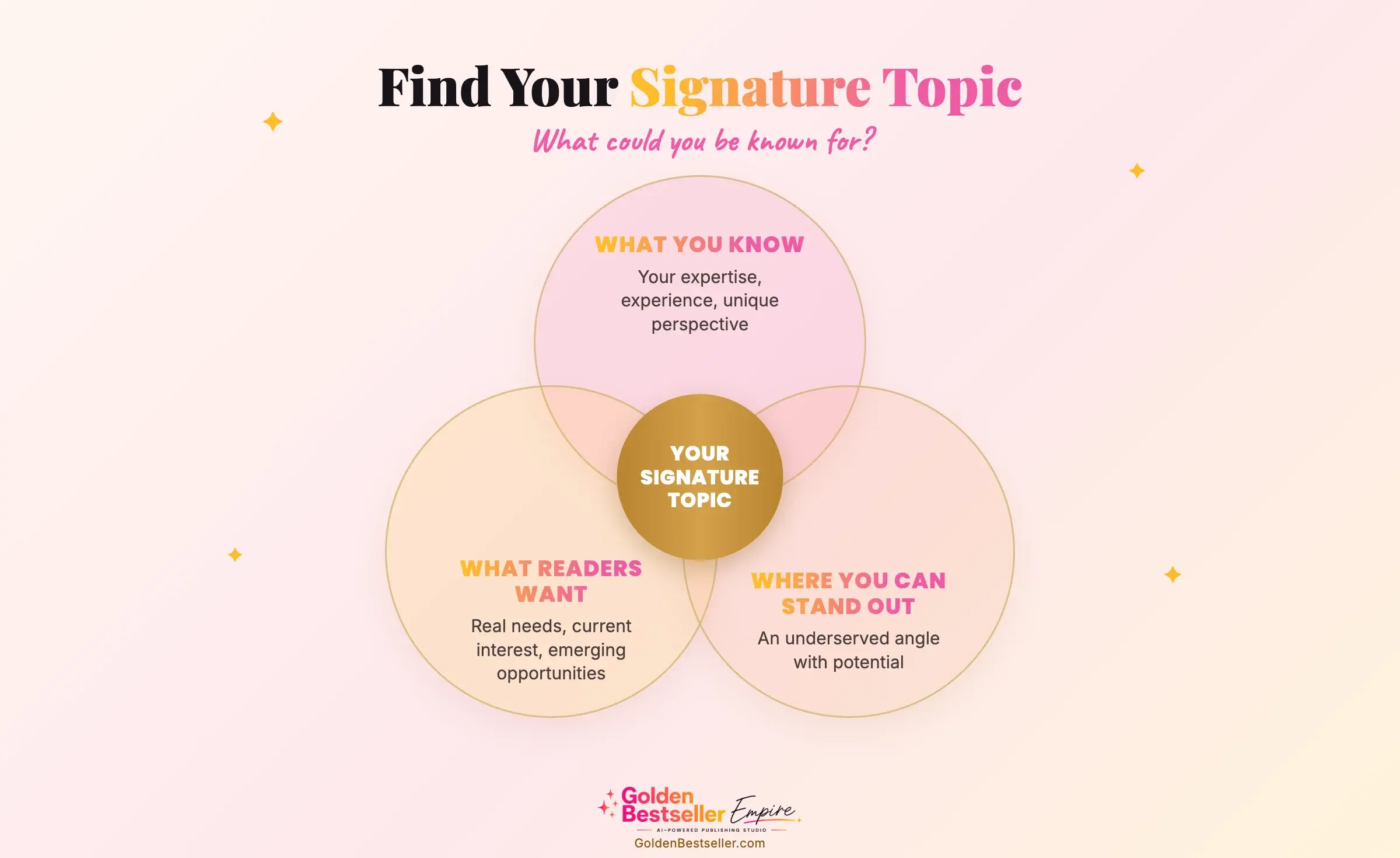
So... we want to find the spot where three things meet:
- What you know
- What readers want
- An angle where you can stand out
I call that your Signature Topic.
A subtopic in your wider niche that you could be known for. Where you can become the person people think of first when the topic comes up. Become the obvious podcast guest to invite and interview. Where you can carve out your niche.
Ideally a new emerging trend or movement that you can "take over". And... write the first book on.
Is this required? No, but it's very hard to gain traction initially unless you find that signature topic. Once you have built some authority and a following, you can expand and cover whatever you want, but initially you want to become a specialist in one small sub-segment (and a trending, viral one ideally) to gain traction fast.
Either way, we want a topic that readers are actually searching for, so you don't launch to crickets.
This is the step most first-time authors skip, and it decides almost everything that comes after.
Here's how you can find it:
Do It Yourself
- Type your idea into the Amazon search bar, in the Kindle Store, and watch the drop-down suggestions. Those come from real searches.
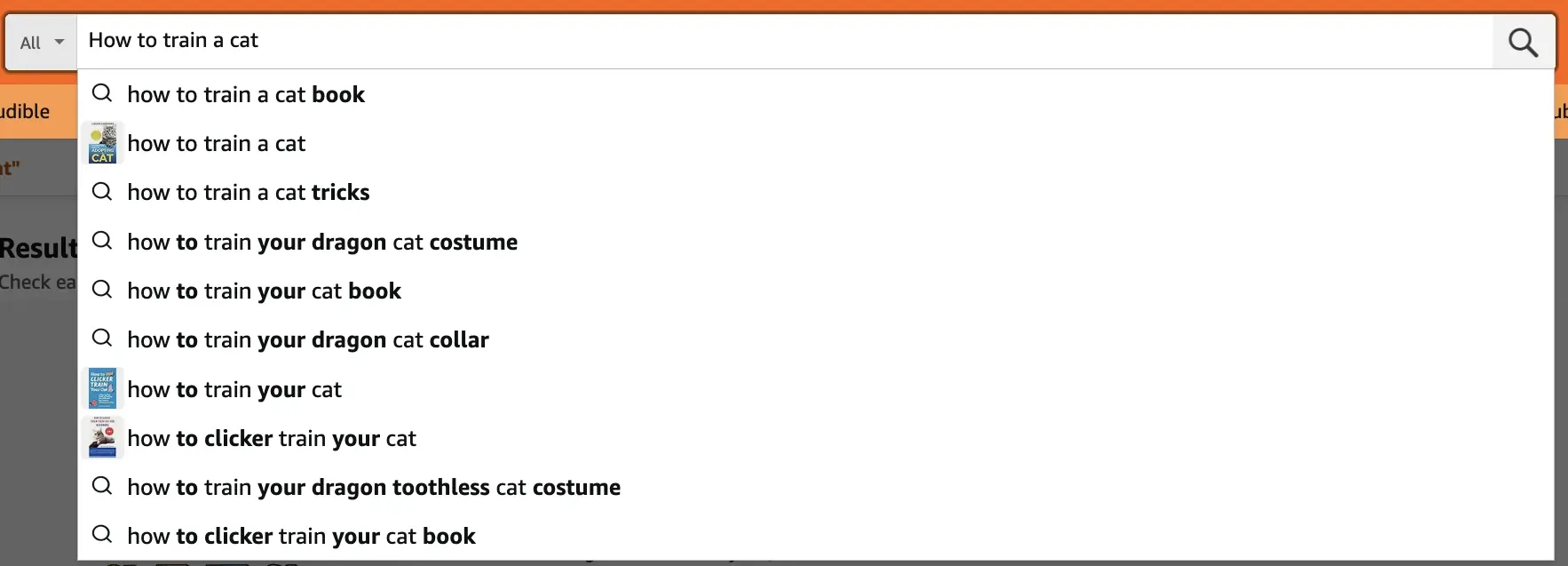
Sorry, couldn't help myself, cats are always on my mind 😻🐾 But you get the idea...
- Open the Kindle bestseller lists for your topic and click down into the small subcategories. Big categories like "Business" are crowded with famous names. The small ones are where a new book can be seen.
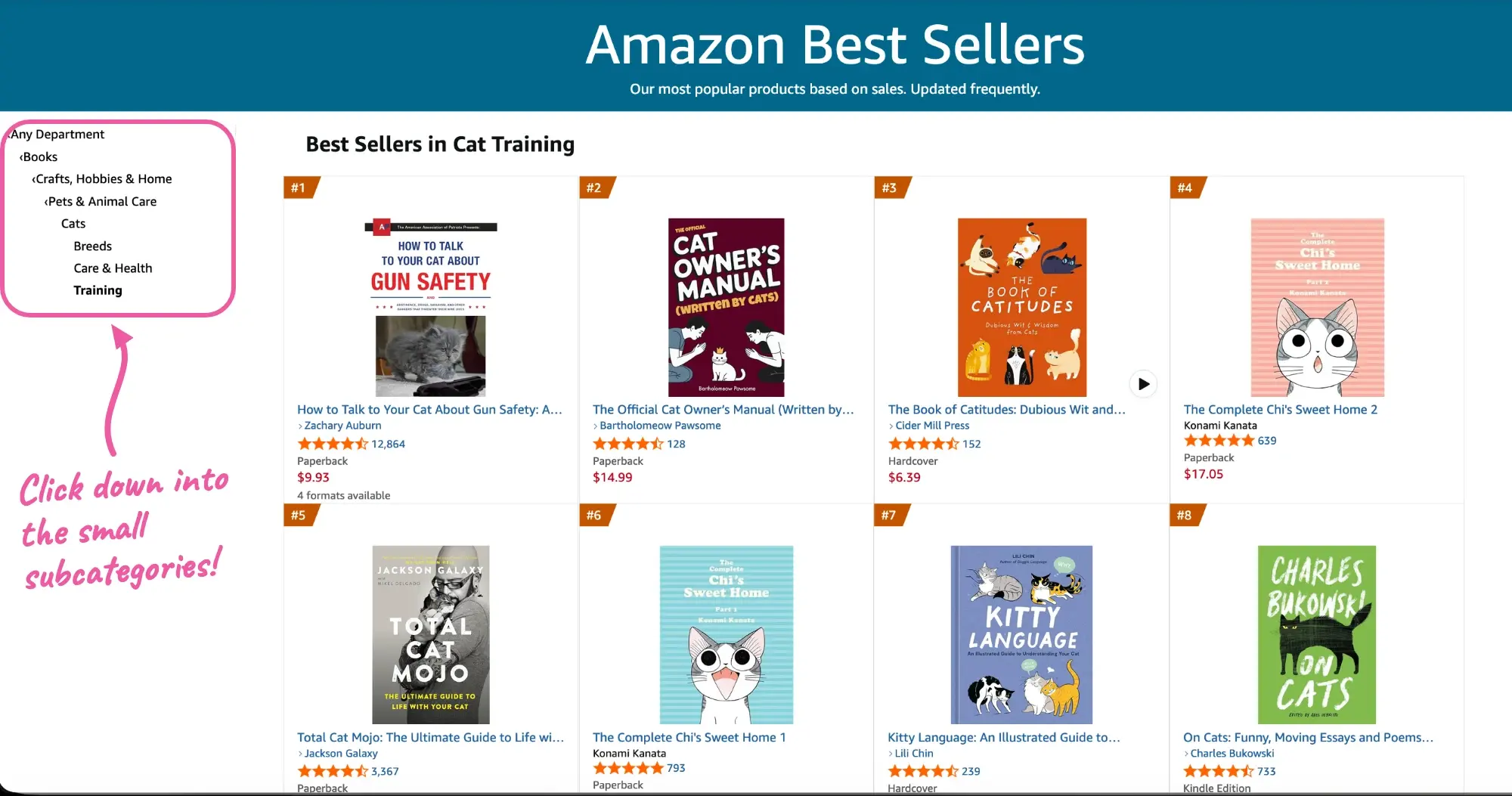
- Study the top 20 books there. Write down the themes that show up at least three times. Those are proven topics readers already buy.
- Read the 2- and 3-star reviews of the bestsellers. This is my favorite trick! Readers tell you exactly what they wanted and didn't get: "great theory, but no real examples", "too long, I needed quick steps". Each complaint is a gap your book can fill.
- Check that people spend money on the topic, like paid courses, coaching and newsletters. Passion alone doesn't sell books.
- Make sure nobody published your exact book last month. Search your angle on Amazon and sort by newest.
Plan on a few hours of research. It's the best-spent time of your whole book.
The Easy Way
STEP 1 of Golden Bestseller Empire does the same research with 5 AI Research Generators, each looking from a different angle:
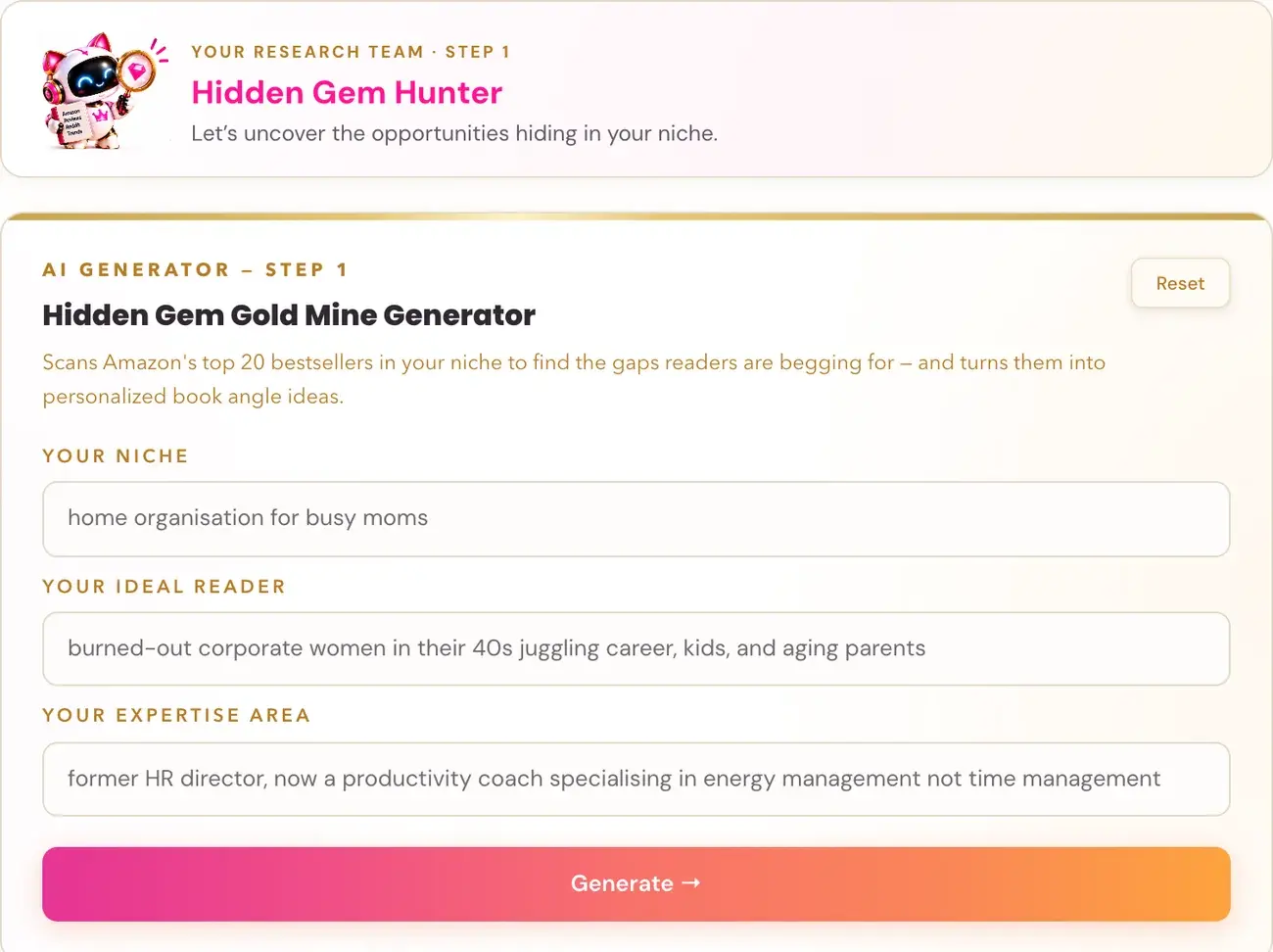
- Hidden Gem Gold Mine Generator: scans the critical reviews of Amazon's top bestsellers in your niche, plus Reddit, and turns what readers missed into book angles for you.
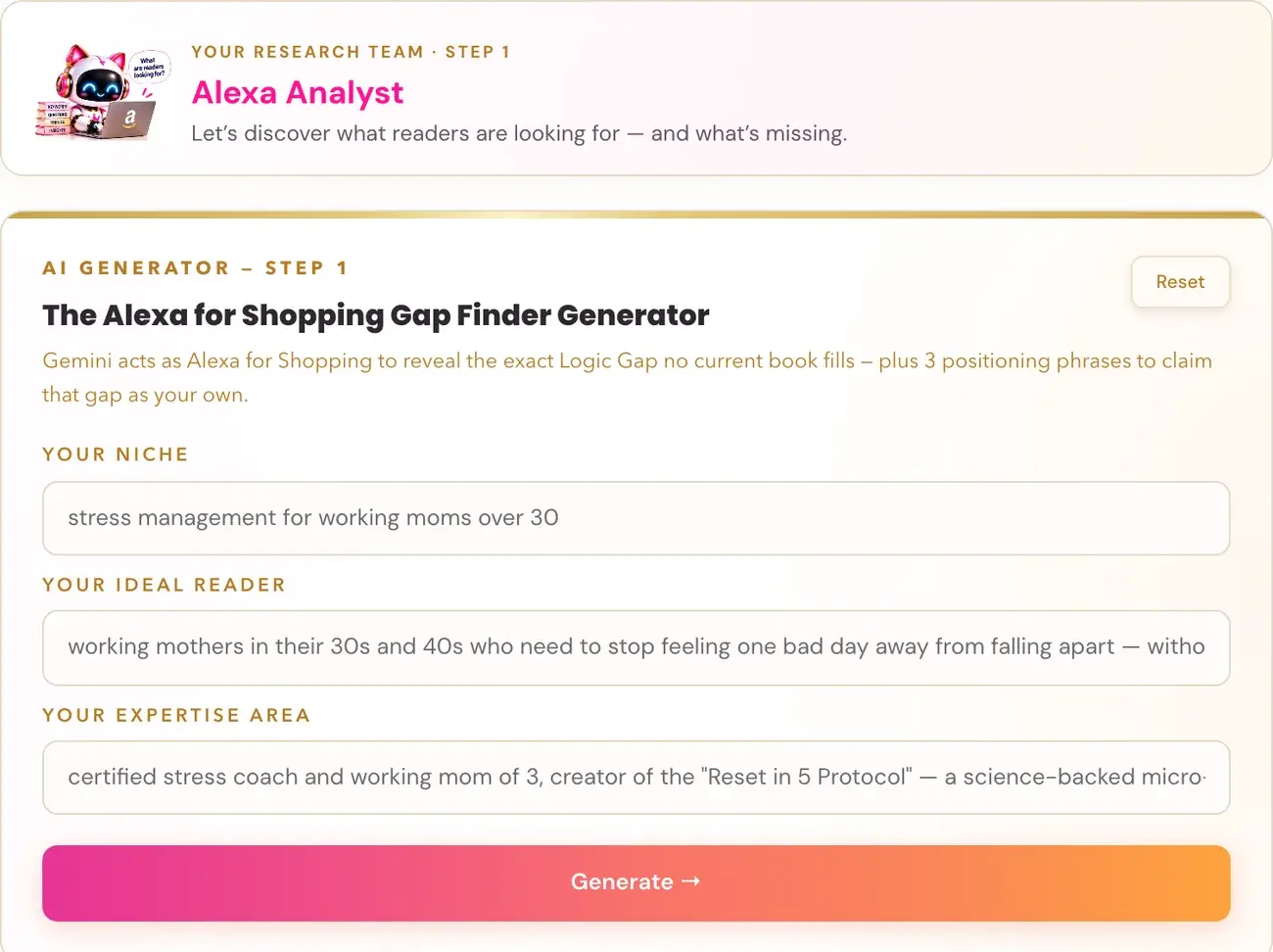
- Alexa for Shopping Gap Finder: acts like Amazon's AI shopping assistant and tries to answer a real buyer's question with the books on Amazon. Where no book has a good answer, that's the book that should exist.
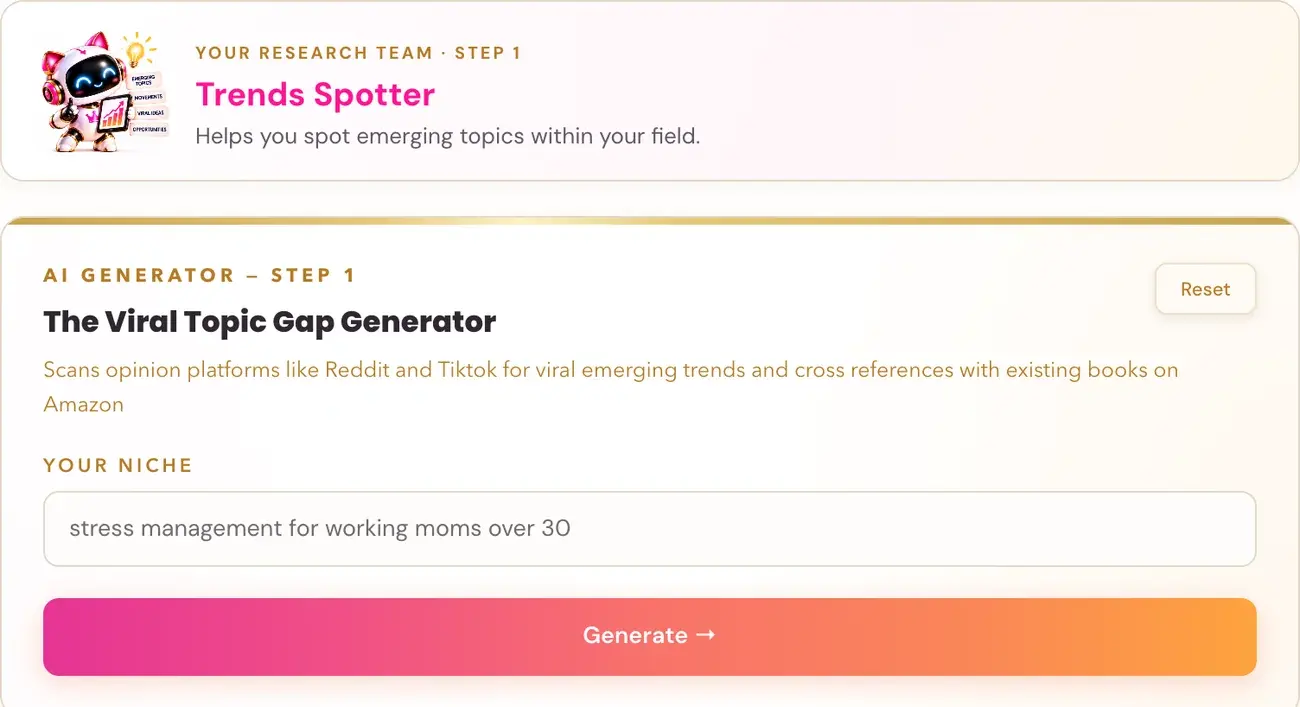
- Viral Topic Gap Generator: spots new movements and trends taking off on Reddit in your niche that no big book is covering yet. Trends often precede successful books, so that can be your opening.
- Monetization Gap Generator: checks whether people in your niche are willing to spend money to learn more, and not just go to YouTube or ChatGPT.
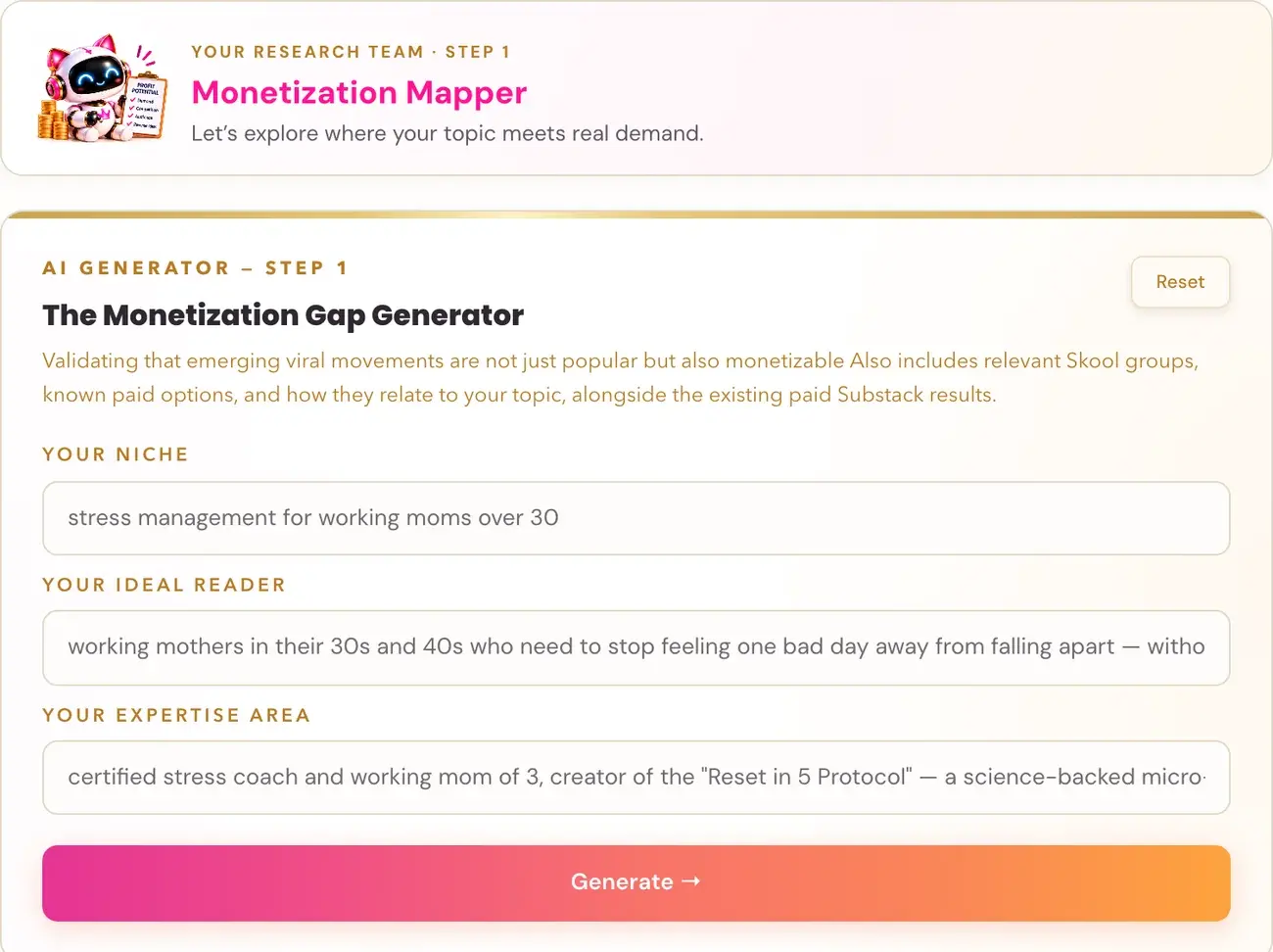
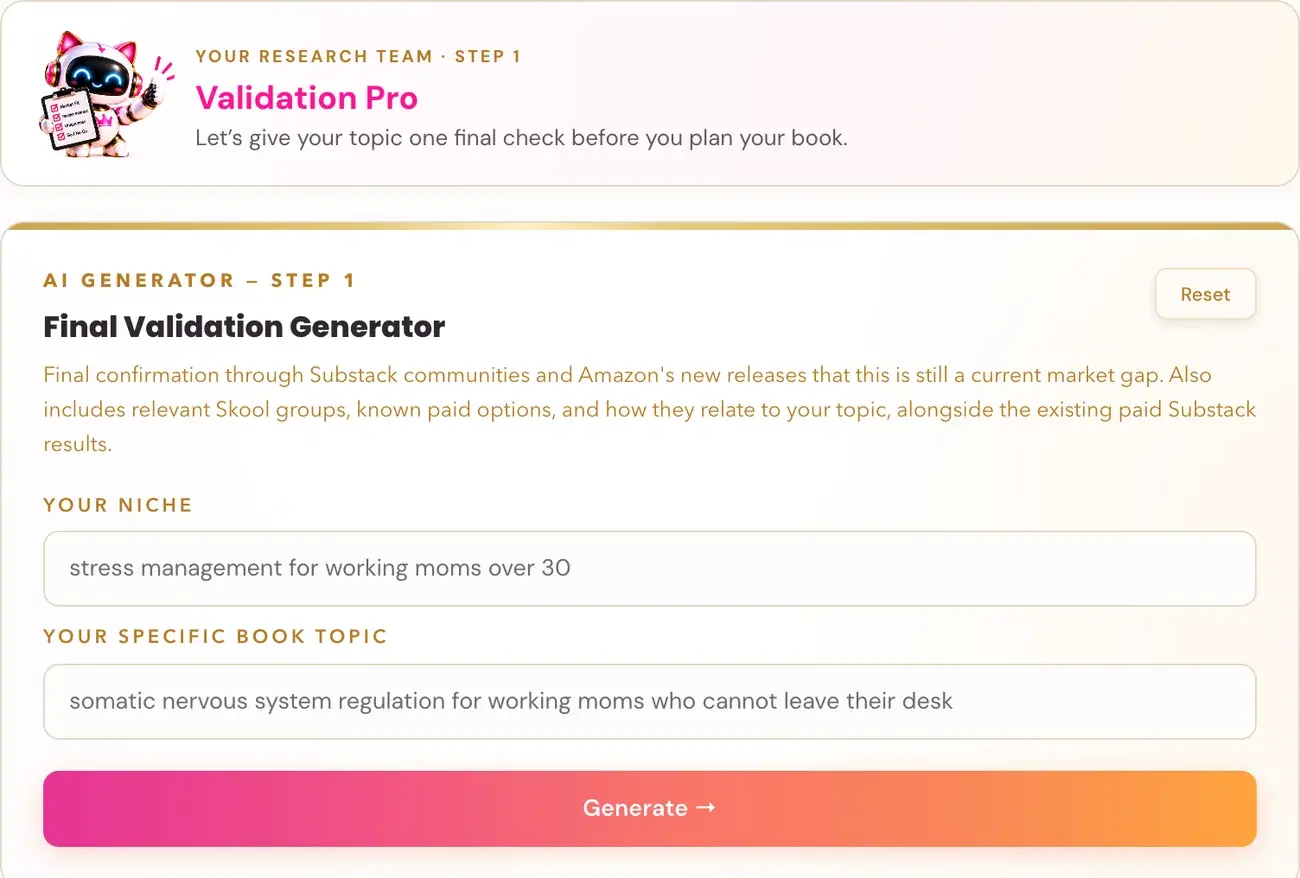
- Final Validation Generator: the last check before you commit. You get a clear verdict: GO, REFINE or RECONSIDER.
👑 Want to get a special discount for Golden Bestseller Empire? → Click here to learn more
Step 2: How do you plan and outline your nonfiction book?
Start with the end in mind: where your reader is now, where they want to be, and what's in the way. Then build your book as the path between the two.
A nonfiction book is a promise: "Read this, and you'll be able to do X." Your plan makes sure every chapter keeps that promise.
Do It Yourself
- Picture one real reader. Give them a name, an age and a problem that keeps them up at night. You'll write the whole book to this one person.
- Write your book's promise in one sentence (basically an elevator pitch). "This book helps busy working moms stop feeling guilty in five minutes a day." If you can't say it in one sentence, the book isn't clear yet.
- List the steps from problem to result. Each big step becomes a chapter. Under each chapter, list 3 to 6 sub-points (these become your subheadings) and a short goal: what should the reader know or be able to do at the end?
- Collect your stories and case studies for each chapter. Stories will make your book more enjoyable to read and also make important points more memorable.
- Keep it short and focused. One clear problem per book. A bigger topic? Split it into a series. Readers love short books that get to the point, and every book in a series sends readers to the next one.
- Decide what the book should do for you. Clients, a course, speaking invitations, a community? Plan now how your book can become a lead-in to your whole sales funnel.
A good outline is magic for the writing, too. When it's done, your first draft is just "fill in the bullets."
The Easy Way
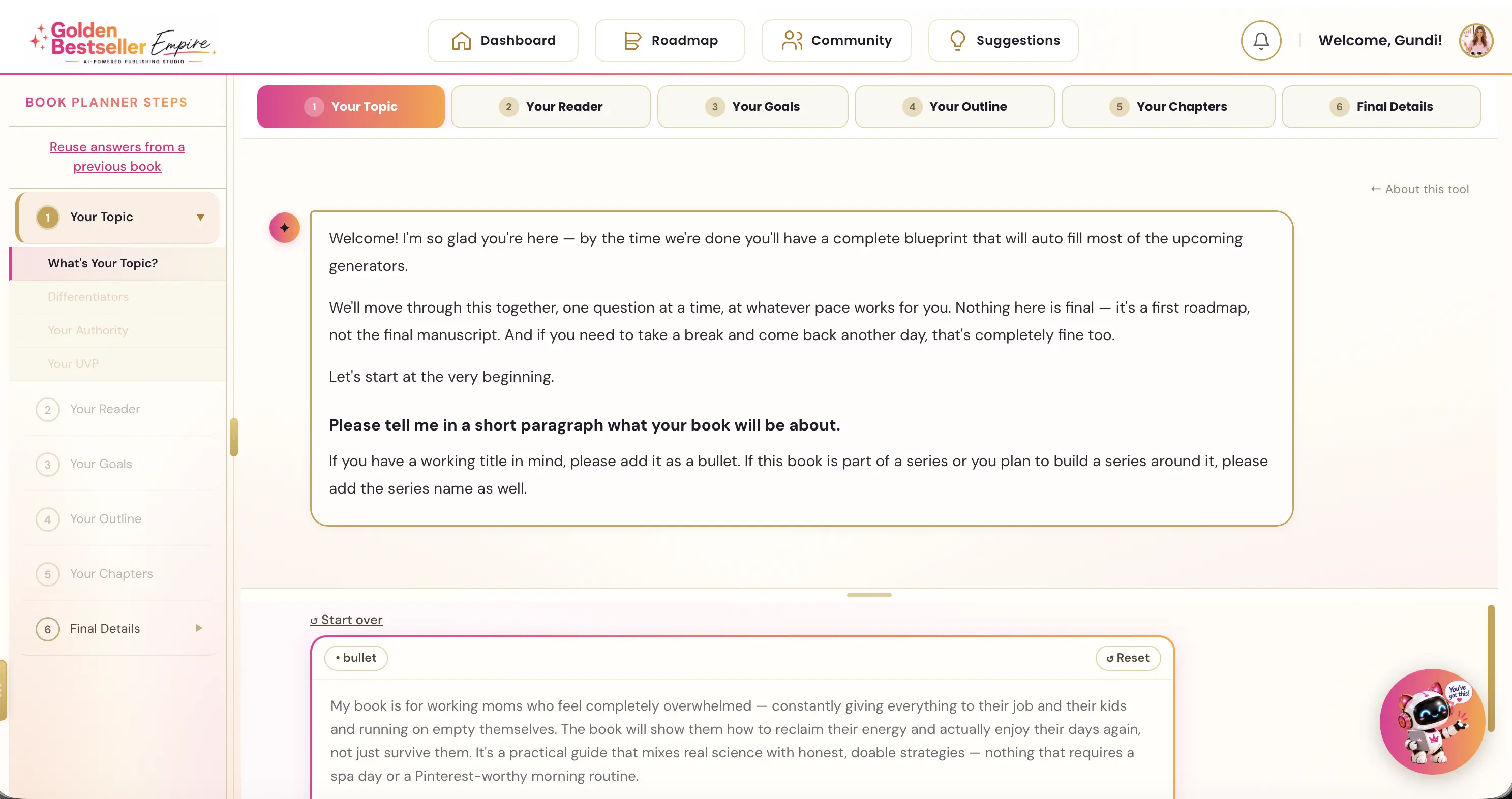
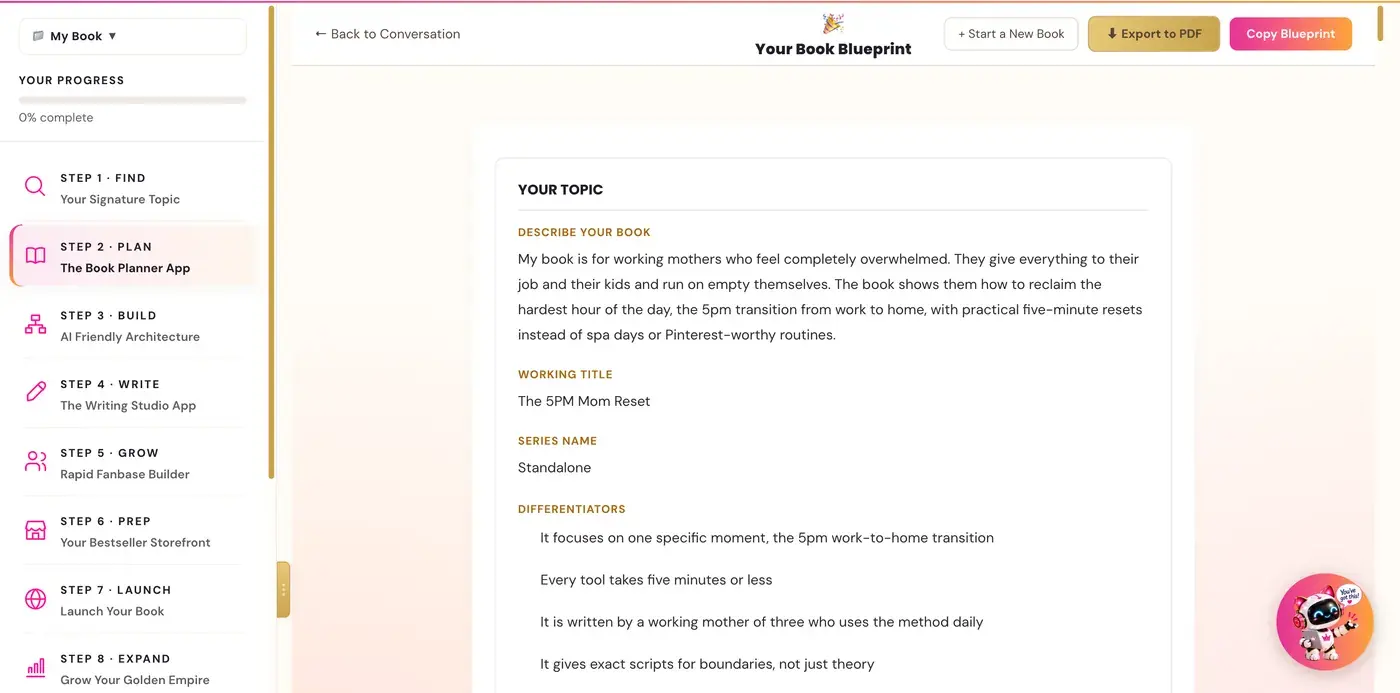
In STEP 2, the Book Planner walks you through all of this in a guided AI conversation, one question at a time: your topic, your reader, your goals, your outline, your chapters and the final details. It also helps you plan your funnel and how the book can best help you bring in more clients, speaking engagements and more.
Out comes your Book Blueprint, the masterplan for everything else.
Step 3: How do you optimize your book for Amazon's search and new AI algorithm?
Build your book so Amazon's search engine, and especially Amazon's new AI algorithm, understands right away what it's about and who it's for. Your outline already exists from STEP 2. Now you make it AI-friendly, with the same clear words for your reader, their problem and your promise everywhere.
Here's why this matters more than ever. Amazon's search has changed. In Amazon's own words: "It's not just about matching keywords anymore—it's understanding what customers are actually looking to buy." Today, three layers decide who sees your book:
- A9: the classic search that matches the search terms people type (aka "keywords").
- COSMO: Amazon's new semantic AI layer that tries to understand the commonsense intent behind purchases (why people buy, who for, when) and stores it as a map of connected ideas (Amazon Science).
- Alexa for Shopping: Amazon's new AI shopping assistant (chatbot) that answers questions like "What's a good book for an overwhelmed single dad?" (Amazon's announcement)
I explain all of this in Amazon KDP Algorithm Update, but in a nutshell: your book and your Amazon sales page need to map as many of these intent vectors as possible. And Amazon reads your manuscript, too. In their own words:
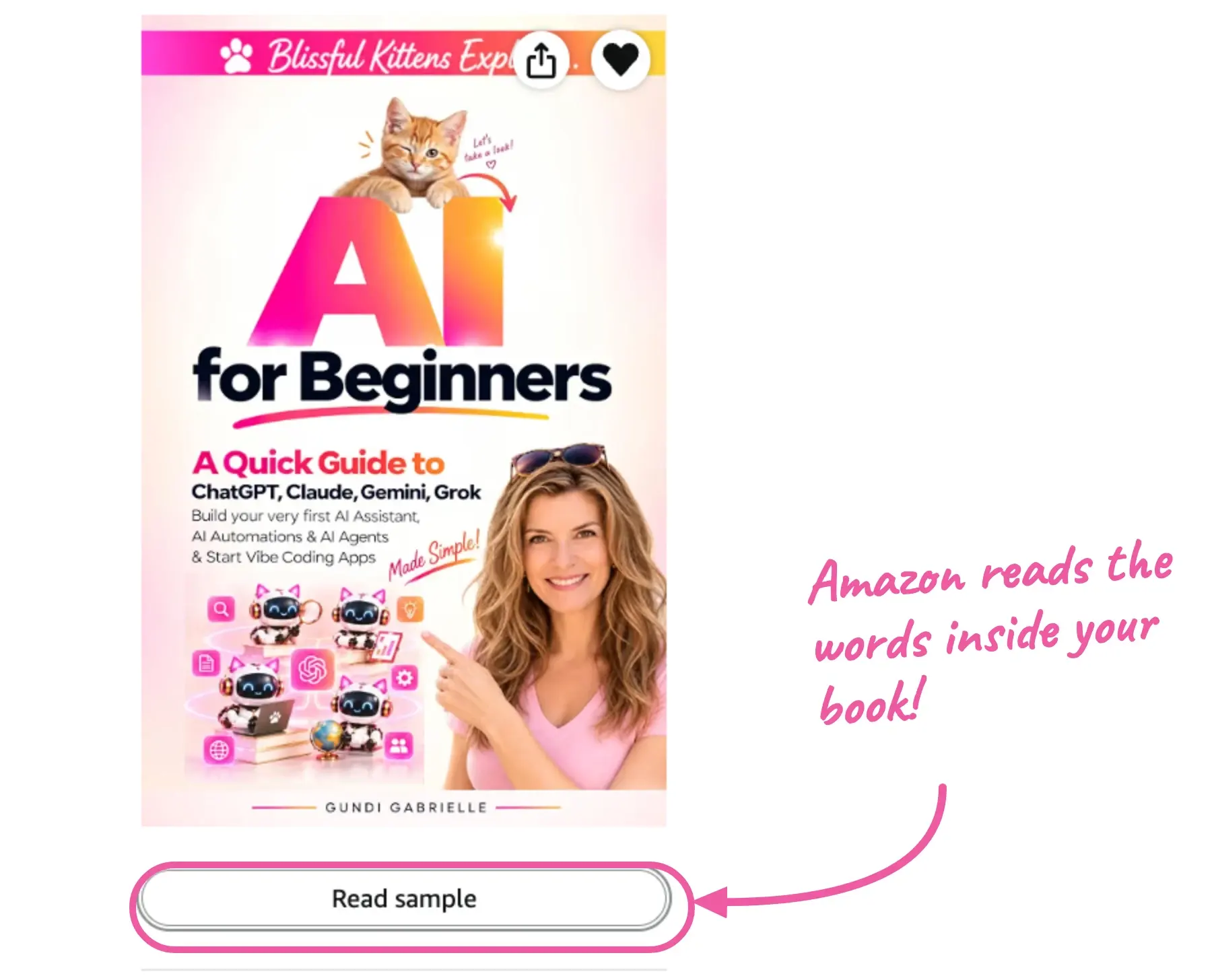
COSMO reads basically everything on your book page (title, subtitle, description, A+ Content, categories, reviews) and connects it with how shoppers search and buy.
Alexa for Shopping draws on that same page, your reviews and information from across the web to recommend books to potential readers. And once readers own your book, Amazon's "Ask this Book" AI in the Kindle app answers their questions straight from your text (Tom's Guide).
So that's why this step matters so much. Even though, I know... 😍 this feels a little brainy and tedious, but it gets easier in just a moment...
Do It Yourself
Honestly? Mapping all 15 intent vectors by hand is really hard. But there's a lot you can do yourself, right inside your book:
- Use your introduction to answer buyer questions. Say clearly what this book is, who it's for (and who it's not for), how to best use this book and what the reader will get out of it.
- Make your chapter titles and subheaders clear and descriptive. "Chapter 3: The 5-Minute Driveway Reset (Leave Work Stress in the Car)" beats "Chapter 3: Self-Care".
- Let your table of contents answer buyer questions, too. Is this book about X? Does it cover Y? Is this for me? A clear table of contents can answer all of that at a glance, for both readers and Amazon's AI.
The Easy Way
STEP 3 is where Golden Bestseller Empire does something no other book app does:
The Knowledge Graph Generator creates a Knowledge Graph for your book, straight from your Blueprint.
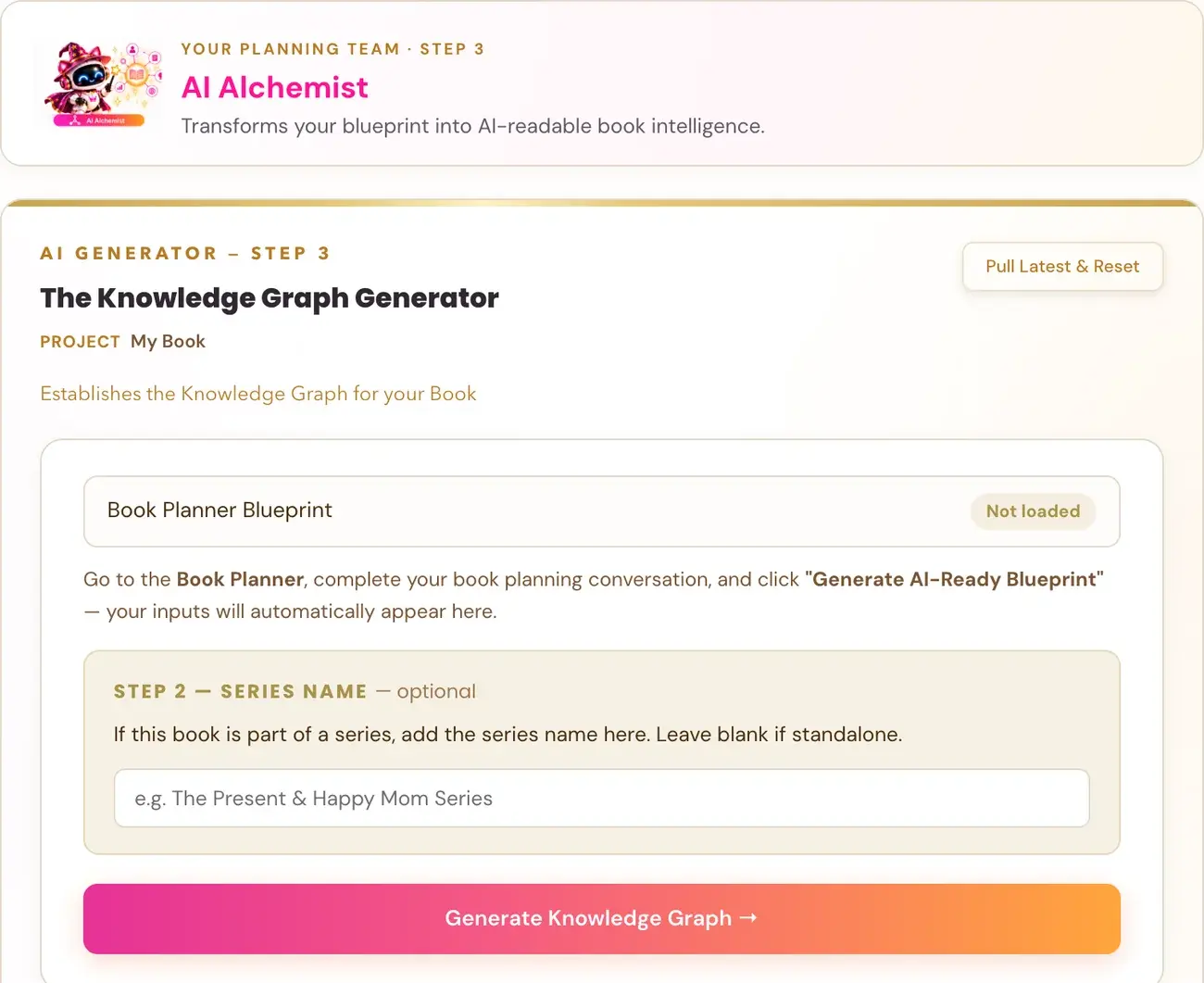
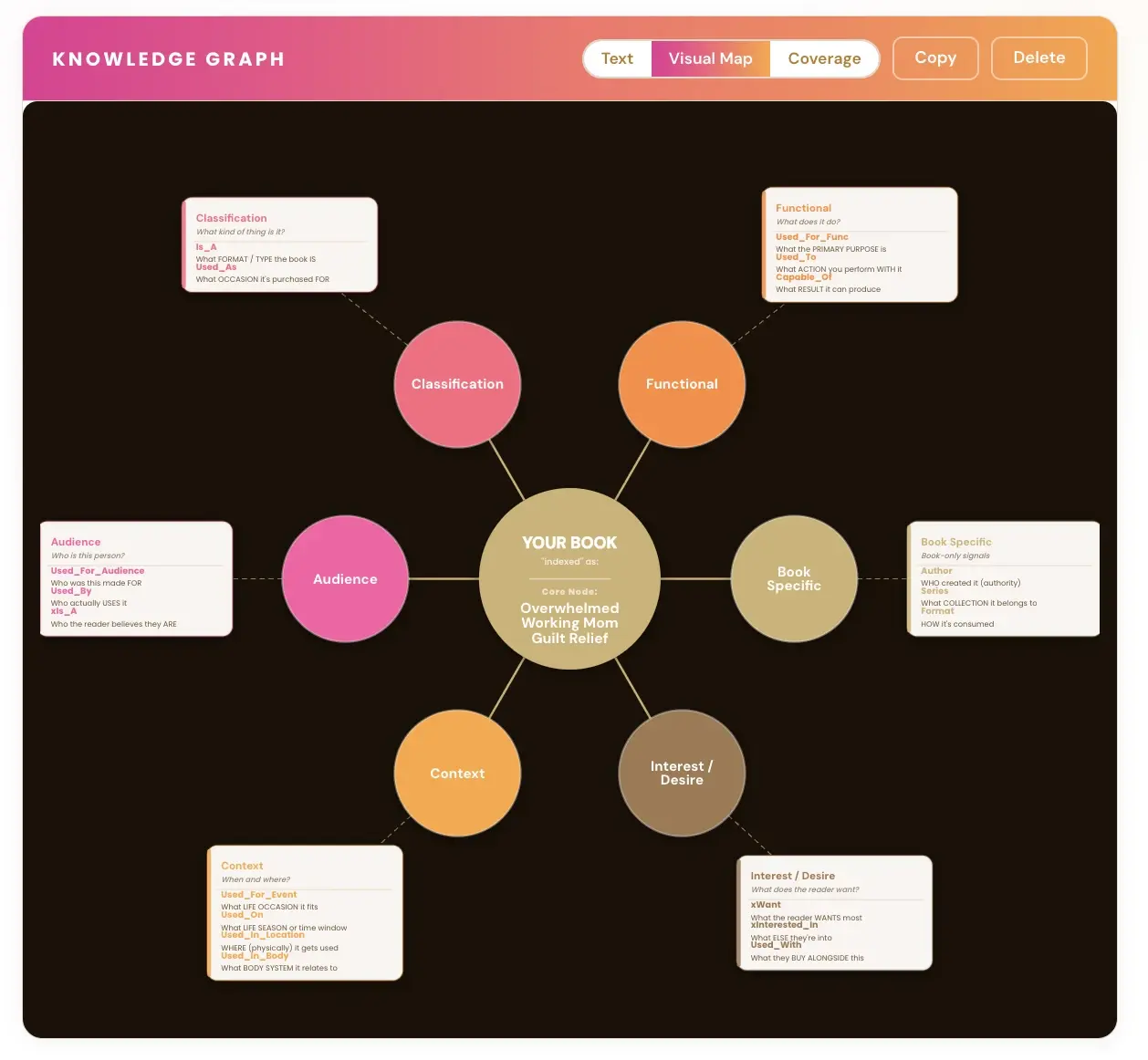
You don't have to do anything. It basically "translates" your topic and subpoints into a clearly structured map that corresponds to COSMO's 15 intent vectors, plus 3 specifically for books.
Then the Big Promise Generator writes 3 different angles that make a reader think "That's the book I need!", the Book Outline Generator builds your full outline, and the Chapter Detail Generator turns each chapter into a writing plan with arcs & goals and a Writer's Prompt under every heading.
And you don't need to understand any of the technical stuff 😎
Even better, the chapter detail outline flows straight into the Writing App, and from there you just fill out the sections, or dictate them. Which brings us to STEP 4:
👑 Want your book to become the preferred resource Amazon's AI recommends to potential readers? Golden Bestseller Empire is the only app that builds a Knowledge Graph for your book with one click, optimized for Amazon's new COSMO, straight from your Book Planner Blueprint. Then it uses that map to create your outline, chapter details, title, description, A+ Content, backend keywords and even your Amazon ads, 1-click optimization to Amazon's new AI while most authors are still guessing. → See how it works
Step 4: How do you write, edit and format your book?
Write a fast first draft from your outline. Then edit, proofread and format it as a Kindle eBook and a print-ready PDF. Write first, polish later. Doing both at once is what slows most writers down.
Do It Yourself
- Write the first draft as a brain dump. Don't edit while you write. Just expand each bullet of your outline. A steady daily habit beats waiting for inspiration.
- Write like you talk. Imagine your one reader across the table and explain it to them. Use "you", short paragraphs and lots of subheadings. Big blocks of text scare readers away.
- Not a writer? Dictate. Talking through a chapter is often faster and sounds more like you.
- Edit in layers. First the big picture (does every chapter keep the promise?), then the sentences, then a proofread for typos.
- Read it out loud once. Your ears catch what your eyes skip.
- Find a few beta readers from your target audience. Ask them where they got bored or confused.
- Format your book. Kindle Create, KDP's free tool, can format your book. For the paperback, you'll need a print-ready PDF. Amazon checks for typos, formatting errors and blurry images, so take this step seriously. My guide to Kindle content quality has the full list.
The Easy Way
Golden Bestseller Empire comes complete with a built-in Writing & Formatting App, more versatile than Vellum and Atticus combined.
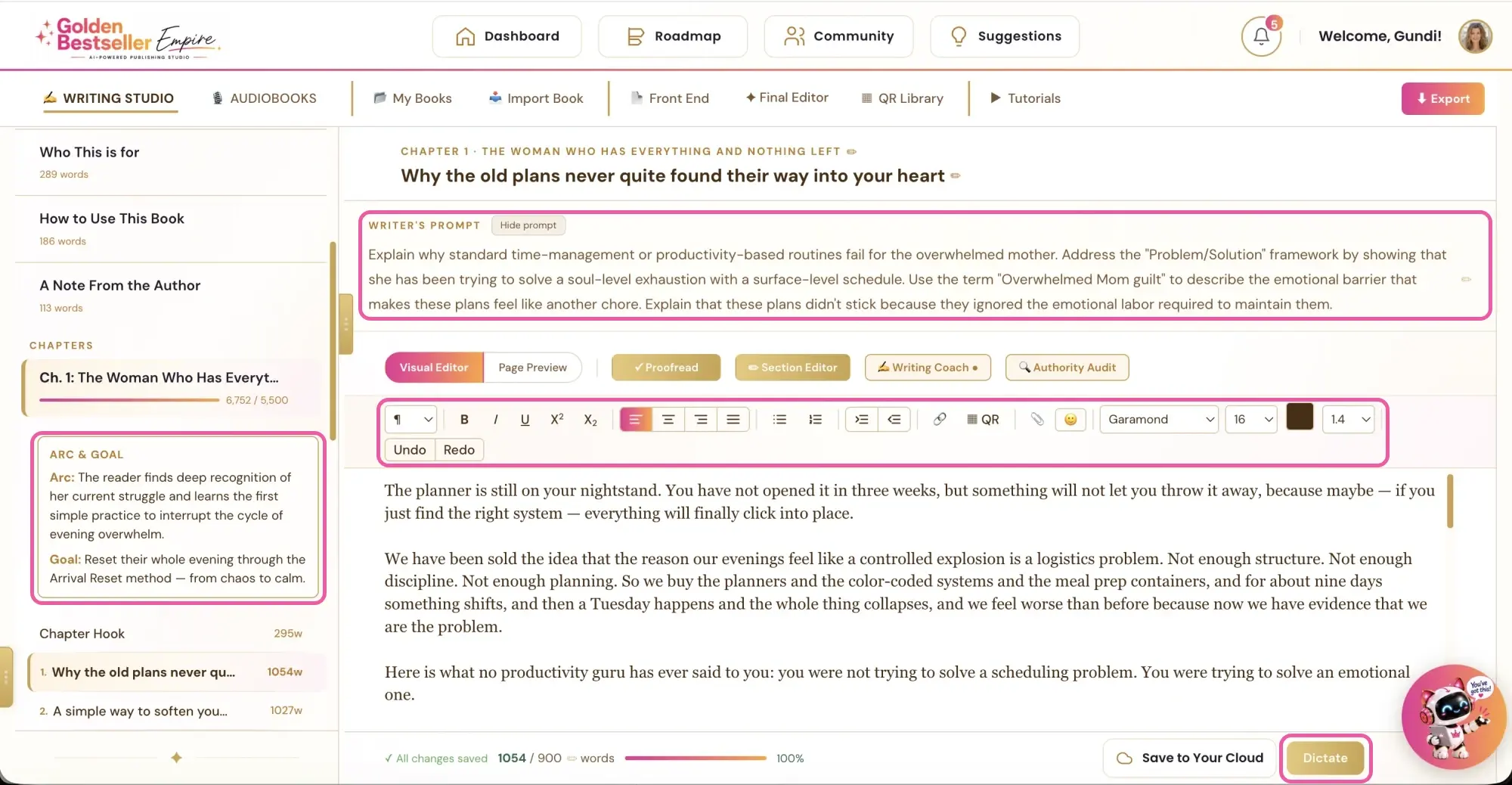
You get all the usual formatting options, plus:
- Automatic image upscaling and quality monitoring
- Easy QR code embeds
- Beautiful action-step and other content boxes
- All standard trim sizes
- Easy export to both EPUB and PDF, ready to upload to Amazon KDP and other publishing platforms
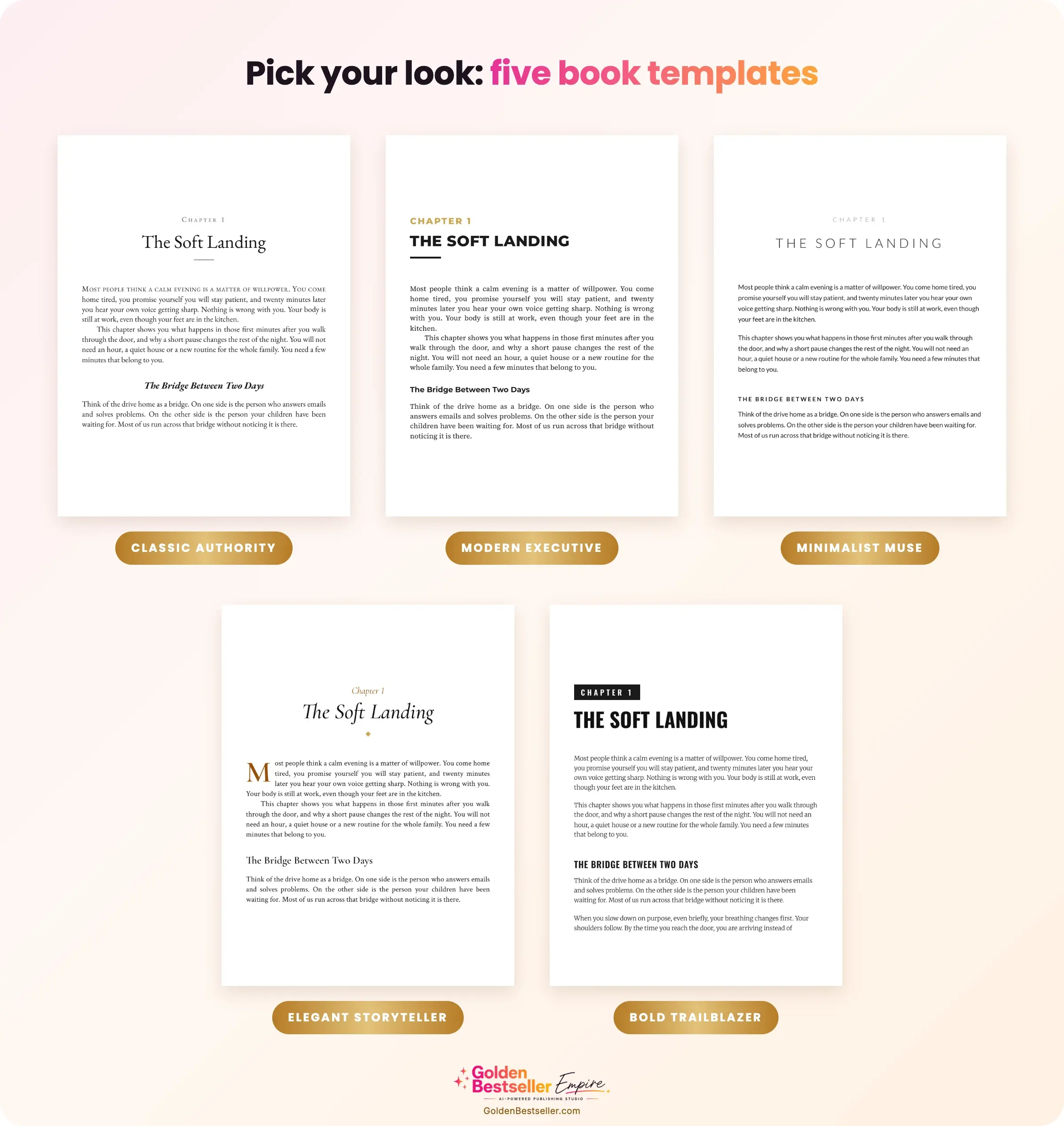
And... as special features, several AI Coaches:
- The AI Writing Coach helps you when you feel stuck or aren't sure where to start. You can plug in Claude, Gemini or ChatGPT.
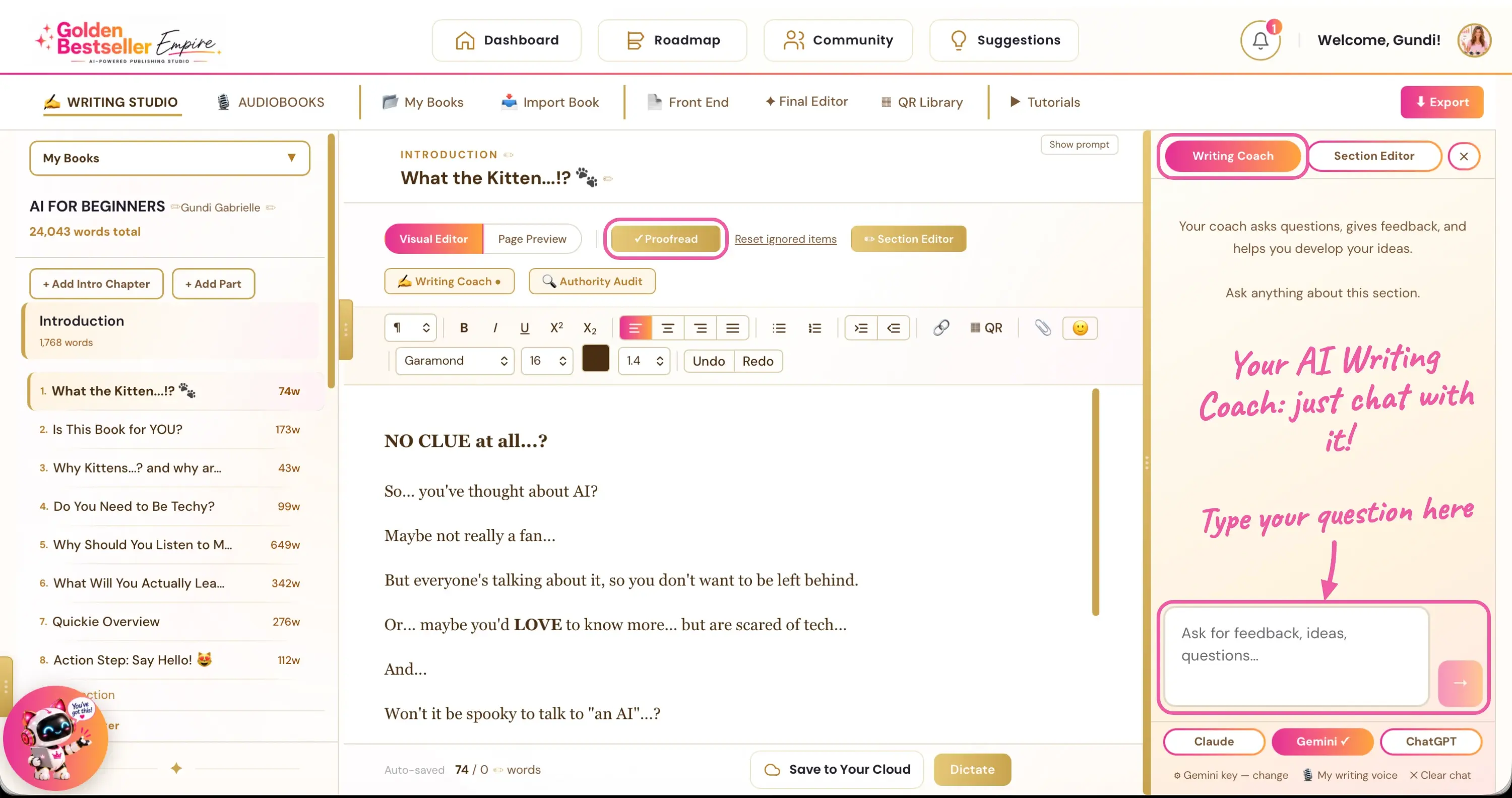
- The AI Section Editor polishes each section.
- The Final Editor reviews your full book.
- The Proofreader catches typos and errors.
- Plus the dictation function I mentioned above.
- The Authority Audit scans a chapter or your whole book for claims, statistics and research, suggests sources and builds your bibliography. The sources become links in your text, and you check each one before you publish.
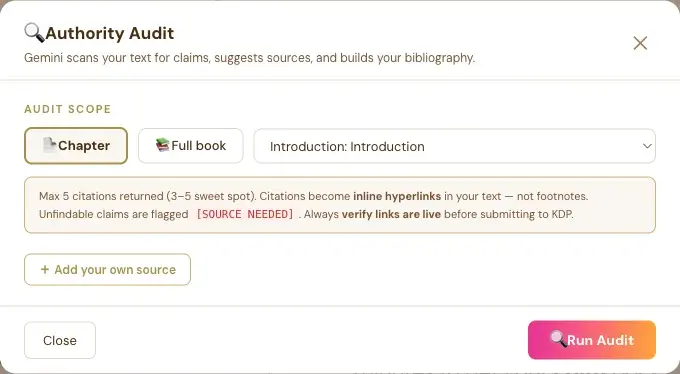
And no, unlike many AI apps these days, we do not encourage "AI faking" books.
Our authors want to be proud to put their name on a book they wrote themselves. Golden Bestseller Empire prides itself in ethical AI publishing, not "AI faking" authorship.
GoldenBestseller.com
Getting help from a writing coach is perfectly fine. That's called "AI-assisted" writing, and it doesn't need to be disclosed on Amazon. On the other hand, having AI write your book (or most of it) while you just edit is different. That's considered "AI-generated", and you have to disclose it, or risk a ban on your book.
So... while the Writing Coach can certainly help with your writing, it's not prompted to write an entire book. I explain the difference in AI-Assisted vs. AI-Generated Books on Amazon KDP.
Alrighty... while you're writing...
👑 Use AI the right way: it assists, you write. Golden Bestseller Empire's Writing & Formatting App helps you turn your own ideas into a finished book. An AI Writing Coach, editor and proofreader help along the way. Then it exports KDP-ready PDF and EPUB files. → See how it works
Step 5: How do you find readers before your book launches?
Start gathering readers while you write, so people are already waiting on launch day. A book that launches to silence is very hard to rescue. A book that launches with a group of eager readers gets the early sales and reviews that tell Amazon "people want this."
Do It Yourself
- Join the groups where your readers hang out: Facebook groups, LinkedIn groups, forums, Reddit. Help first. Answer questions, share what you know, and never pitch.
- Ask for their opinion. Share two title ideas or two cover drafts and ask which one they like. People love to help, and they start caring about your book.
- Start an email list. It's the one marketing channel you own. Offer a small free gift for signing up, like a checklist or a bonus chapter.
- Invite advance readers. Close to launch, ask the people who showed interest if they'd like to read the book early. Many will leave an honest review once it's live.
- Stay on the right side of Amazon's review rules. Never ask for 5-star reviews, never give people words to copy, and never make a free copy depend on a review. Ask for honest reviews, and encourage readers to be specific: what helped them most, their favorite chapter, and who the book is ideal for.
The Easy Way
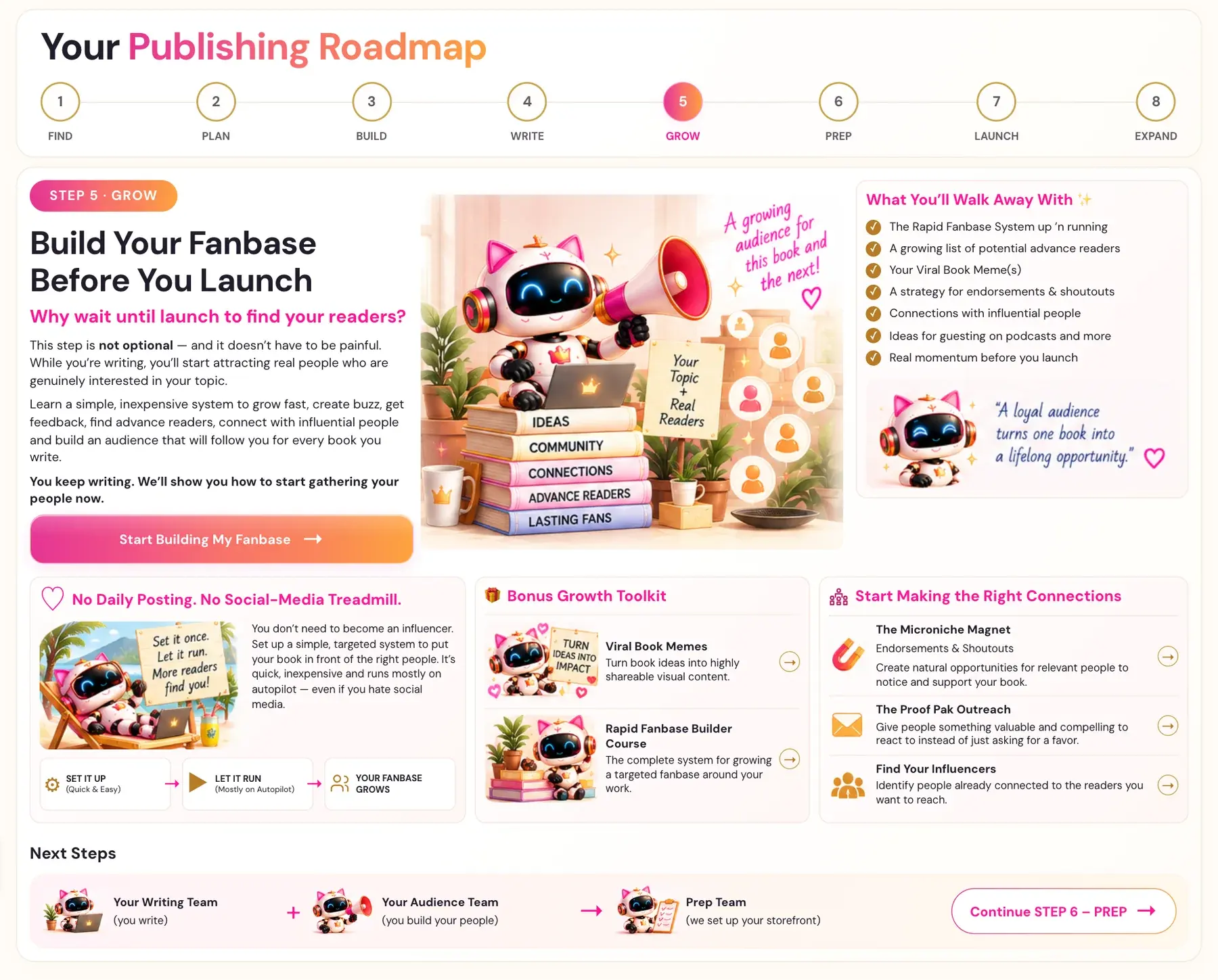
STEP 5 of Golden Bestseller Empire gives you the Rapid Fanbase Builder, my simple system to grow an audience fast before you launch. It's quick to set up, inexpensive and runs mostly on autopilot. No daily posting, no social media treadmill, and you don't need to become an influencer.
You also get Viral Book Memes, ideas for endorsements and shoutouts, and help finding the influencers who already reach your readers.
Step 6: How do you create your title, cover and Amazon book page?
Your Amazon book page is your storefront: your title and subtitle, cover, description, A+ Content, author bio and keywords. It has two jobs: become the top resource Amazon loves to recommend and make the right reader think "That's the book I need!"
Do It Yourself
- Pick your title after you've written the book. Your angle almost always sharpens while you write. Your book title has two parts, the main title and the subtitle, and each part does a different job. Keep the main title short and memorable, something a reader could recommend to a friend (Amazon notes that readers skim past titles over 60 characters). Then let the subtitle do the heavy lifting: name your reader, the result they want, and how they get it, in the words they would actually search for.
- Get a great cover. It's the most important marketing you'll ever do. Readers first see your cover as a tiny thumbnail in the search results, so it has to work at that size: a big, readable title, strong colors and one clear image. Study the top bestsellers in your category. Your cover should look like it belongs right there with them, and still be the one that catches the eye.
- Write your description like a mini sales page, not a book report. Open with the problem your reader is living with right now, in their own words. Then show them what changes after reading your book. Keep the paragraphs short, add a few bullet points, and end with a warm invitation to start reading.
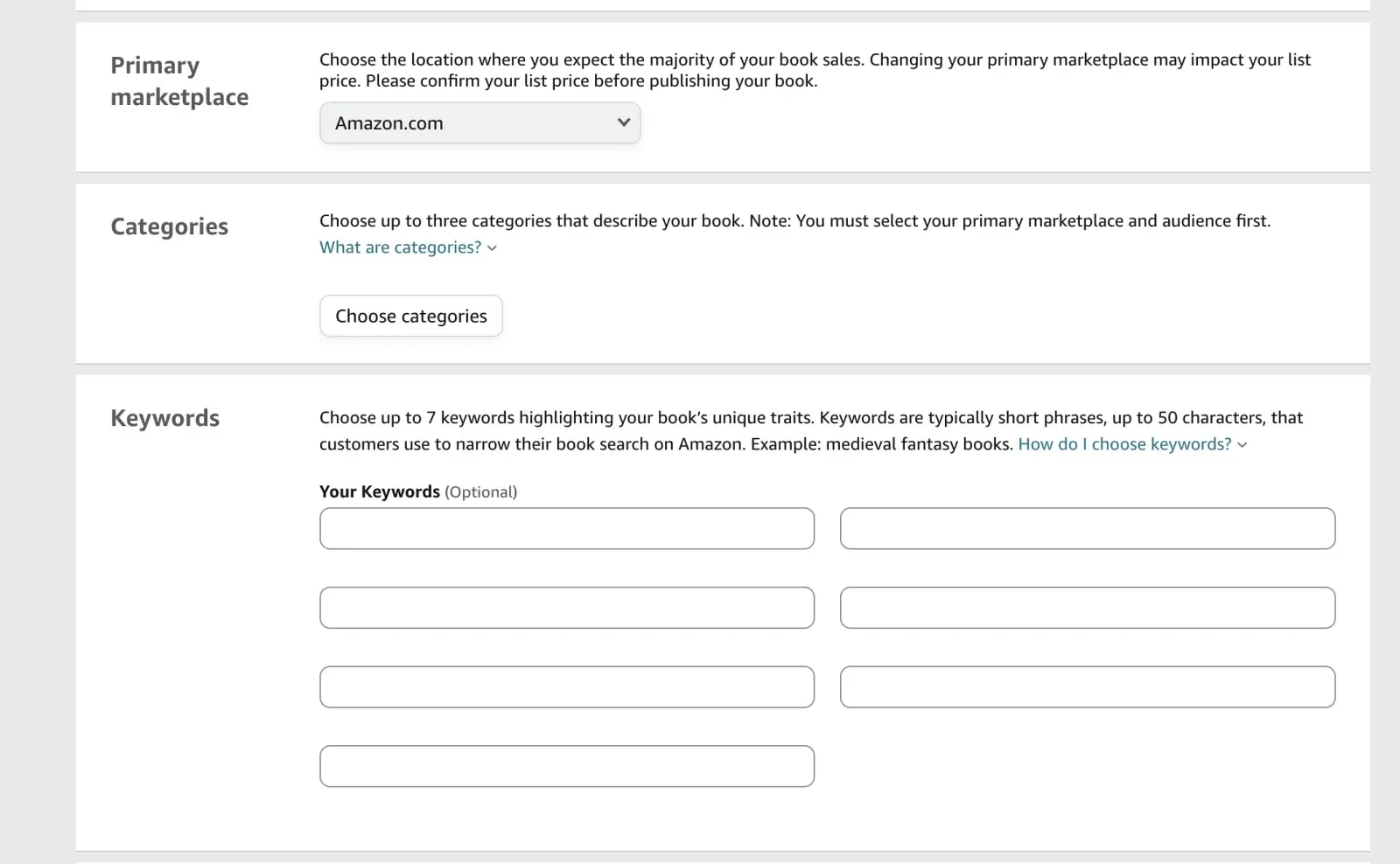
- Fill in all 7 backend keywords. KDP gives you seven hidden keyword boxes. Readers never see them, but Amazon does. Fill each box with a phrase a real buyer would type, like "evening routine for working moms," straight from your reader research in STEP 1. Skip words that are already in your title or categories, because Amazon already knows those. (KDP keywords has all of Amazon's rules.)
- Add A+ Content and your author bio. A+ Content is the visual section further down your Amazon page: images, comparison charts and extra text that show readers what's inside. Your author bio answers the quiet question every reader has: "Why should I listen to you?" Share your credentials, your story and one personal detail that makes you human.
The Easy Way
In STEP 6, every piece of your Amazon page is ONE CLICK, and every piece is built from your book's Knowledge Graph, so Amazon gets the same clear signals everywhere:
- Title & Subtitle Generator: titles and subtitles that get found, get people to click and sound like you.
- Cover Designer: designs a marketable book cover suited for your niche.
- Book Description Generator: writes an optimized book description and even hands you a ready HTML file you can just paste straight into KDP.
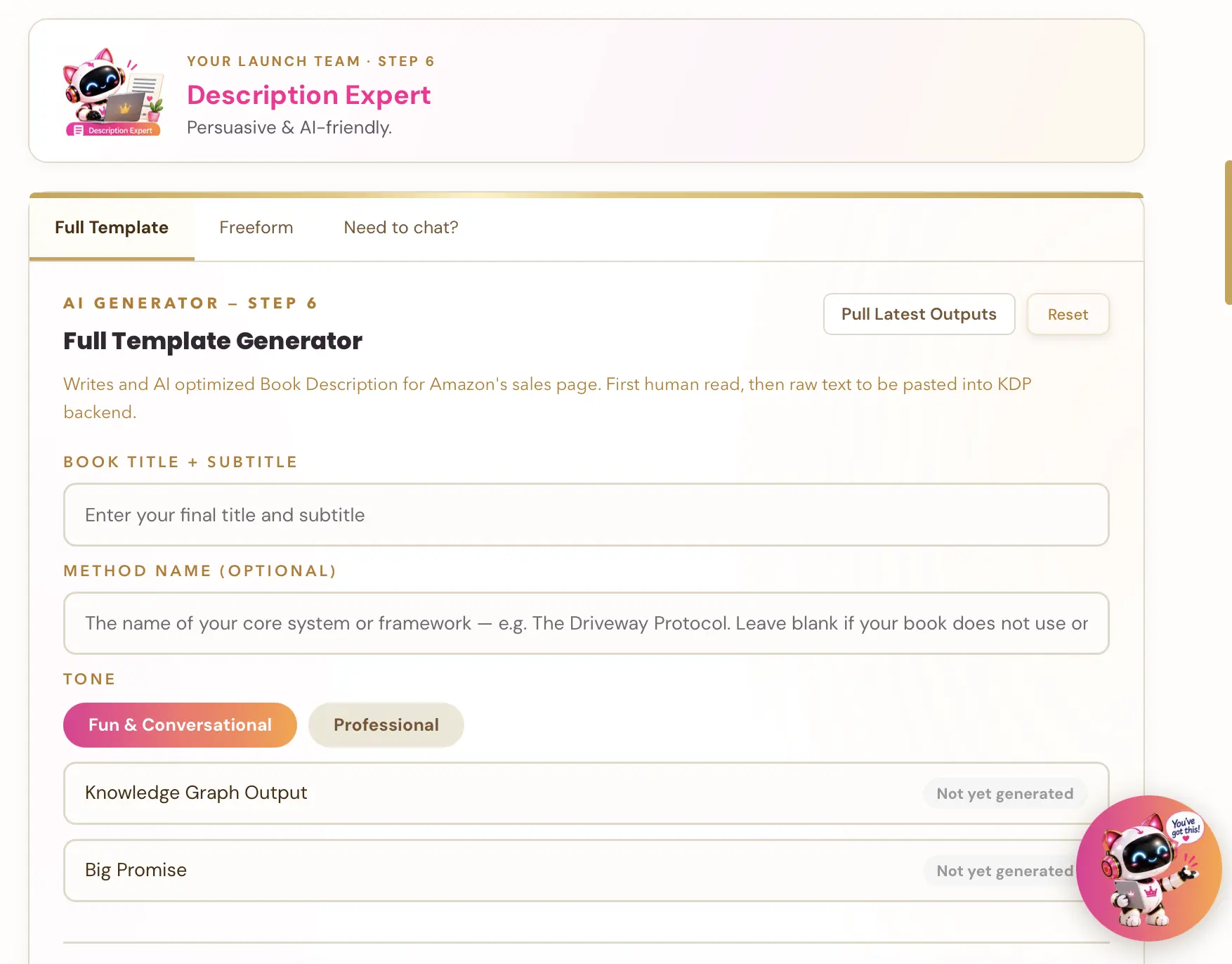
- Backend Keywords Generator: fills your 7 hidden keyword fields.
- A+ Content Generator: writes and designs all five A+ Content modules.
- Author Bio Generator: turns your credentials, your story and one personal detail into your Amazon author bio.
👑 Want your whole book page rebuilt for Amazon's new AI, without the guesswork? Golden Bestseller Empire's one-click generators build your entire book listing page. That's your title and subtitle, description, A+ Content and backend keywords, all optimized for Amazon's new COSMO. → Start optimizing yours
Step 7: How do you publish your book on Amazon and launch it?
Set up your free KDP account, upload your book in three stages (details, content, pricing), choose your categories, then launch with a low price and your readers ready. The upload itself takes an afternoon. The launch is what decides how your book takes off.
Do It Yourself: publish on KDP
- Sign in at kdp.amazon.com with your Amazon account.
- Fill in your tax and payment details. Amazon needs them before they can pay you, so don't leave this for the last minute.
- Click Create and choose Kindle eBook (you can add the paperback and hardcover later).
- Stage 1, Details: title, subtitle, author name, description, your 7 keywords and your categories.
- Stage 2, Content: upload your manuscript and cover, and check everything in the previewer. eBooks don't need an ISBN. For paperbacks and hardcovers, KDP gives you one for free.
- Stage 3, Pricing: choose your royalty and price, then click Publish.
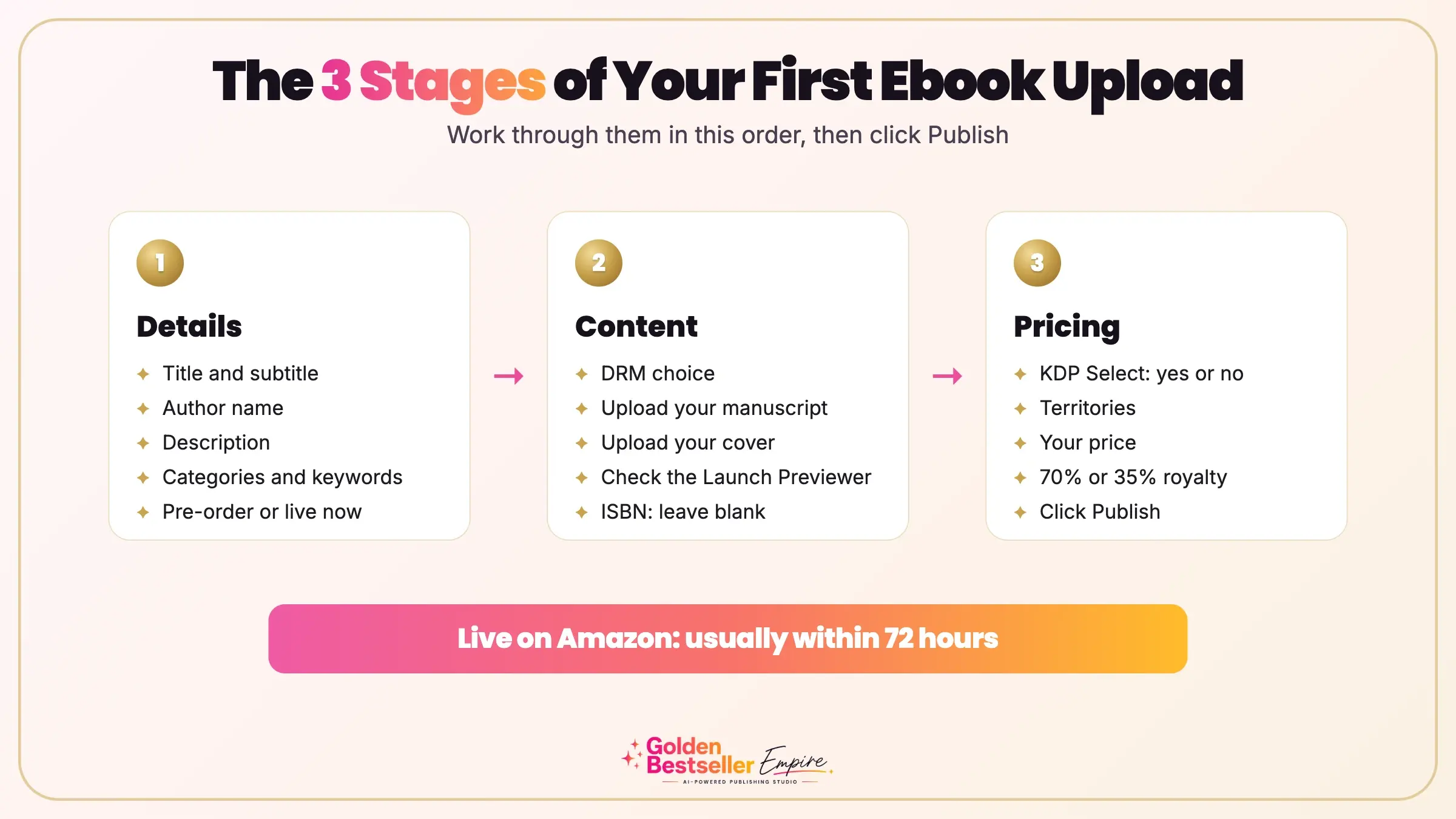
Choose your price in Stage 3. For the 70% eBook royalty, you need a price between $2.99 and $12.99.
How do Amazon KDP royalties work?
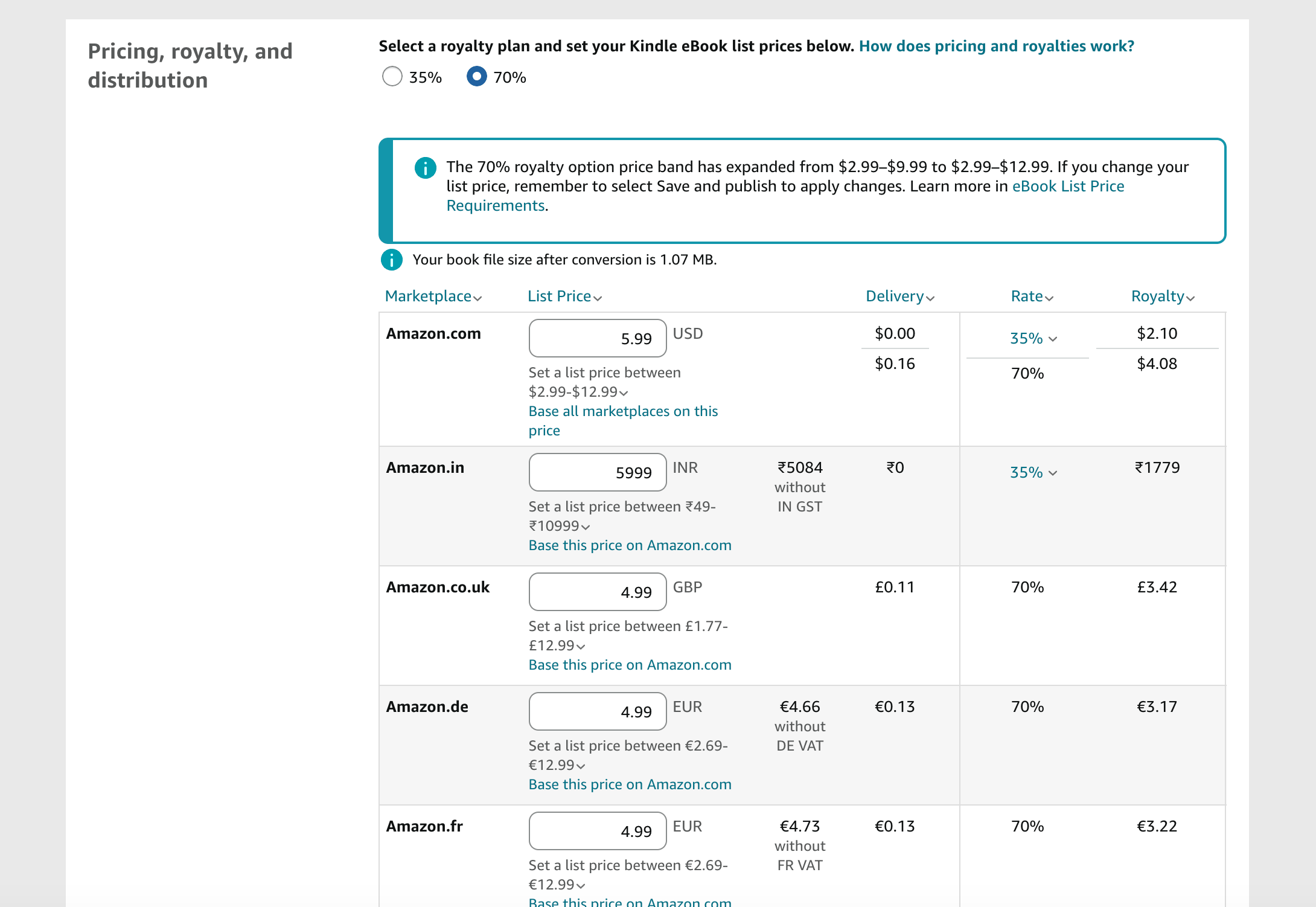
On Amazon KDP, you choose between two eBook royalty rates, 70% and 35%, and paperbacks earn 60% of the list price minus the printing cost. Here's what that means for you:
- 70% eBook royalty: for prices between $2.99 and $12.99 on Amazon.com. (Amazon raised the top of that range from $9.99 in July 2026.) Amazon subtracts a small delivery fee based on your file size, and your eBook has to be priced at least 20% below your paperback. In the screenshot below, a $5.99 eBook earns $4.08 per sale at 70%, compared to $2.10 at 35%.
- 35% eBook royalty: for any price outside that range, from $0.99 up to $200. Sales in countries outside Amazon's 70% list also pay 35%.
- Paperback royalty: 60% of your list price (for books priced at $9.99 and up on Amazon.com, 50% below that), minus the printing cost, which depends on your page count and ink. In Amazon's own example, a $15 paperback with 333 black-and-white pages costs $5.00 to print and earns you $4.00 per sale.
- Expanded Distribution: paperbacks sold through other bookstores and libraries earn 40% of the list price, minus printing.
- Kindle Unlimited: if you enroll your eBook in KDP Select, you also get paid for every page Kindle Unlimited readers read.
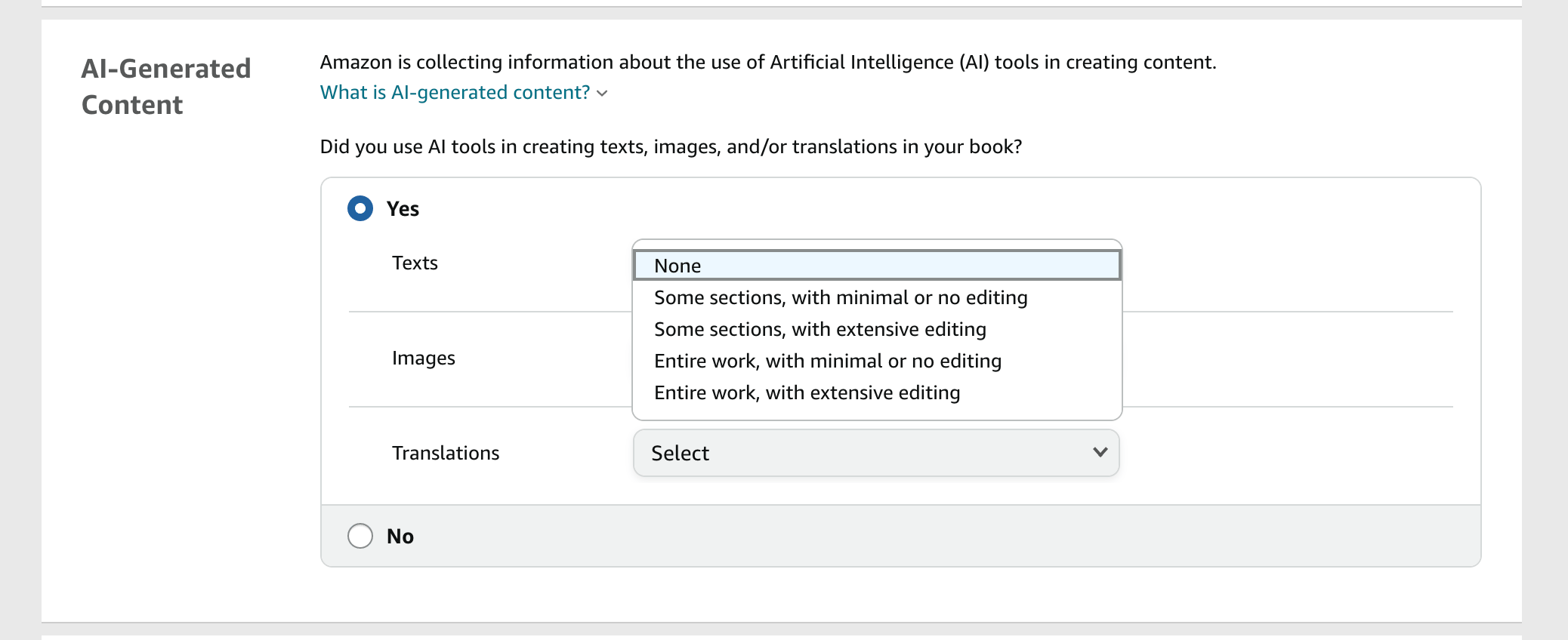
KDP will also ask whether you used AI to create text, images or translations. More on that below. Want every screen, click by click? It's in How to Publish on KDP.
How do you become a #1 Bestseller on Amazon?
You become a #1 Bestseller on Amazon by selling more copies than any other book in one of your sub-categories at the same time, and that comes down to choosing the right categories and launching with momentum. The orange #1 Best Seller badge goes to the top book in a sub-category, and Amazon now updates the bestseller lists only once a day.
Here's the part most new authors don't know: you're not competing with all of Amazon. You're competing inside your sub-categories. And some small sub-categories have a #1 book that sells only a handful of copies a day. With the right sub-category and a strong launch week, a first book from an unknown author can absolutely hit #1.
How categories work on KDP:
- You choose 3 categories per format, right in your KDP dashboard.
- Kindle and print have different category lists, so with an eBook and a paperback you have 6 places to be found.
- A smart mix: one bigger "reach" category that gets lots of traffic, plus two smaller ones where a realistic number of sales can win the badge.
- Watch out for ghost categories. Some categories show up in KDP but have no page on the live Amazon store. No page means no bestseller list, so no badge is possible. Search the category on Amazon before you pick it.
The launch that gets you there:
- Set a low launch price. Many authors launch at $0.99 to make it an easy yes. (KDP only allows $0.99 for eBook files under 3 MB, and at that price you get the 35% royalty.)
- Rally your advance readers from STEP 5 for launch week.
- Publish a day or two early, because Amazon's review can take more than 24 hours.
- Read your Amazon page like a stranger once it's live, and fix anything that looks off.
- Ask your email list for honest reviews.
- Book promotions with newsletters that send deals to readers in your genre, spaced over launch week.
- Keep promoting for 30 days, then raise your price back to normal. Amazon rewards steady sales more than a one-day spike.
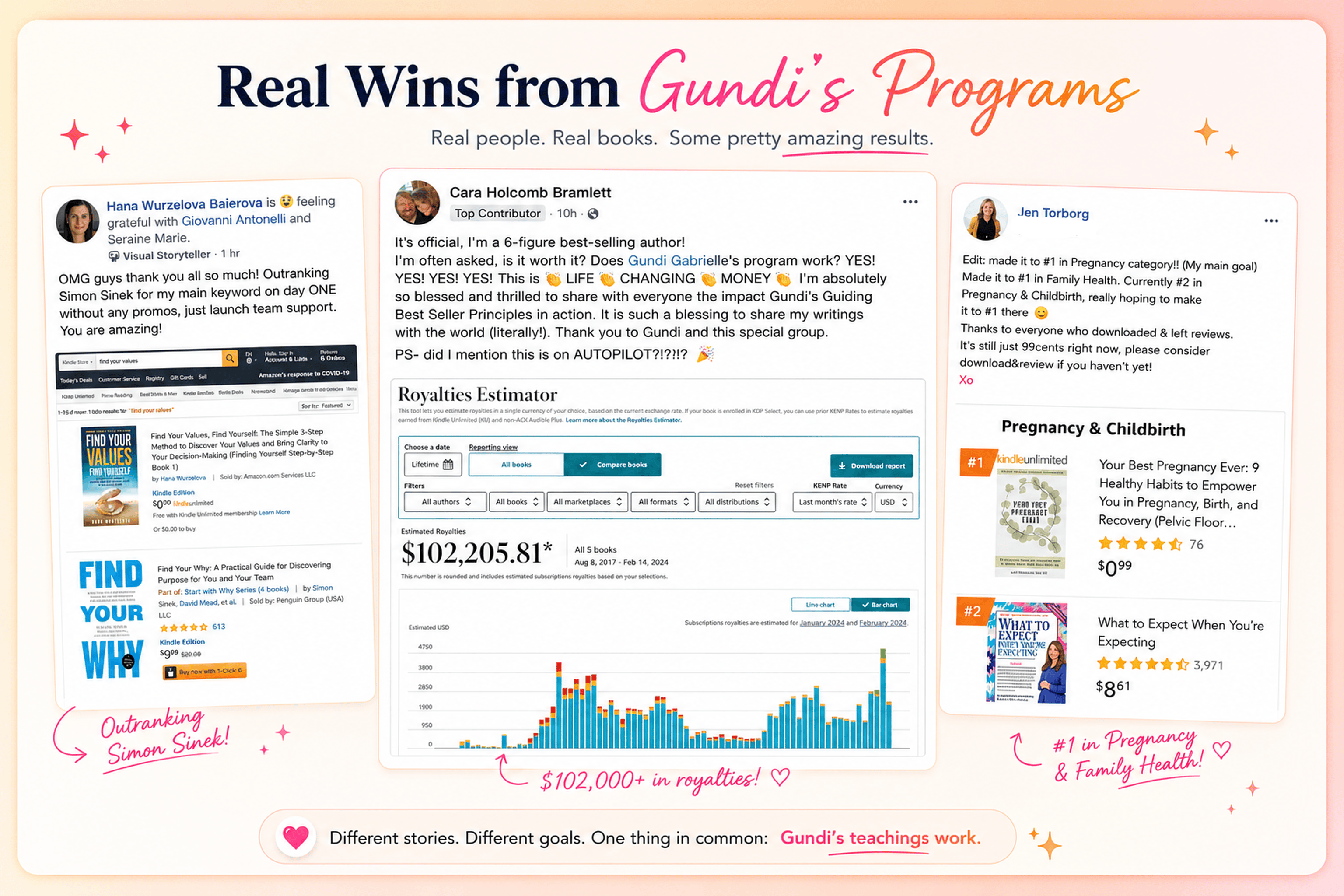
This is the method my students have used for years. Hana outranked Simon Sinek for her main keyword on day one, with no promos, just her launch team. Cara became a 6-figure Bestselling author, and Jen hit #1 with her second Bestseller of the year.
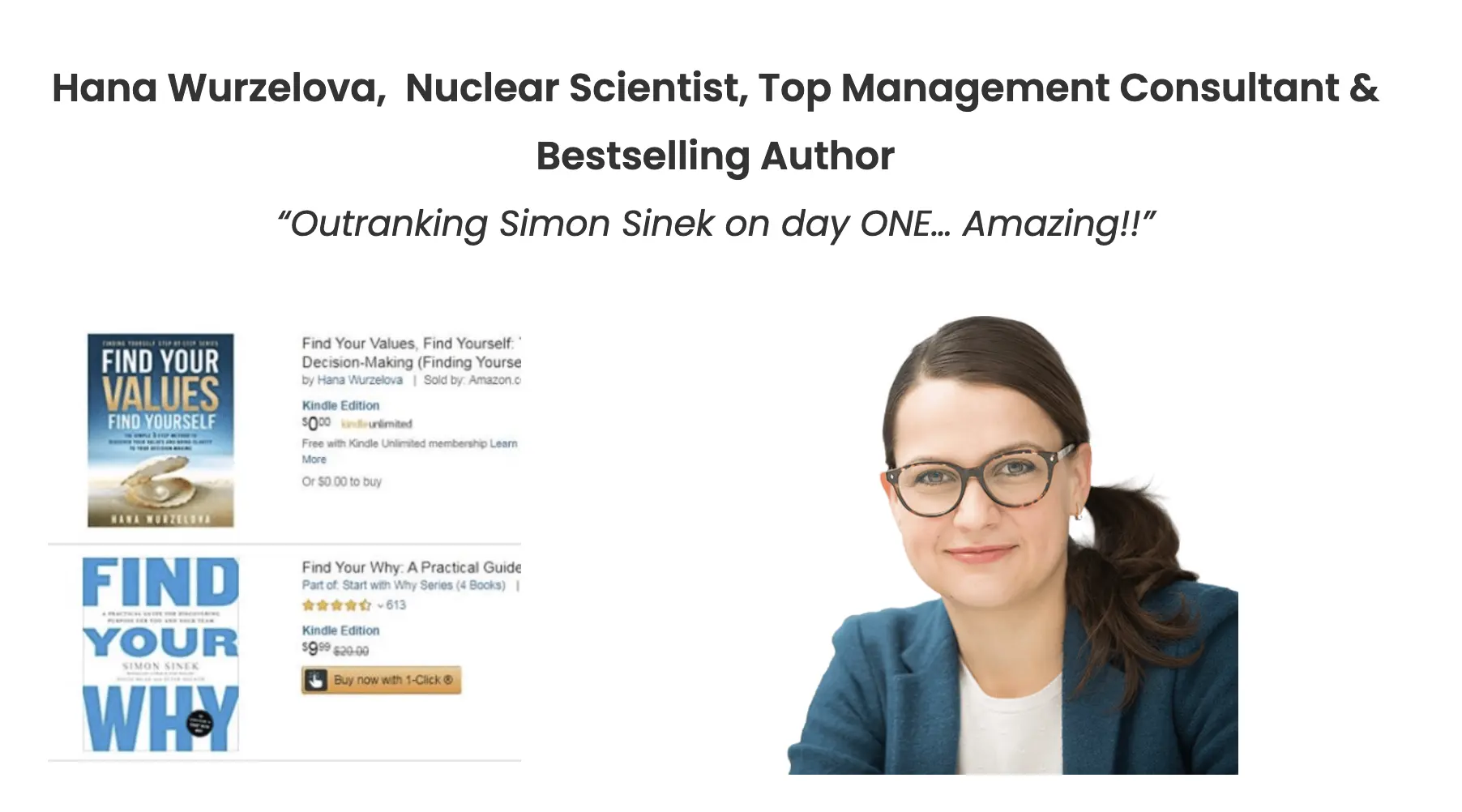
These are individual results from authors in my earlier programs. Results depend on your book, your topic and the work you put in. I don't promise any sales, rank or income.
The Easy Way
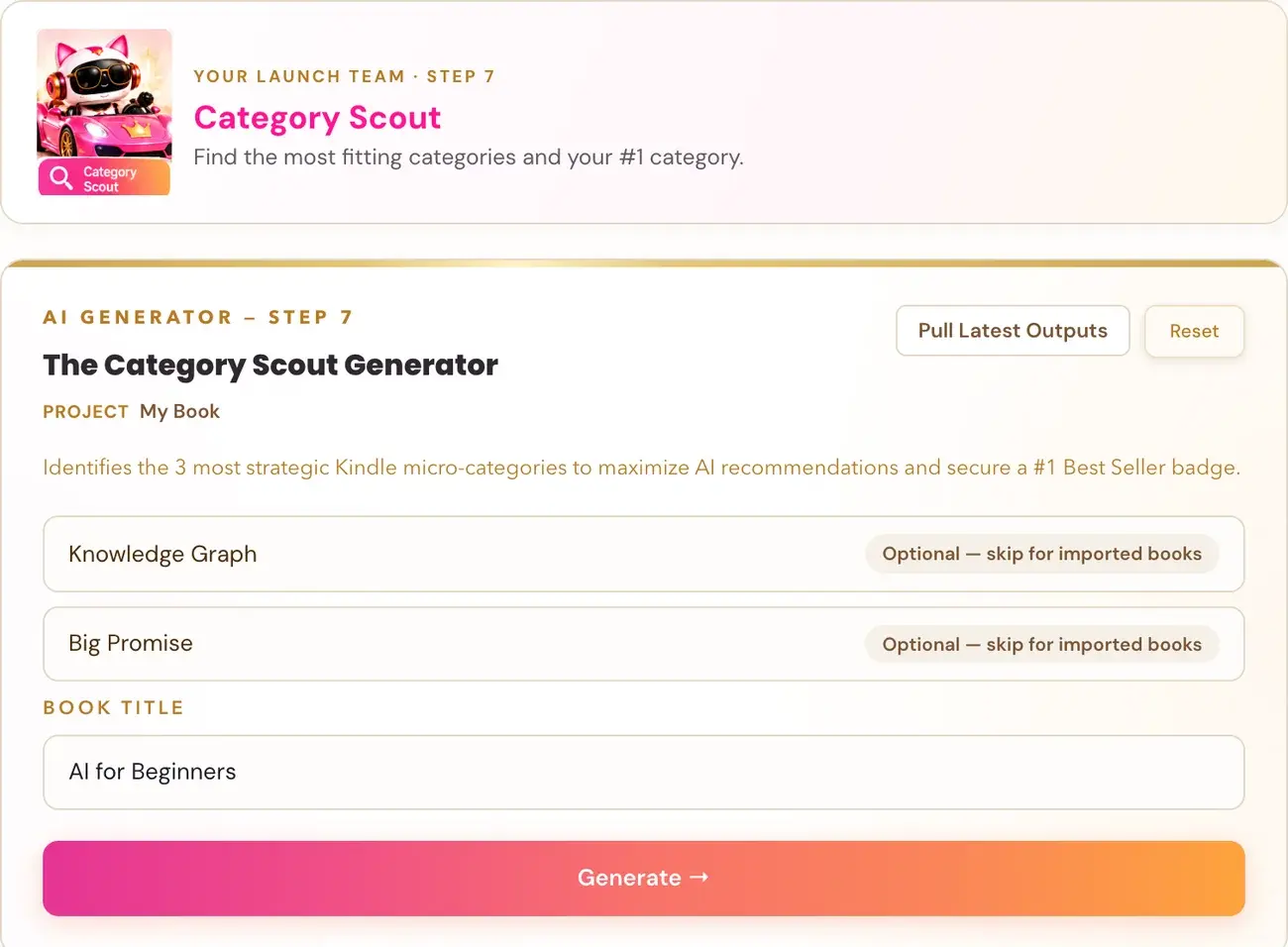
STEP 7 of Golden Bestseller Empire is my Signature Power Launch, the exact launch sequence I use myself. And here's something only this app does: the Category Scout scans Amazon's categories live, right before your launch, to find the categories where your book has the best chance to hit #1 today. Category data that only gets refreshed a few times a year can't show you today's opening.
Step 8: What do you do after your book is published?
After launch, keep your book selling with Amazon Ads, more formats, more languages and your next book, and continue with a series so you can leverage read-through from readers who already liked one of your books. Your book is live. Now it's about reaching more of the right readers.
Do It Yourself
- Run Amazon Ads with a small daily budget, using the keywords from STEP 1.
- Get on podcasts and ask bloggers to review your book. Every interview and review puts your book in front of new readers who already trust that host or blogger.
- Add an audiobook. More and more people listen instead of read.
- Translate your book to reach readers in other countries.
- Write the next book for the same readers. More books are the best marketing there is: each one sends readers to the others.
The Easy Way
STEP 8 brings it all together:
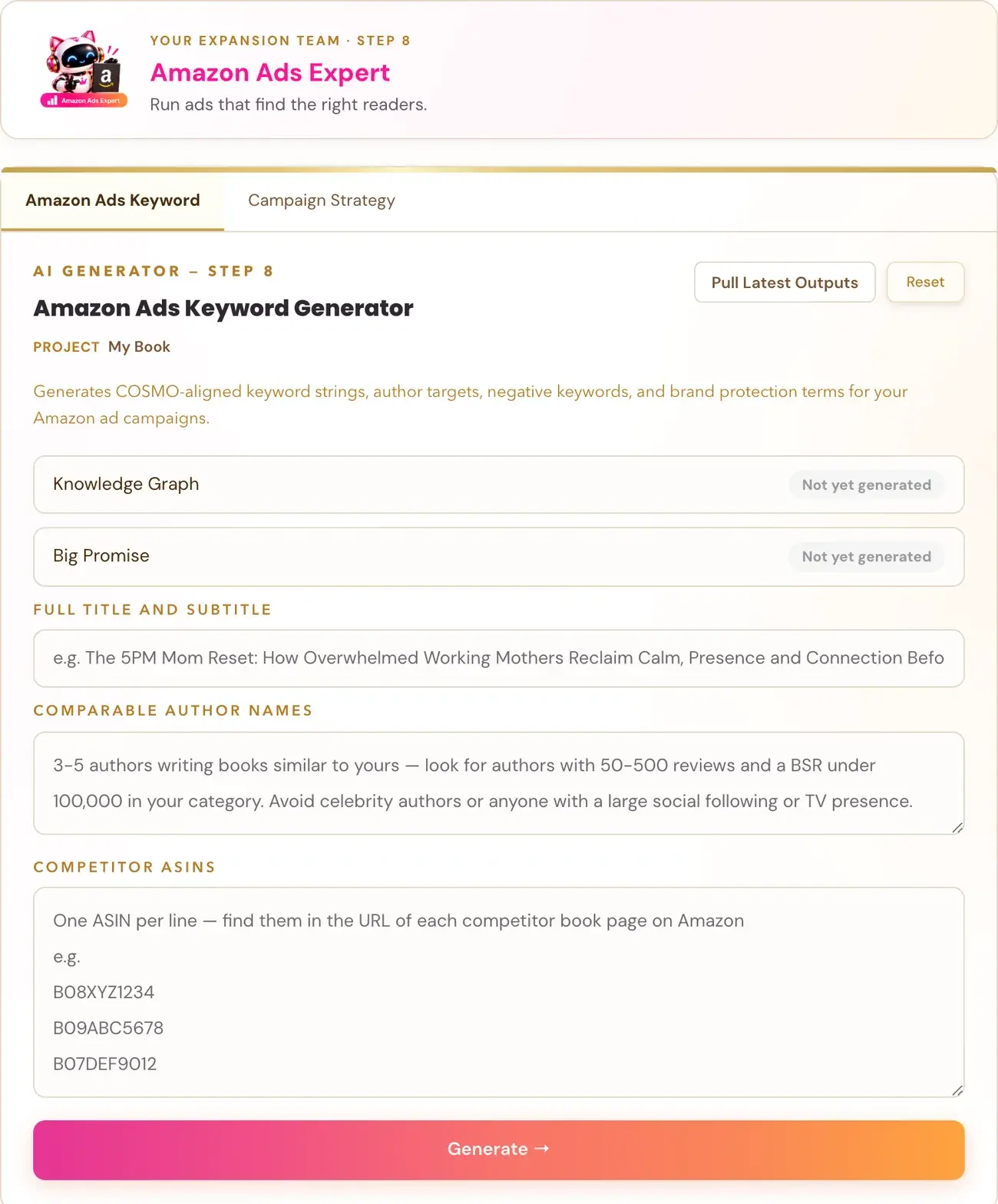
- Amazon Ads Generators: build your ad keywords and a complete campaign plan from your Knowledge Graph, so your ads reach the readers Amazon already connects with your book.
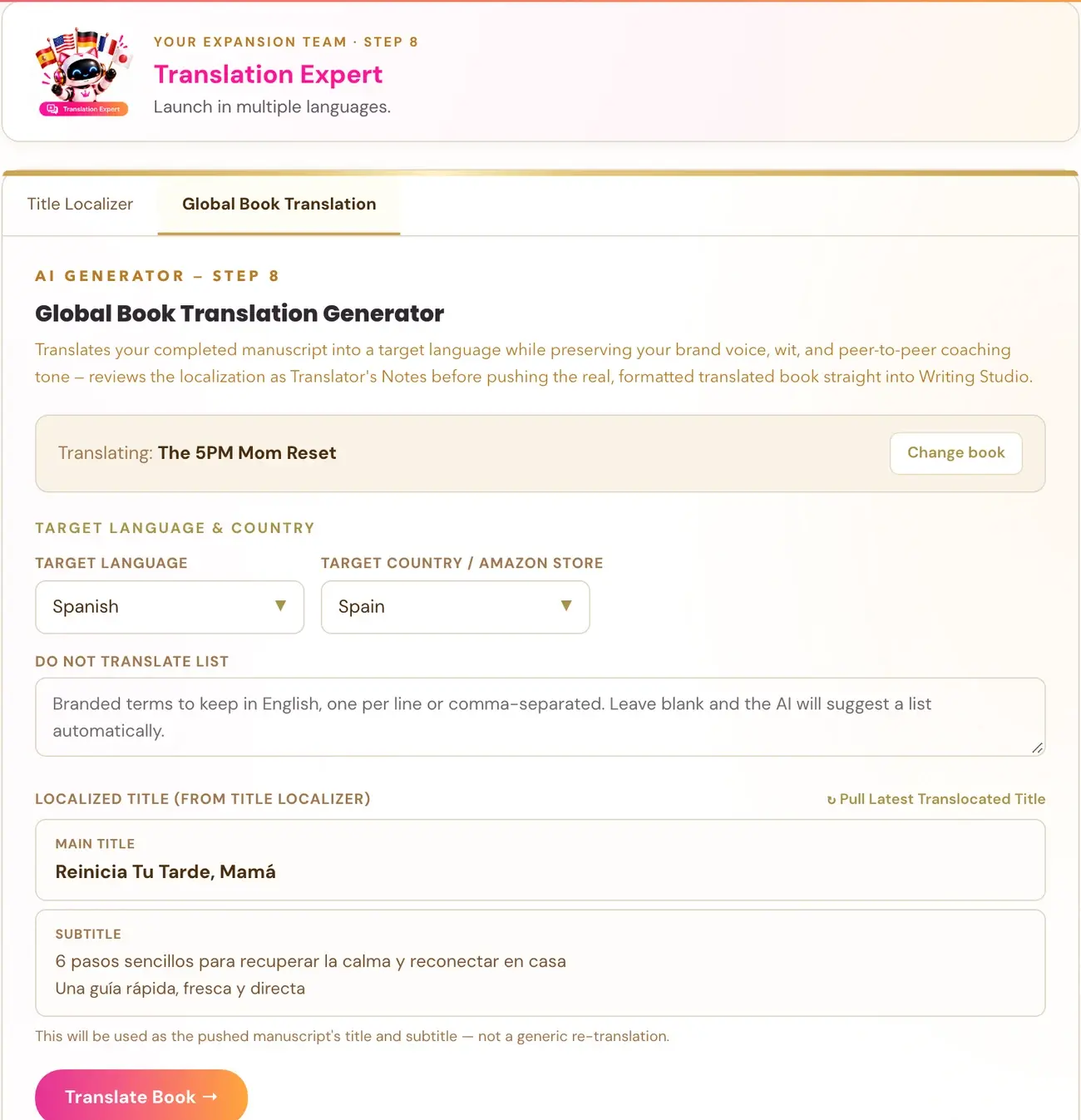
- Translation App: translates your whole book in minutes into Spanish, German, French, Italian, Portuguese or Japanese, localized for the Amazon store you choose, like Spain or Mexico for Spanish and Brazil for Portuguese.
Only Golden Bestseller Empire also translates all your sales page items (book description, A+ Content, backend keywords and categories) and even your Amazon Ads.
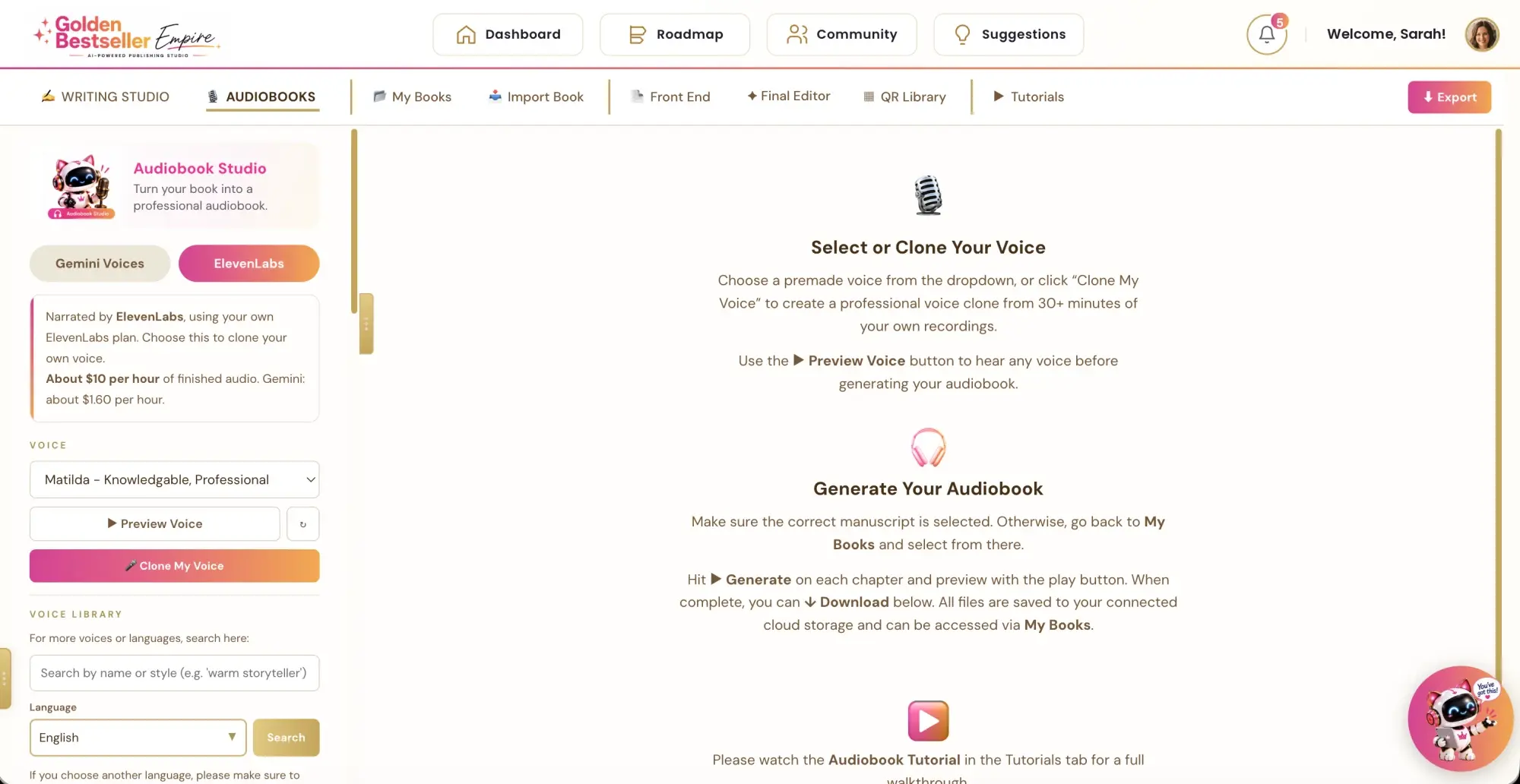
- Audiobook Generator: turns your manuscript into an audiobook, chapter by chapter, in a studio voice or a clone of your own (integrates with Google AI Studio or ElevenLabs with your own API key).
Can you use AI to self-publish a book?
Yes. Amazon KDP allows both AI-assisted and AI-generated books, but you must tell KDP when AI created your text, images or translations. If you write the book yourself and use AI to edit, brainstorm or polish, that's AI-assisted, and you don't have to disclose it.
| AI-assisted | AI-generated | |
|---|---|---|
| Who created the content? | You, with AI help | An AI tool |
| Disclose to KDP? | No | Yes |
| Example | AI suggests edits to your chapter | AI writes the chapter |
Golden Bestseller Empire is built for AI-assisted publishing: you write your book, and AI helps with everything around it. The full rules are in AI-Assisted vs. AI-Generated Books.
What mistakes do first-time self-published authors make?
The biggest mistake is writing a book nobody is searching for. Amazon can only show your book to people who are looking for what it offers. Here are the five I see most:
- Skipping the research. Writing about whatever you feel like, then hoping readers show up. (STEP 1 fixes this.)
- A homemade cover. Readers really do judge a book by the cover, in about a second, at thumbnail size.
- A book that tries to do everything. One reader, one problem, one promise. Split the rest into a series.
- Launching to silence. No readers waiting, no reviews, no momentum. (STEP 5 fixes this.)
- Random categories. Huge categories bury a new book. Smart small ones can make it a #1 Bestseller.
In short: how to self-publish a book
In short: to self-publish a book, you find a topic readers want, plan and outline it, write and edit it, gather readers while you write, build your Amazon book page, then publish it on Amazon KDP (and, if you like, on Apple Books, Kobo, Barnes & Noble Press and Google Play Books) and launch it. Publishing on KDP is free, your book goes live in about 72 hours, and you keep your rights and up to 70% of each eBook sale. You can do every step yourself, or use AI tools to do the heavy lifting while you write the book. Choose your categories carefully, and a first book can even become a #1 Bestseller.
What should you do now?
- Pick your topic with the Amazon search bar and the 2- and 3-star reviews of the bestsellers.
- Write your book's promise in one sentence.
- Outline your chapters, with the same clear words for your reader everywhere.
- Set your writing time and put your 30-day plan on the wall.
- Start gathering readers this week, not on launch day.
You don't have to do it all alone, and you don't have to do it the slow way. Golden Bestseller Empire helps with the entire publishing process, from picking a topic to publishing your first Bestseller.
👑 Want to get a special discount for Golden Bestseller Empire? → Click here to learn more
Now go write that book. Someone out there needs what you know :)
Frequently Asked Questions
How do you publish a book for free?
Publish it on Amazon KDP. Signing up, publishing, the ISBN for print and the printing itself cost nothing up front: Amazon takes their share and the printing cost only when a book sells. Most authors still pay for a good cover and editing.
How long does it take to self-publish a book?
A short, focused nonfiction book can go from idea to launch in about 30 days if you give it 2 to 3 hours a day. Many authors take 60 to 90 days. Once you hit Publish on KDP, your book shows up on Amazon in about 72 hours.
How much does it cost to self-publish a book?
Publishing on Amazon KDP is free. What usually costs money is a professional cover, editing and launch promotions, and you decide how much to spend on each.
Do you need an ISBN to self-publish a book?
Not for a Kindle eBook. Paperbacks and hardcovers need one, and KDP gives you a free ISBN for each print format.
Do you need an agent to self-publish a book?
No. Agents are for traditional publishing. When you self-publish, you upload your book yourself and nobody has to say yes.
Can you self-publish fiction the same way?
Yes, publishing on KDP works the same for fiction. This guide and Golden Bestseller Empire's research and planning tools are built for nonfiction, while the Writing & Formatting App, Translation App and Audiobook Generator work for any genre.
How do self-published authors get paid?
Amazon KDP pays royalties every month, about 60 days after the end of the month of the sale: up to 70% on eBooks priced from $2.99 to $12.99 and up to 60% on paperbacks, minus the printing cost.
Can a self-published book become a Bestseller?
Yes. You become a #1 Bestseller on Amazon by outselling every other book in one of your categories, so choosing smart categories and launching with readers ready matters more than being famous.
Sources & Citations
- Amazon Science: Building commonsense knowledge graphs to aid product recommendation (COSMO)
- About Amazon: Amazon's agentic and generative AI shopping features
- About Amazon: Alexa for Shopping announcement
- KDP Help: Read Sample (Look Inside)
- KDP Help: eBook Royalties
- KDP Help: Paperback Royalty
- KDP Help: Content Guidelines (AI-generated content)
- KDP Help: Categories
- KDP Help: eBook List Price Requirements
- KDP Help: Beta: Audiobooks with virtual voice
This page is maintained independently and is not affiliated with Amazon. Always double-check the latest numbers inside your own KDP account before making pricing decisions.
Found this useful? Get more of this site in your Google.
One tap adds us as a preferred source — Google then shows you our posts more often in Search, Top Stories, and AI Overviews.
Created By

Top 100 Business Author · Carnegie Hall Conductor · Founder of Golden Bestseller Empire
Hey, I'm Gundi, and for over a decade, I've helped thousands of everyday people turn what they know into a bestselling book.
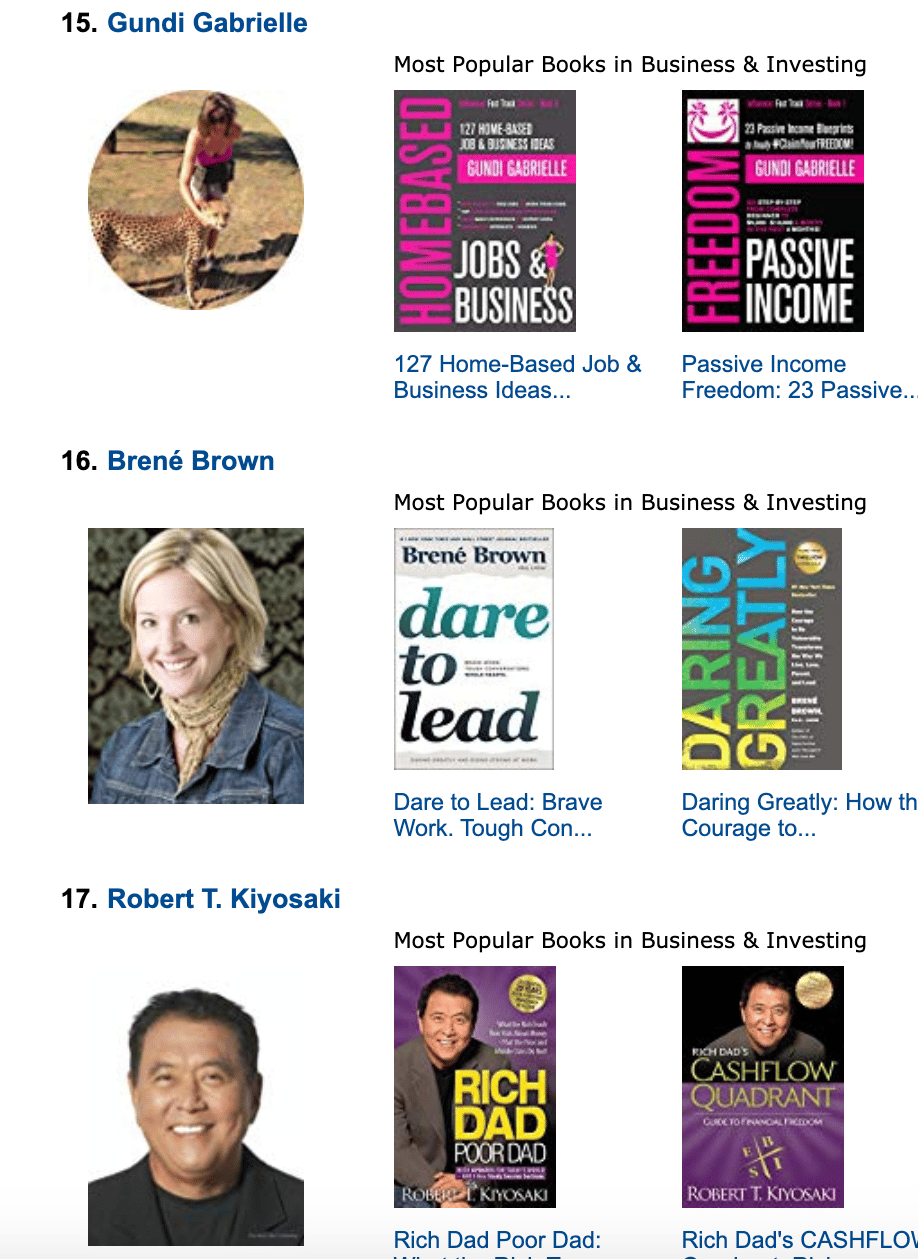
Along the way, I sold over 350,000 books, and was listed in Amazon's Top 100 Business Author Charts, ahead of authors like Simon Sinek, Brené Brown, Tim Ferriss, Robert Kiyosaki, or Brian Tracy.
No traditional publisher. No massive budget. Just understanding Amazon's algorithm and researching what readers actually want.
In my earlier years, I was a classical conductor & organist, touring the world, incl. Carnegie Hall & a performance for the Pope on St. Peter's Square.
These days, I love traveling as a Digital Nomad and orchestrating busy AI Agents 😎. Out of that came Golden Bestseller Empire — the All-In-One AI Book Publishing Studio now helping authors around the world.
Can't wait to see you inside & help you publish your dream:
Featured In:
More from the Golden Bestseller Blog
Amazon KDP Publishing Guide
What Is KDP Select? How Kindle+ Page Reads, Free Days and Countdown Deals Work
What is KDP Select? Amazon's free 90-day program for your Kindle ebook: how Kindle+ page reads pay, Free Book Promotions, Kindle Countdown Deals and the exclusivity rule.
Amazon KDP Publishing Guide
Is Amazon KDP Worth It? What It Costs, What You Get and the Mistake to Avoid
Is Amazon KDP worth it? What publishing on KDP really costs, what you get back, why most books don't sell, and 5 steps to make Amazon KDP worth your time.
Amazon KDP Publishing Guide
What Is Amazon KDP? Kindle Direct Publishing Explained for Authors
What is Amazon KDP? Kindle Direct Publishing explained in plain English: what you can publish, how authors get paid, KDP Select, the 7 steps to publish, ISBNs and the AI rules.
Want a faster way to plan and price your next book?
Golden Bestseller Empire's AI publishing tools help with exactly this kind of decision.