
Knowledge Graph vs Keywords: Why Keywords Alone Aren't Enough on Amazon Anymore
Knowledge graph vs keywords on Amazon, in plain English: what each one does, why Amazon says search is not just matching keywords anymore, and how to use both. The seven backend keywords are only a small help.
Main Keywords
Title, subtitle, description do the heavy lifting; 7 backend keywords are a smaller help
Amazon Says
Search is "not just about matching keywords anymore"
Knowledge Graph
6.3M nodes and 29M connections in Amazon's COSMO
Books
15 COSMO relations plus Author, Series and Format = 18

By Gundi Gabrielle
14 min read
Here's the short version of knowledge graph vs keywords: you need both, but keywords alone don't cut it anymore.
Amazon said it in writing: "It's not just about matching keywords anymore—it's understanding what customers are actually looking to buy."
Sound like a big shift...? It is. But once you see how the two fit together, it gets simple. And it's actually good news for you. Let's walk through knowledge graph vs keywords one step at a time.
One thing before we start, because it trips up almost everyone. When I say "keywords" in this post, I mean the main keywords in your title, subtitle and description. I do not mean the seven little keyword boxes in KDP. Those are a smaller help, and I'll show you exactly where they fit.
This post is part of my Amazon KDP algorithm guide.
What is the real difference in knowledge graph vs keywords?
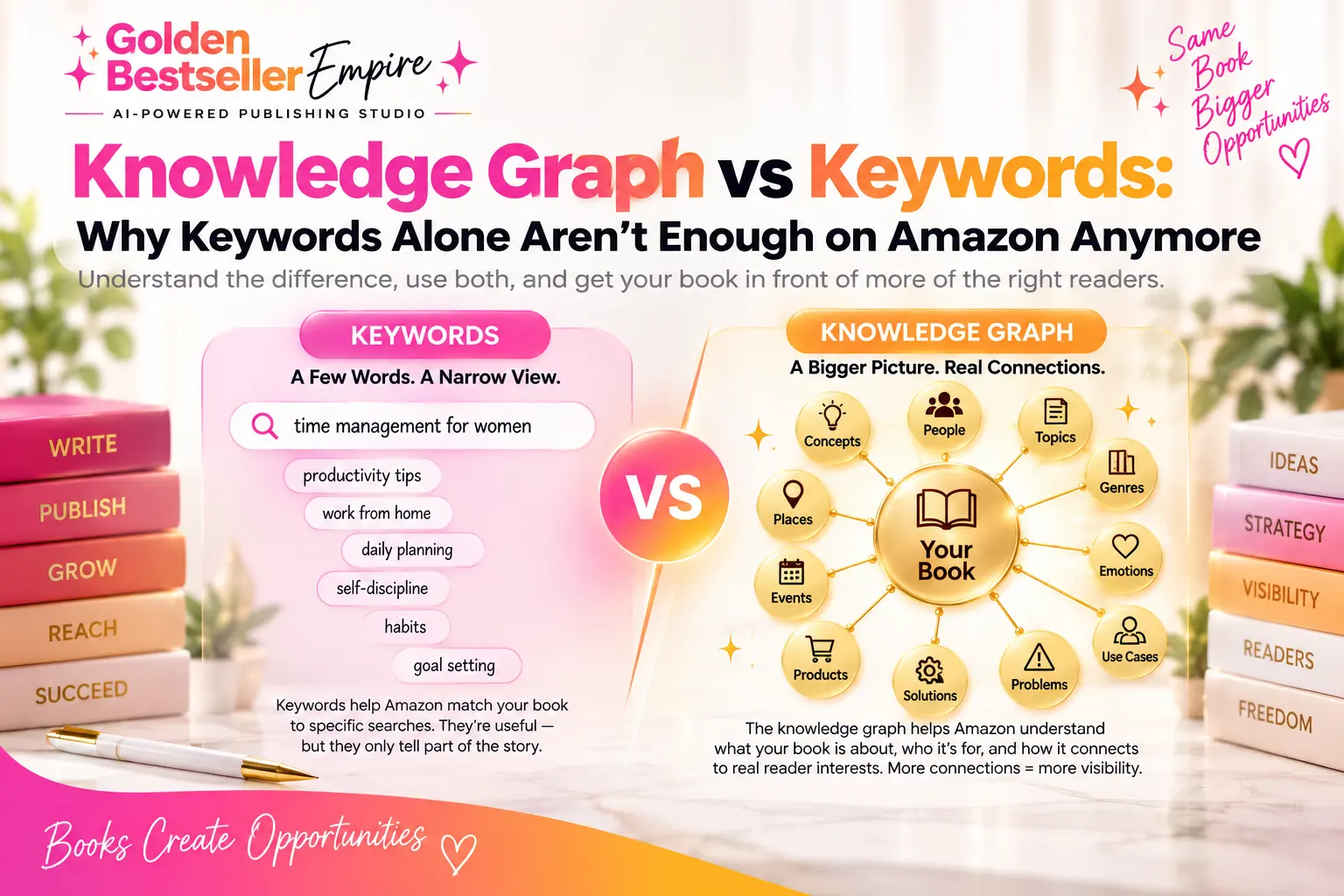
Keywords are the phrases you want your book to show up for. The strongest ones live in your title, subtitle and description. A knowledge graph is a map of how things connect: who the book is for, what it does for them, and when they'd use it.
Think of it this way. A keyword says "burnout." A knowledge graph says "this book is for a working mom, who feels guilty at 6pm, and wants to feel calm."
Same book. One is a word. The other is the whole story behind the word.
Here's the knowledge graph vs keywords split in one glance:
| Keywords | Knowledge graph | |
|---|---|---|
| --- | --- | --- |
| **What it is** | The words and phrases people type | A map of who, what, why and when |
| **Where it lives** | Title, subtitle, description (plus a smaller help in the seven backend boxes) | Behind your whole book plan and listing |
| **What it answers** | "Which words match?" | "What does this shopper really want?" |
| **Best at** | Getting found when people type | Getting understood when people ask |
👑 Want the map and the keywords from one plan? Golden Bestseller Empire builds both for you. → See how it works
Knowledge graph vs keywords: which keywords matter most?
The main keywords in your title, subtitle and description matter most. They do the heavy lifting. The seven backend keywords you type into KDP are a smaller, supporting help.
I see authors mix these up all the time. They hear "keywords" and think of the seven boxes in KDP. That's the smaller piece. Here's the order I teach, from biggest to smallest:
- Your title and subtitle. The words a shopper sees first, and the clearest signal of who the book is for.
- Your description. Where you say it again in full sentences, in the words your reader uses.
- Your seven backend keywords. A smaller help that backs up the three above. Never the foundation.
So in the knowledge graph vs keywords question, the keywords that count are the ones your reader actually sees. Don't spend three days on the seven boxes and ten minutes on your subtitle. :) Remember that whenever someone argues about knowledge graph vs keywords.
How do the seven backend keywords fit in?
They back up your main keywords, nothing more. KDP gives you up to seven keywords or short phrases, and says that along with factors like sales history and Amazon Best Sellers Rank, relevant keywords can improve your placement in search.
Notice the wording... they can improve your placement, next to other things. They don't decide whether your book gets found.
Here's how I'd use the seven boxes:
- Use 2-3 word phrases a reader would really type, like "working mom stress."
- Don't repeat words already in your title and subtitle. Use the boxes for new angles.
- Think beyond the topic. KDP lists things like setting, character types, plot themes and tone, so "single dad" or "small town" counts.
- Fill them last, after your title, subtitle and description are done.
One rule: keep them honest. KDP's metadata guidelines say keywords must describe your book's central storyline, and that KDP does not tolerate keywords that "mislead or manipulate our customers."
Does Amazon read the words inside my book too?
Yes. Amazon reads the inside of your book, and that's another reason a keyword list alone isn't enough. KDP's Read Sample page says: "we use the actual words that match inside the book to return the best possible selection of books."
So your introduction, chapter titles and subheadings are searchable. Every one of them. No box to fill in, no extra work. You just write the book clearly for your reader. It's one more reason the knowledge graph vs keywords answer is "both."
What changed in knowledge graph vs keywords at Amazon?
Amazon's search now tries to understand what the shopper wants, not only the words they typed. That's the "not just about matching keywords" part.
On May 13, 2026, Amazon's shopping assistant Rufus was renamed Alexa for Shopping. Amazon's announcement says it draws on the product catalog, customer reviews and community Q&As, and it now has account memory. You find it in the Amazon app menu, not in the search bar. It's a big part of why knowledge graph vs keywords matters in 2026. The search bar is still the regular keyword search.
So now you have two doors into your book. A shopper types words into the search bar... or a shopper asks a question in plain language. Your listing has to work for both. That's the practical side of knowledge graph vs keywords.
👑 Want a listing that answers questions, not just searches? Golden Bestseller Empire builds it from your book plan. → See the listing tools
What does Amazon use instead of a keyword list?
It uses a knowledge graph called COSMO. A knowledge graph is just a giant web of things connected by reasons. COSMO is Amazon's version, and it's built from what real shoppers do.
Amazon published how it works in the COSMO research paper. Here's the idea in plain words:
- Amazon looks at what people searched, then bought.
- It looks at what people bought together.
- A language model figures out the reason behind each pair.
- People check a sample of those reasons, and the weak ones get thrown out.
The paper says older shopping graphs held lots of product facts but "fail to discover user intentions." Amazon's example: a shopper wants shoes for pregnant women, so the graph connects slip-resistant shoes to that audience. Nobody typed "slip-resistant." The graph knew the reason.
The graph has 6.3 million nodes and 29 million connections. Every connection has a type, like "used for audience" or "used for event." This is why knowledge graph vs keywords is not a small topic for authors.
What kinds of connections does the graph use?
The paper lists 15 relation types, and they cover who it's for, what it does, and when and where it's used. A relation is just the label on a connection.
I use the same 15 for books, plus three that only matter for books: Author, Series and Format. That makes 18, in six groups:
- Audience: who the book is for
- Classification: what kind of book it is
- Functional: what it does
- Context: the daily moment, the place, the season
- Interest and desire: what the reader wants
- Book specific: Author, Series, Format
I walk through every one in the COSMO relations guide. The one most people skip is Context. A mom who reads at 5pm chaos, school drop-off and bedtime gives Amazon three more ways to find your book.
Is COSMO what ranks my book?
No. COSMO is not the ranking algorithm. It's the part that figures out what the shopper means and finds the right books for it.
The ranking itself is still Amazon's A9/A10 search system, which looks at sales velocity, conversion rate and relevance. COSMO hands over the right candidates. Then A9 puts them in order. Keep that in mind in any knowledge graph vs keywords debate.
That's why you need both halves. Clear main keywords in your title, subtitle and description tell Amazon what words your book matches. The knowledge graph makes sure Amazon understands what your book is about, so it shows up for the right shopper. More in my Amazon COSMO algorithm guide and the A10 guide.
In Amazon's own tests, the extra knowledge paid off. Adding COSMO's relations to a search relevance model improved Macro F1 by 60.06% over the best baseline with frozen encoders, and by 27.81% with trainable ones. In a test on about 10% of U.S. traffic over several months, search navigation using COSMO gave a 0.7% relative increase in product sales.
👑 Want Amazon to understand your book? Golden Bestseller Empire maps all 18 signals for you. → See the knowledge graph
Why does one clear idea beat five vague ones?
Because COSMO trusts the most typical reason people buy. This is the clearest lesson in knowledge graph vs keywords. In the paper, about 35% of search-to-purchase connections were typical, compared with about 9% for co-purchases.
In plain words: "typical" means what most buyers in your niche really want. "Plausible" means what only a few buyers want.
So don't try to be everything. Pick the one reason most readers in your niche show up for, and be crystal clear about it. If a theme is an edge case, even a real one, cut it.
That one idea is your Core Node. It's three to five words: the reader, their main problem, and the change they get. Something like "Working Mom Guilt Reset." It's not your title. It's the territory your book owns. Pick it before you touch a keyword, and the knowledge graph vs keywords choice gets easy.
What does a knowledge graph for a book look like?
It has your Core Node in the center and connects it to the reader, the outcome, the situation and the pairings. Around it sit the six groups from above.
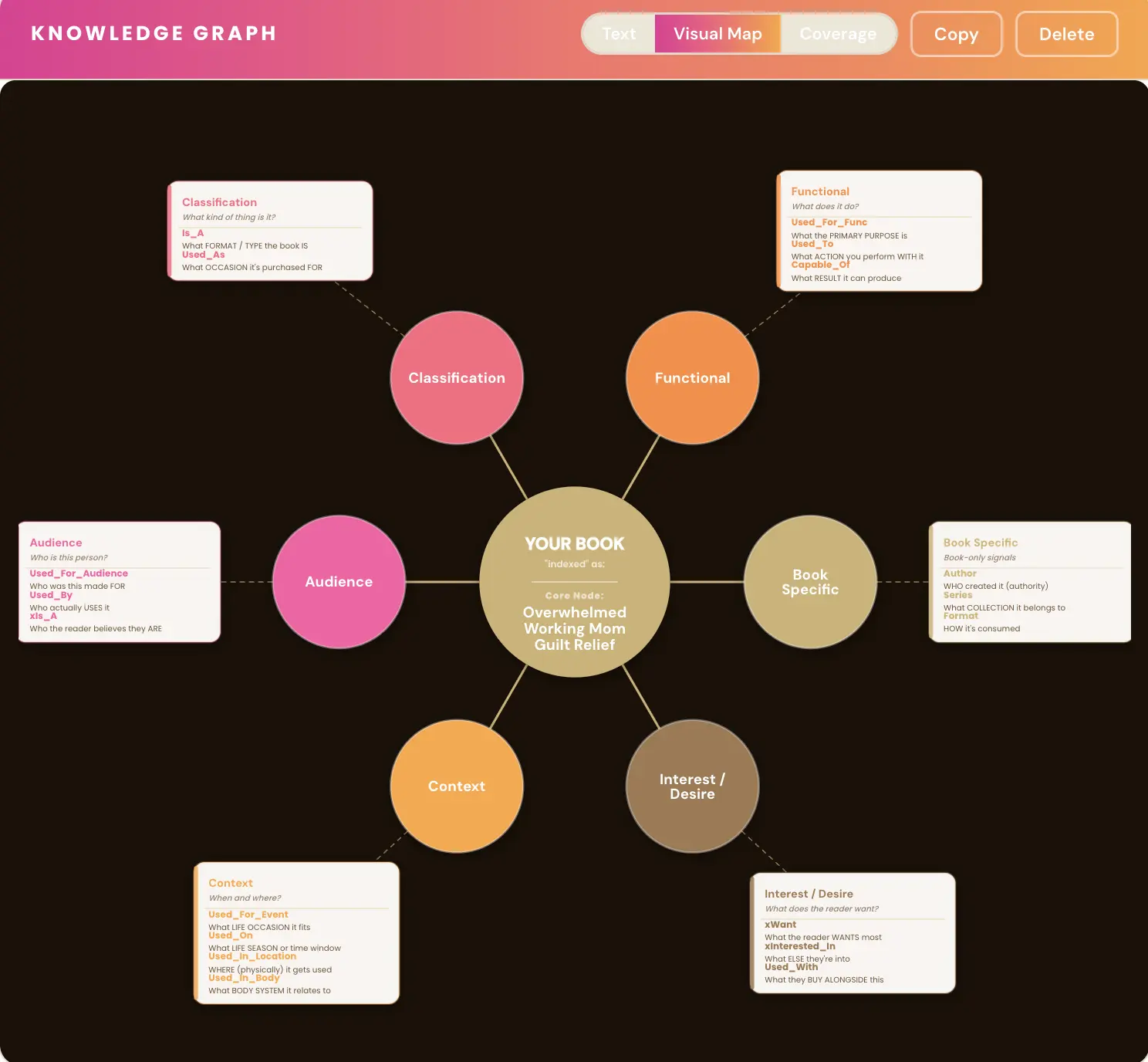
That's example output for a sample book. The app also shows the same thing as a coverage table: the 15 COSMO signals plus the 3 book-specific ones. For the basics, see what is a knowledge graph.
Each idea in the graph comes in three forms. The concept itself (say, mom guilt). The phrase you put in your text ("mom guilt," "guilt spiral"). And the way a reader asks for it ("why do I feel so guilty after work?"). Same idea, three ways of saying it. Seeing those three forms side by side is the heart of knowledge graph vs keywords.
How does Golden Bestseller Empire build the graph?
The Book Planner turns your answers into a blueprint, and the blueprint becomes algorithm-ready outlines and your knowledge graph. I don't know of another app that does this.
You answer questions about why your book is different, your authority, your reader, their biggest worry, their objections and the outcome they want. Then the Knowledge Graph Generator loads that blueprint and proposes your Core Node. You can edit it or regenerate it before you move on.
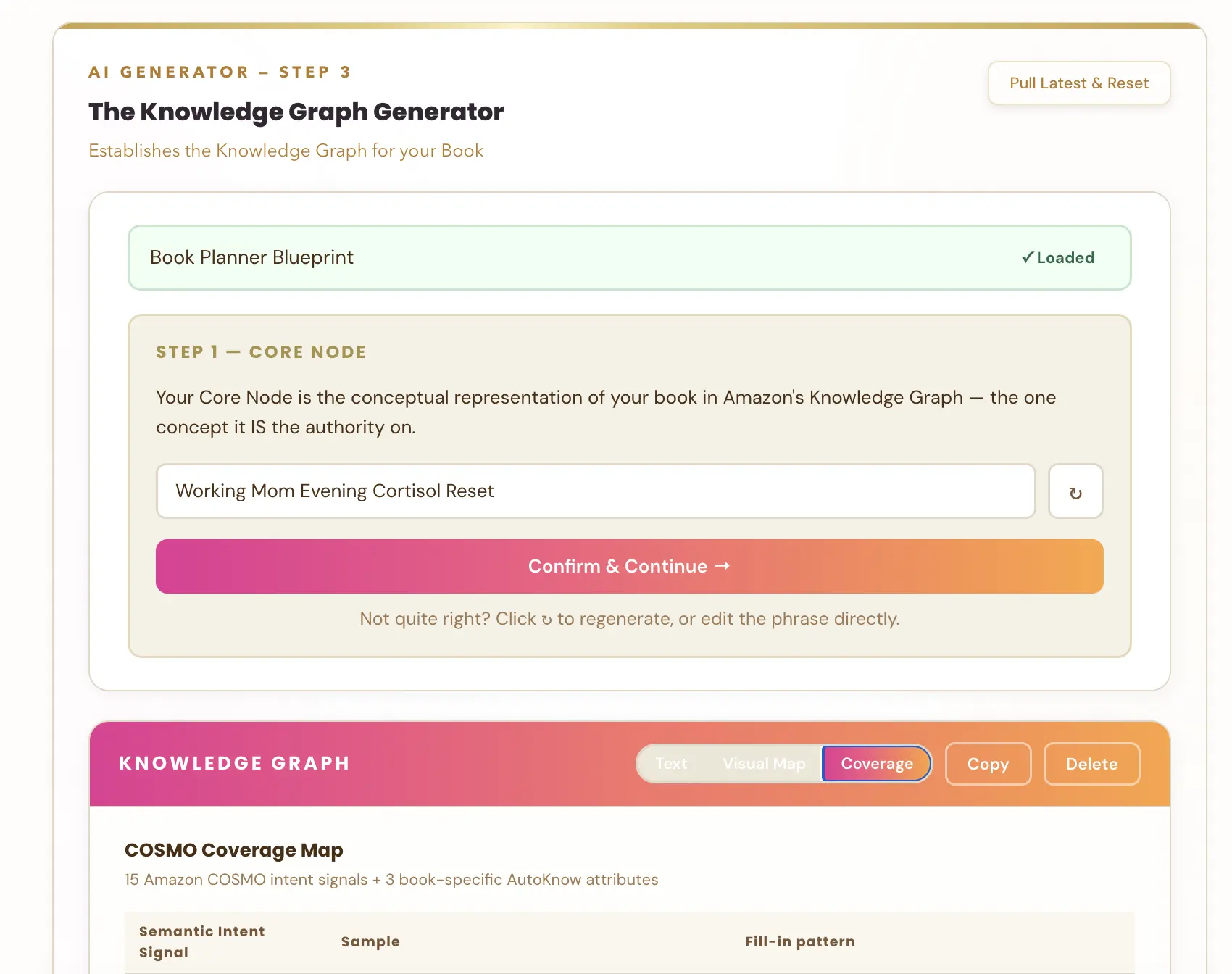
That screenshot is from a test account, so the book isn't real. You write (or dictate) the book yourself. The app maps the plan and the whole publishing process around it.
Already published? Run the book through the Book Planner and rebuild your listing. A published book can win the knowledge graph vs keywords game too.
👑 Ready to build yours? Golden Bestseller Empire starts with the Book Planner. → Start planning
Where does the knowledge graph vs keywords question change your listing?
The graph decides what your keywords say. Your title, subtitle and description get written from it first, and the seven backend keywords come last. The same map feeds your book description, your A+ content, your backend keywords, your translations and your Amazon ads keywords.
That means your title, description and keywords all say the same thing. KDP wants the same kind of consistency: its metadata guidelines say your cover's title, subtitle, author name and series should match the metadata fields.
Want the details? I wrote about writing a listing that's ready for AI shopping.
How do I turn a knowledge graph into keywords step by step?
Start from the graph, then write outward. This is how knowledge graph vs keywords works in practice. Here's the quick checklist I'd follow:
- Write your Core Node. The reader, their main problem and the change they get, in three to five words.
- List the reader's words. What would they type or ask? "Why do I feel so guilty after work?" is a real search.
- Build your title and subtitle first. Put the clearest version of the reader and the change in them.
- Write your description using the same words in short, plain sentences.
- Fill the seven backend boxes last, with new 2-3 word phrases you haven't used yet.
- Check them all together. Read your title, subtitle, description and boxes side by side. Do they tell one story?
If one of them tells a different story, fix it. One clear idea, said the same way everywhere, is exactly what the graph wants to see. That is how you make knowledge graph vs keywords work in your favor.
What does a good example of knowledge graph vs keywords look like?
Take the Working Mom Guilt Reset book. Here's knowledge graph vs keywords on a real-looking book. A keywords-only author writes "burnout, stress, self-help, mom" and calls it done. That's four vague words and no story. Keywords-only thinking stops right there.
With the graph, the same author knows the reader is a working mom, the problem is guilt at 6pm, and the change is feeling calm. So she writes a subtitle that says exactly that, a description that opens with the 6pm moment, and backend phrases like "mom guilt relief" and "after work calm."
Same book. A clearer listing, and every piece points at the same reader. That's the real gain in knowledge graph vs keywords: you stop guessing at words and start choosing them on purpose.
Mistakes to avoid when you mix a knowledge graph with keywords
The biggest one is treating the seven boxes as the whole job. Here are the others I see most:
- Stuffing. Cramming every word you can think of into the title. It reads badly and it can break KDP's rules.
- Too many ideas. Five vague themes instead of one clear Core Node.
- Mismatched pieces. A title about one thing and a description about another.
- Skipping the reader's own words. Using industry words your reader would never type.
- Ignoring the inside of the book. Your subheadings are searchable too.
Avoid these, and the knowledge graph vs keywords combo works for you instead of against you.
Related reading
- What is a knowledge graph? The basics, in plain English.
- The Amazon COSMO algorithm guide How Amazon figures out what shoppers mean.
- A listing that's ready for AI shopping Put the graph to work on your book page.
So which one should you use: knowledge graph vs keywords?
Both, in this order: knowledge graph first, then the main keywords built from it, then the seven backend keywords as a small extra.
Main keywords get you found when people type. The graph gets your book understood when people ask. And since the graph builds your keywords for you, it's less work, not more. :)
I used Golden Bestseller Empire to write and publish AI for Beginners, the first book in my Blissful Kittens Explain series. It was faster and easier, and it hit #1 within 3 days. See it on Amazon.
Let's rock it! For the bigger picture, read how AI fits into book publishing, and keep an eye on the latest Amazon KDP updates. That's the whole story of knowledge graph vs keywords.
Frequently Asked Questions
What is the difference between a knowledge graph and keywords?
Keywords are the words and short phrases you want your book to show up for, and the main ones live in your title, subtitle and description. A knowledge graph is a map of why people buy it: who it's for, what it does, and when they use it. In knowledge graph vs keywords, the graph comes first and your keywords come out of it.
Are the seven backend keywords the most important keywords?
No. The main keywords in your title, subtitle and description do the heavy lifting. The seven backend keywords in KDP are a smaller, supporting help. KDP says relevant keywords can improve your placement in search along with factors like sales history and Amazon Best Sellers Rank.
Does Amazon read the words inside my book?
Yes. KDP says it uses the actual words that match inside the book to return the best possible selection of books. That makes your introduction, chapter titles and subheadings searchable.
Is COSMO the Amazon ranking algorithm?
No. COSMO figures out what the shopper means and finds the right books. The ranking itself is Amazon's A9/A10 system, based on sales velocity, conversion rate and relevance.
How do I use a knowledge graph and keywords together?
Build the graph first: your reader, their problem, the outcome and the daily situation. Write your title, subtitle and description in the words a reader would type. Then fill the seven backend keywords last, with new 2-3 word phrases you haven't used yet.
What is a Core Node?
It's the one idea your book is the authority on, in three to five words: the reader, their main problem and the change they get, like Working Mom Guilt Reset. It's not your title. It's the territory your book owns.
Sources & Citations
- KDP Help: Make Your Book More Discoverable with Keywords
- KDP Help: Metadata Guidelines for Books
- KDP Help: Read Sample (Look Inside the Book)
- Amazon: How Amazon is using generative and agentic AI to transform shopping
- Amazon: Rufus is now Alexa for Shopping (announcement)
- COSMO: A Large-Scale E-commerce Common Sense Knowledge Generation and Serving System at Amazon (SIGMOD-Companion 2024)
This page is maintained independently and is not affiliated with Amazon. Always double-check the latest numbers inside your own KDP account before making pricing decisions.
Found this useful? Get more of this site in your Google.
One tap adds us as a preferred source — Google then shows you our posts more often in Search, Top Stories, and AI Overviews.
Created By

Top 100 Business Author · Carnegie Hall Conductor · Founder of Golden Bestseller Empire
Hey, I'm Gundi, and for over a decade, I've helped thousands of everyday people turn what they know into a bestselling book.
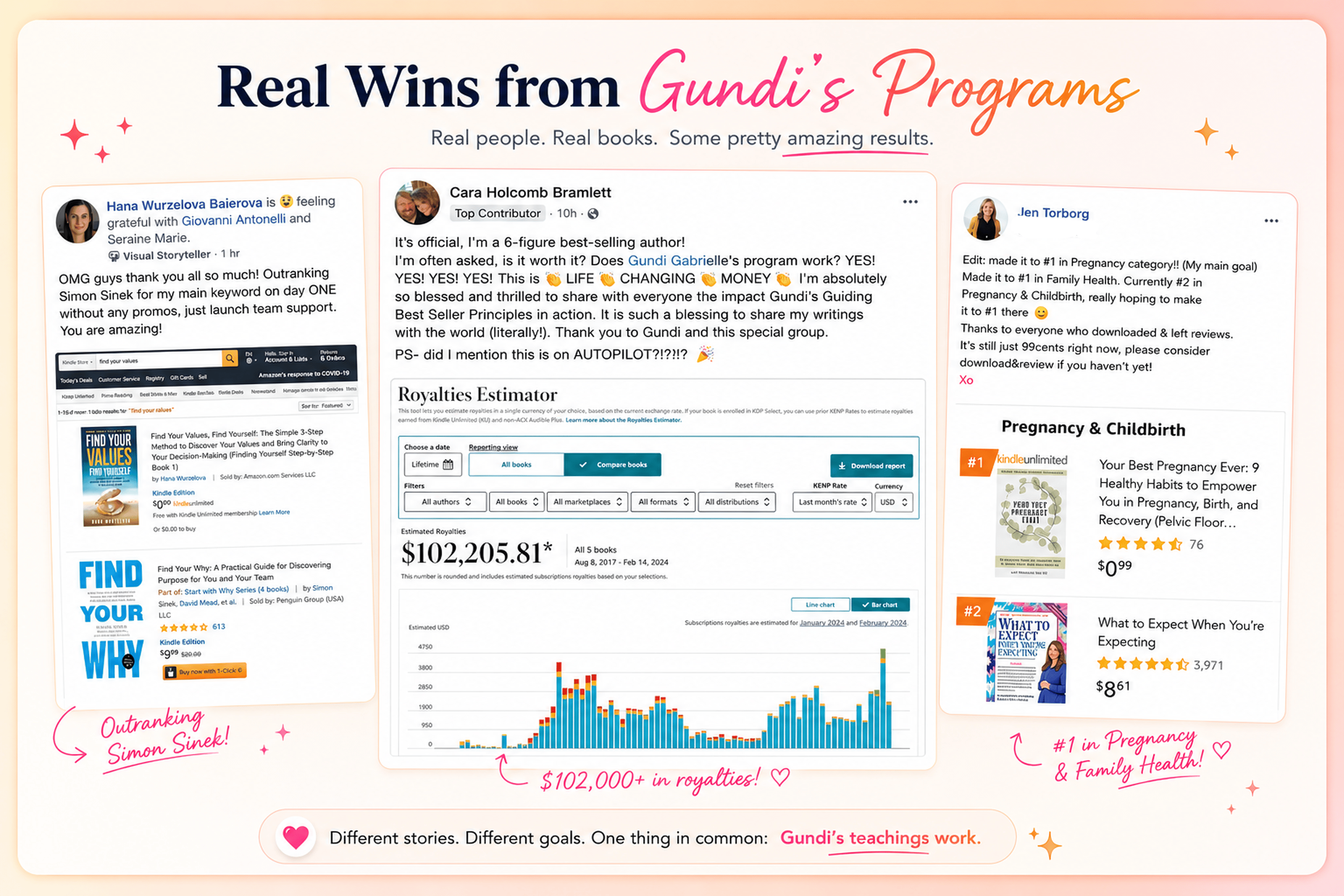
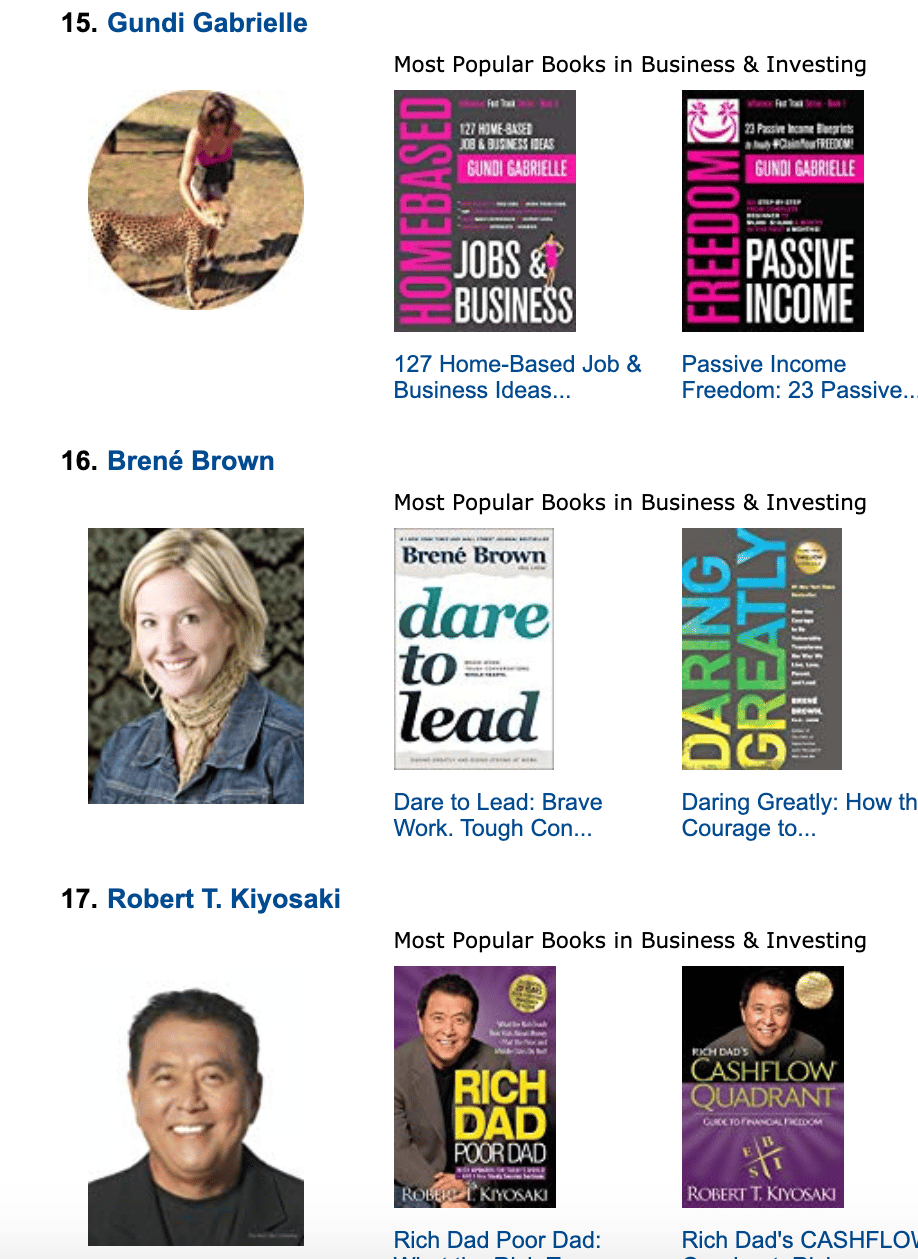
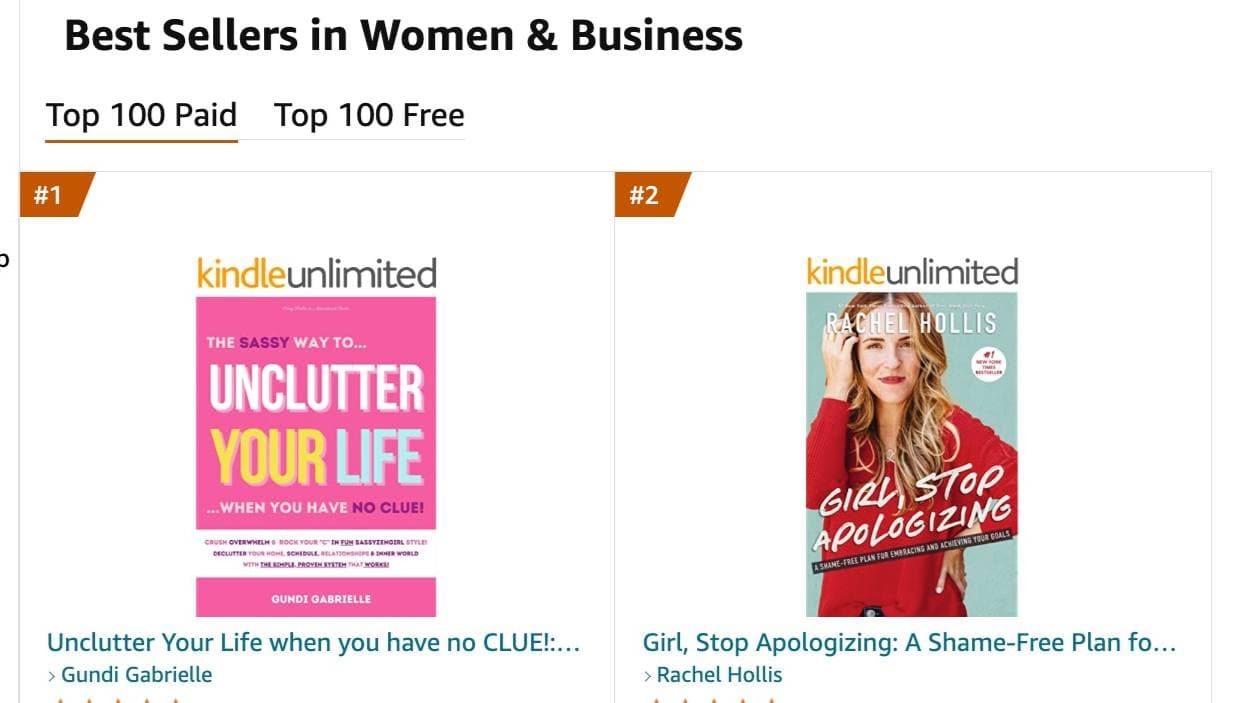
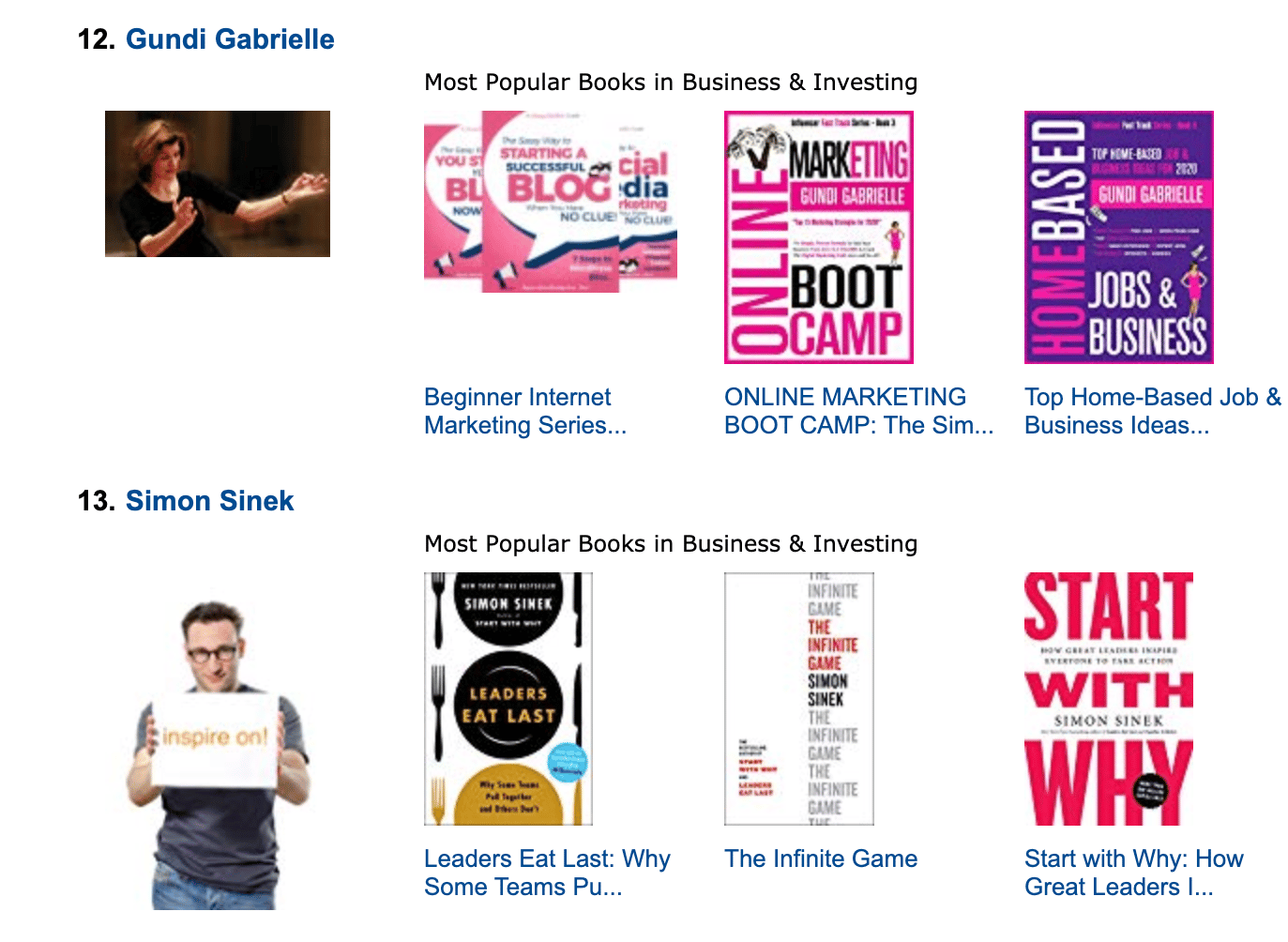
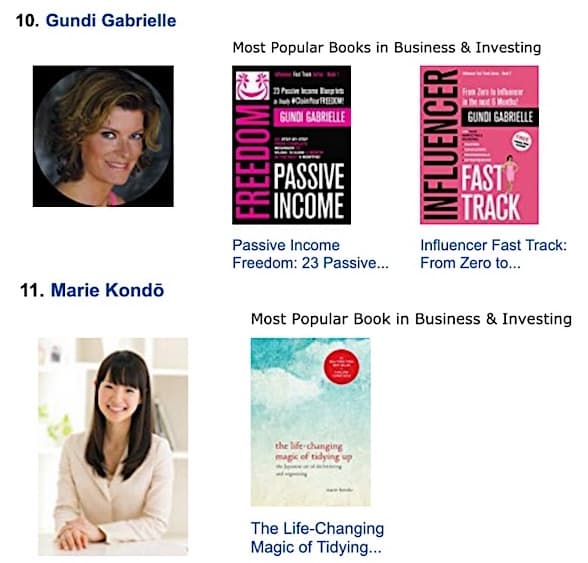
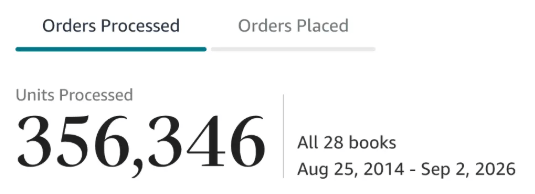
Along the way, I sold over 350,000 books, and was listed in Amazon's Top 100 Business Author Charts, ahead of authors like Simon Sinek, Brené Brown, Tim Ferriss, Robert Kiyosaki, or Brian Tracy.
No traditional publisher. No massive budget. Just understanding Amazon's algorithm and researching what readers actually want.
In my earlier years, I was a classical conductor & organist, touring the world, incl. Carnegie Hall & a performance for the Pope on St. Peter's Square.
These days, I love traveling as a Digital Nomad and orchestrating busy AI Agents 😎. Out of that came Golden Bestseller Empire — a complete AI-Powered Book Publishing Studio now helping authors around the world.
Can't wait to see you inside & help you publish your dream:
Featured In:
More on the Amazon Book Algorithm
Amazon Algorithm
Amazon KDP Algorithm: How It Works in 2027 (Amazon's New AI Algorithm Explained)
How the Amazon KDP algorithm works in 2027: keywords and sales, COSMO, Alexa for Shopping, and how a knowledge graph gets your book found.
Amazon Algorithm
Amazon COSMO Algorithm: What It Is and How Authors Can Use It
The Amazon COSMO algorithm maps why people buy. Here is what it is, what Amazon's own paper shows, and how to use it for your book, in plain English.
Amazon Algorithm
Alexa for Shopping for Authors: What Changed and What to Do
Alexa for Shopping replaced Rufus on May 13, 2026. Here is how it works for books and exactly what to put in your listing so readers get pointed to you.
Amazon Algorithm
Amazon A10 Algorithm for Authors: How It Ranks Your Book
The Amazon A10 algorithm decides which book shows up first. Here is how it works, where COSMO fits in, and what to do about it.
Amazon Algorithm
Amazon Book Ranking Algorithm: What Really Moves Your Book Up
The Amazon book ranking algorithm in plain English: what KDP says counts, what Best Sellers Rank really measures, and what you can do about it.
Amazon Algorithm
What Is a Knowledge Graph for a Book? A Plain-English Guide for Authors
A knowledge graph for a book is a simple map of who it's for, what it does and when it's used. Here's what it is, why Amazon cares, and how to build yours.
Amazon Algorithm
COSMO and Alexa for Shopping: How They Work Together
COSMO figures out what a shopper means. Alexa for Shopping talks to them about it. Here is how COSMO and Alexa for Shopping fit together, in plain English, and what to do as an author.
Amazon Algorithm
COSMO Relations for Books: All 15 Explained (Plus the 3 Extra Ones for Authors)
The 15 COSMO relations from Amazon's paper explain why people buy. Here is each one in plain words, with the paper's example and what it looks like for a book.
Amazon Book Pages
Is Your Amazon Book Page Ready for AI Shopping?
Amazon's shopping assistant now answers questions and compares products in the search bar. Here's what that means for your Amazon book page, and what to check.
Amazon Algorithm
AI-Generated Books and the Amazon Algorithm: Why Specific Beats Generic
AI-generated books can rank on Amazon but rarely sell. Here is what KDP makes you disclose, why generic books lose, and the AI-assisted way to publish.
Want a faster way to plan and price your next book?
Golden Bestseller Empire's AI publishing tools help with exactly this kind of decision.