
Step 3 · BUILD: Build an AI-Friendly Book Structure
Will Amazon recommend your book? Your Blueprint becomes an Amazon-ready Knowledge Graph, then your outline and chapter details. Only Golden Bestseller Empire offers this.
Will Amazon recommend your book? In Step 3, Golden Bestseller Empire takes your Book Planner Blueprint and optimizes it, so Amazon's AI can easily find your book and recommend it to the right reader. Your Architecture Team handles the technical part.
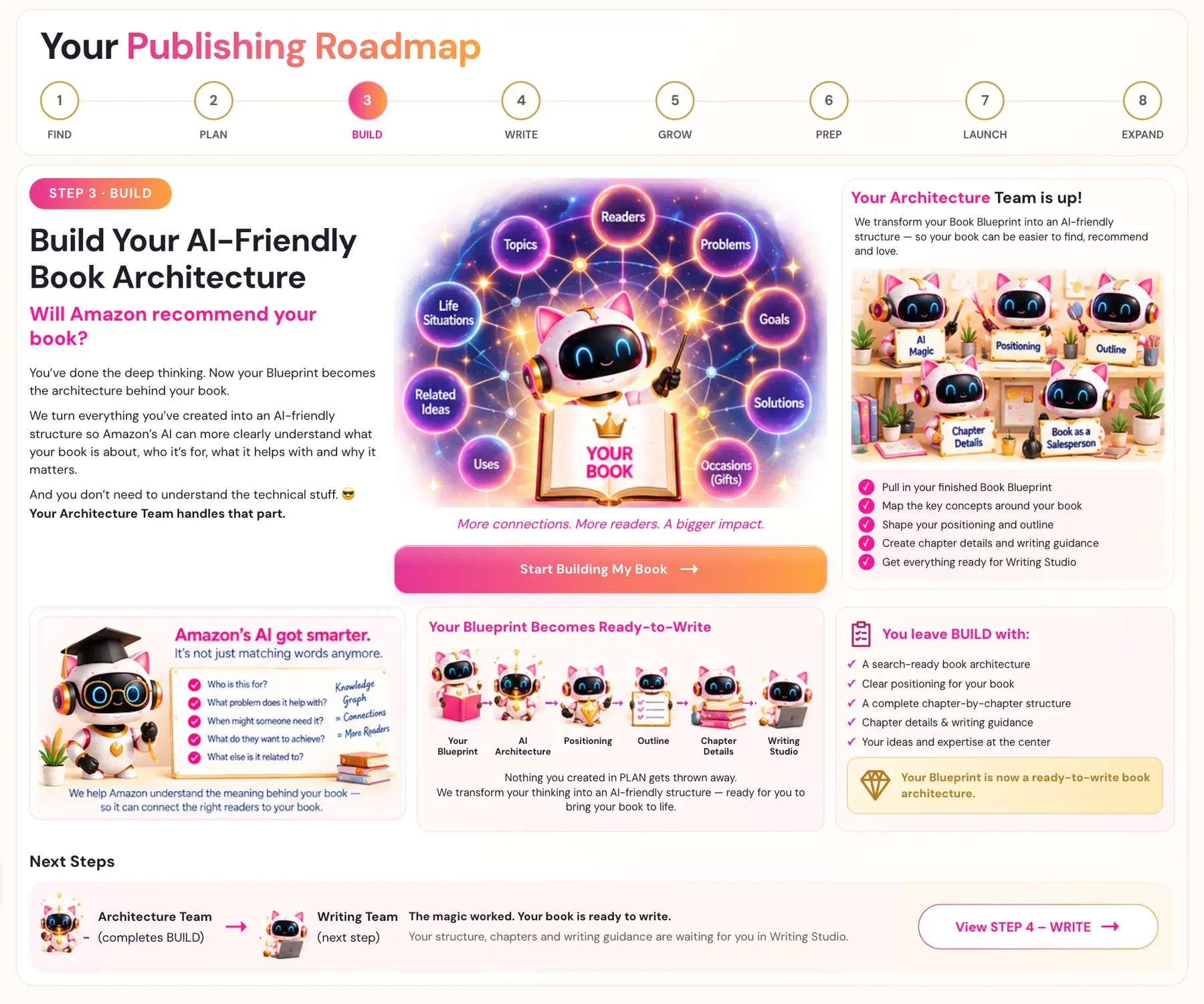
What Is Step 3 · BUILD?
You have done the deep thinking in the Book Planner. Now your Blueprint becomes the architecture behind your book. Golden Bestseller Empire takes everything you created in the Book Planner and optimizes it with your information, so Amazon's AI can find your book and recommend it to the right reader. Nothing you created is lost. It is all kept and built upon.
You do not need to understand the technical side. Your Architecture Team handles it. They pull in your finished Blueprint, map the key concepts around your book, shape your positioning and your outline, create your chapter details and writing guidance, and get everything ready for the Writing Studio.
How Amazon Now Recommends Books
Amazon used to match search terms, the keywords. Now it uses a web of relations. Its AI recognizes 15 kinds of relationship between what a shopper intends and a product, and it uses them to recommend books. They cover who a book is for, what problem it solves, when someone needs it, what they want to achieve and what else it relates to.
So your manuscript and your sales pages need to contain these relations. You don't need to worry. Your readers will not notice them. It takes just a few subtle changes, and they can make all the difference. Amazon has also confirmed that it reads the whole manuscript, so this matters inside your book too.
Only Golden Bestseller Empire Offers This
Golden Bestseller Empire converts your Book Planner Blueprint into an Amazon-ready Knowledge Graph. This is the web of relationships Amazon's AI uses to understand your book. It then creates your book outline and your chapter details from that Knowledge Graph. Only Golden Bestseller Empire offers this.
The same Knowledge Graph also shapes your Amazon book page, your bestseller categories, your Amazon Ads and your translations. Every place Amazon looks then sends the same signals.
A Knowledge Graph is a web of connections. It shows who the book is for, what problem it helps with, when someone might need it, what they want to achieve and what else it relates to. More connections mean more readers. Your book connects topics, readers, problems, goals, solutions, occasions, uses, related ideas and real-life situations.
From Blueprint to Ready-to-Write
Your Blueprint goes through AI Architecture, Positioning, Outline and Chapter Details, and ends in the Writing Studio. Four generators take you there, in this order:
- Knowledge Graph Generator. Converts your Blueprint into your Amazon-ready Knowledge Graph.
- Big Promise Generator. Crafts the hook and the transformation promise for your specific reader.
- Book Outline Generator. Creates your full chapter-by-chapter outline.
- Chapter Detail Generator. Expands each chapter into detailed sections with writer's prompts, subheaders and goals.
Three lessons explain the ideas behind the tools: The Big AI Shift, How Amazon's Knowledge Graph Works and Alexa for Shopping. The last lesson is Your Book as a Salesperson.
How to Begin
Click Start Building My Book → on the Step 3 Roadmap page, or choose STEP 3 · BUILD in the left sidebar. Finish your Book Planner first. Everything in Step 3 builds on your Blueprint.
Your Results From Step 3
- A search-ready book architecture
- Clear positioning for your book
- A complete chapter-by-chapter structure
- Chapter details and writing guidance
- Your ideas and expertise at the center
Your Blueprint is now a ready-to-write book architecture.
If Something Goes Wrong
The four generators use the saved work of the book you have selected.
- Generate is greyed out. Finish the sources marked Not loaded for that book. Do not switch books just to turn the button on.
- An output says "Not saved yet". Keep the page open and click Retry saving, or copy the output before you leave. Retry saving makes no AI request. An unsaved output exists only on that open page. It is lost if you close the page or change books.
- A generation times out, or you see an error such as 502, 503 or 504. Wait a minute and click Generate again with the same inputs. Your saved outputs are safe. A new attempt may use tokens.
- It keeps failing. Contact support with the exact error, the generator name and the time.
Deleting a Step 3 output asks you to confirm first. If deleting fails, the output stays visible with an error, which means it was not removed. Deleting does not undo AI usage that already happened.
Your Next Step
Your Architecture Team hands over to your Writing Team in Step 4 · WRITE. The magic worked, and your book is ready to write. Your structure, your chapters and your writing guidance are waiting in the Writing Studio.
Last checked in the app: October 14, 2026.
Still Need Help?
Inside the app, the Course Coach answers your questions and guides you step by step. You can also write to us and we will get back to you.
Contact Support