
How to Choose Your Book Title and Subtitle
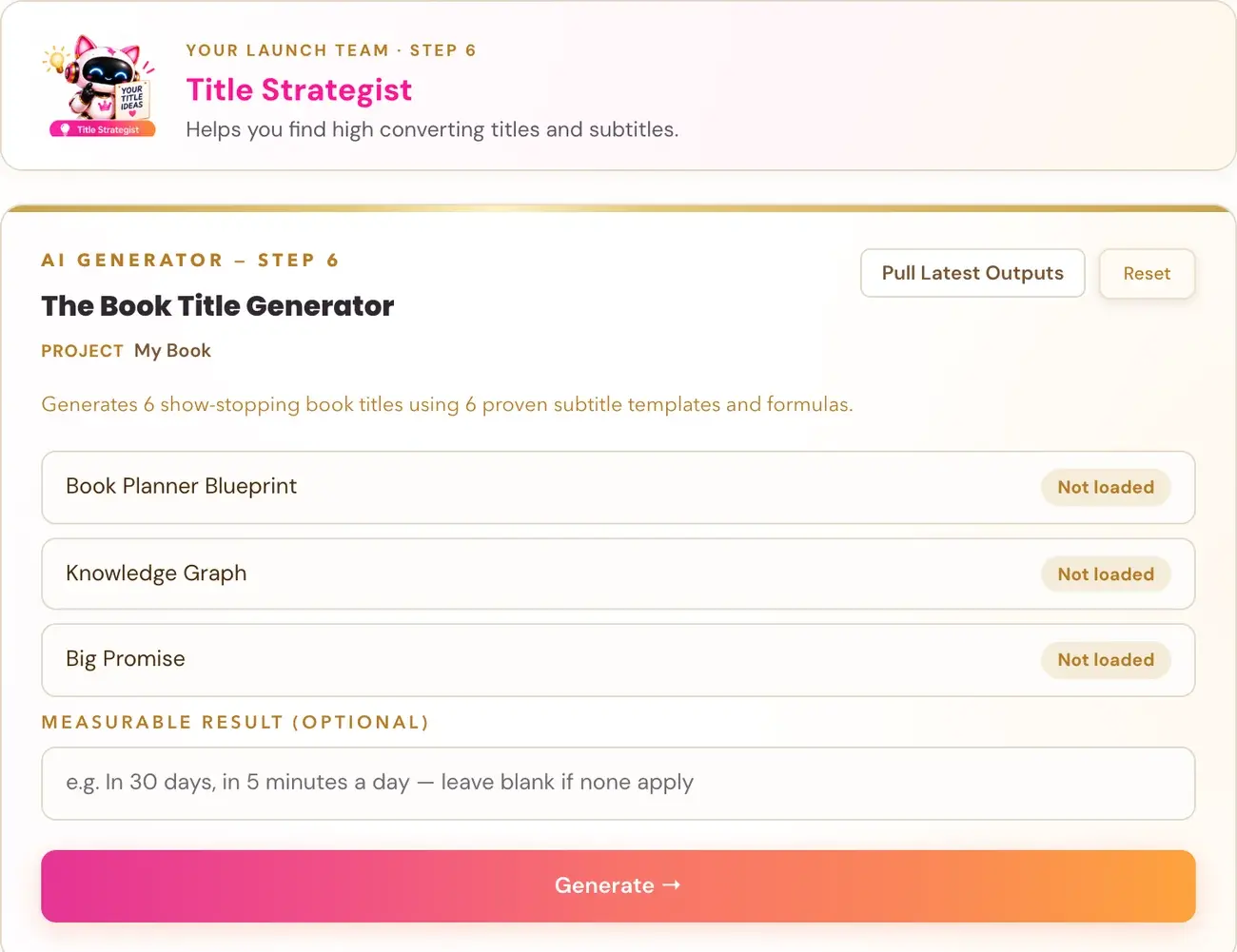
Use the Title Generator in the Step 6 High Converting Titles lesson to refine your working title into the title and subtitle for your Amazon storefront.
Open the High Converting Titles lesson in Step 6 · PREP and use the Title Generator. It is the tool that refines your working title into a title and subtitle for your Amazon storefront.
The roadmap lists a Title Strategist on your Storefront Team ("Find the best title") and says your Knowledge Graph and positioning flow into the storefront tools, including your title.
Where is the Title Generator?
- Click STEP 6 · PREP in the left sidebar and open the lessons.
- Choose the lesson High Converting Titles.
- Watch the video, then click Scroll down to the Generator or scroll down yourself.
On every lesson that has a generator, the video is at the top and the tool is further down the same page.
What does the Title Generator build on?
Remember all that smart work from BUILD? It's working again here. Your book's Knowledge Graph and positioning flow into the storefront tools so Amazon gets consistent signals about what your book is, who it's for and why it matters.
The working title you gave the Book Planner (Step 2 · Plan) is only a placeholder name. The Course Coach explains that you refine it later using the Title Generator.
Connecting your AI key is super easy, takes only a few seconds, and the app guides you through it step by step. The cost is free or minimal. See How do I connect my AI key?.
Why do the words in my title matter?
The Course Coach explains Amazon search in three gates. The first one is the title.
- Title keywords are the entry ticket. The right words in the title are non-negotiable. A book with an exact keyword match in the title regularly outranks books with thousands of reviews and no keyword match.
- Cover is the conversion gate. The algorithm cannot fix a bad cover. Humans scroll past before they read a word.
- Description and reviews are the purchase decision.
The Coach also describes how your title and subtitle fit the rest of your book. Your title and subtitle carry the same signals as the rest of your Knowledge Graph: the audience, the primary gap and the transformation.
What about my cover?
Your cover is part of the same decision. Step 6 has a lesson called Irresistible Covers, and the roadmap lists a Cover Designer ("Visuals that pop") on your Storefront Team. Your cover direction is one of the things you walk away with from Step 6.
Is there a bonus lesson on titles?
Yes. The Title Copywriting Masterclass on the Step 6 roadmap page: "Write titles and subtitles that get noticed, spark curiosity and sell." Click Start the Masterclass →.
What are Amazon's rules for titles?
Amazon sets rules for what a title and subtitle can contain. Read Amazon KDP Book Titles and Editions and Amazon KDP Metadata Guidelines before you finalize yours.
What happens next?
Your title and subtitle go into the Book Description Generator: its first input is "Book Title + Subtitle", which you type in yourself. See How do I use the Book Description Generator?. Choose your final title and subtitle before you move on.
Not sure where to start? The Course Coach inside the app guides you through each step, so you are never stuck on a button.
Related Articles
Last checked in the app: October 14, 2026.
Still Need Help?
Inside the app, the Course Coach answers your questions and guides you step by step. You can also write to us and we will get back to you.
Contact Support