
What Step 6 Is and What You Do There
Step 6 Prep builds your Amazon storefront, with title, description, A+ Content, author bio and backend search terms, all based on your Knowledge Graph.
Step 6 · PREP is where you build your storefront: the place where readers will actually discover and buy your book. The roadmap title is "Build Your Storefront", with the line "So Amazon recommends you & readers want you."
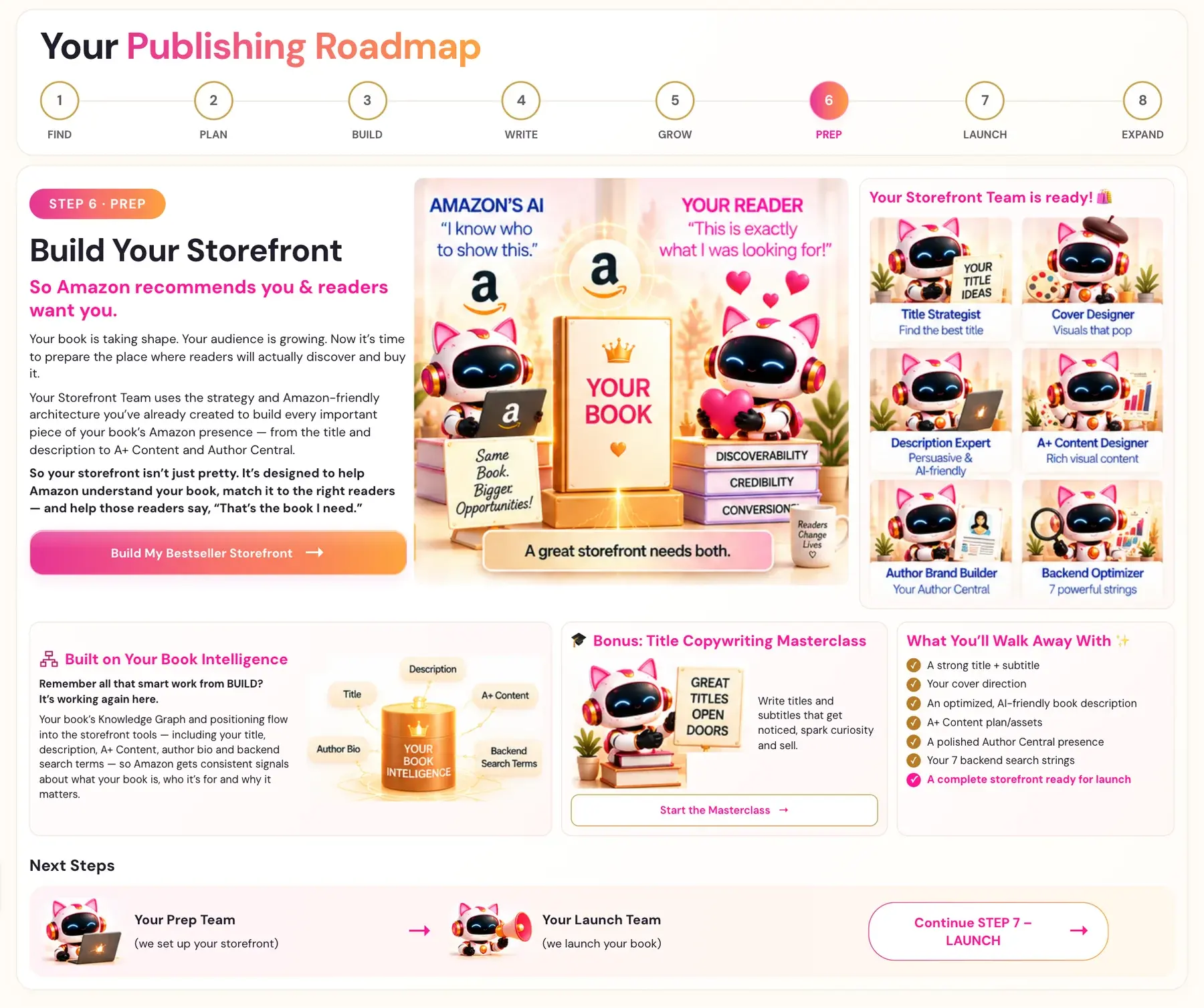
Your book is taking shape. Your audience is growing. Now it's time to prepare the place where readers will actually discover and buy it.
Your Storefront Team uses the strategy and Amazon-friendly architecture you have already created to build every important piece of your book's Amazon presence, from the title and description to A+ Content and Author Central. So your storefront isn't just pretty. It's designed to help Amazon understand your book, match it to the right readers — and help those readers say, "That's the book I need."
How do I open Step 6?
- Click STEP 6 · PREP in the left sidebar.
- The first time, you see the roadmap page. Click Build My Bestseller Storefront →.
- The Step 6 lessons open.
After you have started a step, clicking its sidebar tab goes straight to the lessons. The Roadmap menu at the top always shows the roadmap pages.
What lessons are in Step 6?
On a lesson page the video is at the top. When a lesson has a generator, the tool is further down the page, and right under the video a pink link, Scroll down to the Generator, takes you there.
| Lesson | Help article |
|---|---|
| Your Bestseller Storefront | This article |
| High Converting Titles | [Title and subtitle](/help/step-6-prep/title-and-subtitle-strategy) |
| Irresistible Covers | See the Cover Designer below |
| Optimized Book Descriptions | [Book description](/help/step-6-prep/book-description-generator) |
| A+ Content - The Visual Complement | [A+ Content plan](/help/step-6-prep/a-plus-content-plan) |
| Your Author Central Page | [Author Central profile](/help/step-6-prep/author-central-profile) |
| The 7 Backend Strings | [Backend search terms](/help/step-6-prep/backend-search-terms) |
The roadmap lists your Storefront Team:
- Title Strategist: find the best title
- Cover Designer: visuals that pop
- Description Expert: persuasive and AI-friendly
- A+ Content Designer: rich visual content
- Author Brand Builder: your Author Central
- Backend Optimizer: 7 powerful strings
What is the Title Copywriting Masterclass?
It is a bonus on the roadmap page: "Write titles and subtitles that get noticed, spark curiosity and sell." Click Start the Masterclass → on the roadmap page.
What does Step 6 build on?
Remember all that smart work from BUILD? It's working again here. Your book's Knowledge Graph and positioning flow into the storefront tools, including your title, description, A+ Content, author bio and backend search terms, so Amazon gets consistent signals about what your book is, who it's for and why it matters.
If the Knowledge Graph or Big Promise is blank when you open a generator that needs it, go run those generators first. See How do I use the Knowledge Graph Generator? and How do I use the Big Promise Generator?.
Do the generators need my AI key?
Connecting your AI key is super easy, takes only a few seconds, and the app guides you through it step by step. The cost is free or minimal. See How do I connect my AI key?.
What do I walk away with?
- A strong title + subtitle
- Your cover direction
- An optimized, AI-friendly book description
- A+ Content plan/assets
- A polished Author Central presence
- Your 7 backend search strings
- A complete storefront ready for launch
Where are my results saved?
You can find your results again on the My Projects page, under the Step 6 tab.
Where does the Amazon rulebook come in?
Amazon has its own rules for titles, descriptions and keywords. Read Amazon KDP Metadata Guidelines and Amazon KDP Publishing Guidelines before you upload.
What comes next?
The Prep Team hands off to the Launch Team. Continue with What is Step 7 (Launch)?.
Not sure where to start? The Course Coach inside the app guides you through each step, so you are never stuck on a button.
Related Articles
Last checked in the app: October 14, 2026.
Still Need Help?
Inside the app, the Course Coach answers your questions and guides you step by step. You can also write to us and we will get back to you.
Contact Support