
Your Book Go-Live Checklist
A simple checklist that follows the Step 7 launch sequence: price, rally, categories, upload, storefront and go live.
Your go-live checklist follows the six stages of the Bestseller Launch Sequence in Step 7 · LAUNCH: price, rally, categories, upload, storefront, and go live.
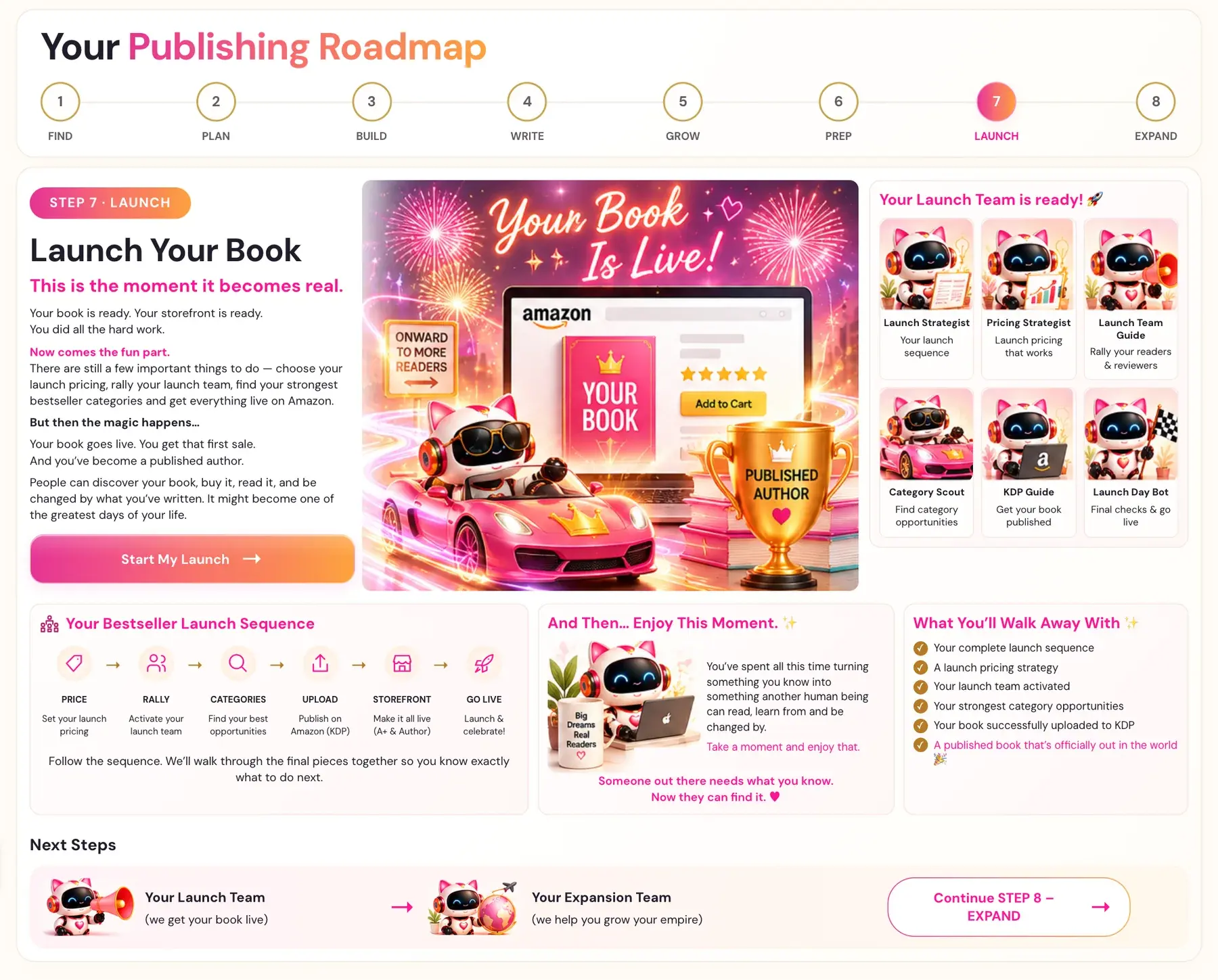
Your book goes live. You get that first sale. And you've become a published author.
What is the checklist?
1. PRICE: set your launch pricing
- Watch Launch Pricing Strategy.
- If you want a 99 cent price, KDP does not allow it for a file over 3 MB, so check that your EPUB is under 3 MB.
- See How do I set my launch price?.
2. RALLY: activate your launch team
- Watch Prepping your Launch Team.
- Never ask for 5-star reviews, and never give reviewers the exact words to copy. Give prompts and themes, not scripts.
- See How do I build a launch team?.
3. CATEGORIES: find your best opportunities
- Connect your free Scraper Key and run the Category Scout right before launch.
- Check each category on live Amazon, so you avoid ghost categories.
- See How do I find my best categories with the Category Scout?.
4. UPLOAD: publish on Amazon (KDP)
- Export your PDF and EPUB from the Writing Studio.
- Watch KDP Upload Walk-Through.
- Paste your description HTML into the KDP description field and your 7 keyword strings into the backend keyword boxes.
- KDP asks about AI-generated content at upload. The Coach says authors must disclose it, and that failing to do so can put a book or account at risk.
- See How do I upload my book to KDP?.
5. STOREFRONT: make it all live (A+ and Author)
- Watch A+ Content Walk-Through and add your A+ Content. See How do I plan my A+ Content?.
- Watch Author Central Walk-Through and add your bio. See How do I write my Author Central bio?.
6. GO LIVE: launch and celebrate
- Your Launch Day Bot on the roadmap is listed for "final checks & go live."
- Then enjoy this moment. Someone out there needs what you know, and now they can find it.
What do I walk away with?
The roadmap lists what you walk away with from Step 7:
- Your complete launch sequence.
- A launch pricing strategy.
- Your launch team activated.
- Your strongest category opportunities.
- Your book successfully uploaded to KDP.
- A published book that's officially out in the world.
What comes after go live?
Step 8 · EXPAND picks up from here: "Your book is live. Now let's see how far we can take it." It covers going global, translating, audiobooks, Amazon Ads, series and more opportunities. See What is Step 8 (Expand)?.
Related reading: Amazon KDP Publishing Guidelines.
You can ask the Course Coach inside the app any time you have a question about a button or a field.
Related Articles
Last checked in the app: October 14, 2026.
Still Need Help?
Inside the app, the Course Coach answers your questions and guides you step by step. You can also write to us and we will get back to you.
Contact Support