
The Full AI Book Publishing Course for the New AI Age: All 8 Steps Explained
See how the Golden Bestseller Empire course works: 62+ short videos, step-by-step instructions for every tool, and eight steps that take you from your first idea to a published, expanding book.
Alrighty, let's talk about the heart of everything: the course! The Golden Bestseller Empire course is a full AI book publishing course for the new AI age. It has 62+ short video lessons, step-by-step instructions for every tool and feature, and eight steps that walk you from your very first idea to a published book that keeps growing. It's optimized for Amazon's new COSMO and its relations, and it sits inside the same app as your generators, your Writing Studio and your Course Coach.
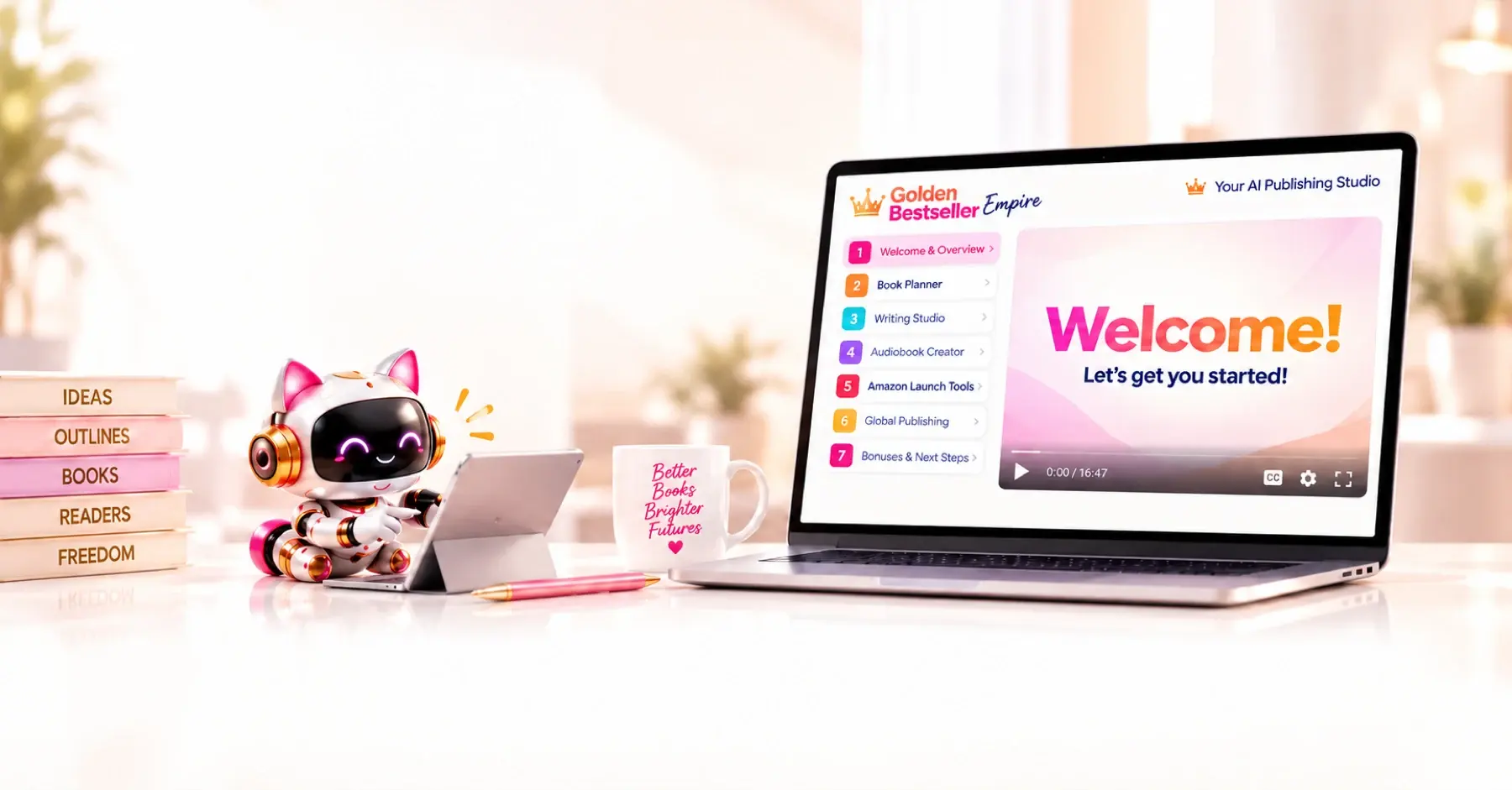
What Is the Full AI Book Publishing Course?
It's a complete, step-by-step course that teaches you how to publish a book in the new AI age, and it comes with the tools to do every step. You don't watch a lesson and then wonder how to do it on your own. Under the lesson video, the tool you need is right there.
Here's what you get:
- 62+ short video lessons. Clear, practical, no fluff.
- Step-by-step instructions for every tool and feature.
- Your own pace. Watch, pause and replay any time.
- Real examples and walkthroughs. You see exactly how it works.
- 31+ AI generators, including three standalone apps (the Writing & Formatting App, the Audiobook Generator and the Translation App), all working together for your book.
And the course isn't on its own. Your AI Course Coach knows the entire system and is there whenever you have a question. See How to Use the Course Coach.
Why Is This a Course for the New AI Age?
Because Amazon changed how it finds and recommends books. Its AI no longer just matches words. It maps every search to ideas, and it connects every book to those ideas through a web of relationships. A Knowledge Graph is that web for your book: who it is for, what problem it solves, when someone needs it, and what the reader wants to achieve.
Golden Bestseller Empire is the only book publishing platform offering generators that create a book's Knowledge Graph with all 15 COSMO intent vectors and relations. It then applies that to all items on the sales page as well as Amazon Ads, Translations, the full manuscript and so much more. The course teaches you how that works, and the generators do the heavy lifting for you. You don't need to understand the technical side. Your Architecture Team takes care of it in Step 3.
Curious about the background? Read What Is a Knowledge Graph?, Amazon KDP Algorithm and How Amazon's Knowledge Graph Works.
What Are the Eight Steps?
Each step has a question at its heart, and each one hands off to the next:
- Step 1 · FIND: Find Your Signature Topic. "What could you be known for?" Five research generators help you find the intersection of what you know, what readers want and an angle that's yours to own. See the tutorial Find Your Signature Topic.
- Step 2 · PLAN: Create Your Book Blueprint. "Where do you want this book to take your reader, and you?" The Book Planner asks you one question at a time, and you end with your complete Book Blueprint. See the tutorial Use the Book Planner.
- Step 3 · BUILD: Build Your AI-Friendly Book Architecture. "Will Amazon recommend your book?" Your Blueprint becomes a Knowledge Graph, your Big Promise, a full book outline and chapter details. See the tutorial Build Your Book Architecture.
- Step 4 · WRITE: Bring Your Book to Life. "Let's get to writing this baby!" You write, dictate and polish in the Writing Studio, with your AI Writing Coach and AI Editor beside you. See the Writing Studio Tour.
- Step 5 · GROW: Build Your Fanbase Before You Launch. "Why wait until launch to find your readers?" A simple system that runs mostly on autopilot, with no daily posting. See the tutorial Grow Your Audience.
- Step 6 · PREP: Build Your Storefront. "So Amazon recommends you and readers want you." Your title, cover direction, description, A+ Content, author bio and backend keywords. See the tutorial Build Your Amazon Sales Page.
- Step 7 · LAUNCH: Launch Your Book. "This is the moment it becomes real." Your launch price, launch team, categories, KDP upload and going live. See the tutorial Launch Your Book.
- Step 8 · EXPAND: Take Your Book Further. "Your book is live. Now let's see how far we can take it." Amazon ads, translations, an audiobook, a series and more opportunities. See the tutorial Amazon Ads for Books and Translate Your Whole Book.
Want to see all eight at a glance? Open the public Roadmap.
What Does a Lesson Look Like?
Every lesson is built the same way, so you always know where to look:
- The video is at the top. It's short and to the point.
- A box for your notes. Write what you want to remember, right there.
- MARK COMPLETE →. Click it when you're done, so you can see your progress.
- Your tool, further down the page. On a lesson that has a generator, click the pink "↓ Scroll down to the Generator ↓" link under the video, and the page takes you straight to it. Lessons without a generator, like intro videos and walk-throughs, don't show that link.
Some steps also have a Roadmap page, a short overview with a button into the lessons. The first time you click a step in the left sidebar, you see that overview. After that, the same click goes straight to the lessons.
Do You Have to Follow the Order?
Nothing in the app is ever locked. All eight steps are open from day one. The order above is simply the one that gets you the best results, because each step builds on the one before it. Your Step 3 generators use your Knowledge Graph. Your storefront in Step 6 uses it too. Steps 4 and 5 run side by side, so you can build your fanbase while you write.
The most common mistake is jumping straight to the Book Planner. Start with Step 1, even if you're sure you already know your topic. See Where to Start With Golden Bestseller Empire.
Are There Bonus Lessons?
Yes! Step 5 has a Bonus Growth Toolkit, with Viral Book Memes and the complete Rapid Fanbase Builder Course. Step 6 has a bonus Title Copywriting Masterclass. See The Rapid Fanbase Builder, Viral Book Memes and Title Copywriting Masterclass.
How Do the Apps Fit Into the Course?
The course teaches, and the apps do the work:
- The Writing & Formatting App is where you write, edit, format and export. See the Writing Studio App.
- The Audiobook Generator turns your manuscript into a narrated audiobook. See How to Create an Audiobook.
- The Translation App takes your book, your sales page and your Amazon ads to readers worldwide. See Translate Your Whole Book.
Where Do You Start?
- Log in, and watch the short Welcome Video, "Welcome & Full App Walk-through." You can watch it again any time on the Dashboard tab.
- Click Roadmap in the top menu.
- Open Step 1 · FIND, and click Start your research now →.
Want the whole journey in one place first? Read the Quick Start Guide.
What If You Get Stuck?
Ask your Course Coach. It knows the entire system, answers in short, friendly steps, and if you feel overwhelmed it gives you one clear next step. For anything else, see How to Contact Support.
What Comes Next?
Begin with Step 1 · FIND. Not sure where to start? The Course Coach inside the app guides you through every step, so you're never stuck on a button.
Related Articles
Last checked in the app: October 15, 2026.
Still Need Help?
Inside the app, the Course Coach answers your questions and guides you step by step. You can also write to us and we will get back to you.
Contact Support